The Almighty Bonusroll
- By
A bonus-roll planner and safety companion: prioritize target items, confirm rolls or passes, track rewards by character and loot spec, and see where your next bonus roll is worthwhile.
tabr_bonusrollinformation.png
tabr_plan.png
tabr_priorities.png
tabr_history.png
tabr_settings.png
tabr_minimapicon.png
Description
Plan your bonus rolls instead of wasting them
The Almighty Bonusroll helps you decide where your limited bonus rolls are actually worth using.
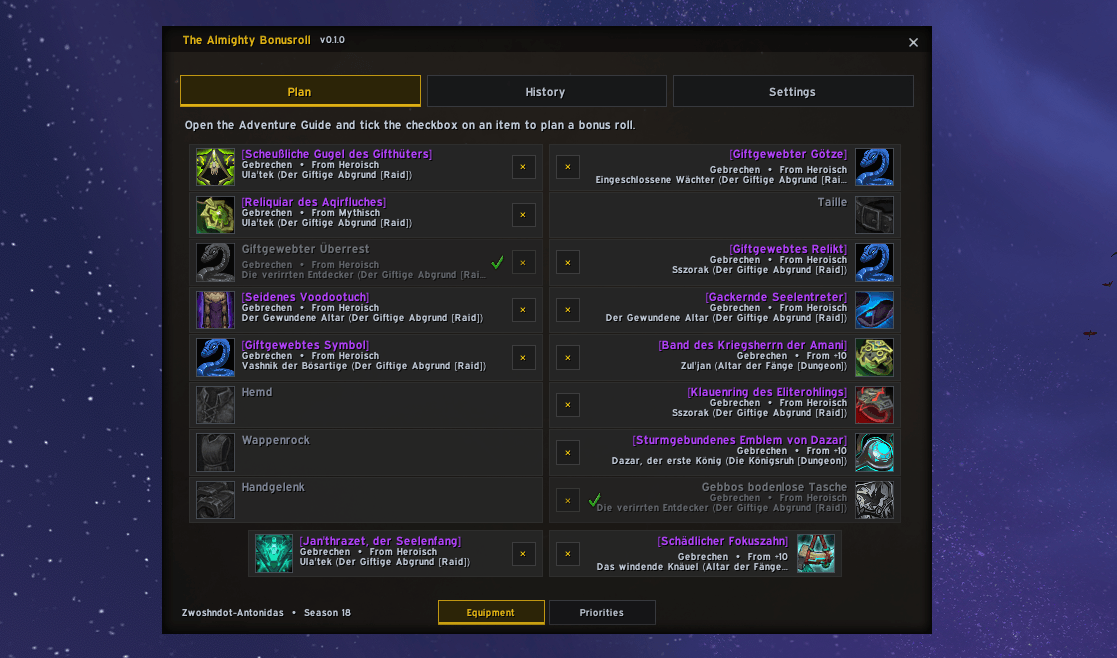
Create a personal item plan directly inside the Adventure Guide, arrange your targets by priority, and let the addon show you the relevant information whenever a matching boss or dungeon offers a bonus roll.
The addon also adds an optional confirmation step before using or skipping a bonus roll, helping prevent accidental clicks while keeping Blizzard's original bonus-roll workflow intact.
Main features
- Plan bonus-roll targets directly in the Adventure Guide.
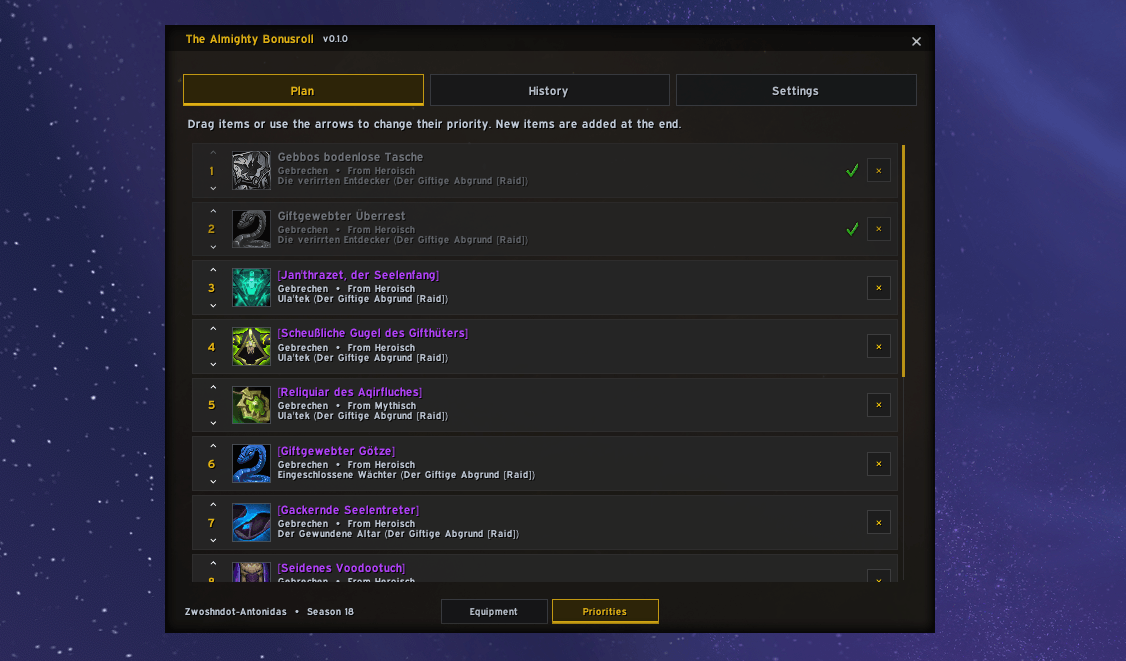
- Assign every planned item a unique priority
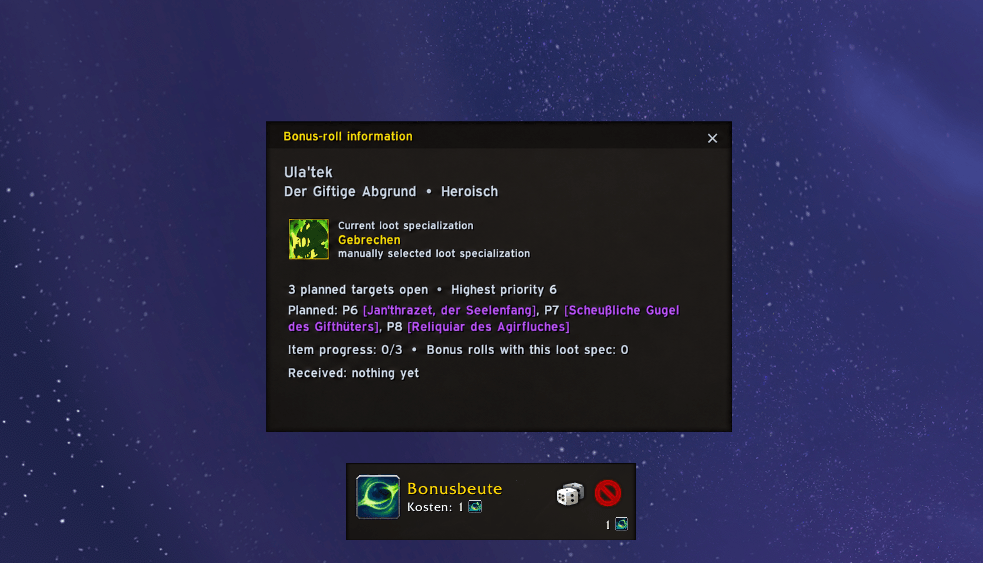
- Show a compact information window at relevant bosses and dungeons.
- Confirm both using and skipping a bonus roll.
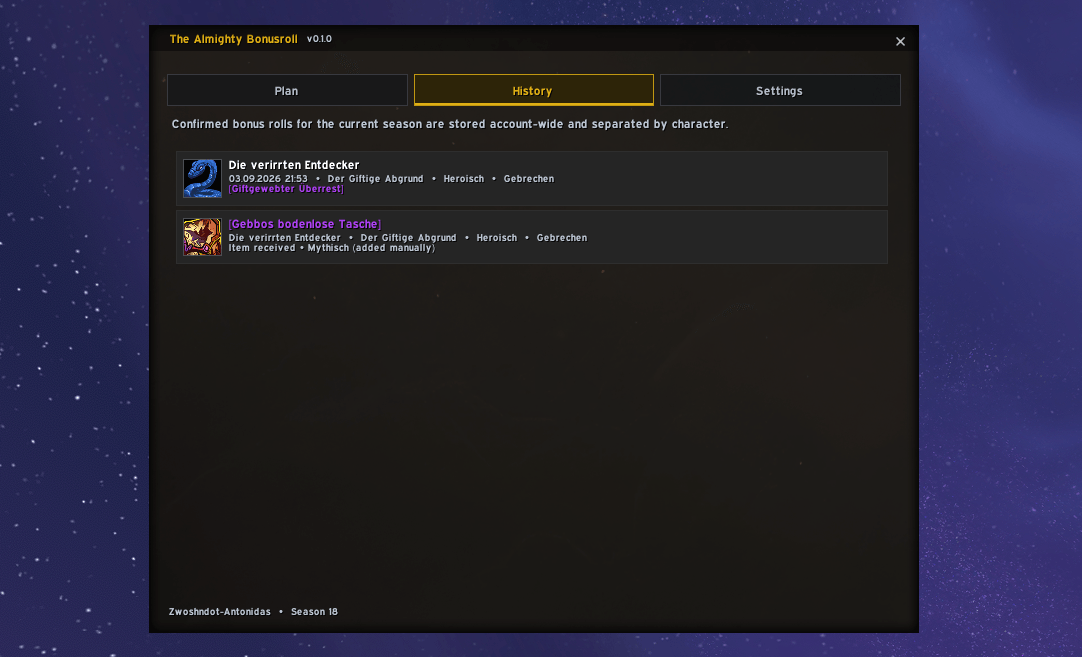
- Track bonus rolls, rewards, difficulty and loot specialization.
- Automatically recognize planned items obtained through regular loot.
- Support raid and Mythic+ bonus-roll targets.
- Display planned-item information in regular item tooltips.
- Provide German and English localization with automatic client-language detection.
- Support Blizzard's default interface and EllesmereUI.
How item planning works
Open the Adventure Guide and select the encounter and difficulty containing the item you want. While Planning maintenance mode is enabled, every supported loot entry receives an additional planning checkbox.
Click the checkbox to add the item to your current character's bonus-roll plan. The addon stores the selected item together with its source, difficulty and currently active loot specialization.
New targets are automatically placed at the end of your priority list. Open the Priorities view to rearrange them using drag and drop or the up and down arrows.
The plan supports up to 16 equipment targets. Each equipment slot can contain one planned item, with two available positions for rings and trinkets.
Difficulty and reward requirements
A selected raid difficulty acts as the minimum required reward level. For example, a Heroic target also remains relevant on Mythic, while obtaining a lower-level version does not complete a higher-level plan.
For Mythic+ targets, the configurable minimum keystone level determines when a dungeon is relevant and which reward level is required.
The automatic completion check considers both the actual item level and Blizzard's upgrade track. A Champion or Hero item therefore cannot accidentally complete a Myth target, even when upgraded item-level ranges overlap.
Automatic item detection
The addon checks equipped items and bags whenever your inventory changes. If it finds a planned item that meets the required difficulty, upgrade track and item level, the target is automatically marked as obtained.
This also works when the item drops normally without using a bonus roll. Completed targets remain visible in your plan, making it easy to understand your seasonal progress.
Bonus-roll information window
When Blizzard offers a bonus roll at a relevant boss or dungeon, The Almighty Bonusroll displays a separate read-only information window containing:
- The current boss, raid or dungeon.
- Your active loot specialization.
- The number of open planned targets.
- The highest relevant priority.
- The planned items available from that source.
- Your previous bonus rolls with the current loot specialization.
- Items already received from that boss or dungeon.
The information window does not replace Blizzard's roll buttons and contains no actions of its own. It simply provides the information needed to make the decision.
Confirmation protection
When Confirmation is enabled, an additional Yes/No dialog appears before either of the following actions is executed:
- Using the bonus roll.
- Skipping the bonus roll.
This protects against accidental clicks in both directions. The confirmation can be disabled in the settings if the original one-click behavior is preferred.
Bonus-roll history
Every confirmed bonus roll can be recorded with its character, date, encounter, instance, difficulty, loot specialization and result.
The optional Manual-entry mode adds another checkbox to Adventure Guide items, allowing earlier bonus-roll rewards to be added to the history manually.
Minimap button
The minimap button provides quick access to the addon:
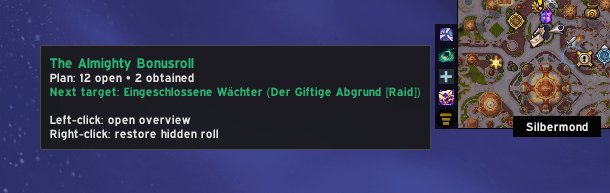
- Left-click: Open the planning overview.
- Right-click: Restore a hidden bonus-roll window while it is still active.
Its tooltip shows your number of open and obtained targets as well as the boss or dungeon containing your next priority target.
Settings
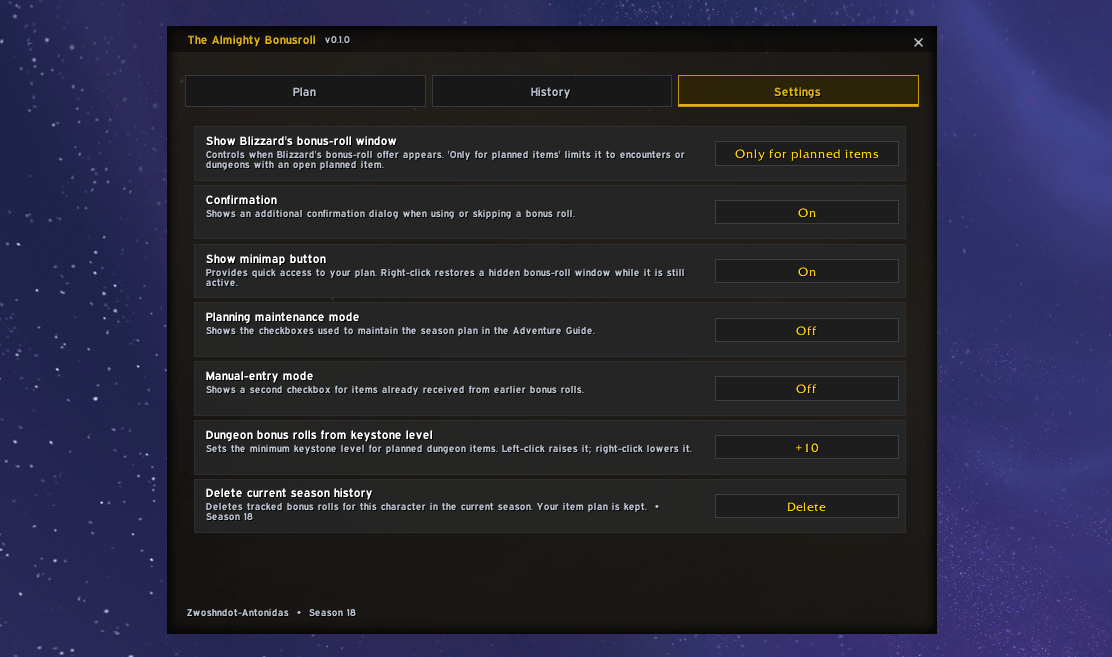
- Show Blizzard's bonus-roll window: Choose between Always, Only for planned items, or Never automatically.
- Confirmation: Enable or disable confirmation dialogs for using and skipping bonus rolls.
- Show minimap button: Display or hide the movable minimap button.
- Planning maintenance mode: Show the planning checkboxes in the Adventure Guide.
- Manual-entry mode: Show checkboxes for manually adding earlier rewards.
- Dungeon bonus rolls from keystone level: Set the minimum relevant Mythic+ level.
- Delete current season history: Clear the recorded history without deleting the item plan.
Commands
/tabr- Open the addon./tabr plan- Open the planning view./tabr history- Open the bonus-roll history./tabr roll- Restore a currently hidden bonus-roll window./tabr test- Show a harmless preview of the information window./tabr lang auto- Follow the WoW client language./tabr lang de- Use German./tabr lang en- Use English./tabr resetpos- Reset the minimap-button position.
Compatibility
The addon supports Retail World of Warcraft and automatically adapts to Blizzard's default interface or EllesmereUI.
Other addons that modify the same bonus-roll frames may cause nested confirmations or conflicting window behavior. Disable them when using The Almighty Bonusroll.
All plans, settings and history are stored locally in World of Warcraft's SavedVariables.
The Almighty Bonusroll Team