Delve Companion XP Tracker
- By
Tracks Chunk of Companion Experience pickups from Mislaid Curiosities for Valeera. Perfect for a fast Dundun Delve farm.
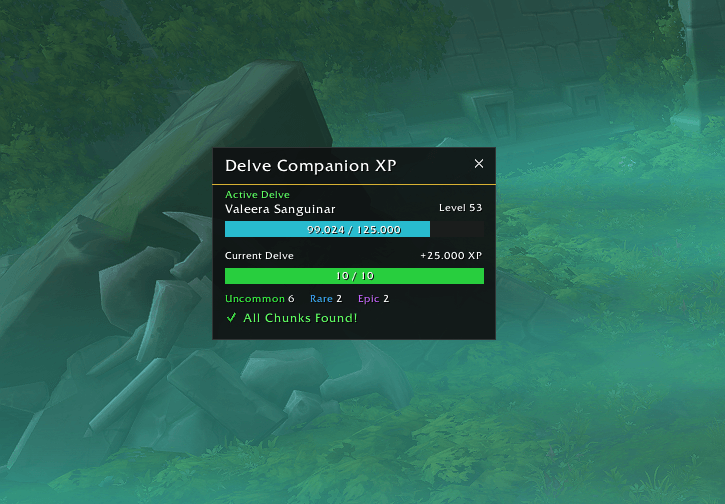
Modern Theme
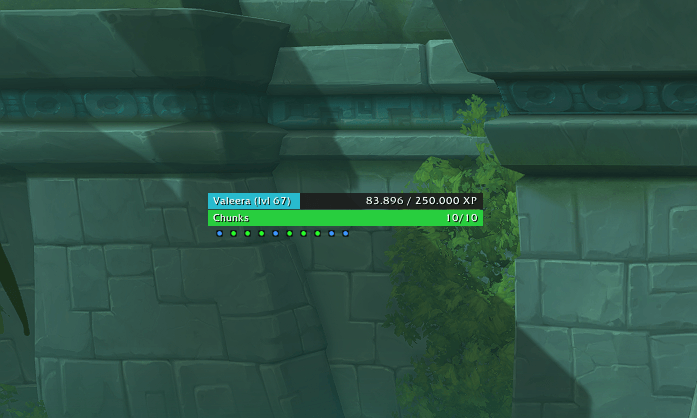
Compact Mode
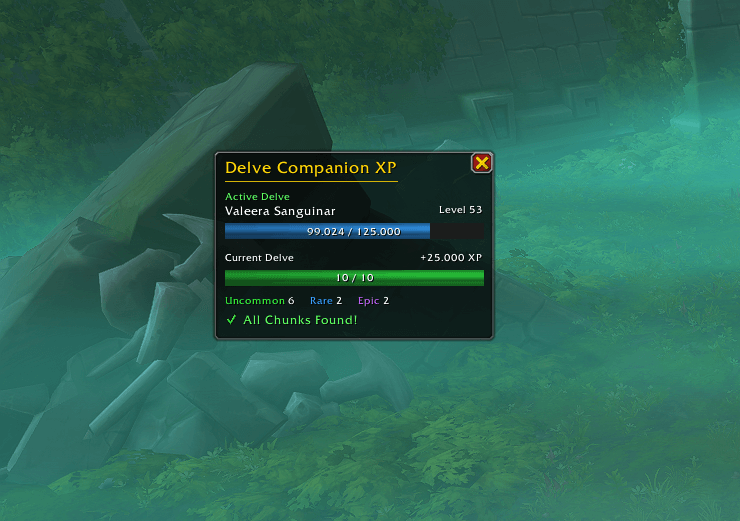
Default Theme
Description
Delve Companion XP Tracker
Delve Companion XP Tracker is a lightweight World of Warcraft addon for tracking Chunk of Companion Experience pickups during Delves.
The tracker automatically appears when you enter a Delve, tracks your collected chunks and Companion XP, and can also display Valeera Sanguinar's current level and XP progress.
Features
- Tracks all collected Chunk of Companion Experience
- Displays the total Companion XP gained during the current Delve
- Shows the number of collected Uncommon, Rare and Epic chunks
- Displays your progress toward the configured Chunk goal
- Includes a dedicated Chunk progress bar
- Shows Valeera Sanguinar's current level and XP progress
- Chunk progress is shown in yellow while incomplete and green when complete
- Optional completion glow when all chunks have been collected
- Automatically resets when entering a new Delve
- Automatically shows when entering a Delve and hides again after leaving
- Two visual styles: Default and Modern
- Movable tracker window with Lock / Unlock support
- Minimap button to manually show or hide the tracker
- Dedicated AddOn settings panel
- No external libraries or dependencies required
Valeera Progress
The tracker can display Valeera Sanguinar's current companion level together with her current XP progress toward the next level.
This progress is displayed independently from the Companion XP collected during the current Delve, allowing you to see both your current run progress and your overall Valeera progression at a glance.
Display Styles
The addon includes two built-in visual styles:
- Default - a more traditional World of Warcraft inspired appearance
- Modern - a cleaner and more minimal interface designed to blend into modern UI setups
The selected style can be changed at any time through the AddOn settings.
Usage
The addon works automatically.
Enter a Delve and the tracker will appear. Collect Companion Experience chunks as usual and the display will update immediately.
After leaving the Delve, the tracker will automatically hide again.
The tracker can also be opened or closed manually using the minimap button.
Right-click the minimap button or use /dcxp settings to open the settings panel.
Use /dcxp help to display the available slash commands.
Settings
The settings panel allows you to configure:
- Default or Modern design
- Automatic, English or German language
- Automatic show / hide behavior
- Minimap button visibility
- Tracker Lock / Unlock
- Valeera level and XP display
- Rarity breakdown
- Completion glow
- Chunk goal
- Tracker position reset
Compatibility
Designed for World of Warcraft: Midnight, Patch 12.1 / Retail.
Feedback
Found a bug, incorrect tracking behavior or a Delve where something works differently than expected? Feedback and bug reports are very welcome - feel free to leave a comment on the CurseForge project page.
Developed by Zwosh (WoW Codex)
The Delve Companion XP Tracker Team