StockClerk
- By
A pocket-sized shopping list for your consumables: set what you want on hand and restock it from your bank or the Auction House in a few clicks.
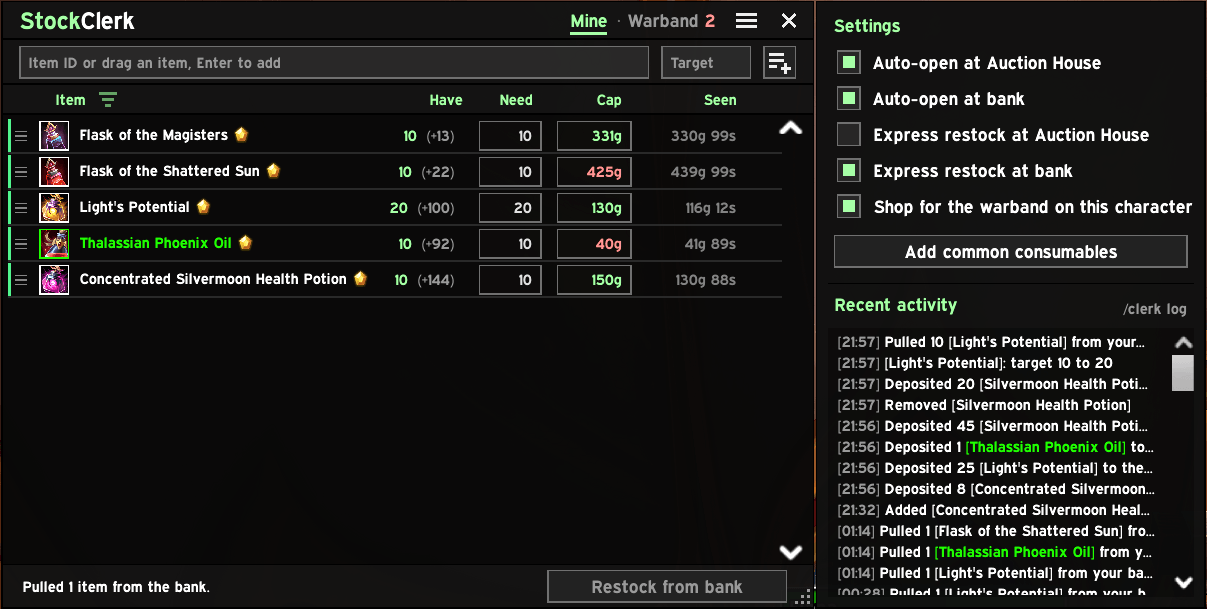
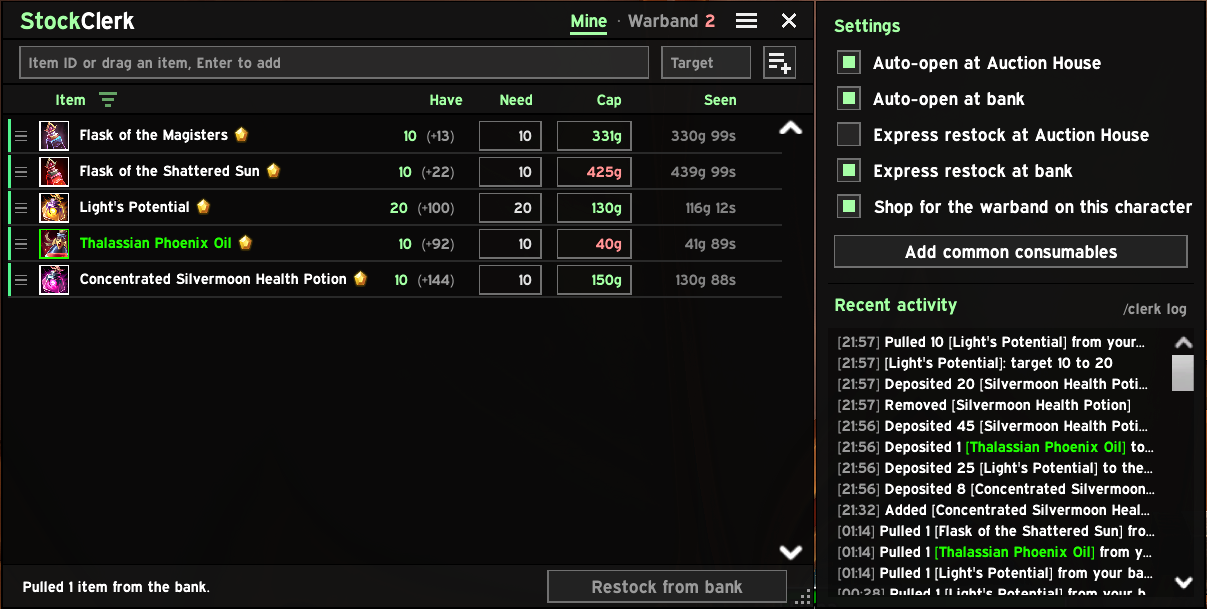
5-settings-and-activity.png
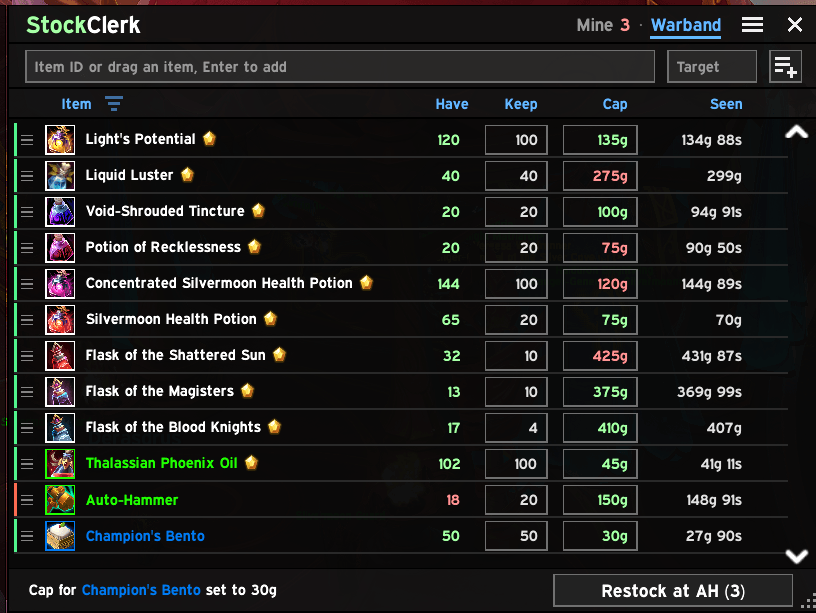
4-warband-at-ah.png
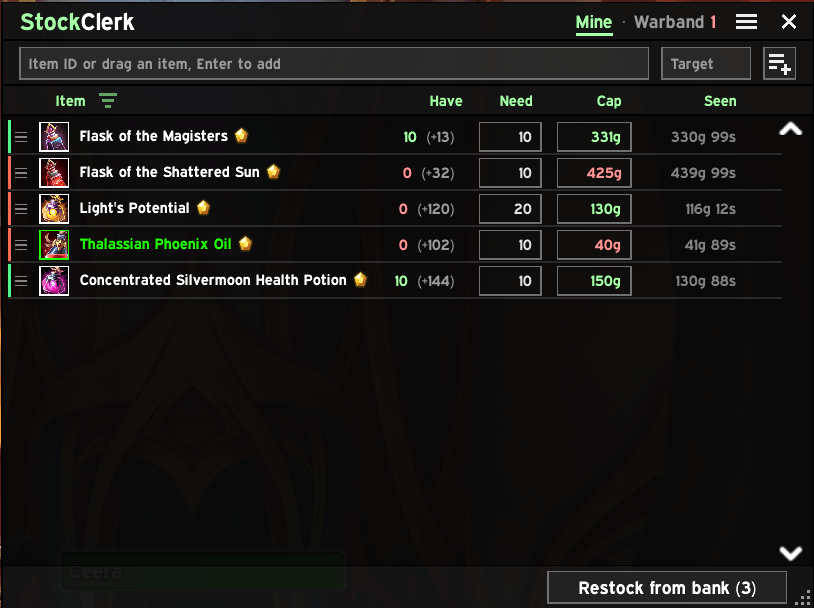
3-short-at-bank.png
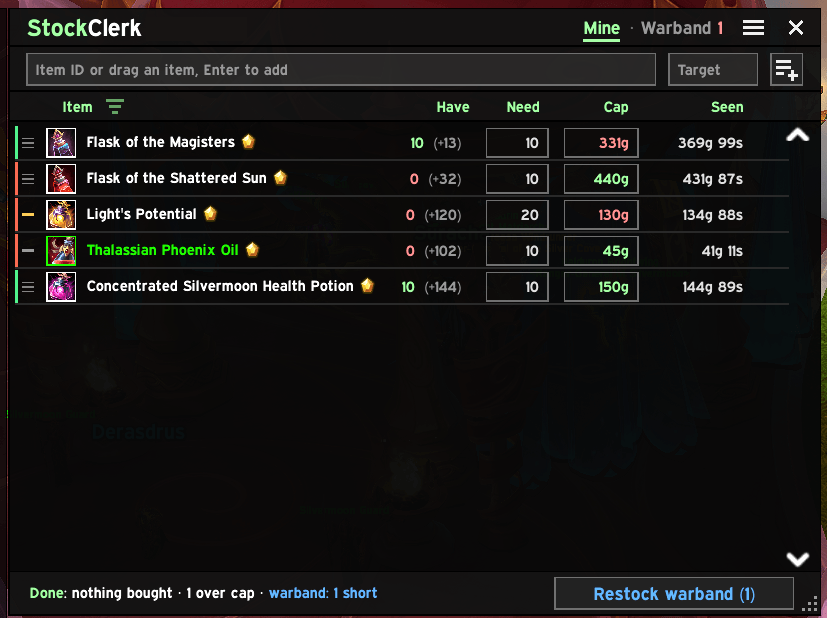
2-receipt.png
Description
A pocket-sized shopping list for your consumables.
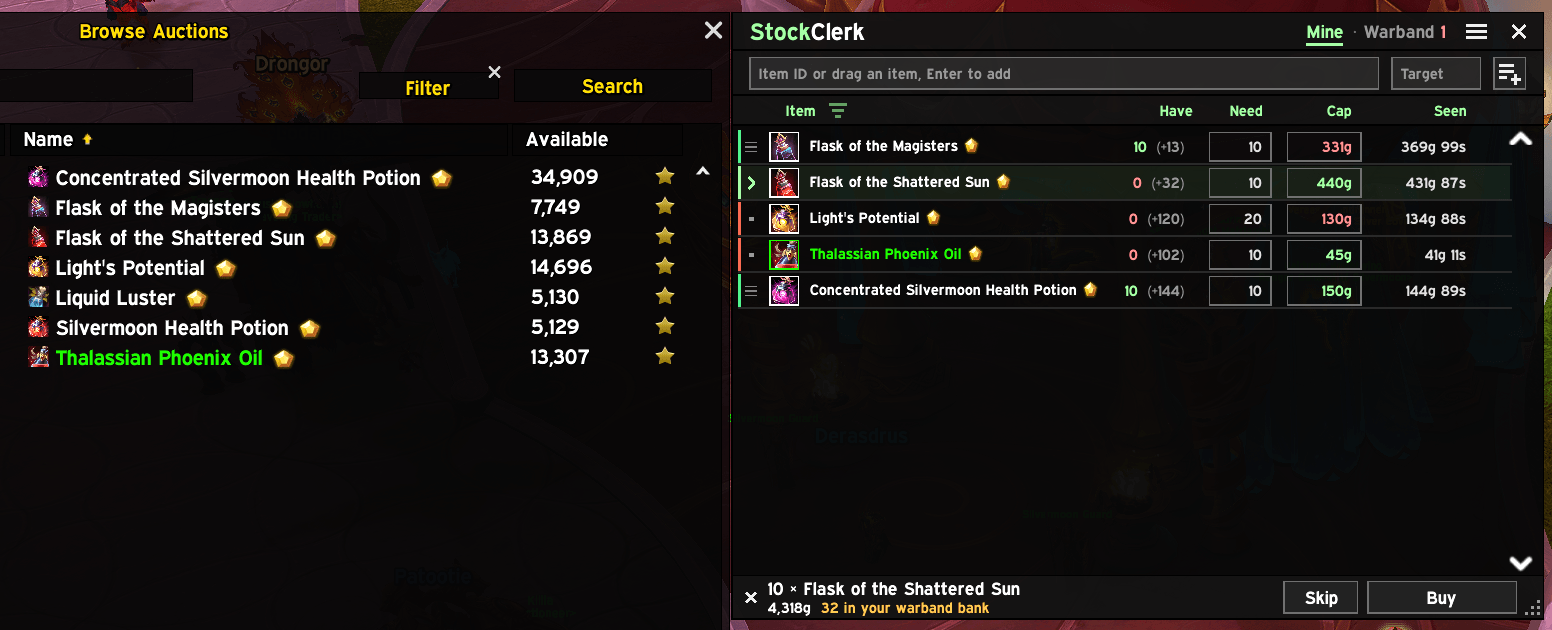
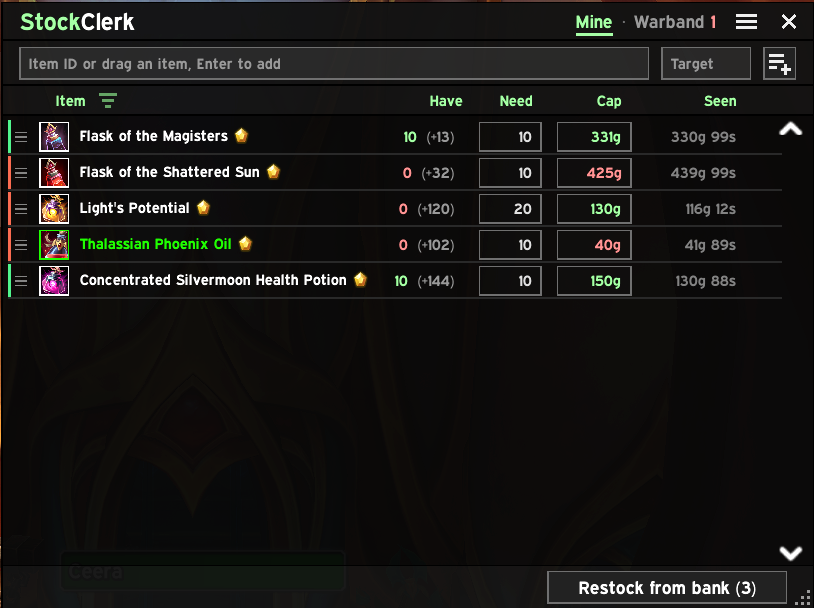
Set how many of each flask, potion and food you want on hand. StockClerk shows what you're short on and restocks it from your bank or the Auction House in a few clicks, so a trip between dungeons stays a quick one. Keep a shared stock in your warband bank too, and every character restocks from it.
Features
- A list per character. Add items by ID, by dragging them from your bags, or in bulk. One click adds this expansion's common consumables.
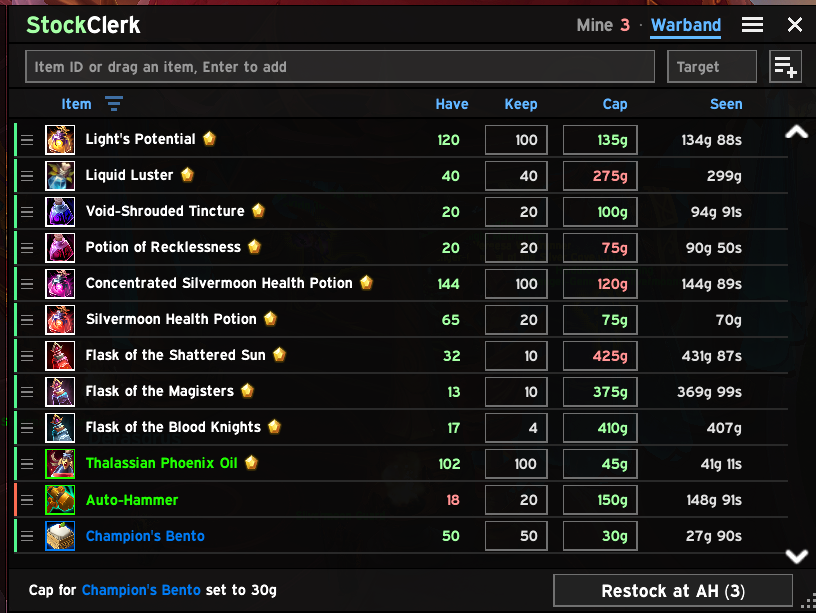
- A warband list. Keep at least a set number of anything in your warband bank for all your characters. After your own shopping, StockClerk offers to top it up, with its own price caps.
- Deposit at the bank. Anything above your own targets goes into the warband bank, where every character can restock from it. Always a button, never automatic.
- Keep gold on each character. Set an amount per character, and at any bank StockClerk deposits the rest in the warband bank, or tops you back up from it. Whole gold only.
- Restock from bank. At the bank, one click moves exactly what you're short from your bank and warband bank into your bags.
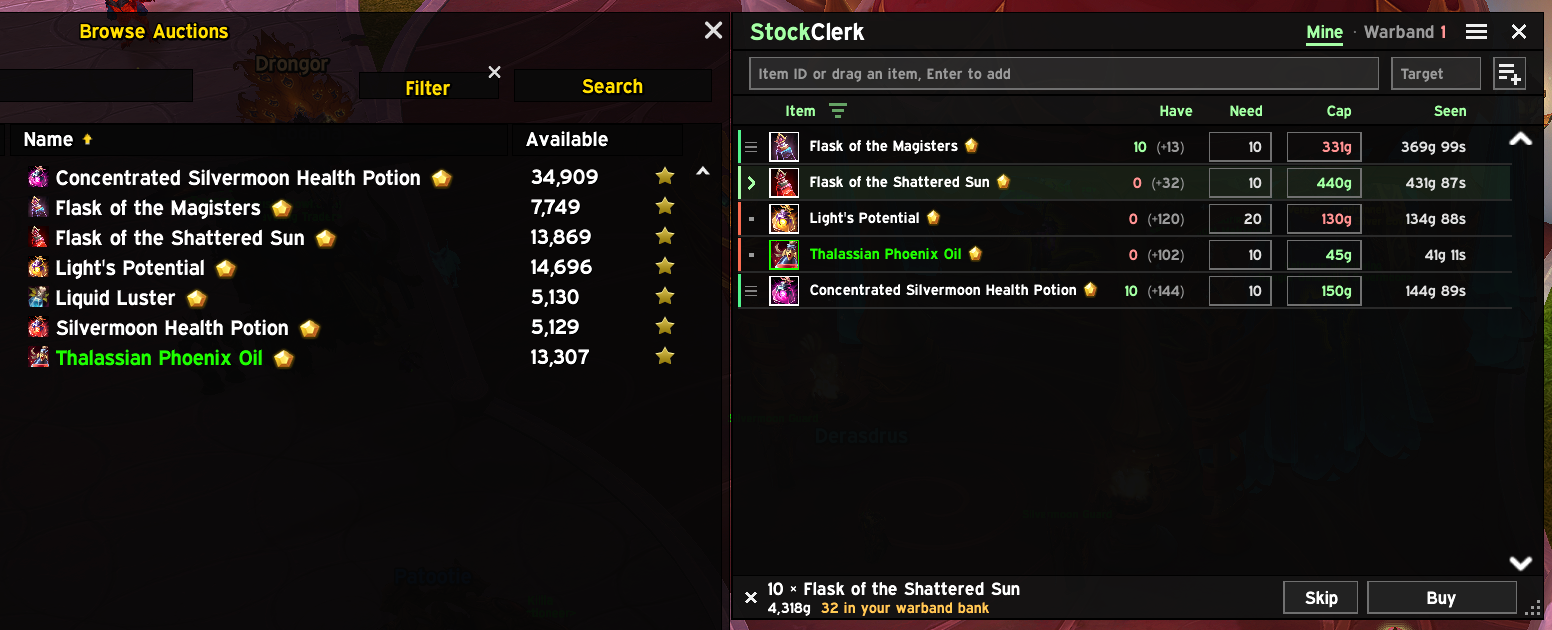
- Checkout at the Auction House. Restock goes down your list and Buy appears right where you clicked, so it's one click per item and rows tick off as you go. The Restock button shows what the trip will cost at last seen prices. Nothing is ever bought without your click.
- Price caps. Set a max per unit and StockClerk won't pay more. It also asks for a second look before you buy something you already have in the bank, have no cap on, or that costs well above what you last saw.
- Never buys twice. Purchases still in your mail, and warband buys your other characters haven't deposited yet, count toward your targets.
- A receipt for everything. Purchases, bank pulls and deposits show in Recent activity;
/clerk loghas the full history. - Hands-free if you like. Open automatically at the AH or bank, and start restocking as soon as you arrive. A minimap icon opens the window (hide it in settings).
Commands
| Command | What it does |
|---|---|
/clerk (or /sc, /stock) |
Open the window |
/clerk <item ID or link> |
Add an item with a target of 1 |
/clerk log |
Open the activity log (paste it into a bug report) |
/clerk debug |
Record extra detail in the log until you /reload |
/clerk reset |
Clear this character's list |
/clerk help |
List commands |
Install
Retail (Midnight) only. No other addons required.
Install from CurseForge, or unzip a release into Interface/AddOns/. Found a bug? Open an issue with your /clerk log.
Credits
The flat, dark look comes from atrocityEssentials and NorskenUI. plusmouse's Auctionator, Baganator and Syndicator set the bar for a well-behaved AH addon and for counting items everywhere they live; no code is copied from them. The minimap icon uses LibDBIcon and LibDataBroker.
Source and issues: GitHub
StockClerk Team