StatPriorityFirst
- By
PvE stat priorities (Raid / Mythic+) from Wowhead — clean, hoverable, weekly-updated.
spf_ellemereui_skin.png
spf_elvui_skin.png
spf_15.png
spf_14.png
spf_13.png
Description
Stat Priority First
PvE (Raid / Mythic+) stat priorities and BiS from Wowhead — clean, hoverable, weekly-updated.
Overview
Stat Priority First is a focused guide addon for Midnight (12.0). It puts Wowhead-sourced stat priority chains, BiS gear picks, and a friendly diminishing returns walkthrough in a small floating panel — plus a compact priority strip above your Character frame.
It does not replace your UI, vault tracker, or weekly checklist. It answers: what should I stack, what gear is BiS, and how hard is DR hitting me right now?
- Guide first — class/spec browser, Raid / Mythic+ build pills, Compare.
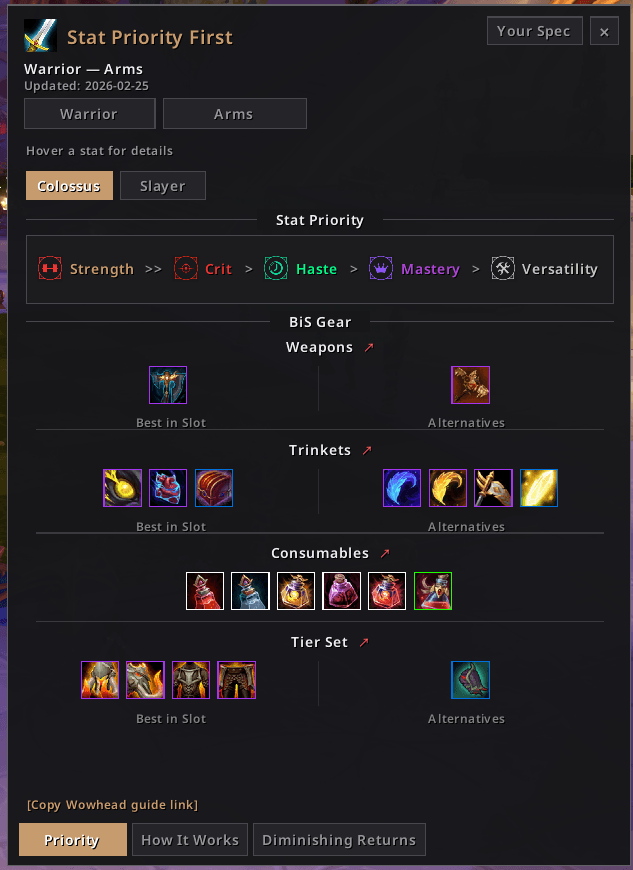
- BiS cards — Weapons, Trinkets, Consumables, and Tier Set with quality borders and Wowhead copy-links.
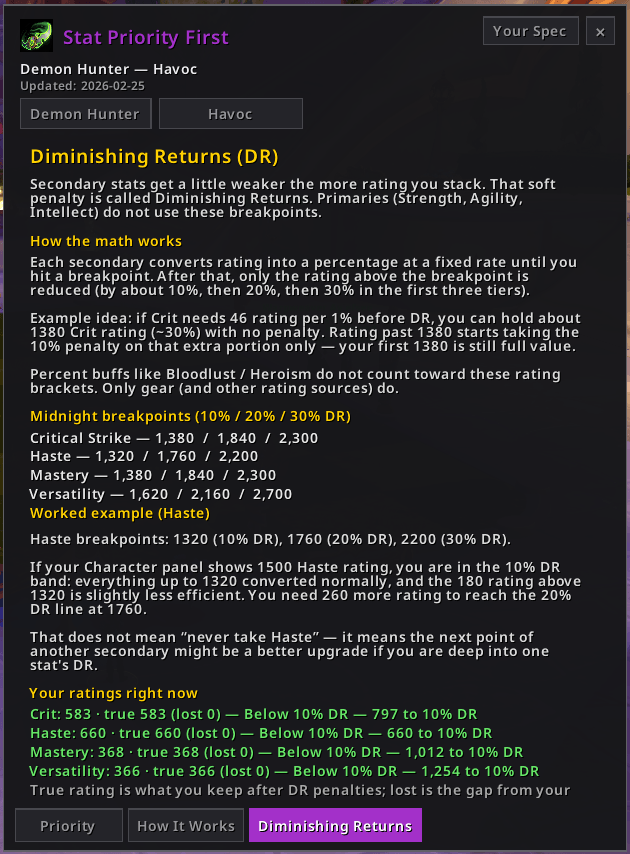
- Live DR — breakpoints, true rating / lost to DR, and a readable bracket meter on secondary-stat hovers.
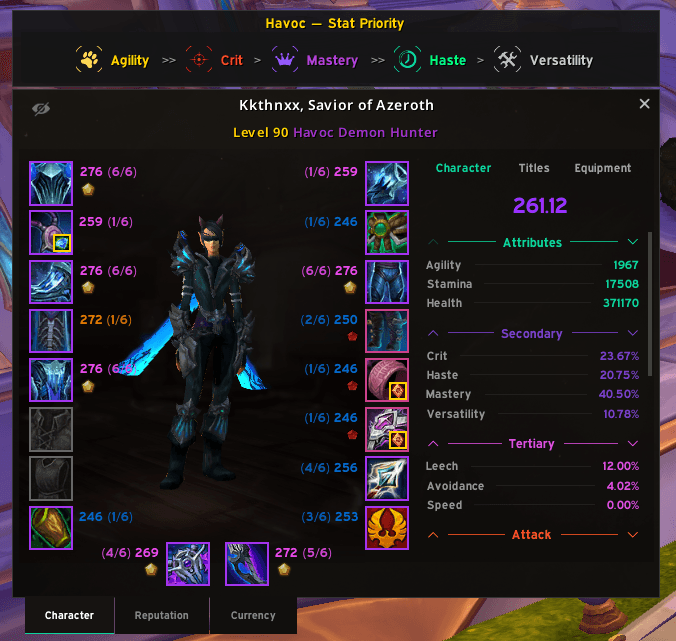
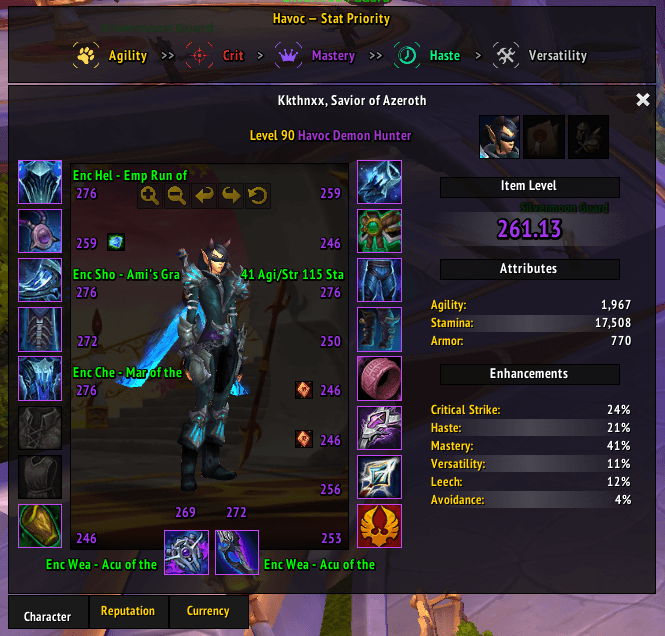
- Character bar — your current-spec priority above PaperDoll (soft-skinned for ElvUI / EllesmereUI when those suites theme the character sheet).
- Weekly data — scrape pipeline under
tools/refreshesData/Priorities.luafrom Wowhead.
Current version: 1.0.0 · Interface: 120007 (Midnight / Revelations)
Installation
Manual
- Place the
StatPriorityFirstfolder inWorld of Warcraft\_retail_\Interface\AddOns. - Restart the game (or
/reloadif already in-game). - Open with
/spf.
No other addons are required. Optional soft skins: ElvUI, EllesmereUI (+ EllesmereUIBlizzardSkin for Character Sheet theming).
Getting Started
| Command | Description |
|---|---|
/spf or /statpriority |
Toggle the floating panel |
/spf refresh |
Jump to your current class/spec |
/spf status |
Data QA — spec count, scrape time, missing DR / BiS |
/spf <class> <spec> |
Browse a class/spec (e.g. /spf demonhunter havoc) |
/spf help |
Slash-command reminder |
Panel tabs
| Tab | What you get |
|---|---|
| Priority | Stat chain + BiS rows (Weapons → Trinkets → Consumables → Tier) |
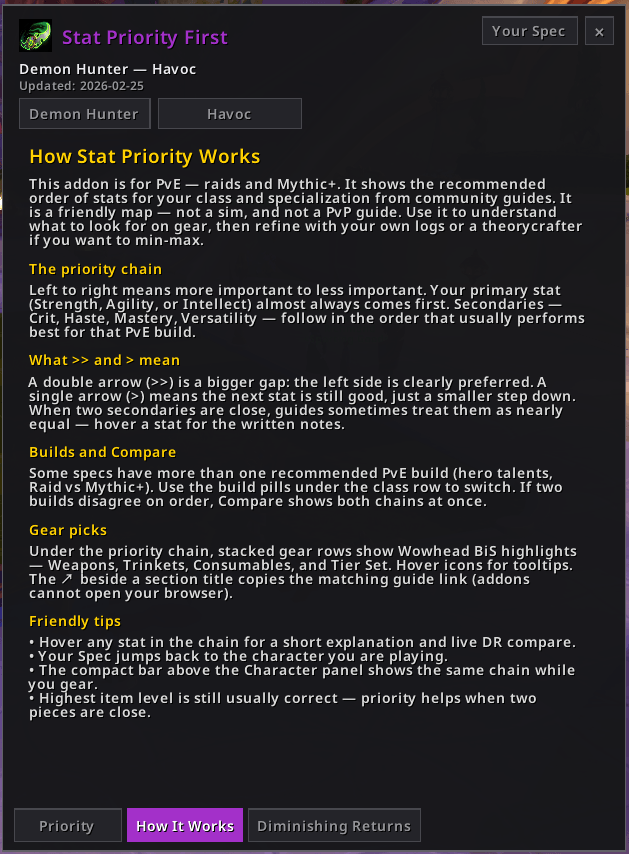
| How It Works | Short guide for using the panel and gear picks |
| Diminishing Returns | Breakpoint tables, worked example, live ratings with true/lost |
Left-click the minimap button to open the panel; right-click jumps to your current spec. Drag the button around the minimap rim to reposition.
Configuration
Open Esc → Options → AddOns → Stat Priority First.
| Option | Description |
|---|---|
| Hide Minimap Button | Hide the rim button (/spf still works) |
| Lock Panel | Prevent dragging the floating panel |
| Open to Your Spec | Start on your current spec (off = last browsed) |
| Hide Character Frame Priority | Hide the strip above PaperDoll |
| Show true rating on item tooltips | Append (true N) on Crit/Haste/Mastery/Vers item lines (off by default) |
| Panel Scale | Scale the floating panel (75%–150%) |
A short About Diminishing Returns blurb sits at the bottom of the settings page.
Features
Floating panel
- Class list and spec picker with localized names where Blizzard provides them.
- Build pills for Raid / Mythic+ (and extra variants when Wowhead lists them).
- Compare to put two builds side by side.
- ESC closes the panel (
UISpecialFrames). - Class-accent chrome for the browsed class (Character bar won’t stomp the panel accent while it’s open).
BiS gear
- Stacked full-width rows: Weapons, Trinkets, Consumables, Tier Set.
- Best in Slot | Alternatives when both sides exist; consumables stay BiS-only (no empty Alts column).
- Fixed 32px icons, quality-colored borders, item tooltips with bonus IDs when present.
- Card ↗ copies the Wowhead guide URL (Consumables uses the enchants-gems page when available). Never calls protected
LaunchURL— copy-link popup instead.
Diminishing returns
- Guide-tab tables for the first three Midnight breakpoints (same numbers Wowhead / Maxroll list at 90).
- Hover Crit / Haste / Mastery / Vers on the Priority tab or Character bar for live compare.
- True rating and lost to DR from SimC conversion + % brackets.
- Bracket progress as a normal tooltip line + a thin muted meter (no text on neon fill).
- Optional item-tooltip true-delta (Settings).
Character bar
- Shows only on the Character (PaperDoll) tab — hidden on Reputation / Currency.
- Click a chip or empty chrome to open
/spfon your spec. - Soft skin when ElvUI Blizzard Character skins are on, or when Ellesmere Character Sheet theming is on. CharacterFrame tabs are left alone.
Minimap button
- Sits on the map rim (size-aware; round and square shapes).
- Flat SPF chrome; soft ElvUI / Ellesmere button skin when those suites load — no gold tracking border.
Keeping data fresh
Priorities and BiS live in Data/Priorities.lua. Maintainers regenerate them with the tools under tools/.
Quick path
- Open wowhead.com → DevTools → Console.
- Paste
tools/browser_scrape.jsand wait forspf-wowhead-export.json. - From
tools/:
powershell -File update.ps1
- In-game:
/reloadthen/spf status(missingGear/missingDRshould trend toward 0).
Details, offline HTML merge, and parse notes are in tools/README.md.
Soft skins & companions
| Addon | What SPF does |
|---|---|
| ElvUI | Character bar + minimap button use ElvUI Transparent / button skins when Blizzard character skins are enabled |
| EllesmereUI | Character bar + minimap button use EUI panel fill / PP border / fonts when Character Sheet theming is on |
| LariasWeeklyChecklist (optional) | Not integrated — use it alongside SPF for vault / crests / weekly ops |
SPF stays a guide; weekly vault and crest tracking belong in a companion addon.
Contributing
Bug reports and scrape/parse fixes are welcome. When filing an issue, include:
- Client build / Interface (
120007) - Spec you’re looking at
/spf statusoutput- Whether ElvUI or EllesmereUI is loaded
For data bugs, note whether a fresh browser_scrape.js + import still reproduces it.
Credits
- Wowhead — PvE stat priority, BiS, and consumables guide pages (scraped; not affiliated)
- SimulationCraft — secondary-stat conversion factors and DR bracket sizes used for true/lost rating
- ElvUI / EllesmereUI — public skin helpers for optional Character bar and minimap chrome
Developed by Kkthnx. Built for players who want priorities and BiS without a kitchen-sink UI.
StatPriorityFirst Team

Owner