Special Features
- By
Go AFK and your UI fades away while your chat window bounces around the screen like the old DVD logo, and bursts into fireworks if it ever hits a corner.
hero.webp
fireworks.webp
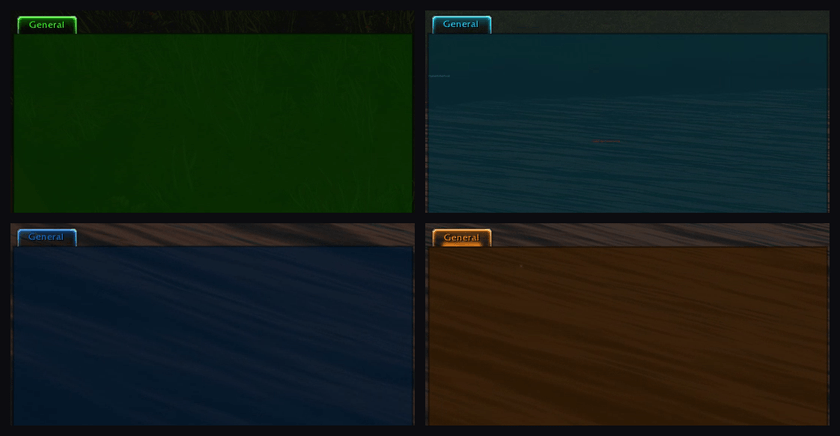
Uncommon green, heirloom cyan, rare blue, and legendary orange after a corner.
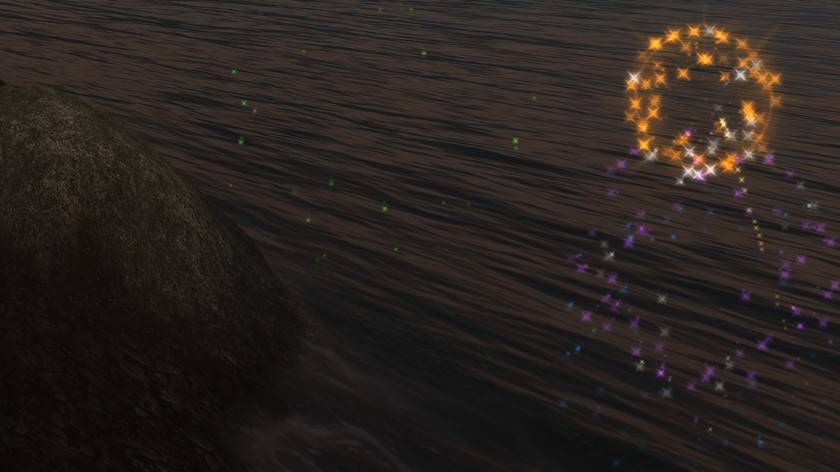
Right into a corner of your screen: five rockets go up and burst in the bounce colours.
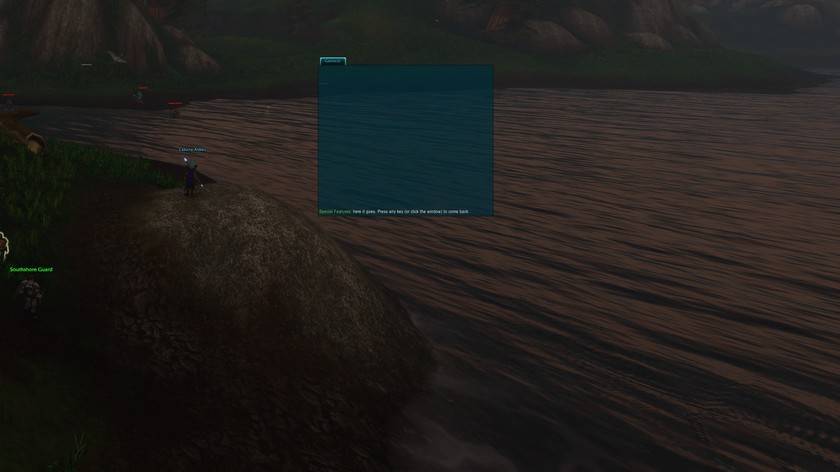
The interface is gone; your chat window drifts across the screen, coloured after a bounce.
Description
Go AFK and your interface fades away, and your chat window comes loose and drifts around the screen, bouncing off the edges like the old DVD screensaver. It turns a new colour at every bounce. If it ever goes right into a corner of your screen, it bursts into fireworks.
Made for WoW Forever. It is the game's own chat window art, your own chat and your own font, so it looks like the game drew it.
What it does
Going away
- A few seconds after you go AFK (
/afk, or the game's own idle timer), the whole interface fades out, the same way Alt+Z hides it. You see your character and the world, nothing else. - A copy of your chat window fades in where your chat sits, then sets off across the screen on a diagonal.
- It shows what your chat window shows: the tab you're looking at, its last lines, its size, font and colour, and every new line while you're away. A whisper makes the tab glow, the way a chat tab does, so you know there's something waiting.
The bounce
- Every time it hits an edge it takes a new item-quality colour: uncommon green, rare blue, epic purple, legendary orange or heirloom cyan, never the same twice running.
- Right into a corner of your screen: the window flashes and flies apart in sparks, five rockets go up out of the corner and burst in the bounce colours, and a crowd cheers over the legendary loot sound. Then it comes back together in legendary orange, with a Corner! line that keeps count of every corner you've ever had.
- Corners are rare on purpose, and just as rare on any screen: about one an hour of drifting, never two within 10 minutes. Can't wait?
/features cornersends it into one now (a practice corner doesn't count). - It covers the whole screen, ultrawide included.
Coming back
- Press any key, click the window, or just come off AFK, and the interface is back in a moment. The key still does its job, so W walks you off and Enter opens the chat box. Print Screen, Shift, Ctrl and Alt on their own don't count, so you can take a screenshot of it.
- Anything that needs you brings it straight back: a fight, a ready check, a role check, a dungeon or battleground invite, a group invite, a summons, a resurrection, a duel, a trade, a loot roll, a cinematic, a loading screen.
- One chat line says how long you were away and how many bounces and corners you missed.
- Still AFK after that? It fades out again after a minute with no keys and no mouse.

It stays out of the way
- Never in a fight, and never while you're typing.
- It waits while the auction house, a vendor, the bank, the guild bank, a mailbox, a trainer or a trade window is open, because hiding the interface would close it (and stop an auction scan halfway).
- If you had hidden the interface yourself with Alt+Z, it stays hidden when you come back.
Settings
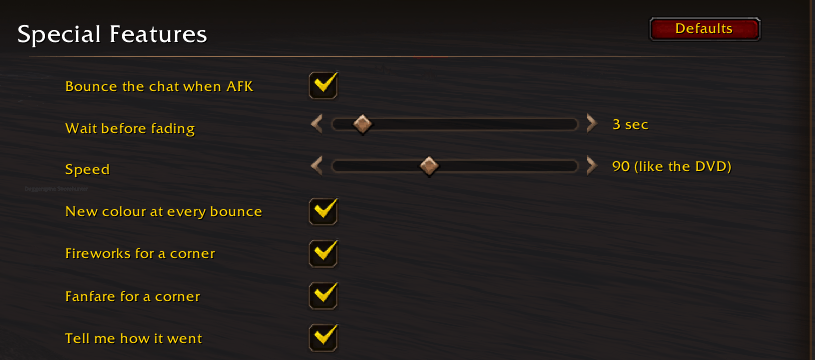
In the game's own Settings: Options, AddOns, Special Features (or type /features).
- Bounce the chat when AFK: on or off.
- Wait before fading: seconds from going AFK until it fades (3; 0 to 30).
- Speed: how fast it drifts, from lazy to bouncy castle.
- New colour at every bounce, Fireworks for a corner, Fanfare for a corner (the sounds) and Tell me how it went (the welcome-back line): each on or off.
Commands
| Command | What it does |
|---|---|
/features |
Open the settings |
/features test |
See it now, without going AFK (any key ends it) |
/features corner |
Send it into the nearest corner and see the fireworks (doesn't count) |
/features stats |
Naps, bounces and corners so far |
/features proof |
An 8-second run that saves what worked, for bug reports |
Questions
Can I still get whispers? Yes. They show up in the bouncing window, and the tab glows.
Will it close my auction house scan or my mailbox? No. It waits until they're closed.
Does it send anything? No. It only reads your own chat window.
Do I need another addon? No. It stands alone.
Early release
This is an early release (0.1.1). It has run in game with /afk, /features test, /features corner and /features proof. If something looks off, tell me in the comments what you were doing when it happened, and I'll fix it.
Chat window art, firework sparks and sounds are Blizzard's, drawn from the game's own files. Made by Mistius.
Special Features Team