NodeWorthy
- By
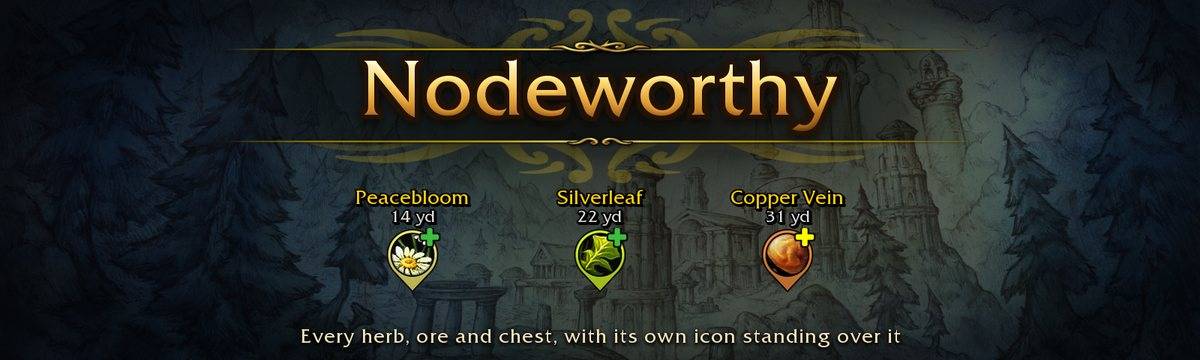
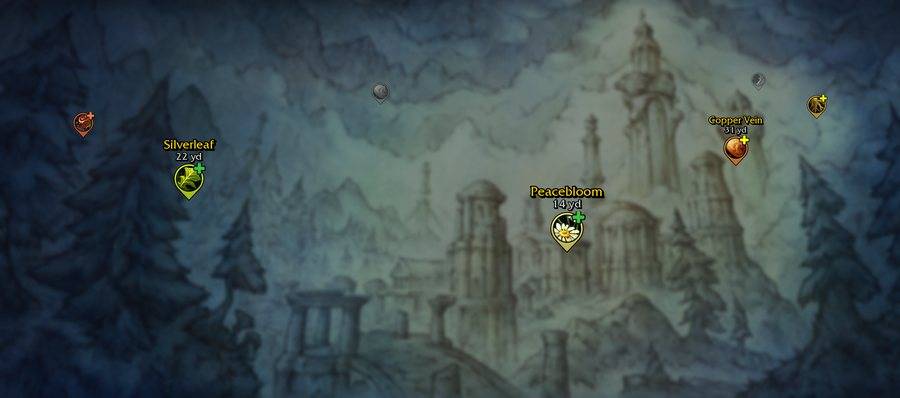
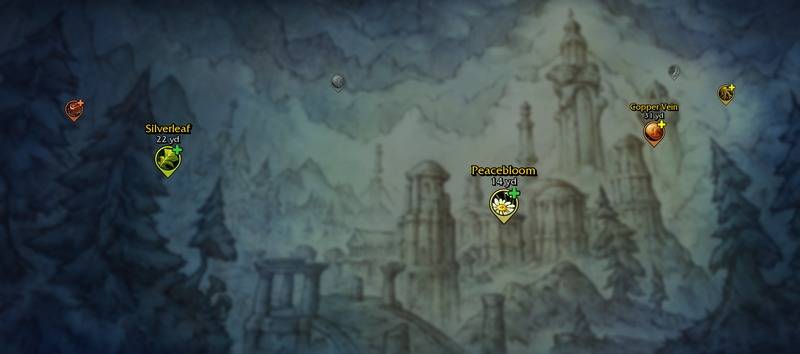
Nodeworthy puts a pin over every herb, ore and chest you can gather: the icon of what it gives, the pin in that icon's color, its name and how far off it is. It finds them on your minimap, so it sees what the minimap sees, far beyond your screen.
download.jpg
download.jpg
download.jpg
download.jpg
pins.jpg
Description
Nodeworthy finds every herb, ore vein and chest you can gather, and takes you to them. An arrow points to the nearest three, each in its own color, and the icon of what it gives stands right over a node once you are close. It finds them on your minimap, so it sees what the minimap sees, far beyond your screen.
Made for WoW Forever (1.60.1). Small and standalone: nothing else to install.
See it
Icons over them
- Come close and the herb, ore or chest the game picks for the interact key gets a pin with its icon right over it, standing on the game's own plate, until you pick it. Its name and distance are on it.
- Skill-up colors: a plus on each pin in a trainer's colors. Orange, yellow and green while gathering it can still raise your skill; gray once it can't. A herb or ore above your skill gets a faded gray pin that says the skill it needs.
- Icons over every node in view, from afar, are there too if you want them (off as it comes). Pick which kinds get pins: herbs, ore, chests.
/nw hide Peacebloomleaves one out.
The arrow
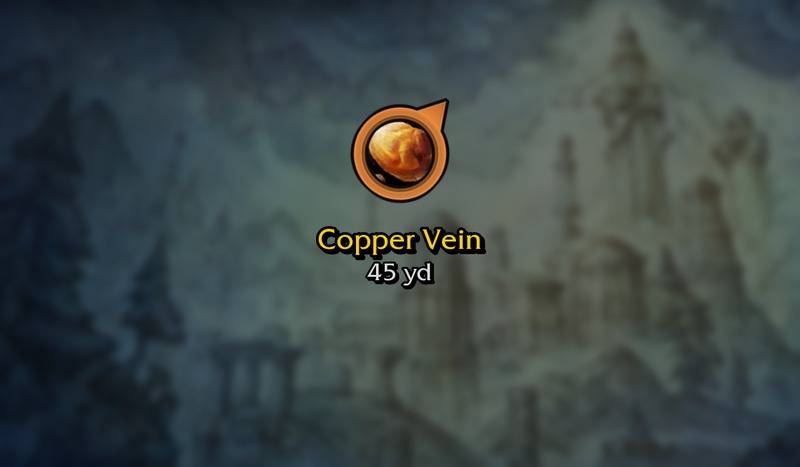
- A round badge pointing to the nearest one you can gather: its icon in the middle, a pointer in its color, its name and distance under it.
- Behind it, a smaller pointer to each of the next two, in their own colors: a tin vein's silver, a copper vein's orange. How many it points to is up to you, 1 to 5.
- Drag the arrow anywhere, size it from 50 to 200%, or lock it where it is so clicks go through it. Pick what it points to, a box for each herb and ore, and for chests.
A node map that makes itself
- Each spot where a node is found is kept for good, from your own game alone. Next time, a node there shows at once, with no finder blink.
- A node nobody has identified yet shows as an Ore node or a Herb node, a chest as Treasure. Gather it, or stand beside it, and its spot takes the real name and icon.
- Your node map is on the world map too, with a box each for herbs, ore and chests.
/nw scan mapcounts the spots.
On the minimap
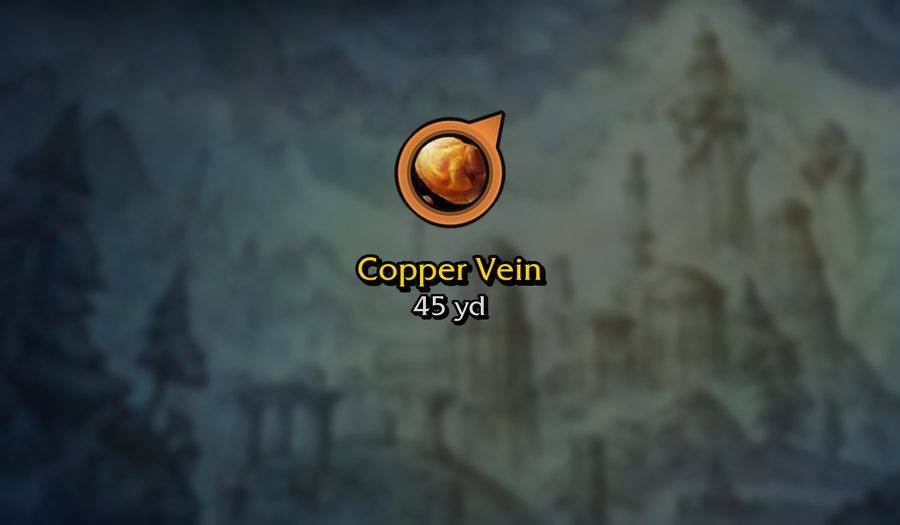
- Each herb and ore gets the picture of what it gives, round with the game's gold ring (or square, or round without it). Red when it is above your skill, gray when it is in a cave, and the minimap's tooltip says the skill it needs.
- Tin and iron can get rings of their own, since they look alike.
Near you
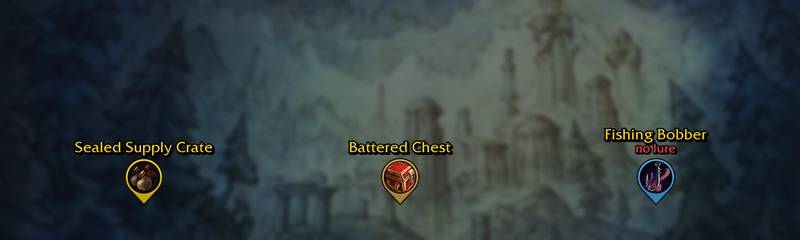
- The quest object nearest you gets a pin with the game's own cursor for it (the bags, for one you loot). So does the nearest chest. Doors, mailboxes and the rest can have one too (off as it comes).
Fishing
- A pin on your bobber, so you know where to look, and "no lure" under it when your pole has none.
- One key: it casts, and reels in while your line is out. Music, ambience and dialog go down while your line is out, so you hear the splash. All of it comes back after.
And
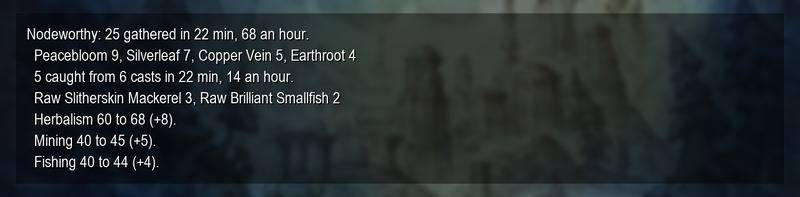
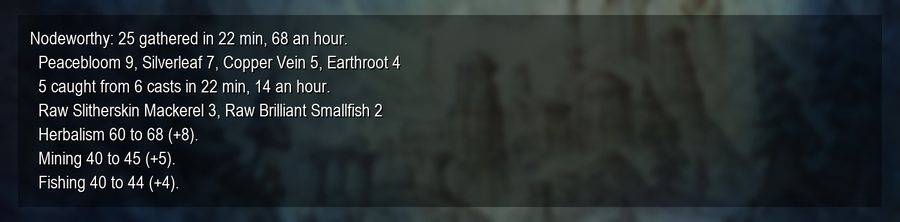
/nw stats: what you gathered and fished up this session, how many an hour, the skill you gained, and all time on this character.- Footprints on the ground to the nearest herb or ore and on to the next (off as it comes).
- A minimap button: click it for the settings, right-click to turn the icons on or off, and hover it for this session's tally.
Getting started
- Turn on Find Herbs or Find Minerals in the minimap's tracking menu (dwarves: Find Treasure works too). Nodeworthy finds what the minimap shows.
- Walk around with the mouse over the world: symbols come on the minimap and the arrow points the way; close to a node, its icon stands over it.
- Settings: Options, AddOns, Nodeworthy,
/nw, or the minimap button.
Commands
| Command | What it does |
|---|---|
/nw |
The settings |
/nw icons |
The icons over herbs and ore on or off |
/nw stats |
What you gathered and fished up this session, and all time on this character |
/nw arrow lock / unlock / reset / size <50-200> |
The arrow kept where it is (clicks go through it), or movable again; back at the top of the screen; how big it is |
/nw hide <name>, /nw show <name> |
Leave a herb or ore out, or bring it back (/nw show all brings back everything) |
/nw scan now |
Scans the minimap this moment (there is a key for it too) |
/nw debug, /nw help |
What Nodeworthy sees; the list of commands |
Questions
Nothing shows. Turn on Find Herbs or Find Minerals. /nw debug says when none is on.
It worked for a while, then stopped. The game now keeps node names secret and has been tightening what the minimap tells addons. Nodeworthy works around it with its own node map and a scan of the minimap, which needs the mouse over the world and a few still seconds to settle. Make sure you are on the latest version, keep Find Herbs or Find Minerals on, and leave the mouse still for 3 to 5 seconds. If it still stops, tell me in the comments, with which minimap addons you use.
A pin floats over its herb, or sinks under it. The game tells addons no one's height, so pins are drawn at your own. On a slope a far one can be off. The herb the game picks for the interact key (the one you walk up to) stands where it truly is.
Does it take my map pin? No. While you track a quest the pins wait; while you track a map pin, yours or a map addon's directions, the pins work from that one. You can turn sharing off.
Does it fish for me? No. The game tells addons nothing when a fish bites. The splash, made easier to hear, is the cue, and you press the key.
Known limits
- Herb and ore names are English. One it does not know is learned the first time you gather it.
- Skill-up colors only show on the herbs and ore it knows the skill of, so Forever's new herbs have none yet.
- Quest objects never show on the minimap, so only the one near you gets a pin.
- A dot new to Nodeworthy shows after your finder has confirmed it (it flicks off for a second, once for each new spot), as an Ore node or a Herb node until you gather it or stand beside it.
Icons, cursors, fonts and the loading screen art are Blizzard's, drawn from the game's own files. Made by Mistius.
NodeWorthy Team