SlickCast
- By
SlickCast is a modern, lightweight castbar replacement for WoW with customizable Player, Target, Mirror, Focus, and Pet bars, edit mode, profiles, safe zone, texture options, cast feedback, tick markers, and Blizzard bar suppression.
![An example of the Player [General] options menu.](https://media.forgecdn.net/attachments/1831/952/player-general-options-new-png.png)
An example of the Player [General] options menu.
![An example of the Player [Name Label] options menu.](https://media.forgecdn.net/attachments/1831/951/player-namelabel-options-new-png.png)
An example of the Player [Name Label] options menu.
![An example of the Player [Name Label] Font List Dropdown.](https://media.forgecdn.net/attachments/1831/945/player-namelabel-font-list-png.png)
An example of the Player [Name Label] Font List Dropdown.
![An example of the Player [Time Label] options menu.](https://media.forgecdn.net/attachments/1831/950/player-timelabel-options-new-png.png)
An example of the Player [Time Label] options menu.
![An example of the Player [Appearance] options menu.](https://media.forgecdn.net/attachments/1831/949/player-appearance-options-new-png.png)
An example of the Player [Appearance] options menu.
![An example of the Player [Appearance] Bar Texture Menu](https://media.forgecdn.net/attachments/1831/944/player-appearance-bar-texture-list-png.png)
An example of the Player [Appearance] Bar Texture Menu
![An example of the Player [Colors] options menu.](https://media.forgecdn.net/attachments/1831/948/player-colors-options-new-png.png)
An example of the Player [Colors] options menu.
![An example of the Player [Colors] Theme Dropdown](https://media.forgecdn.net/attachments/1831/943/player-colors-theme-list-png.png)
An example of the Player [Colors] Theme Dropdown
![An example of the Player [Empowered Casts] settings.](https://media.forgecdn.net/attachments/1848/927/player-empoweredcasts-options-new-png.png)
An example of the Player [Empowered Casts] settings.
![An example of the Player [Anchor] options menu.](https://media.forgecdn.net/attachments/1831/947/player-anchors-options-new-png.png)
An example of the Player [Anchor] options menu.
![An example of the Player [Profiles] options menu.](https://media.forgecdn.net/attachments/1831/946/player-profiles-options-new-png.png)
An example of the Player [Profiles] options menu.
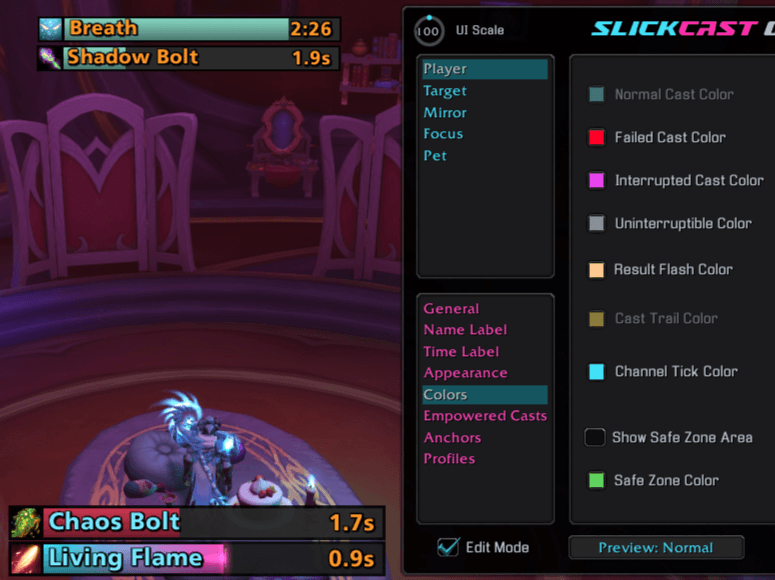
An example of Player and Target cast bars (lower bars) and the Mirror and Focus Bars (upper bars) in Edit mode casting Normal Spells.
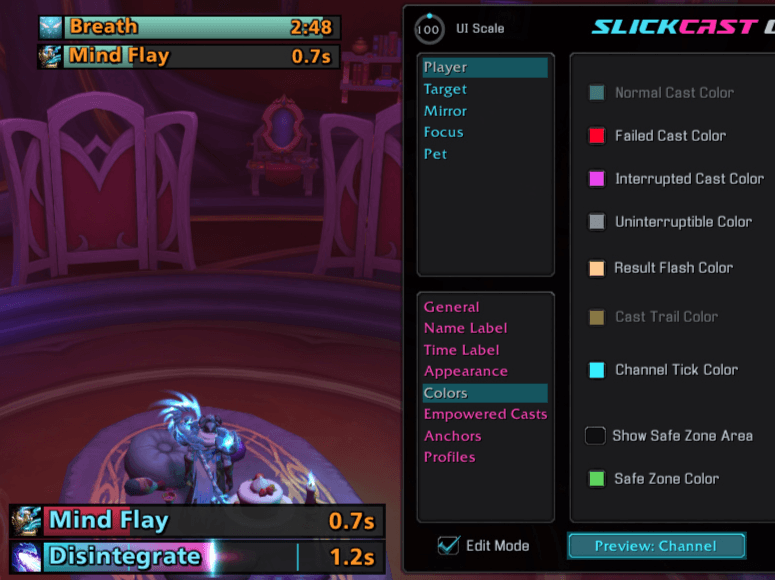
An example of Player and Target cast bars (lower bars) and the Mirror and Focus Bars (upper bars) in Edit mode casting Channeled Spells with Channel ticks.
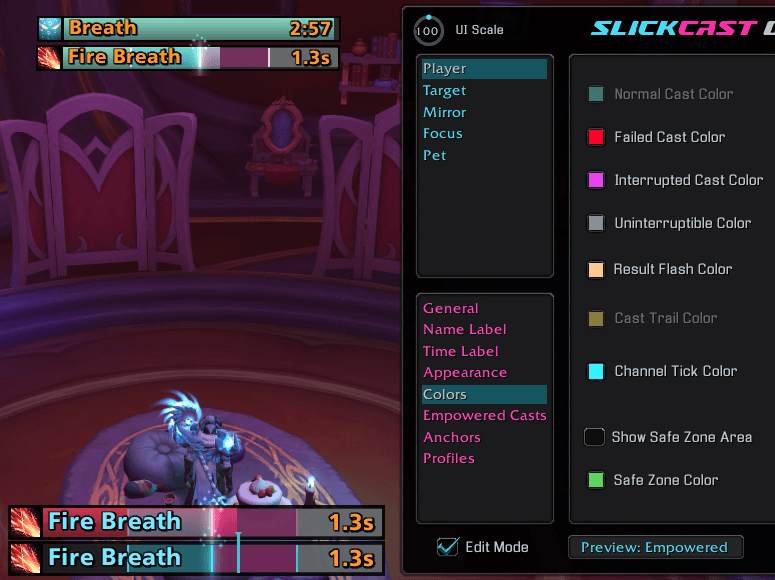
An example of Player and Target cast bars (lower bars) and the Mirror and Focus Bars (upper bars) in Edit mode casting Empowered Spells.
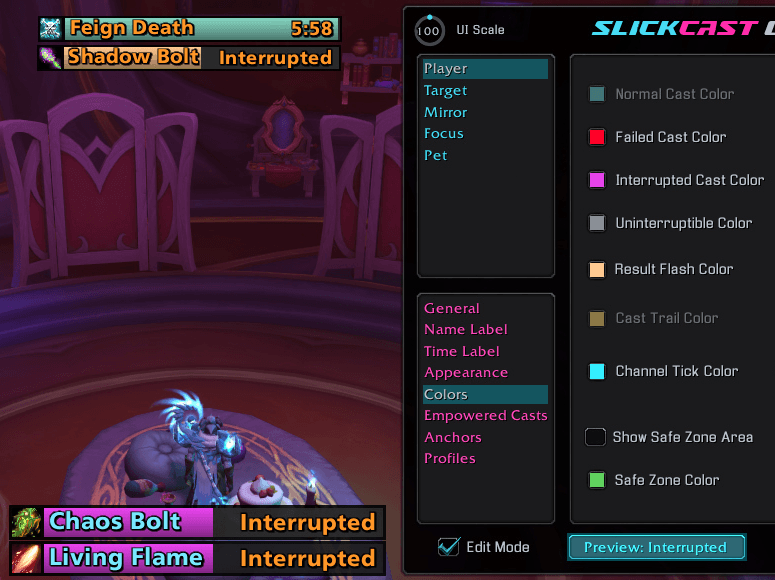
An example of Player and Target cast bars (lower bars) and the Mirror and Focus Bars (upper bars) in Edit mode being interrupted.
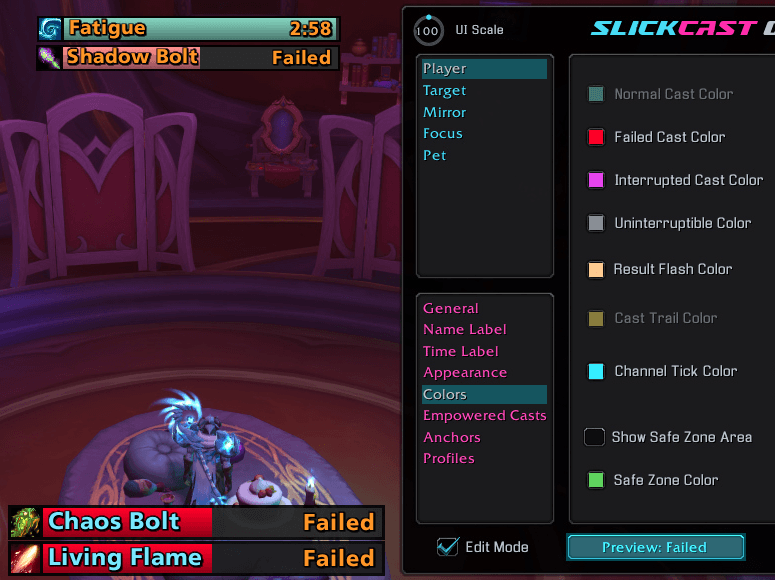
An example of Player and Target cast bars (lower bars) and the Mirror and Focus Bars (upper bars) in Edit mode failing a cast.
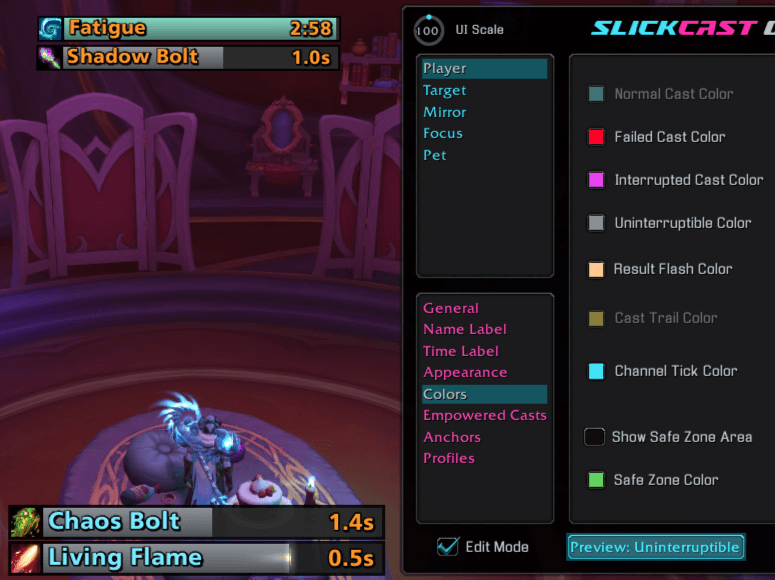
An example of Player, Target, and Focus and cast bars in Edit mode and their uninterruptable state colors.
Description
SlickCast
See every cast. Shape every bar.
SlickCast is a modern, lightweight castbar replacement for World of Warcraft. It brings Player, Target, Focus, Pet, and Mirror timers into one polished, highly customizable system with empowered-spell support, responsive previews, profiles, and clear cast feedback.


One polished castbar system
Replace Blizzard's Player, Target, Focus, Pet, and Mirror timer bars with a consistent SlickCast layout. Every bar has independent settings, while Edit Mode lets you preview realistic casting states and position everything before returning to the action.
🎯 Complete cast coverage
- Customize Player, Target, Focus, Pet, and Mirror bars independently.
- Suppress the matching Blizzard castbars and mirror timers for a clean replacement.
- Preview normal, channeled, empowered, interrupted, failed, uninterruptible, and mirror-timer states in Edit Mode.
- Keep protected interrupt coloring accurate through Blizzard's native renderer.
⚡ Feedback when it matters
- Show optional channel tick markers with brief glow flashes as supported ticks pass.
- Add interrupted and failed-cast shake, result text, and slash-flash feedback.
- Display an optional latency safe zone on Player casts.
- Reverse bar growth and keep supported cast-trail effects aligned with the active direction.
Empowered casts at a glance
See empowered spells as colored charge sections with clear stage markers and release feedback. Choose a traditional filling bar or a focused moving marker; Target and Focus empowered casts keep that marker animated even when WoW protects their timing data.
- Choose Fill Bar or Moving Marker progress.
- Match the active cast theme or build a custom three-color Empower Theme.
- Reverse theme colors and adjust stage brightness, marker color, and marker opacity.
- Highlight attained stages cumulatively when the release stage is available.
- Add stage-completion particles with eight distinct styles, adjustable brightness, a custom color, or a balanced mix of the selected theme colors.
Built to match your interface
SlickCast gives each bar the same deep appearance controls without forcing every bar to look alike. Start with a built-in theme or shape the layout from texture to typography.
🎨 Appearance and layout
- Choose built-in cast themes or customize start, middle, and end gradient colors.
- Select bar textures, horizontal or vertical texture tiling, fonts, colors, labels, timers, borders, opacity, icon placement, and fade timing.
- Configure cast trails, empty-bar color, frame and border color, bar dimensions, offsets, and anchors.
- Copy settings between bars or apply quick layout templates.
💾 Profiles that travel
- Save and load account-wide profiles.
- Import and export profile strings for sharing or backup.
- Keep each character's active live layout separate while reusing shared profiles when wanted.
Make it yours
- Tune every supported bar independently or copy a finished setup to another bar.
- Use built-in themes and layouts as starting points, then refine colors, textures, fonts, dimensions, anchors, icons, and effects.
- Toggle Edit Mode to preview all bars, test representative cast states, and drag bars into place.
- Right-click an Edit Mode bar to return it to the center before saving a new position.
- Save the finished setup as a profile or export it as a shareable string.
Type /sc to open SlickCast's Options & Customization panel.
Commands
| Command | Action |
|---|---|
/sc |
Open the Options & Customization panel. |
/scast |
Open the Options & Customization panel. |
/slickcast |
Open the Options & Customization panel. |
/slcast |
Open the Options & Customization panel. |
/scast wipeconfig |
Reset all bars and settings to their defaults. |
Latest update
1.8.1 — 2026-09-09
- Fixed: Target and Focus empowered casts now keep their moving progress marker animated when WoW protects their timing data.
Support and more from WizardsPotion
Like knobs to turn, buttons to push, and pretty lights on things?
Explore the rest of the Slick Family of World of Warcraft addons from WizardsPotion.
If SlickCast makes every cast easier to read and every bar feel like yours, you can help support its continued development by buying me a coffee. Every bit is appreciated, but never expected.

The SlickCast Team