Simple Auction and Crafting Prices
- By
Adds simple, vanilla-friendly displays and options that will show Auction prices on items and prices of crafting materials.
Screenshot 2026-11-09 165507.png
Screenshot 2026-11-09 165424.png
Screenshot 2026-11-09 165415.png
Screenshot 2026-11-09 165507.png
Description
Simple Auction and Crafting Prices
Shows auction house prices on item tooltips and crafting costs in the profession window. For WoW Forever.
Tooltips
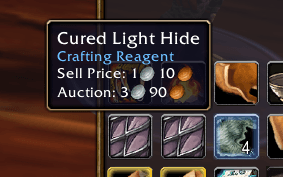
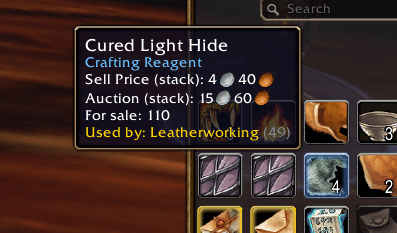
- Adds the auction price under Sell Price.
- Prices are for the whole stack. Hold Shift to see one item.
- Hold Shift to see how many were for sale at your last scan.
- Soulbound items show the auction price in red.
- Items you haven't scanned yet show ???.
Profession window
- Materials, Vendor and Auction prices at the bottom right of the recipe.
- Materials is the cost of all reagents for one craft.
- Each reagent shows its price next to it.
- If a merchant sells a reagent for less, that price is used and marked "vendor". Merchant prices are saved when you open a merchant.
Scanning
- Click Scan Prices next to the Filter button at the auction house.
- Items in your bags and your profession recipes are checked first.
- The server allows one full scan every 15 minutes. If you click again sooner, it searches page by page instead.
- Progress is shown in chat.
- Prices are saved between sessions.
Options
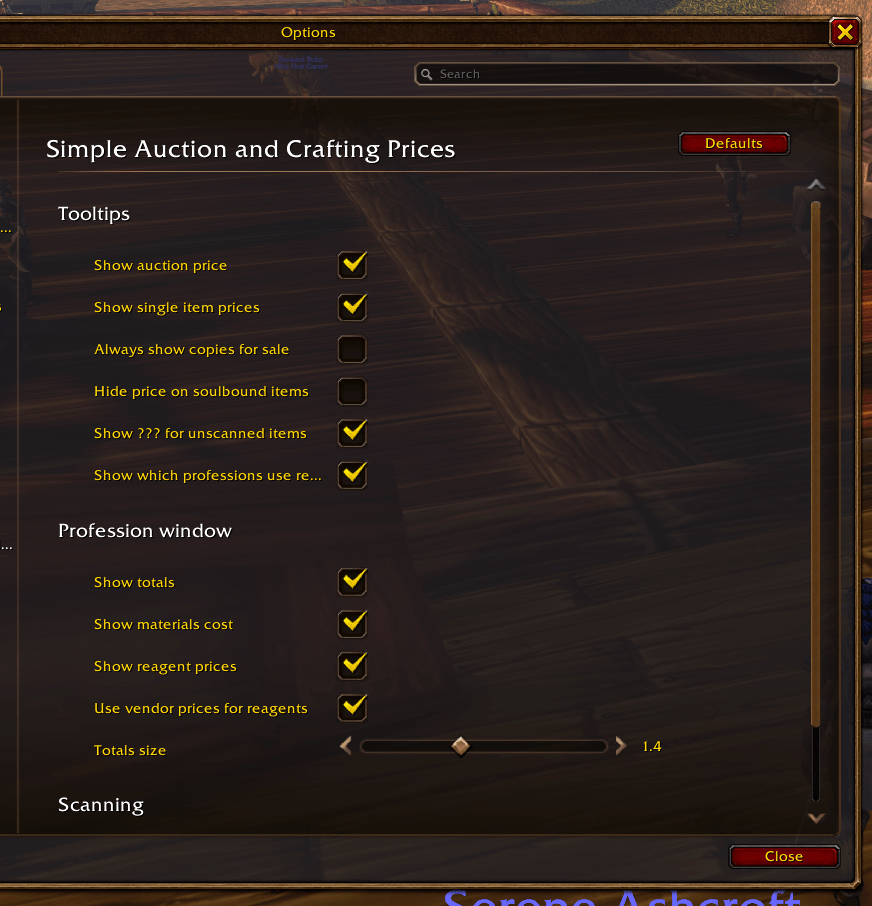
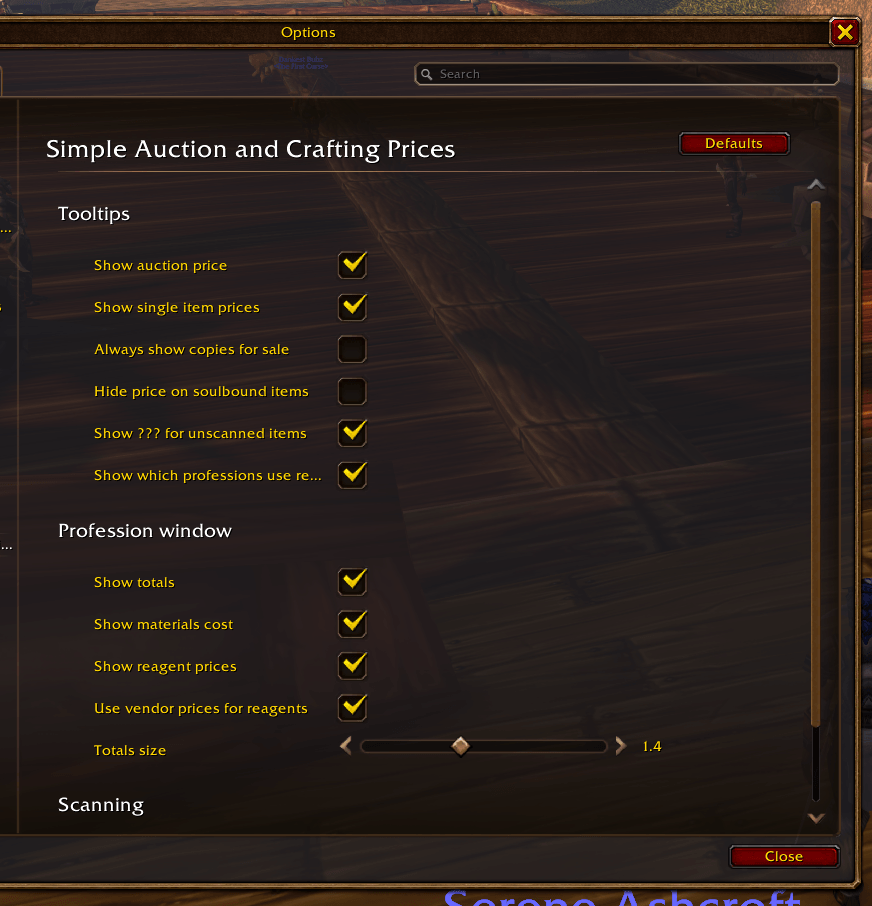
Esc → Options → AddOns → Simple Auction and Crafting Prices, or /sacp options.
- Show auction price on tooltips
- Show single item prices (Shift for the whole stack)
- Always show copies for sale
- Hide price on soulbound items
- Show ??? for unscanned items
- Show totals in the profession window
- Show materials cost
- Show reagent prices
- Use vendor prices for reagents
- Totals size
- Check my items first
- Scan progress in chat
Commands
/sacp scan: scan (at the auction house)/sacp options: open options/sacp reset: clear saved prices
/ahp works too.
Simple Auction and Crafting Prices Team