Cinematic Alt-Z & More
- By
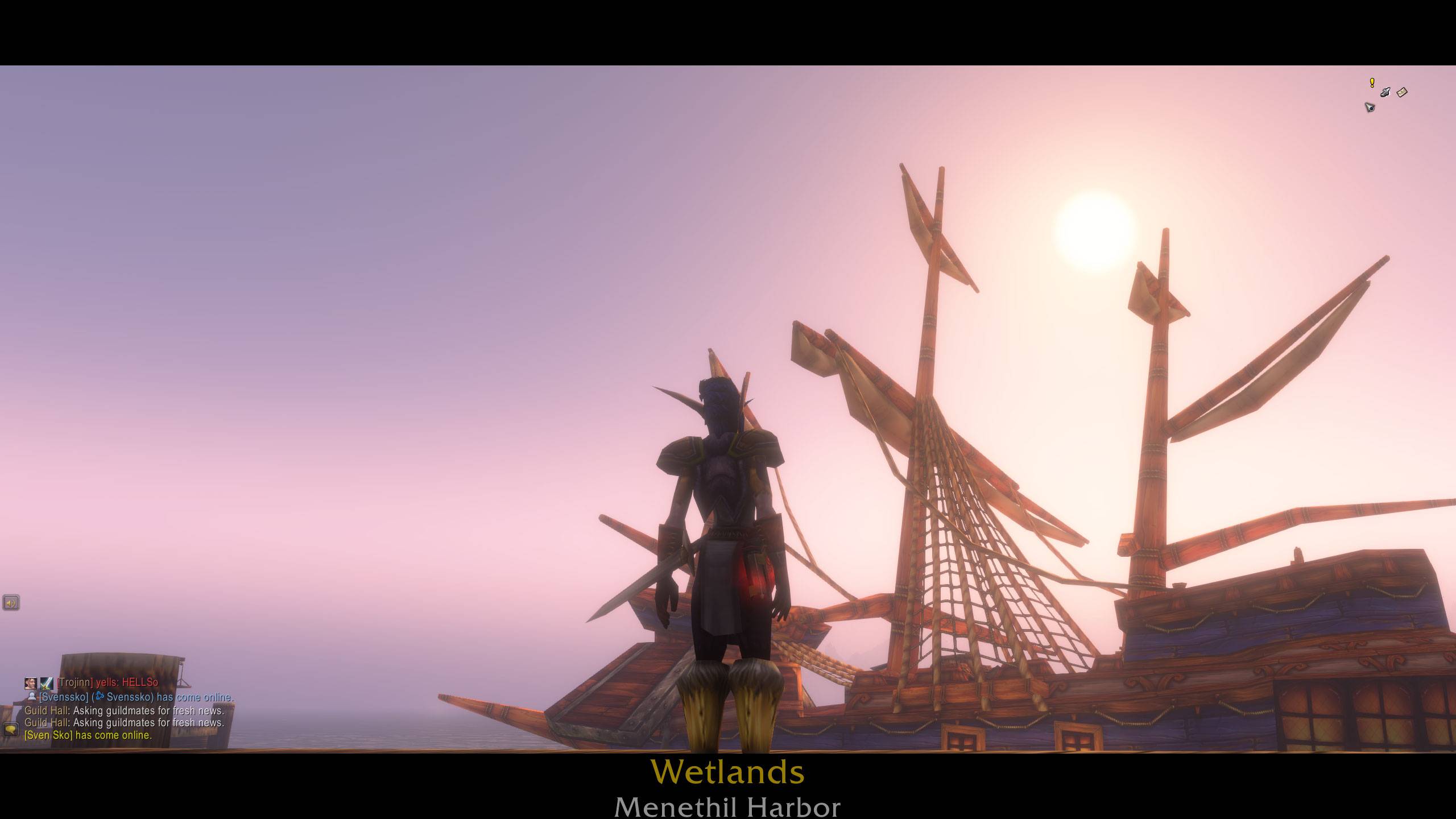
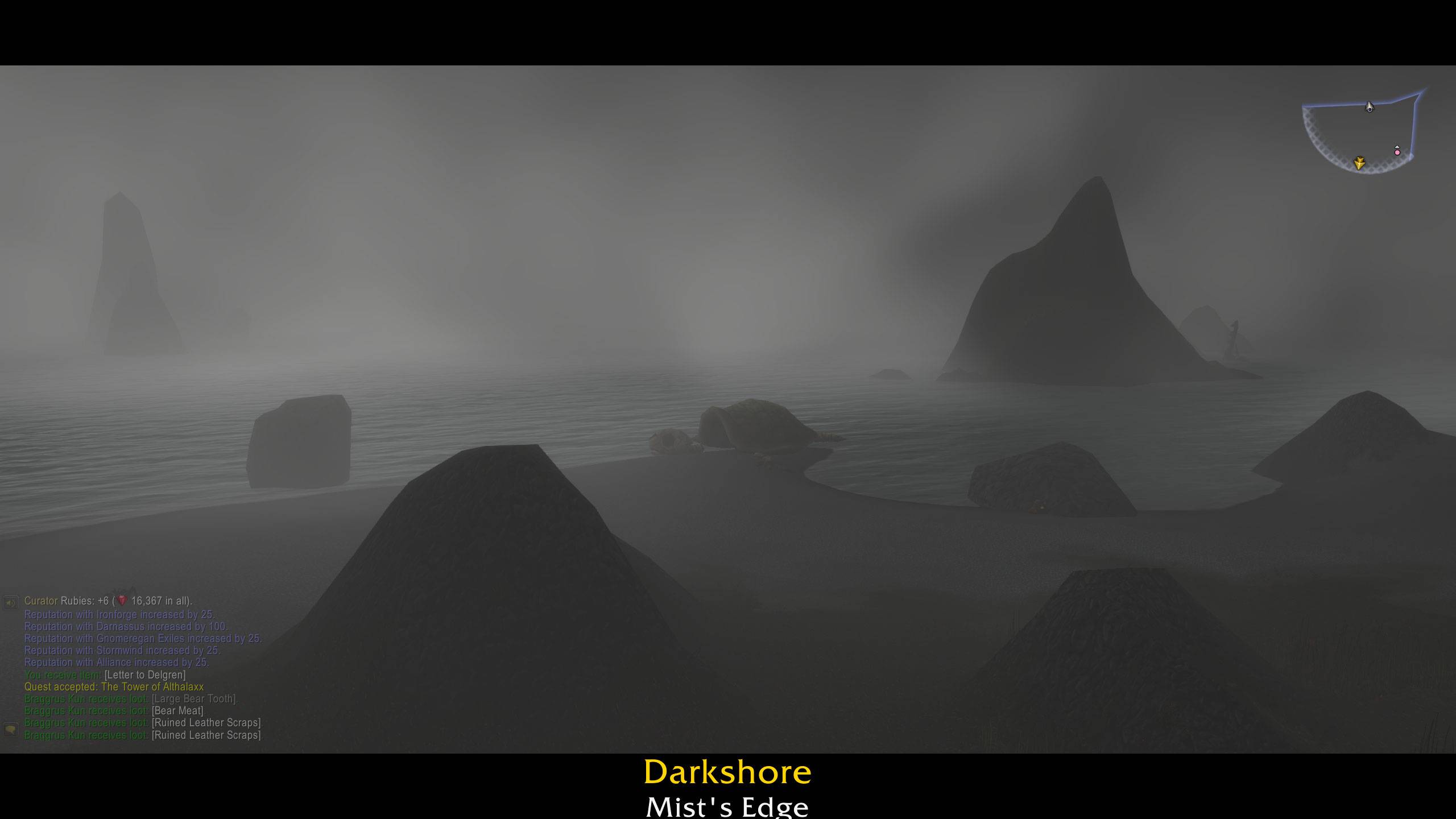
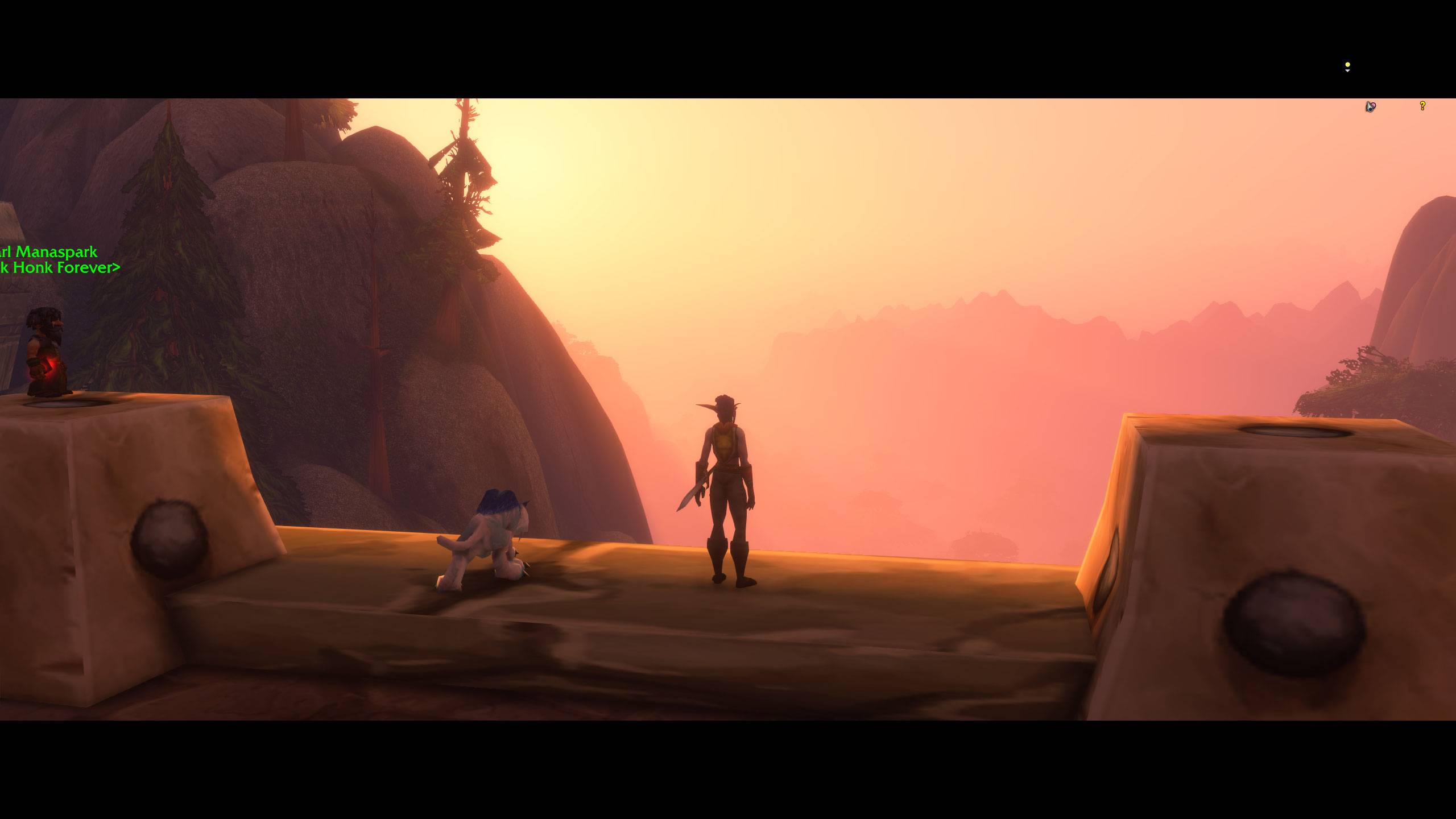
Makes Alt-Z a smooth, cinematic transition, with black bars, fov change and more!
WoWScrnShot_110926_180444.jpg
WoWScrnShot_110926_221331.jpg
WoWScrnShot_110726_203342.jpg
Description
Cinematic Alt-Z & More
Replaces Alt-Z (hide UI) with a cinematic version for WoW Forever.
What it does
- Alt-Z fades the UI out instead of hiding it instantly.
- Black bars slide in at the top and bottom of the screen.
- The camera field of view narrows (default 60).
- The zone name shows on the bottom bar for a few seconds.
- Press Enter to type in chat while the UI is hidden.
- Alt-Z again brings everything back.
Automatic mode
Turns on by itself:
- when you go AFK
- when you rest at a campfire, or stand still near one
- when you ride a flight path
It turns off when that ends. During automatic mode the camera slowly pans, tilts and zooms. Hold a mouse button to control the camera yourself. Your zoom and field of view are restored afterwards.
Notes
- Combat brings the UI back instantly.
- Opening the game menu, bags or any window brings the UI back.
- Works with UI fade addons like HUD Shade.
- Stryk's Emote Wheel stays visible when opened.
- Uses whatever key you have bound to "Toggle UI".
Options
Esc → Options → AddOns → Cinematic Alt-Z & More, or /cinema options.
- Bars: on/off, size, opacity
- Field of view: on/off, value (50–85)
- Zone name: on/off
- Keep chat visible
- Show emote wheel
- Fade, bar and zoom speed
- Leave on combat
- Leave when you move (Alt-Z only)
- Automatic mode: AFK, campfire, flight paths, each on/off
- Camera movement: on/off, also on Alt-Z, speed, shot length
- Campfire delay
Commands
/cinema: turn cinema mode on/off/cinema options: open settings/cinema 50–85: set field of view/cinema bars | fov | title | chat | wheel | combat | move | afk | campfire | flight | camera | alt: turn that option on/off
Cinematic Alt-Z & More Team