Shadowpick - Rogue Lockpicking Kit
- By
Lockbox toolkit for Rogues: one-key lock picking, trade window helper, customer finder, tip log, loot and zone stats, and a 1-300 Lockpicking guide.
Shadowpick-01-lockboxes (1).png
Shadowpick-02-trade.png
Shadowpick-03-customers.png
Shadowpick-04-guide.png
Shadowpick-07-zones.png
Description
Shadowpick: Lockbox Toolkit for Rogues
Everything a Lockpicking Rogue needs in one window, built for WoW Forever.
Shadowpick handles your lockbox queue, the trade window, customers, tips, loot and the 1-300 levelling route. It uses the game's own Professions-window art, so it looks like it shipped with the client.
Features
🔒 Lockboxes
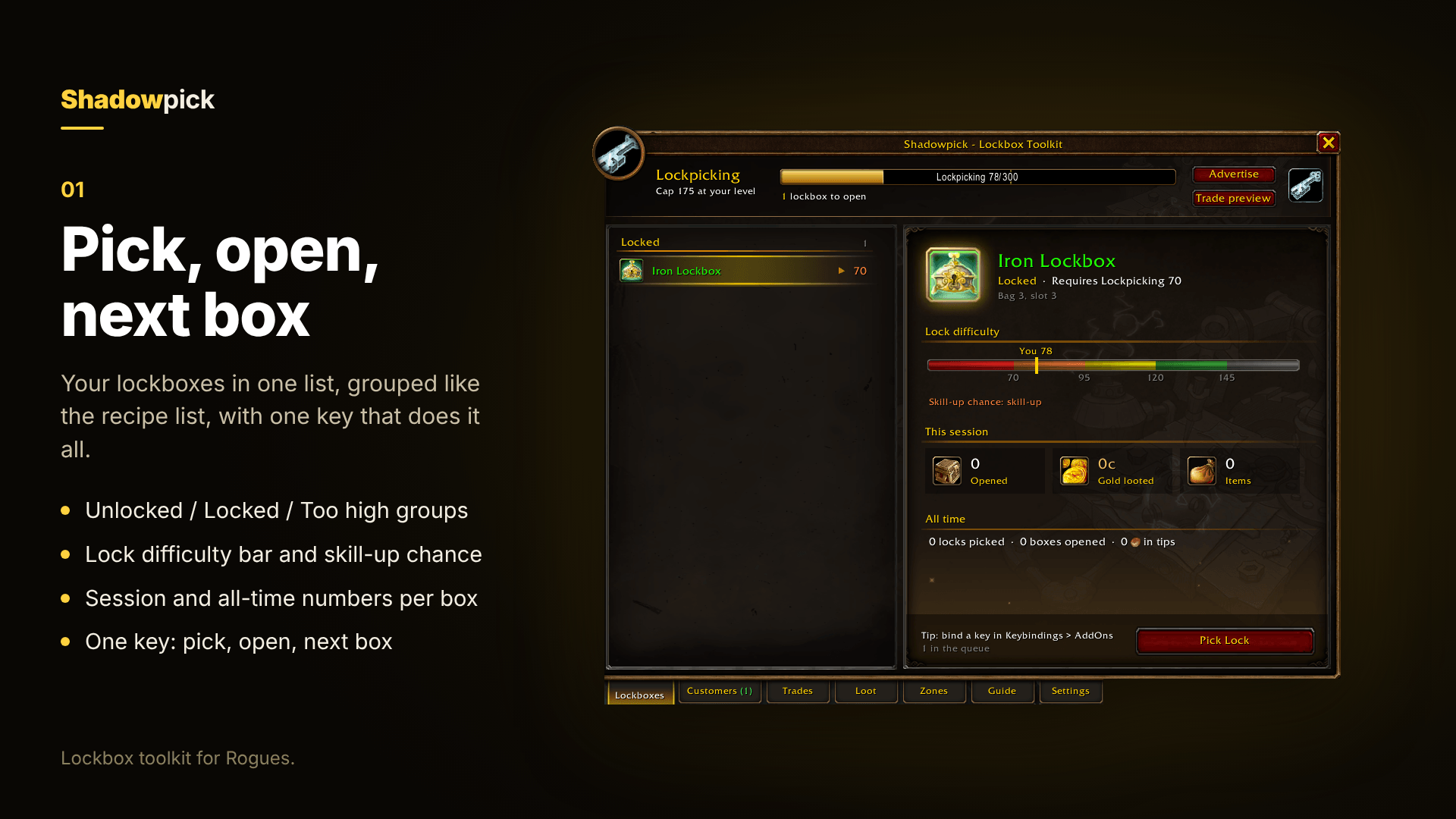
- Your boxes grouped Unlocked / Locked / Too high, just like the recipe list
- Lock difficulty bar (orange, yellow, green, grey) showing where your skill sits
- Session and all-time numbers for every box
- One key does it all: pick, open, next box
🤝 Trade Helper
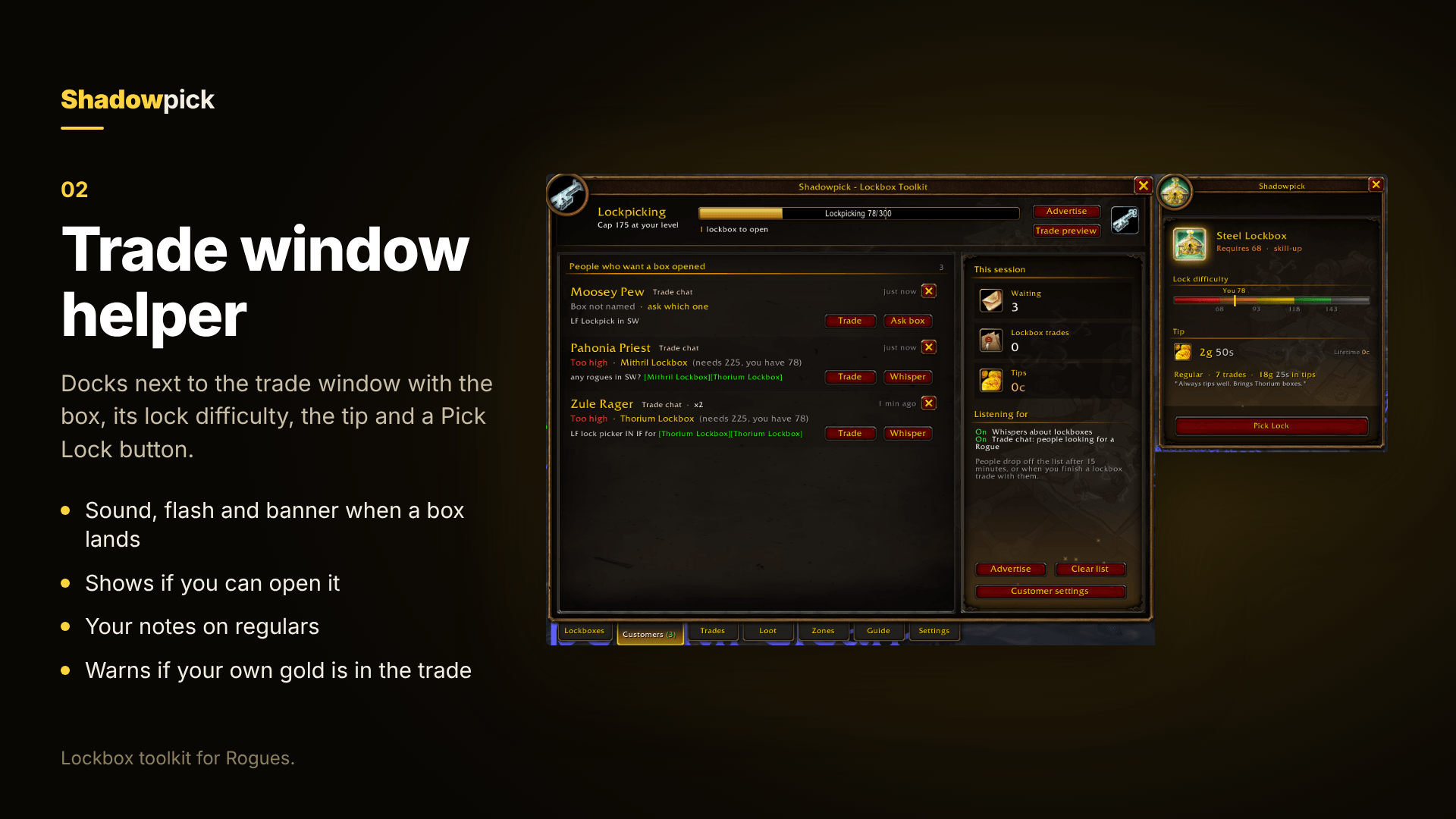
- Docks next to the trade window with the box, its difficulty, the tip offered and a Pick Lock button
- Alerts when a box lands in the slot: sound, screen-edge flash and raid-warning text
- Trade safety: a red warning and a sound if any of your own items or gold are in a lockbox trade
- Trade preview lets you try it with a pretend box
💬 Customers
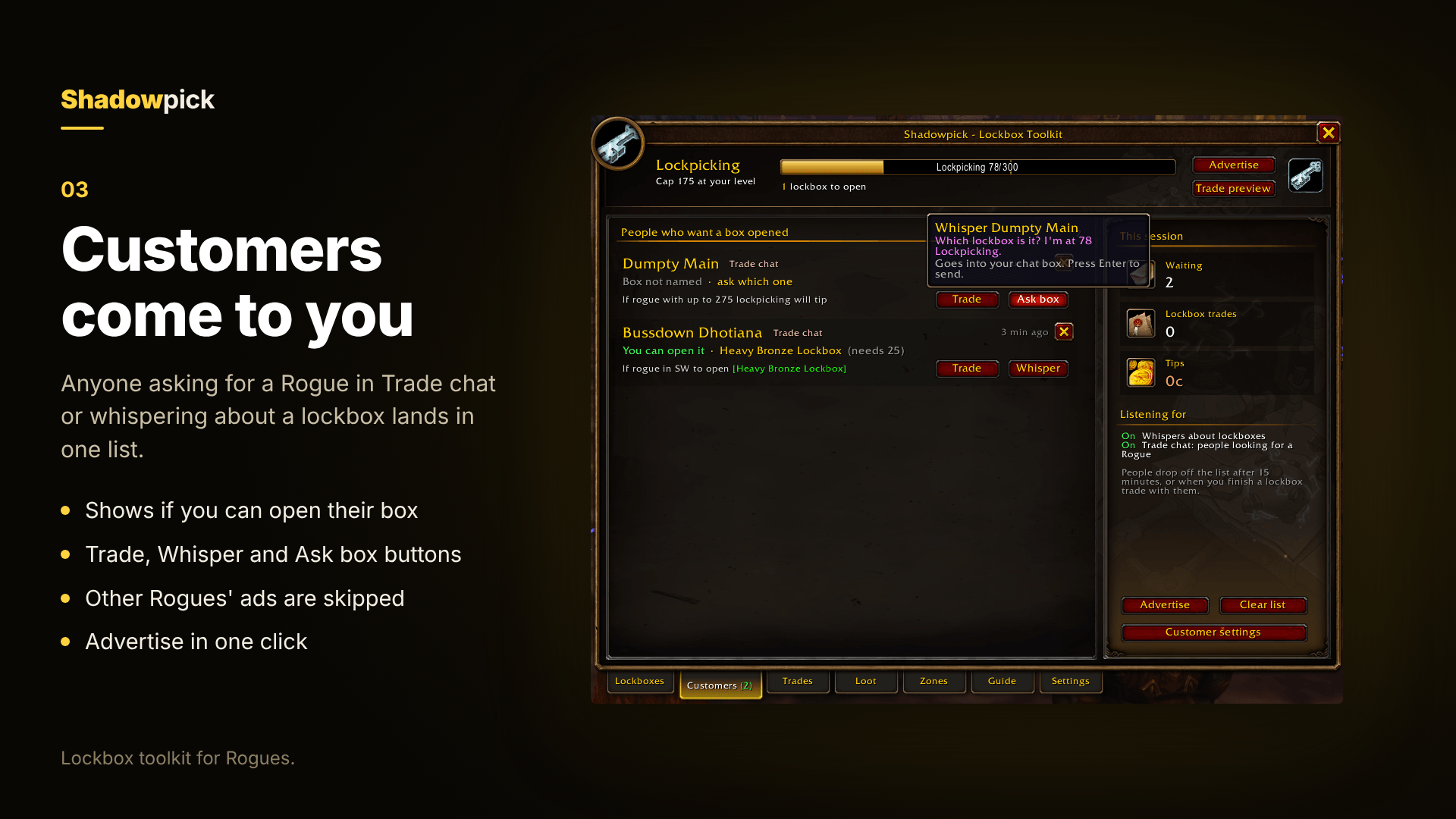
- Picks up people who whisper you about a lockbox or ask for a Rogue in Trade chat (other Rogues advertising are skipped)
- Trade and Whisper buttons for each customer
- Customers drop off after a while, or when you finish a lockbox trade with them
- Advertise button and
/spk adput your ad in chat, with your skill filled in
📒 Trades, Loot and Zones
- Trades: every lockbox trade and tip, customers ranked, regulars starred, and notes that show up when they trade you again
- Loot: what came out of your boxes, valued at vendor price, with gold per hour, session total and best drop
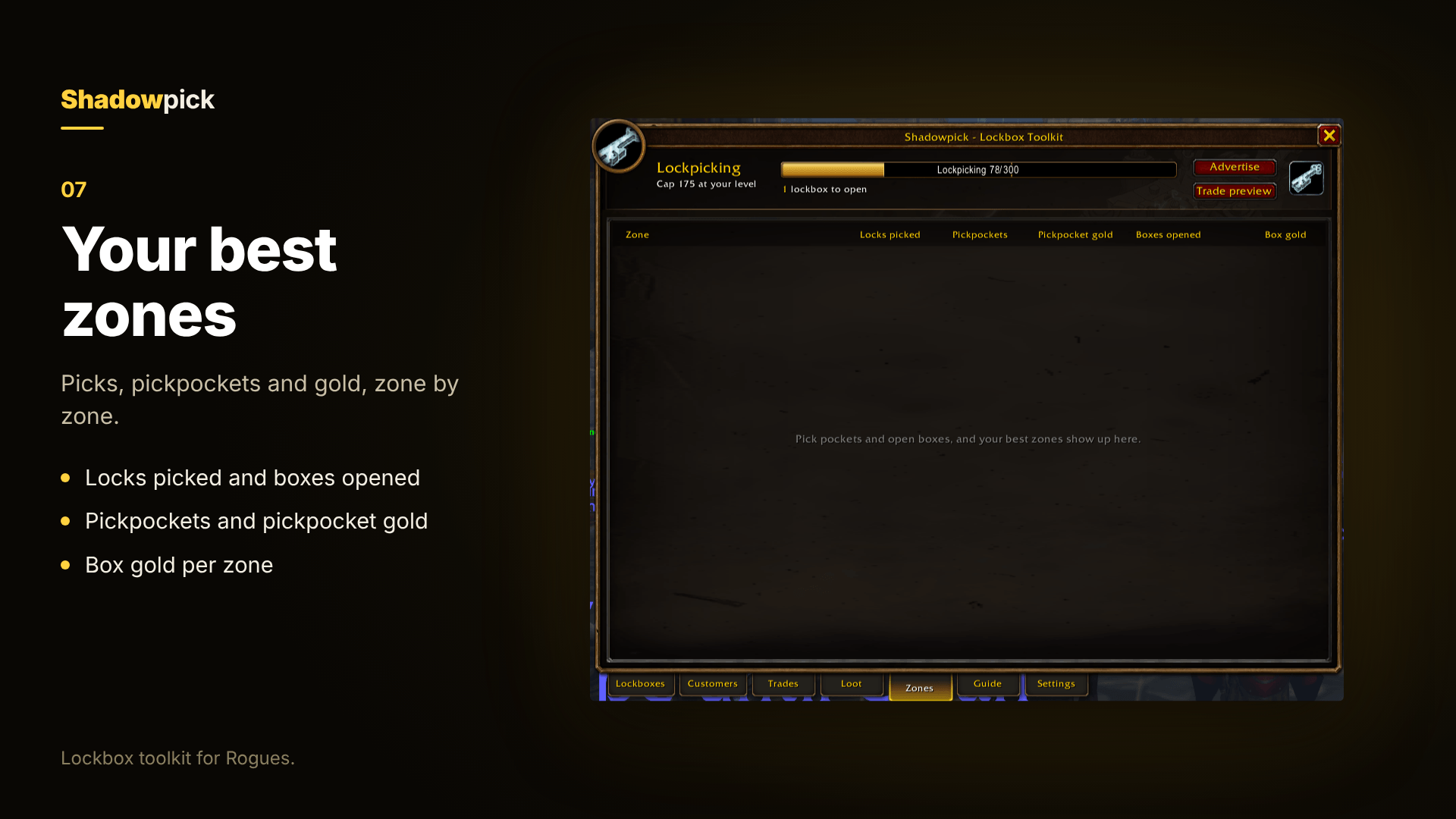
- Zones: picks, pickpockets and gold per zone
🗺️ Levelling Guide
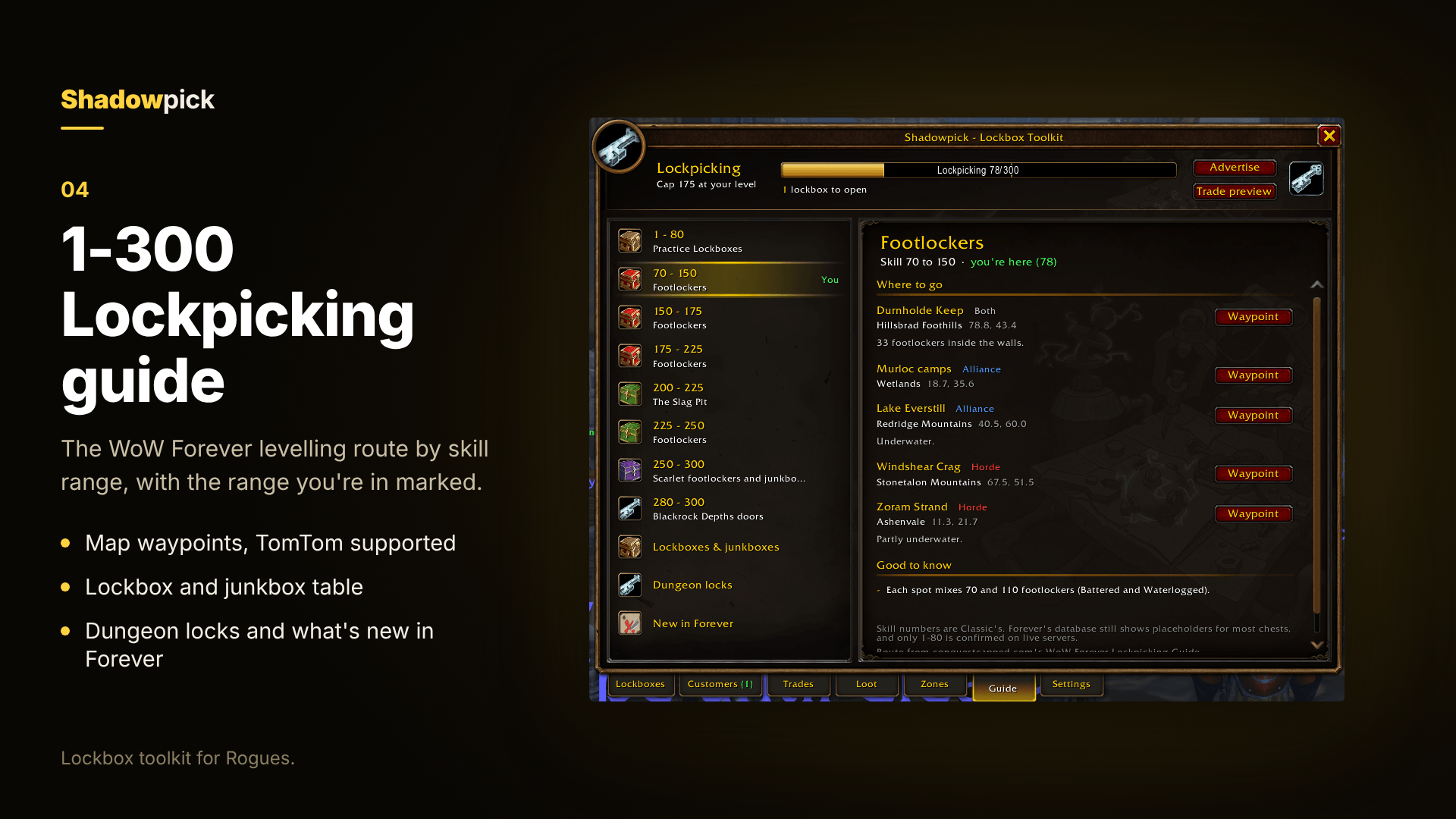
- The WoW Forever 1-300 Lockpicking route by skill range, with the range you're in marked
- Map waypoints, with TomTom support
- Lockbox and junkbox table, dungeon locks, and what's new in Forever
⚙️ Extras
- Lockbox tooltips show the Lockpicking a box needs and your chances
- Action bar button: drag it from the header or type
/spk macro. Click to Pick Lock, right-click or Shift-click to open Shadowpick - Key bindings for pick/open next box, pick the box in trade, and toggle the window
- Gold skill bar with a floating +1 on skill-ups
- Pauses in combat and catches up afterwards
- Settings in the window and under Options > AddOns: size, background darkness, alerts, ad channel and text, auto-open on new lockboxes, and more
Commands
| Command | What it does |
|---|---|
/spk |
Toggle the window |
/spk settings |
Open settings |
/spk preview |
Preview the trade helper |
/spk macro |
Put the Shadowpick button on your action bar |
/spk skill <n> |
Set your Lockpicking skill if it isn't detected |
/spk ad |
Put your lockbox ad in the chat box |
/spk adtext <text> |
Change the ad text ({skill} is replaced with your skill) |
/spk channel <n> |
Ad channel number (default 2 = Trade) |
/spk sound · /spk flash · /spk minimap |
Toggle those |
/spk reset stats |
Wipe tip and zone history |
Good to know
- Every pick needs a click or key press. Blizzard doesn't allow automatic spell casting, so one key per action is as close as it gets.
- If your skill shows
?, it fills in on your next Lockpicking skill-up, or set it with/spk skill <n>. - Gold stats are as accurate as the client allows: gold is credited to a box or pickpocket when it arrives within a couple of seconds of that loot window.
Installation
Install with the CurseForge app, or manually:
- Unzip so you have a
Shadowpickfolder. - Put it in
World of Warcraft\_forever_\Interface\AddOns\ - Restart the game or
/reload, and enable Shadowpick on the AddOns screen.
Feedback
Found a bug or have an idea? Leave a comment or open an issue. Please include what you were doing and any error text.
Shadowpick - Rogue Lockpicking Kit Team