SentinelUI
- By
SentinelUI is written from scratch. It only ships the free, embedded libraries it needs (Ace3, LibSharedMedia, AceGUI SharedMedia widgets) — no external dependencies, no required companion addons.
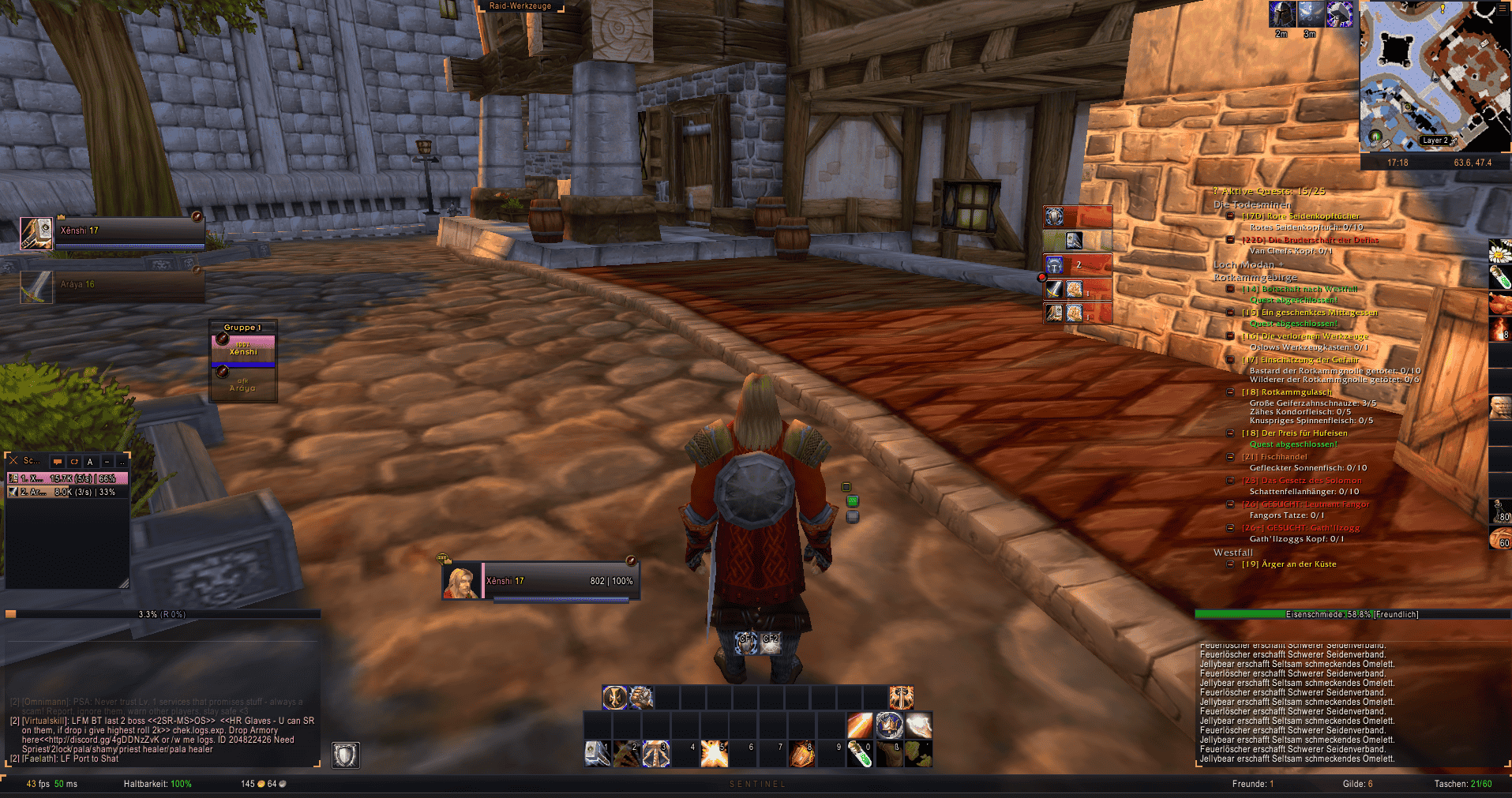
Screenshot 2026-10-13 171904.png
Screenshot 2026-10-13 172318.png
Screenshot 2026-10-13 172349.png
Screenshot 2026-10-13 172354.png
Screenshot 2026-10-13 172416.png
Description
SentinelUI
A complete, standalone user interface replacement for World of Warcraft — Classic Era, TBC/Anniversary, Wrath of the Lich King Classic, Mists of Pandaria Classic and Retail are all supported from a single addon folder.
SentinelUI is written from scratch. It only ships the free, embedded libraries it needs (Ace3, LibSharedMedia, AceGUI SharedMedia widgets) — no external dependencies, no required companion addons.
Version: 1.0.6 · Author: xRL-Dev.de · Locales: English, Deutsch
- Website: https://xrl-dev.de/
- Bug tracker: https://xrl-dev.de/bugtracker
Installation
- Copy the
SentinelUIfolder intoInterface/AddOns/. - Enable it in the addon list and log in.
- On first login the installer runs automatically — it configures chat,
recommended game settings and the default layout. Re-run it any time with
/sui install.
If you previously used the standalone RLBetterItem, RLRaidDungeonReset or RLRep addons, disable them — they are fully integrated into SentinelUI.
<font color="red">Note: The chat frames are controlled by Blizzard — they
cannot be moved with /sui move. To reposition the chat, use the game's own
edit mode (ESC → Edit Mode) or unlock the chat window via its tab.</font>
Commands
| Command | Description |
|---|---|
/sui |
Open the options window (also /sentinel, /sentinelui) |
/sui move |
Unlock all elements to drag them (snap grid, mouse wheel = nudge) |
/sui kb |
Keybind mode — hover a button, press a key |
/sui log |
Show the error log (/sui log clear empties it) |
/sui install |
Run the installation wizard again |
/sui scale |
Re-apply the UI scale |
/sui reset |
Reset all frame positions |
/sui resetwindows |
Reset positions of moved Blizzard windows |
/sui farm |
Toggle the farm-mode world map |
/sui sct |
Fire test combat text |
/sui trainer |
Open the trainer overview |
/sui resets |
Open instance resets (/resets, /rdreset) |
/sui rep |
Open the reputation list (/rep) |
/sui stack / /sui find <text> |
Identify elements under the cursor / by text |
/sui bug |
Open the bug-report dialog |
/sui diag |
Write diagnostics to the log |
/sui save |
Flush log & SavedVariables to disk (reloads UI) |
/rl |
Reload the UI |
/meter |
Toggle the damage meter |
/sway, /suiway, /way |
SentinelUI waypoint arrow |
/gc, /chronicle |
GuildChronicle (scan, profs, export, config, …) |
/itrack, /instances |
InstanceTracker window & commands |
/smsg, /sm |
Messenger window |
/suibank |
Open the bank frame |
/suibtn |
Button-bars overview |
/seelast, /slast |
Last-fights window (damage meter history) |
/suiann, /sann |
Announcer management window |
/suibless, /sbless |
Blessings assignment grid (paladins) |
/suirc, /suicheck |
Raid check window (buffs/food/flask/enchants) |
/suihp |
Healer Protection options |
/sbug, /sbugs |
BugFolder sack window |
/buffs, /suibuffs, /suib |
World buff timers |
/suimage, /smage |
Mage utility bar |
BetterItem commands
| Command | Description |
|---|---|
/rlbi |
Open the BetterItem settings window |
/rlbi scale / scales |
Show / list stat-weight scales |
/rlbi caps |
Progress toward hit/expertise/defense caps |
/rlbi weakest |
List your three weakest equipped items |
/rlbi compare <link1> <link2> |
Score two items against each other |
/rlbi savescale <name> / delscale <name> |
Manage custom weight scales |
/rlbi share [channel] |
Export your weights to chat |
/rlbi panel |
Toggle the stats panel |
/rlbi equip <name> |
Equip a saved outfit |
/rlbi log / test |
BetterItem error log / diagnostics |
Features
Core interface
Action Bars — 6 bars (8 on Retail) with custom secure buttons, paging
(stances, forms, vehicles, possess), pet & stance bars, micro menu, bag bar,
mouseover fading, range/mana coloring, proc glow, cooldown text and a
hover-and-press keybinding mode. The keyDown option (on by default) fires
buttons on key/mouse press instead of release for noticeably faster response.
Unit Frames — Player, target, target-of-target, focus, focus target, pet, pet target, party, raid (up to 25/40), main tanks, boss and arena frames. Cast bars with latency and interruptibility, buffs/debuffs, class resources (combo points, holy power, runes, …), heal prediction, threat and range indication, ready check, roles, raid markers and a tag system for custom texts.
Nameplates — Custom plates with threat coloring, cast bar, debuffs and target highlight. Selectable styles per faction (friendly/enemy): Standard, Inline, Centered, Name-below, Plate (thick bar, all text inside), Slim and Bar-only — plus full custom sizing/font options. Automatically steps aside when Plater is loaded.
Auras — Player buffs, debuffs and weapon enchantments via secure headers (right-click to cancel).
Bags & Bank — Combined bags, search, sorting, sell-junk button, item level, quality borders, quest/junk icons and a keyring.
Chat — Custom panels, short channel names, clickable URL copy, copy-chat button, timestamps, keyword highlighting, whisper sound and class-colored names/levels.
Tooltip — Class colors, guild/rank, target-of-target, item level and spec via inspect, IDs, stack counts, health bar and GuildChronicle/ItemSync data for guild members and items.
Data Texts — Time, system stats, durability, bags, friends, guild, coordinates, location, spec, item level, all combat stats (crit, haste, hit, mastery, attack/spell/heal power, armor, defenses, regen), combat time, XP, mail, ammo, layer. Gold rotates through current / session / this month / total earned with a persistent per-day earning log; Honor shows total, today and session gains plus honorable kills and arena points.
Data Bars — Experience (with rested), reputation (incl. paragon/renown), honor and threat.
Minimap — Square or round shape, radar ring with compass ticks, zone text, mousewheel zoom and repositioned indicators. All SentinelUI module buttons share a uniform look (accent-colored monogram + accent tick) and auto-spread along the rim so they never stack. A hamburger button opens the main menu as a dropdown — including a dedicated SentinelUI flyout with options, movers and direct access to every SentinelUI window.
Button Bars — Collects minimap, LDB and Blizzard buttons into expandable bars that dock to screen edges or hang on their own minimap rim button. Per-button collect/hide/order settings; optionally collects SentinelUI's own buttons too.
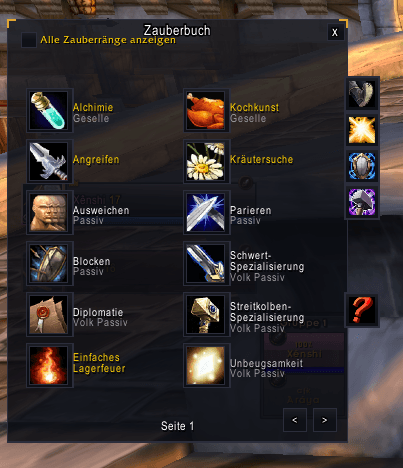
Skins — Sentinel-styled Blizzard windows (including load-on-demand panels) and popular third-party addons.
Misc — Auto-repair (guild bank first), sell junk, accept invites, decline
duels, interrupt announcements, raid tools, chat bubbles, loot/roll frames,
breath bar, talking-head handling — and a client-bug workaround that stops
the Blizzard guild-news formatString error.
Combat & tracking
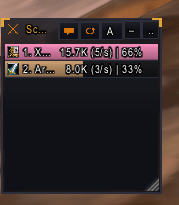
Damage Meter (/meter) — Damage/healing meter with fight segments, pet
merging, class-colored bars, spell breakdown tooltips, report & reset, up to
5 windows with per-window mode/segment, right-click context menu, docking
and a resize grip. SeeLast (/seelast) browses recorded fights.
Scrolling Combat Text — Three movable scroll areas (incoming, outgoing, notifications), spell icons, crit pop, killing blows and low-health alerts; Blizzard's own numbers can be switched off.
Raid Cooldowns — Live bar list of party/raid defensive, utility and battle-res cooldowns parsed from the combat log.
DoT Tracker — Your harmful auras on every resolvable hostile unit, with stacks and remaining time.
Totem Tracker — Independent totem bar replacing the Blizzard TotemFrame.
Decurse — Vertical dispel strip of group-member squares colored by debuff type; left-click casts the primary dispel, right-click the secondary.
Guild, social & information
GuildChronicle (/gc) — Guild roster history: joins, leaves, kicks,
promotions, level-ups, note changes and returning members are diffed from
snapshots and logged persistently. Roster, log, former-members, alts and
professions tabs; professions are merged from SentinelUI sync messages,
trade links posted in guild chat and note scanning. Login summary, chat
announcements, unit-tooltips and CSV export included.
Messenger (/smsg) — Every whisper/BNet conversation gets its own small
window with history, timestamps, clickable links and a reply box; can hide
whispers from the regular chat.
Announcer (/suiann) — Scheduled chat messages with interval/channel
and a small management window (account-wide storage).
Interrupt Alert — Announces enemy casts interrupted by you or your group to the channel matching the group size (party / raid / instance chat), including who interrupted and which cast was stopped.
Healer Protection (/suihp) — Healer warnings posted to the group:
low-mana tiers (20/10/0%), aggro-while-taking-damage with a cooldown, and
Innervate announcements. Minimap button included.
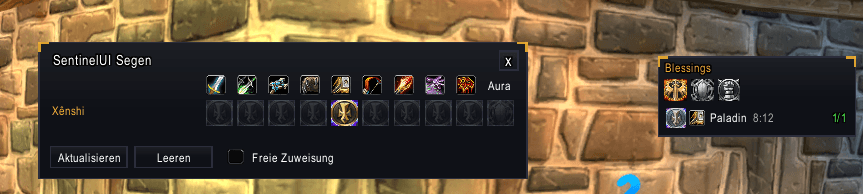
Blessings (/suibless) — Paladin blessing manager, compatible with the
PLPWR protocol: blessing assignments per paladin and class are synced across
the raid (also with users of other managers speaking the same protocol), a
movable buff bar shows per-class assignments with missing-buff counts and
click-to-cast buttons (greater/single blessing), aura and seal pickers, and
an assignment grid with leader/free-assign control.
Raid Check (/suirc) — Group/raid overview showing at a glance whether
everyone is buffed (blessings, mark, intellect, fortitude, spirit, shadow
protection), fed (well fed), flasked/elixired and weapon-enchanted. Red/green
cells per member and check, tooltips list who is missing, and a report button
posts the missing names to the group channel. Weapon enchants are shared via
an internal addon channel between SentinelUI users. Minimap button included.
Heal Grid (/suirg, /suiheal, /suihg) — VuhDo-style healer grid: group members
laid out by raid subgroup as clickable unit cells with class-colored health
bars, name and hp/deficit text, dead/offline/AFK states, aggro highlight,
dispel-typed debuff icons with colored borders, own-HoT tracking (up to 3
icons), raid markers, role badges, incoming-heal preview and range fade.
Click-casting via secure buttons: left click targets, right click casts your
class heal automatically — decursing stays in the dedicated Decurse module,
but "dispel" can be assigned to any click. Bindings are edited in the dedicated HealGrid
options window (/suirg options, right-click the HG minimap button or the
small drag anchor): modifier + button + action + spell per binding — a
class-spell picker lists every known heal spell of your class (all WoW
healer classes covered) alongside the "heal"/"dispel" keywords. Layout
sliders, growth/sort/health-color selects and all display toggles live there
too. Movable via the small accent anchor, lockable, position persisted.
Reputation (/rep) — Faction list with standing, progress bar and watch
toggle, grouped by expansion.
World & utility
InstanceTracker (/itrack) — Dungeon/raid log with stats (mobs, XP,
gold, rep, group), hourly lockout counter, trade log, alt tracking, level
log, auto NPC dialogue and reset announcements.
RaidReset (/resets) — Saved lockouts with reset timers, the full
instance list of the current expansion, daily run counters and TBC Shattrath
dailies.
ItemSync — Tracks item counts per character across bags, bank, mail, equipment and guild bank; shows them in item tooltips plus a searchable item browser.
BugFolder (/sbugs) — Internal BugGrabber/BugSack replacement: captures
Lua errors from all addons, deduplicates them, keeps stack/locals and
shows them in a sack window with search, prev/next, wipe and export.
World Buffs (/buffs) — Rend/Onyxia/Nefarian/Zandalar buff-drop timers
per layer.
World Map — Zone level ranges, fishing skill, dungeon/raid pins with level ranges, flight/travel points, spirit healers and zone-crossing arrows.
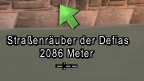
Navigation (/sway) — Waypoint crazy-arrow with distance/ETA, world map
pins, minimap edge indicator, corpse arrow and quest navigation.
Trainer (/sui trainer) — Replaces the class trainer frame: learnable /
too-early / learned groups with costs, plus an offline per-class cache.
Inspect — Adds a "Talents" tab to the inspect window on clients without one and renders the target's spec.
MageBar (/suimage) — Secure teleport/portal/conjure/buff buttons with
flyouts for mages, highest learned rank only.
Window Mover — Every Blizzard window draggable, positions remembered and
re-applied after panel re-anchors (Shift+Right-click resets).
AFK — Full-screen AFK display.
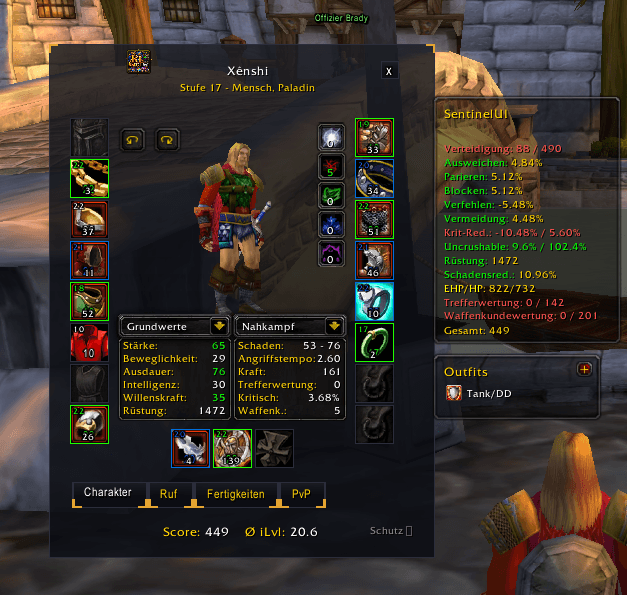
BetterItem (integrated) — Stat-weight item scoring in tooltips, upgrade arrows in bags/character/quest rewards/loot rolls, automatic spec detection, hit/expertise cap tracking, gem advisor, character stats panel, outfits with auto-equip, vendor prices and nearby-loot alerts.
Profiles & Settings
Settings are stored per profile (SentinelUIDB); per-character module
switches live in SentinelUICharDB. Module data persists in its own
SavedVariables (SentinelUIGuildDB, SentinelUIInstanceDB,
SentinelUIBuffDB, RLBetterItemDB, RLRaidDungeonResetDB). Profiles can be
switched, copied and reset from the options window; every movable element
remembers its position and resets individually via /sui move.
Error Log
All SentinelUI errors, taint blocks and warnings are captured in:
WTF\Account\<ACCOUNT>\SavedVariables\SentinelUI.lua (SentinelUILog)WoW only writes this file on /reload or logout (/sui save forces it).
Each entry contains timestamp, session, context (module:event), stack trace,
combat state and location — attach it when reporting bugs at
https://xrl-dev.de/bugtracker or via /sui bug. Lua errors from other
addons are captured by the BugFolder module (/sbugs).
Localization
English (enUS) and German (deDE) are included. Untranslated keys fall
back to English.
License & Credits
SentinelUI's own code is proprietary — please report issues instead of redistributing modified copies. Bundled libraries are released by their respective authors under free licenses (Ace3, CallbackHandler, LibStub, LibSharedMedia-3.0, AceGUI-3.0-SharedMediaWidgets).
SentinelUI Team

Owner