Selector
- By
Create action bar buttons that switch between spells, items and more with a right-click.
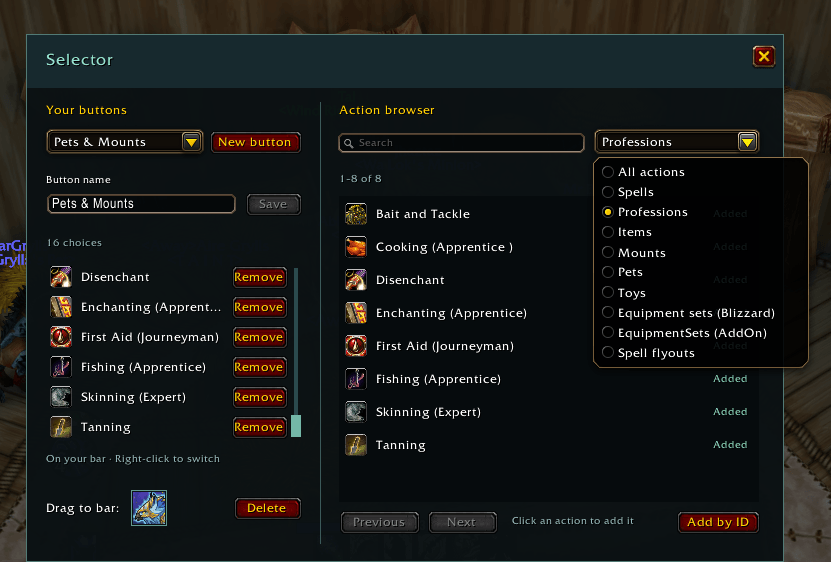
The interface that opens with /selector
Description
Selector
Selector lets you keep several actions in one action bar slot. Create a named button, add the actions you want, and drag its icon onto your bar. Right-click to switch actions when out of combat, then left-click or use your usual keybind to activate the selected action.
Features
- Create multiple named buttons with scrollable lists of choices.
- Browse and search your actions in the movable editor.
- Action Bar AddOns are supported. Let me know if it doesn't work with yours.
- Optional "EquipmentSets" integration (another AddOn of mine).
Getting started
- Type
/selectorand click New button. - Give it a name and click the actions you want to add.
- Drag the icon beside "Drag to bar" onto an action slot. You'll need to click to actually place it.
- Right-click that slot to switch between your choices.
To move a Selector button to a different slot, drag its icon again from the editor. It will not carry over by simply moving it normally.
Selector Team

Owner