RollMyMount
- By
Automatically summons a random mount from your bags. Smart handling of flying and ground mounts, indoors vs outdoors, druids, and combat restrictions. Simple, fast, and lightweight.
Screenshot 2026-02-05 134006.png
Description
TL;DR
RollMyMount creates one smart macro that automatically chooses a suitable random mount from your bags or class mounts. It handles flying, ground mounts, indoor areas, AQ40, class movement abilities, Paladin auras, and even lets you hold a modifier when you specifically want a ground mount.
One button. Every mount.
RollMyMount is a lightweight quality-of-life addon that automatically summons a random mount from the mounts you have in your bags or class mounts.
The addon intelligently decides which mount to use based on your current situation, without requiring you to maintain mount lists or manually reconfigure the macro as conditions change.
Features
- 🎲 Random mount selection from mounts in your bags
- 🛫 Automatically uses flying mounts where allowed
- 🐎 Falls back to ground mounts in no-fly zones
- ⌨️ Hold Alt, Ctrl, or Shift to force a ground mount in flying zones
- 🖼️ Shows the next selected mount's icon, including the forced ground mount while its modifier is held
- 🏠 Detects indoors vs outdoors
- 🪲 Supports AQ40 Resonating Crystals, including indoor raid subzones
- 🐾 Supports class movement forms (Druid, Shaman, Hunter, Rogue, etc.)
- 🌿 Switch to use Druid Flight Form instead of mounts
- 🧙 Switch to use class mounts (Paladin, Warlock)
- ✨ Manages Paladin Crusader Aura while mounting and restores the previous aura when dismounting
- ⚔️ Safe behavior in combat (no blocked add-on actions)
- 🔄 Automatically updates when bags, spells, skills, zones, or conditions change
- 💡 Designed for Classic / TBC Anniversary 2.5.6
How it works
RollMyMount scans your bags and spellbook for usable mounts and class movement abilities.
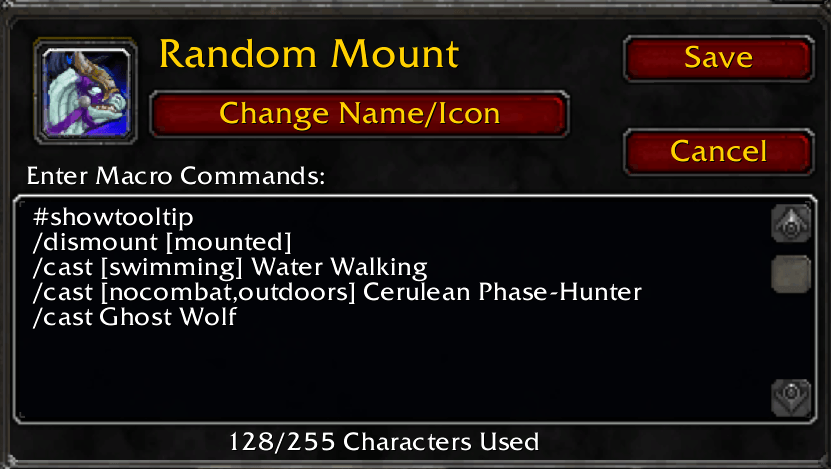
It creates a global macro named RMM RandomMount. Open the WoW macro window, drag it to an action bar, and bind or click it like any other action.
When you use the generated macro, it:
- Chooses a suitable random mount based on your riding skill and current location
- Uses a flying mount where flying is allowed or the best available ground mount elsewhere
- Uses your selected ground mount instead when the configured override modifier is held
- Falls back to class movement abilities when mounting is not possible
- Activates Crusader Aura for Paladins when aura management is enabled
- Restores the Paladin's previous aura when dismounting through the managed macro
The macro updates automatically as your inventory or environment changes and prepares the next mount. Its icon previews the mount that will be used.
Use /rmm help to see the commands available to your character.
Commands
/rmm spell– toggle Paladin and Warlock summon mounts/rmm druid– toggle Druid Flight Form instead of a flying mount/rmm crusader– toggle Paladin Crusader Aura management/rmm groundmod alt– force a ground mount while Alt is held/rmm groundmod ctrl– force a ground mount while Ctrl is held/rmm groundmod shift– force a ground mount while Shift is held/rmm groundmod none– disable the force-ground override/rmm status– show current settings/rmm refresh– rescan mounts and rebuild the macro/rmm reset– restore defaults
WoW keybindings require exact modifier combinations. For example, if the macro is normally bound to Shift+Space and Ctrl is the force-ground modifier, bind Ctrl+Shift+Space to the same action as its second key.
Paladin aura behavior
For Paladins who know Crusader Aura, aura management is enabled by default. A mount press activates Crusader Aura and starts mounting on the same click. Dismounting with the RollMyMount macro restores the last active non-Crusader aura.
WoW requires a hardware input to cast protected spells, so the addon cannot restore an aura after a dismount performed outside its managed macro.
Compatibility
- WoW: TBC Anniversary 2.5.6
- Addon version: 1.1.0
RollMyMount Team