Screenshot 2026-01-19 002627.png
Screenshot 2026-01-19 001525.png
Screenshot 2026-01-19 002633.png
Description
RL ScrollingCombat
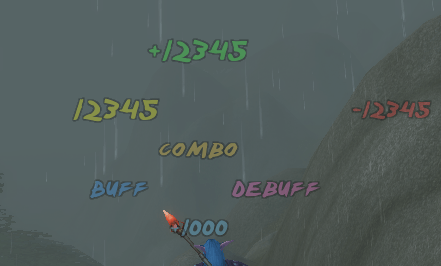
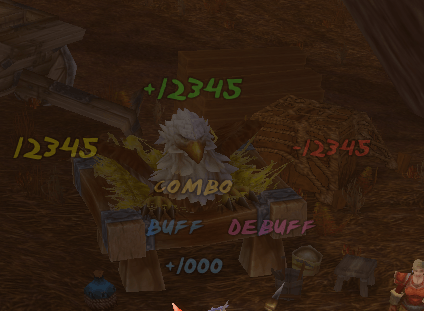
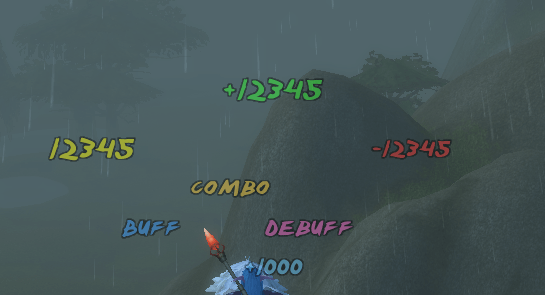
RL ScrollingCombat is a lightweight World of Warcraft addon that displays combat text (damage, healing, auras, experience points, etc.) in a scrolling format. It replaces the standard Blizzard combat text with customizable, easy-to-read text featuring various animation and font options.
Features
- Scrolling Combat Text: Displays incoming and outgoing damage, healing, auras (buffs/debuffs), experience points (XP), resources (mana, rage, energy, etc.), and combo points.
- Customizable Design: Choose from various fonts (e.g., Adventure, Bazooka, Transformers, and more) and adjust the font size.
- Scroll Directions: Supports different animation directions:
- Bottom to top
- Top to bottom
- Right to left
- Random
- Sticky Crits: Critical hits can be made "sticky" to highlight them effectively.
- Smart XP Display: Prevents duplicate XP display by automatically disabling Blizzard's XP text when the addon is active.
- Multilingual: Supports English and German (automatic detection or manually selectable).
- Blizzard Integration: Utilizes Blizzard's standard filter settings for combat events (except XP) while providing its own visualization.
Installation
- Download the addon.
- Extract the
RLScrollingCombatfolder into your WoW directory under_retail_\Interface\AddOns\(or_classic_,_vanilla_, etc., depending on your game version). - Restart World of Warcraft.
Usage
The addon is active immediately after installation.
Commands
/rlsct- Opens the configuration menu./rlsct test- Generates test texts (damage, healing, etc.) to verify settings.
Settings
In the configuration menu (/rlsct), you can customize:
- General: Enable/Disable the addon.
- Appearance: Select font type, font size, and animation direction.
- Sticky Crits: Enlarge critical hits and make them "sticky".
- Language: Manually set the language or enable automatic detection.
Bug Tracker
Please report any bugs or issues here: https://rl-dev.de/bugtracker.html
Author
XamiraNRW - RL-Dev
Created for World of Warcraft Anniversary / Classic / Retail.
RL ScrollingCombat Team

Owner