Quest KnockOut
Quest Knockout is a Classic WoW questing addon built around logic-based objective selection, supported guide integration, and a growing set of practical automation and quality-of-life tools.
Quest KnockOut
Questie is required. Quest KnockOut uses Questie’s database for its logic-based questing system.
Quest KnockOut is a logic-based questing addon for Classic WoW, built to make questing faster, cleaner, and easier to follow without locking you into rigid leveling routes. It adapts to where you are and what you are doing, so your route can change naturally as you move through a zone.
Quest Guidance
Keep your next quest objective front and center with a compact guidance window, distance tracking, and directional arrow.
Zygor & RestedXP Support
Already use a leveling guide?
Quest KnockOut supports:
-
Zygor
-
RestedXP
Keep the guide you already like while using Quest KnockOut alongside it.
Quest Remix
Customize quest text and add optional text-to-speech for a different way to experience quest dialogue while you play.
One-Button Rotation
Two independent one-button rotation options:
-
Mash Mode
-
Cast Sequence Mode
Both support out-of-combat health and mana recovery from the same button, including alternating food and water when both are needed.
Each mode has its own setup and keybind.
Smart Targeting
A dynamic targeting macro that changes with nearby Questie targets, making it easier to grab useful nearby mobs as you move through an area.
Set Map
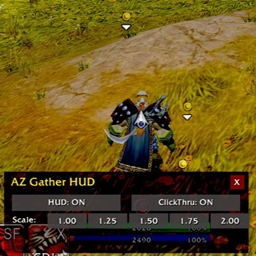
Optional visual controls for adjusting the look and feel of your game screen.
Nameplate Lab
Additional nameplate controls for keeping useful combat information visible and easy to read.
Buff Timers
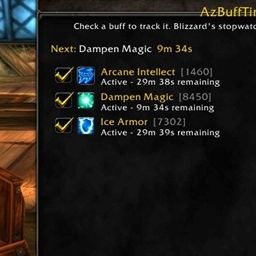
Keep selected buff timers visible alongside your quest guidance without needing another large interface on your screen.
Zone Finder
A simple way to find somewhere new to quest without committing to a fixed leveling guide.
Auto Sell
Automatically sell gray items and add custom items that will also sell when you visit a vendor.
Per-Character Setups
Quest KnockOut keeps its gameplay settings per character, allowing each character to keep its own questing preferences, rotations, recovery settings, vendor lists, and feature setup.
Built Around Questing
Quest KnockOut brings quest guidance, guide support, targeting, rotations, recovery, selling, zone selection, and other quality-of-life tools together in one addon.
Use the features you want. Leave the rest off.
Then go quest.
The Quest KnockOut Team