promotional banner

Az Buff Timers

- The window shows your current buffs plus buffs you have already added. - Check a buff to track it. - All tracked buffs count down internally. - Blizzard's built-in stopwatch displays the tracked buff that will expire next.
  • The window shows your current buffs plus buffs you have already added.
    - Check a buff to track it.
    - All tracked buffs count down internally.
    - Blizzard's built-in stopwatch displays the tracked buff that will expire next.
    - A small label above the stopwatch shows that buff's name.
    - If a shorter buff appears, the stopwatch switches to it.
    - Refreshing a buff recalculates the timer.
    - When a tracked buff expires, Tranquility plays and chat names the buff.
    - If it disappears early, chat tells you how much time was left.
  • USEFUL COMMANDS
    /azbuff             - toggle window
    /azbuff scan        - print current buffs and Spell IDs
    /azbuff list        - list tracked buffs
    /azbuff add ID 30m  - add a buff with optional fallback
    /azbuff remove ID
    /azbuff on ID
    /azbuff off ID
    /azbuff duration ID 45m
    /azbuff duration ID 0   - clear fallback
    /azbuff test        - test Tranquility alarm
    /azbuff update      - recreate/update macro and rescan

The Az Buff Timers Team

profile avatar
  • 6
    Projects
  • 3.1K
    Downloads

More from user_neqi7im8zdat59imView all

  • Az Gather Hud project image

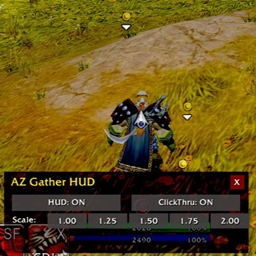
    Az Gather Hud

    Hud for gathering. /gh, /agh, /azgatherhud, /gatherhud for bar to appear for options

    • 1.0K
    • September 22, 2026
  • Az  Camera Immersion project image

    Az Camera Immersion

    - Turn/zoom the camera exactly where you want it. - Click Save on Camera 1-4. - Check any conditions that should trigger that camera. - Set that camera's delay from 1 to 30 seconds with -/+. - Preview smoothly moves toward the saved camera,

    • 13
    • September 22, 2026
  • Az Sheathe project image

    Az Sheathe

    Use the slash commands /azs or /azsheathe to access the UI, where you can cycle through sheath modes

    • 534
    • September 22, 2026
  • Az Set Map project image

    Az Set Map

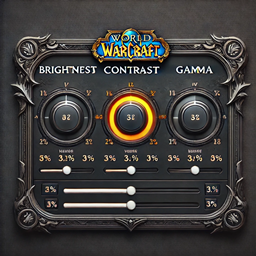
    This code lets you adjust the gamma, brightness, and contrast for different zones in World of Warcraft.

    • 211
    • September 22, 2026
  • Az Gather Hud project image

    Az Gather Hud

    Hud for gathering. /gh, /agh, /azgatherhud, /gatherhud for bar to appear for options

    • 1.0K
    • September 22, 2026
  • Az  Camera Immersion project image

    Az Camera Immersion

    - Turn/zoom the camera exactly where you want it. - Click Save on Camera 1-4. - Check any conditions that should trigger that camera. - Set that camera's delay from 1 to 30 seconds with -/+. - Preview smoothly moves toward the saved camera,

    • 13
    • September 22, 2026
  • Az Sheathe project image

    Az Sheathe

    Use the slash commands /azs or /azsheathe to access the UI, where you can cycle through sheath modes

    • 534
    • September 22, 2026
  • Az Set Map project image

    Az Set Map

    This code lets you adjust the gamma, brightness, and contrast for different zones in World of Warcraft.

    • 211
    • September 22, 2026