Precision Tooltip Mover
- By
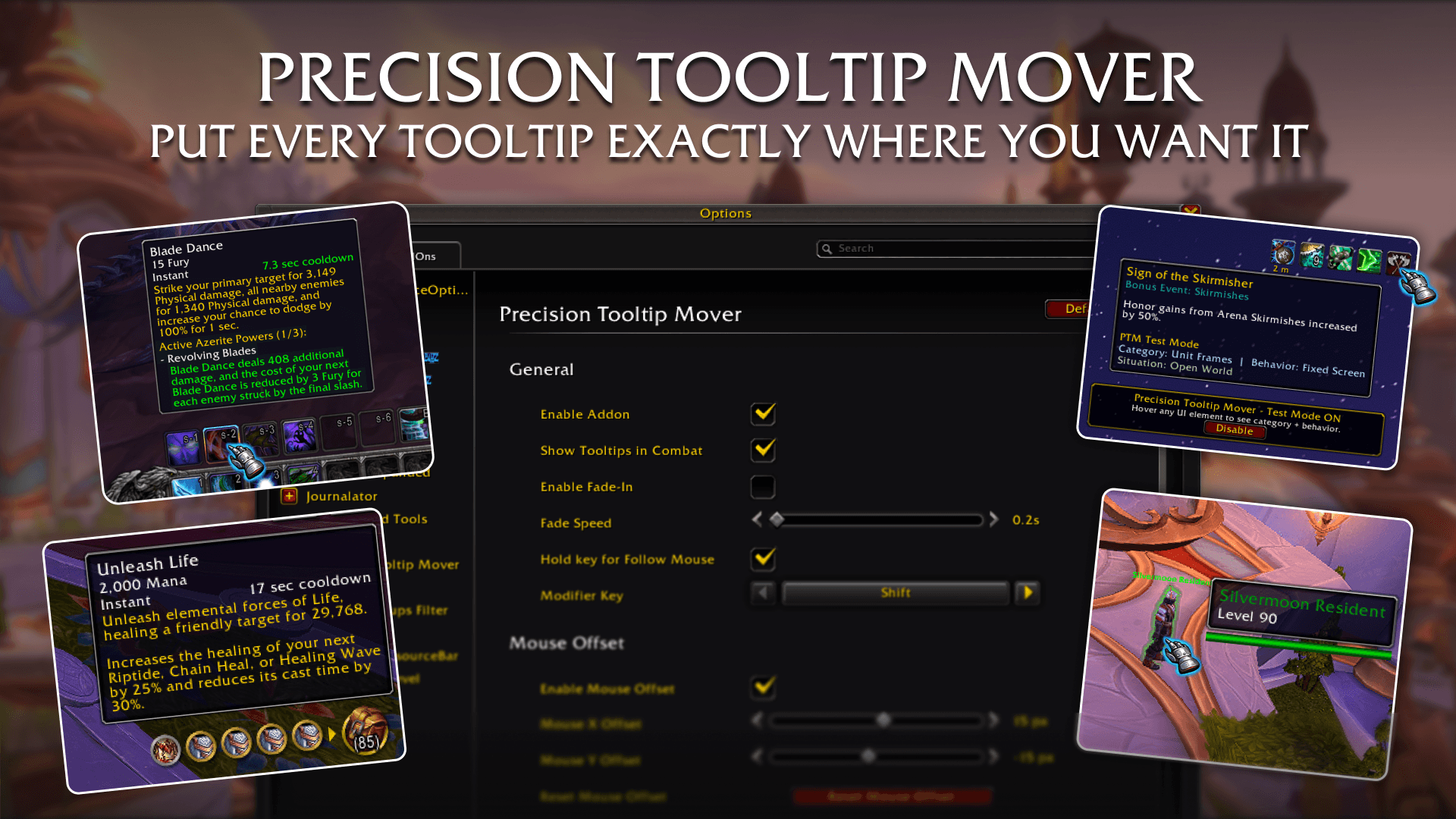
A category aware tooltip positioning system, that gives you full control over where every tooltip appears with automatic profiles for dungeons, raids, battlegrounds, and arenas.
1. Precision Tooltip Mover.png
2. Three behaviors six categories.png
3. Automatic situation profiles.png
4. Test mode.png
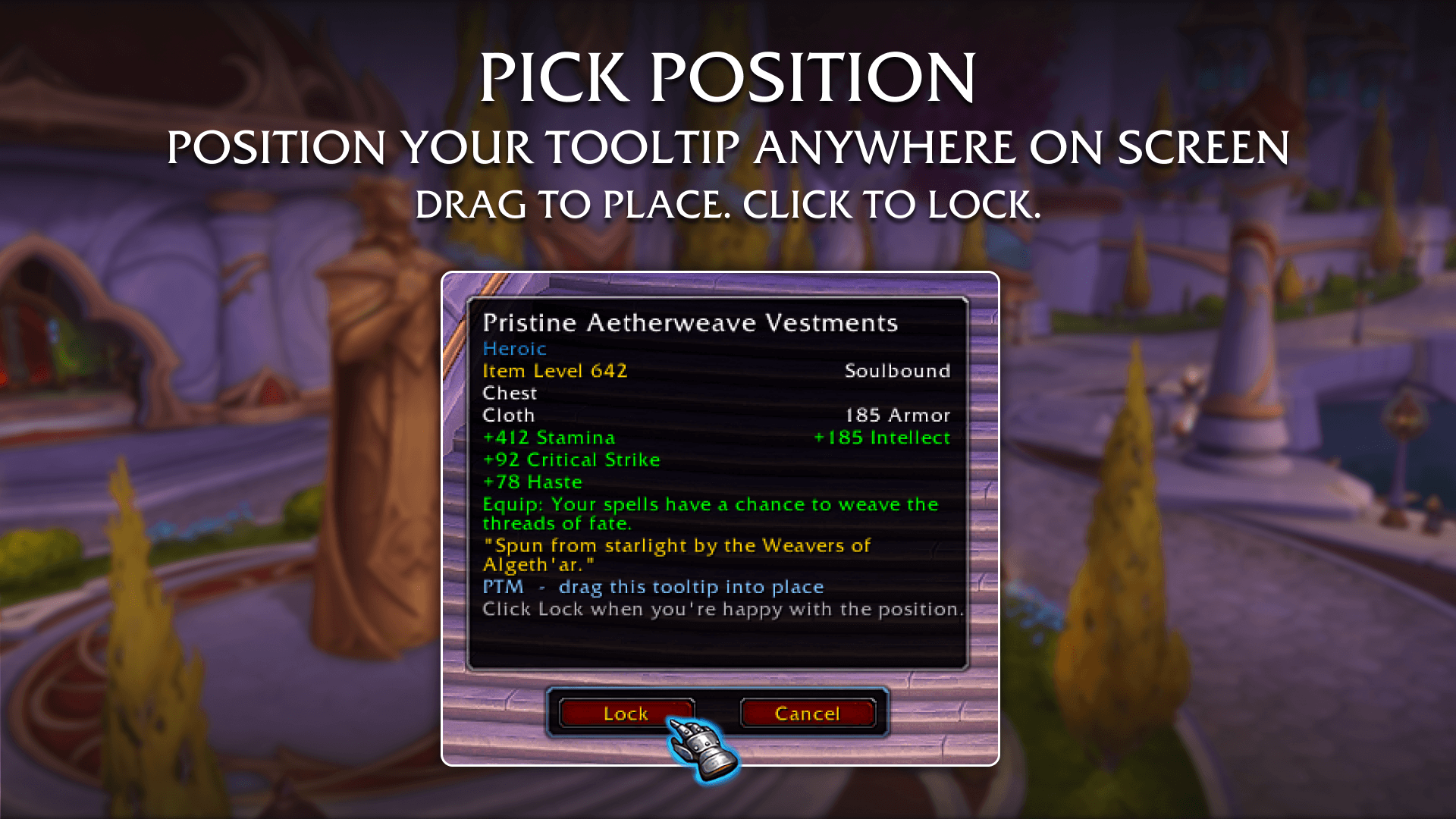
5. Pick Position.png
Description
You have control over your UI. So why are your tooltips still doing whatever they want?
The default WoW Edit Mode lets you move your tooltip to one fixed spot. But WoW is not a one-spot game. What works perfectly in a relaxed open world setting can be incredibly distracting in the middle of a Mythic+ pull. Tooltips snapping to your bags block important inventory panels, and having one global setting means you are always making compromises.
Precision Tooltip Mover (PTM) is the solution. It is a complete, lightweight tooltip positioning addon built natively into the Blizzard interface. Every tooltip type. Every situation. Exactly where you want it.
🠟 Automatic Situation Profiles 🠟
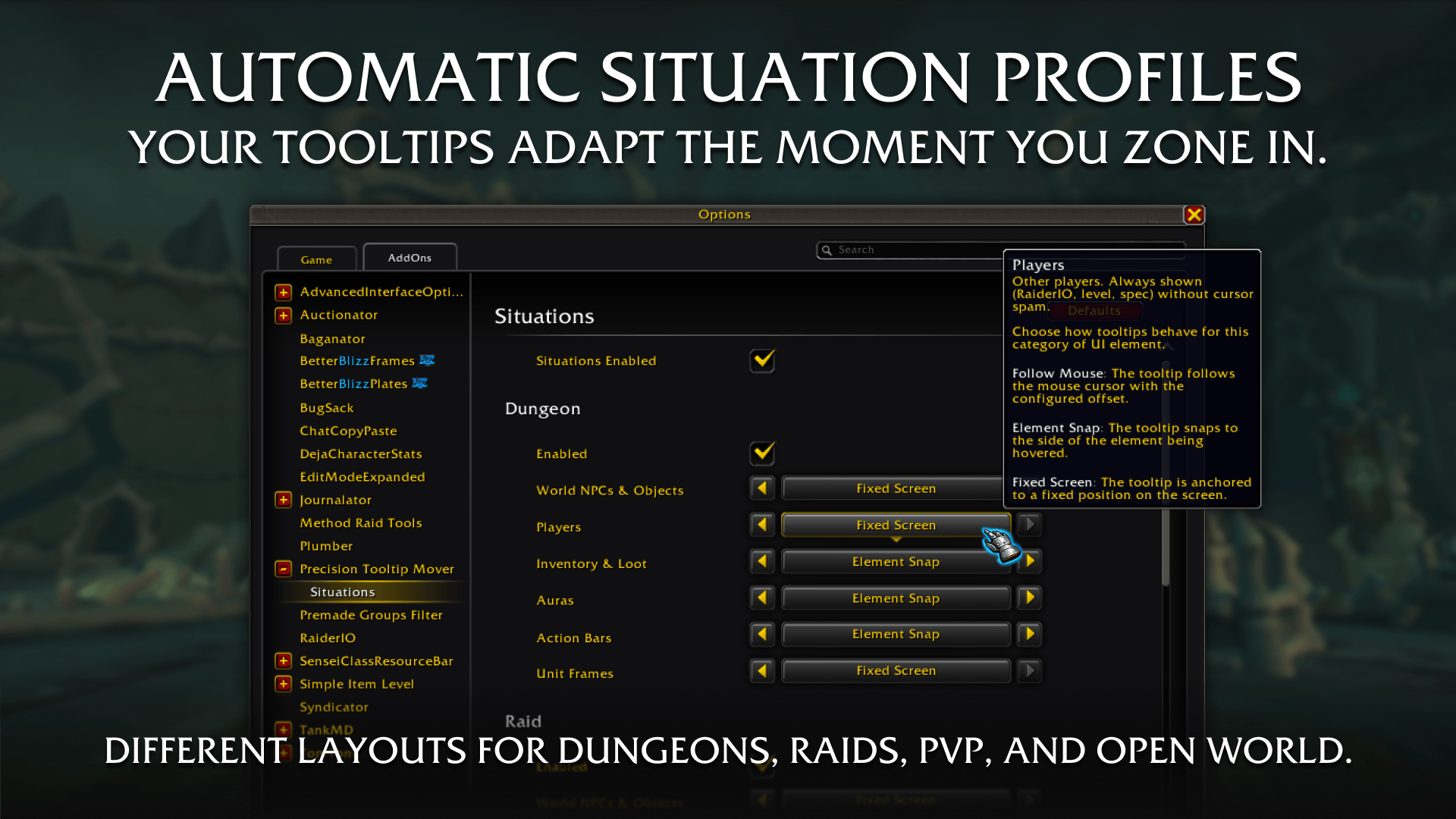
Think about how differently you play in a dungeon versus the open world versus a battleground. Your eyes are in completely different places. With Situation Profiles, you configure a separate set of tooltip behaviors for each context: Dungeon, Raid, Battleground, Arena, and Open World. The moment you zone in, everything switches automatically. You never touch a setting mid session.
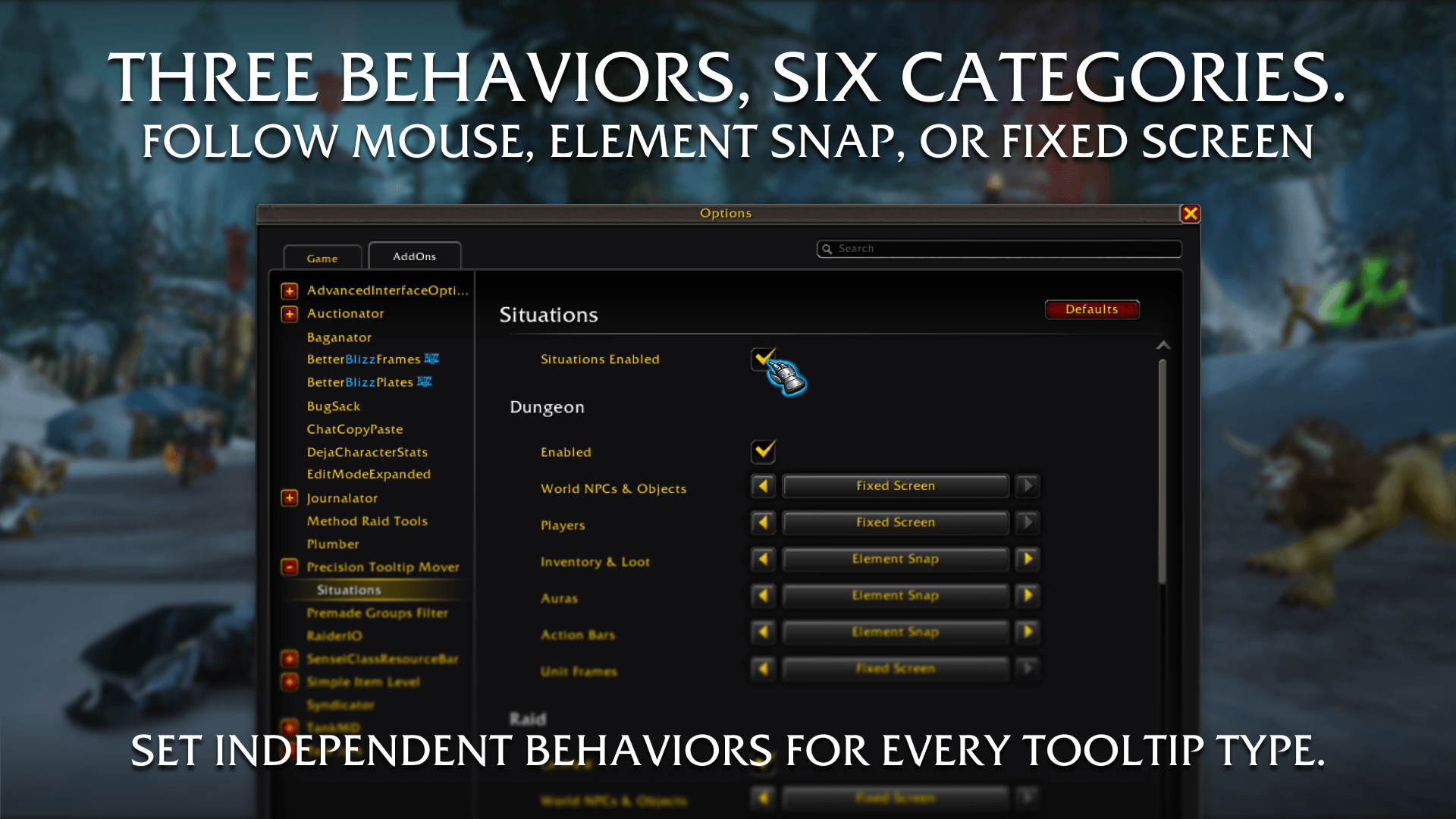
⮕ Three Behaviors. Six Categories. Total Control.
Configure behavior independently for six different UI categories. Choose from three distinct behaviors for each:
The three behaviors:
- Follow Mouse: The tooltip stays glued to your cursor with a pixel-perfect offset you control. Great for open world exploration.
- Element Snap: The tooltip intelligently anchors to the side of whatever you are hovering (like a bag item or a buff icon) to prevent overlapping important panels.
- Fixed Screen: The tooltip is locked to a permanent position on your screen, completely independent of your cursor.
The six categories:
- World NPCs and Objects: NPCs, gathering nodes, interactables in the 3D world.
- Players: Other players in the world. Often the most disruptive in cities.
- Inventory and Loot: Bags, bank, loot windows, merchant items, auction house, mail.
- Auras: Buffs and debuffs. Your eyes are on the top-right strip of your screen.
- Action Bars: Your action and pet bar buttons. Your eyes are on the bottom of your screen.
- Unit Frames: Player, target, party, raid, and boss frames.
⮕ Visual Position Picker
Setting a fixed screen position does not mean guessing X and Y coordinates or reloading your UI. PTM includes a full visual picker. It drops a real-size sample tooltip onto your screen that you can freely drag anywhere. Click "Lock" and the position is saved instantly.
⮕ Modifier Key Override
Hold Shift, Ctrl, or Alt over any tooltip to temporarily override its behavior and switch it to Follow Mouse for as long as you hold the key. Works across all categories simultaneously. The second you release the key, the tooltip snaps right back. Perfect for quick inspections without permanently changing your setup.
⮕ Smooth Fade-In
Tooltips fade in with a smooth, adjustable animation instead of snapping harshly into view. A small detail you will notice immediately.
⮕ Test Mode
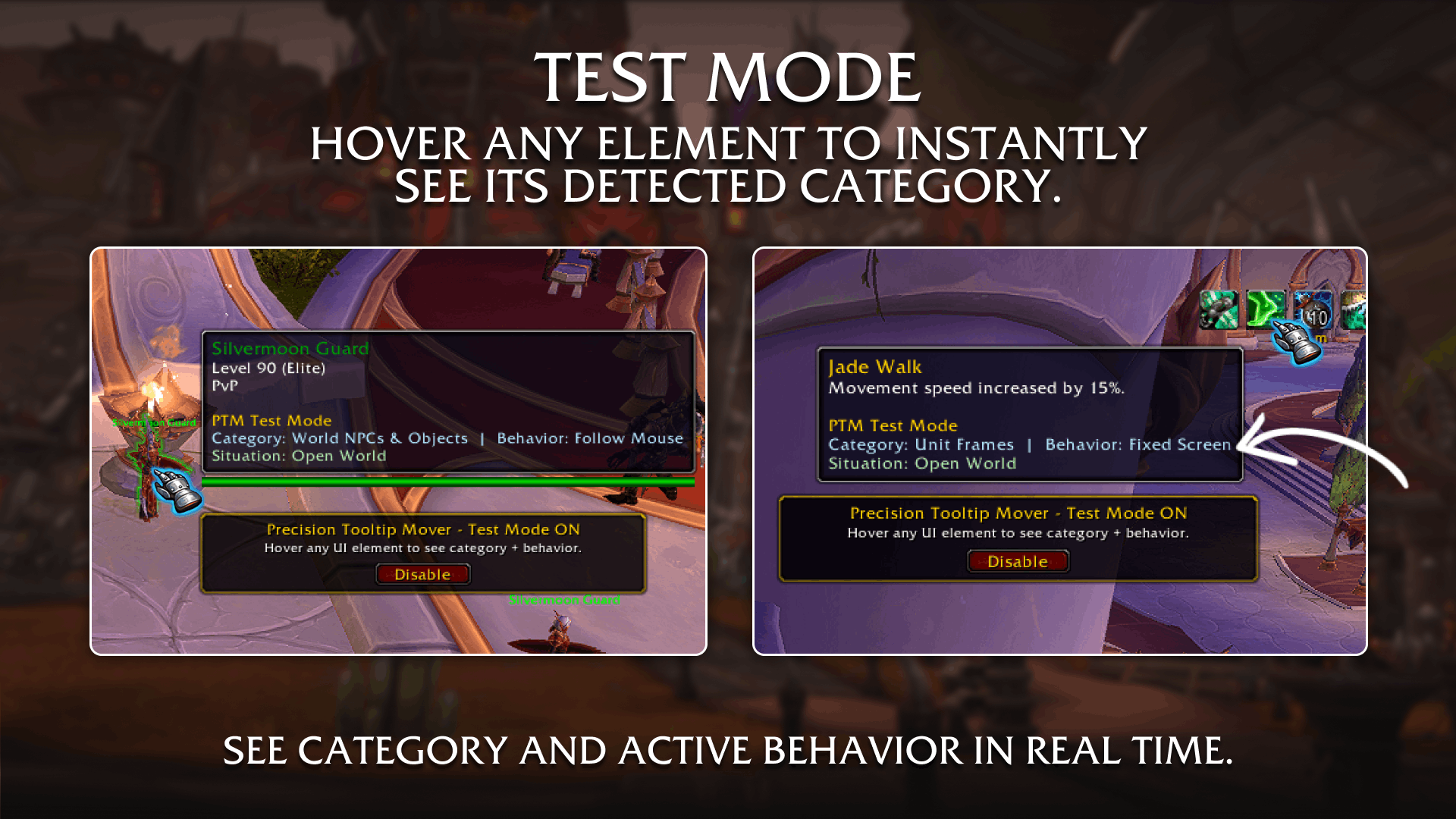
Setting up a layout is only useful if you can verify it. Enable Test Mode to see a floating indicator. Hover over any UI element, and PTM instantly shows you the detected category, the active behavior, and the current situation profile in real time.
⮕ Built Natively. Zero Bloat.
PTM lives entirely inside the standard Blizzard Interface AddOns settings panel. No custom UI frames fighting with your existing layout. Zero external libraries required. Zero taint or combat lockdown issues. Tiny file footprint. Fully compatible with every other addon you run.
⮕ Slash Commands
- /ptm Open settings
- /ptm test Toggle Test Mode on or off
- /ptm pick Open the visual position picker directly
- /ptm enable Enable the addon
- /ptm disable Disable the addon without uninstalling
- /ptm reset mouse Reset mouse offset settings to defaults
- /ptm reset fixed Reset fixed anchor settings to defaults
- /ptm reset categories Reset all per-category behaviors to defaults
- /ptm reset situations Reset all situation profiles to defaults
No libraries required. Fully native Blizzard Settings API.
The Precision Tooltip Mover Team


Owner