KeystoneMeta
- By
See which specs top-ranked Mythic+ groups play in each dungeon. Updated daily from Raider.IO representation, not a tier list.
1. Keystone Meta.png
2. Keystone Meta.png
3. Keystone Meta.png
Description
Keystone Meta
An in-game Mythic+ specialization representation companion.
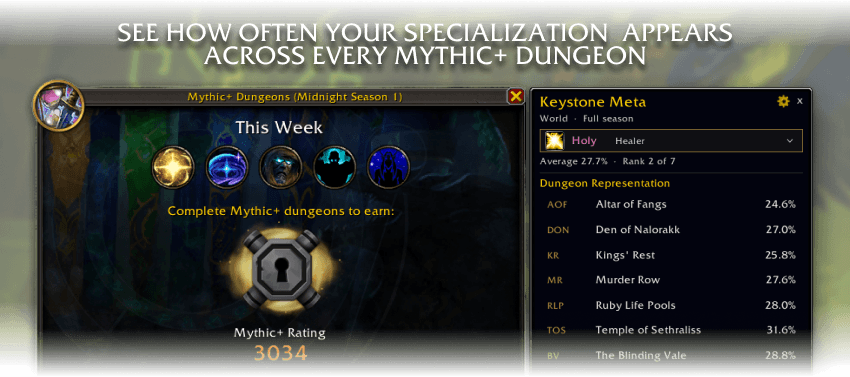
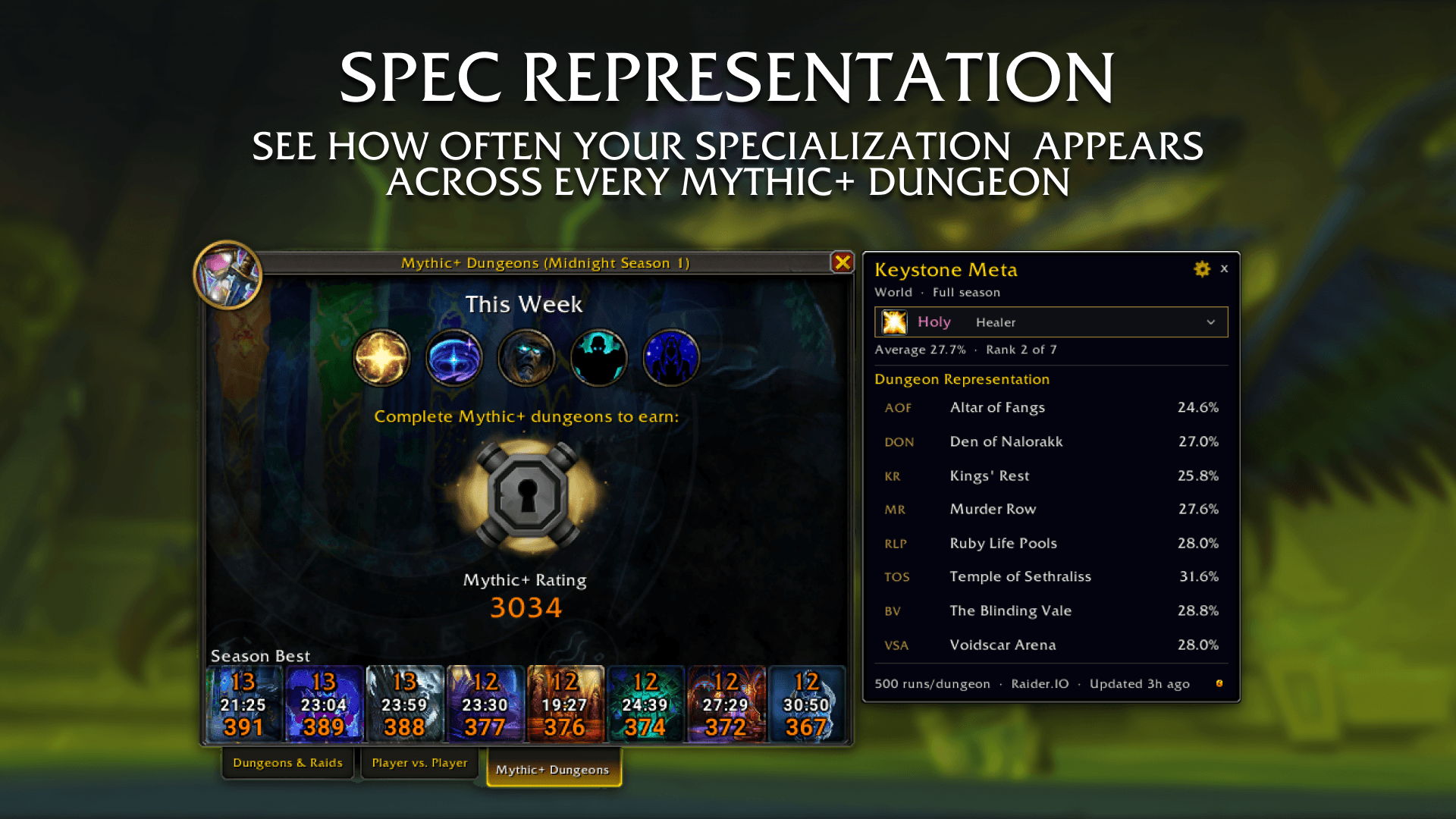
Keystone Meta shows what the highest-ranked Mythic+ groups are actually playing by dungeon, by role, and for your spec.
The core idea is simple: you shouldn't have to tab out to a website to see which specializations show up in top-ranked timed runs. A compact companion panel sits next to the Mythic+ dungeon finder (and next to my other addon Keystone Cutoffs if you use it) and answers that question at a glance.
Keystone Cutoffs is not required. Meta is a standalone addon that works on its own, and a natural companion when both are installed.
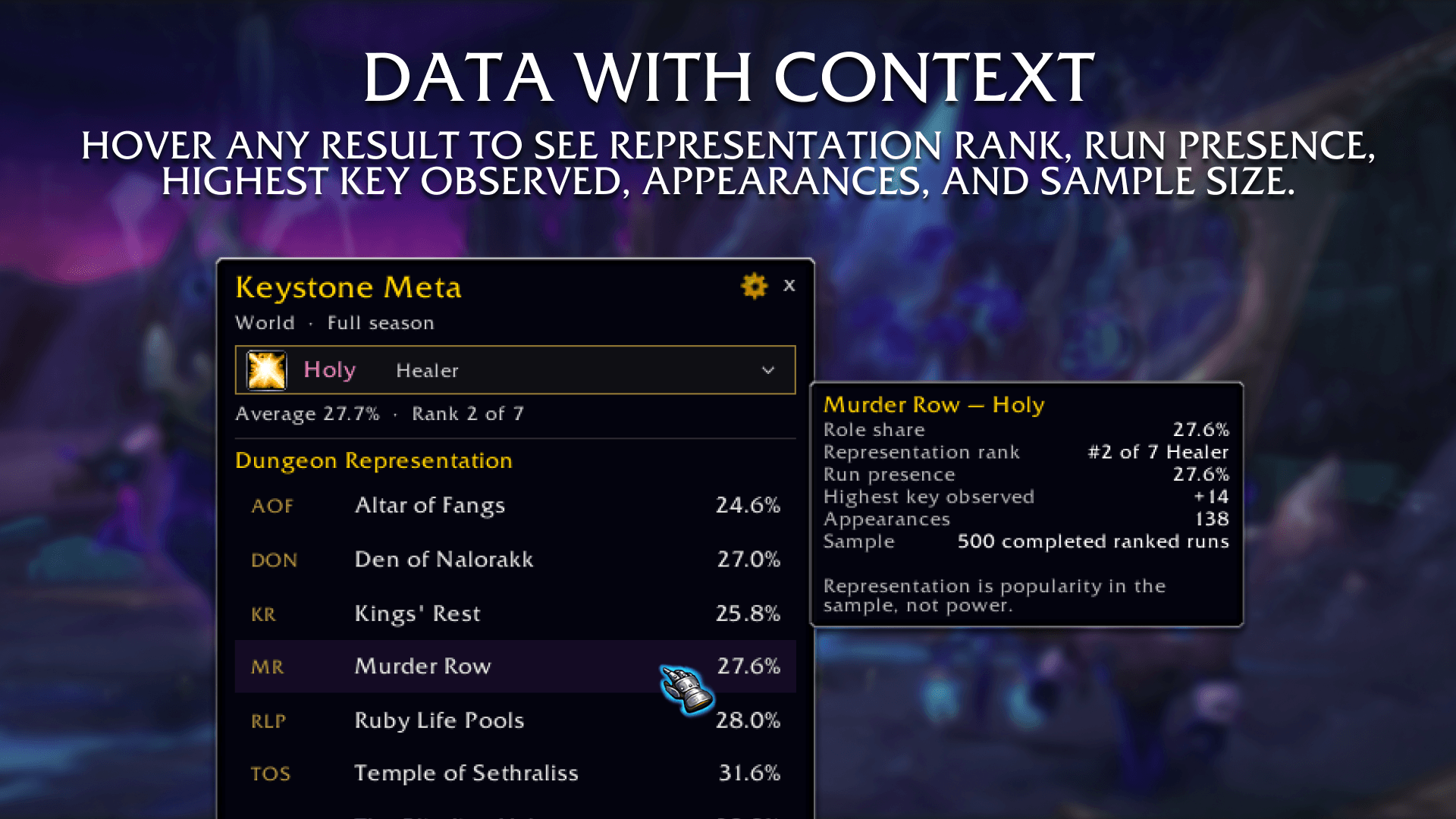
Representation is popularity in a sampled set of top-ranked completed runs. It does not measure success rate or prove specialization strength. This is not a tier list.
⮕ Core Features
- Per-Dungeon Representation: See how often your specialization appears in each season dungeon among sampled top-ranked timed runs.
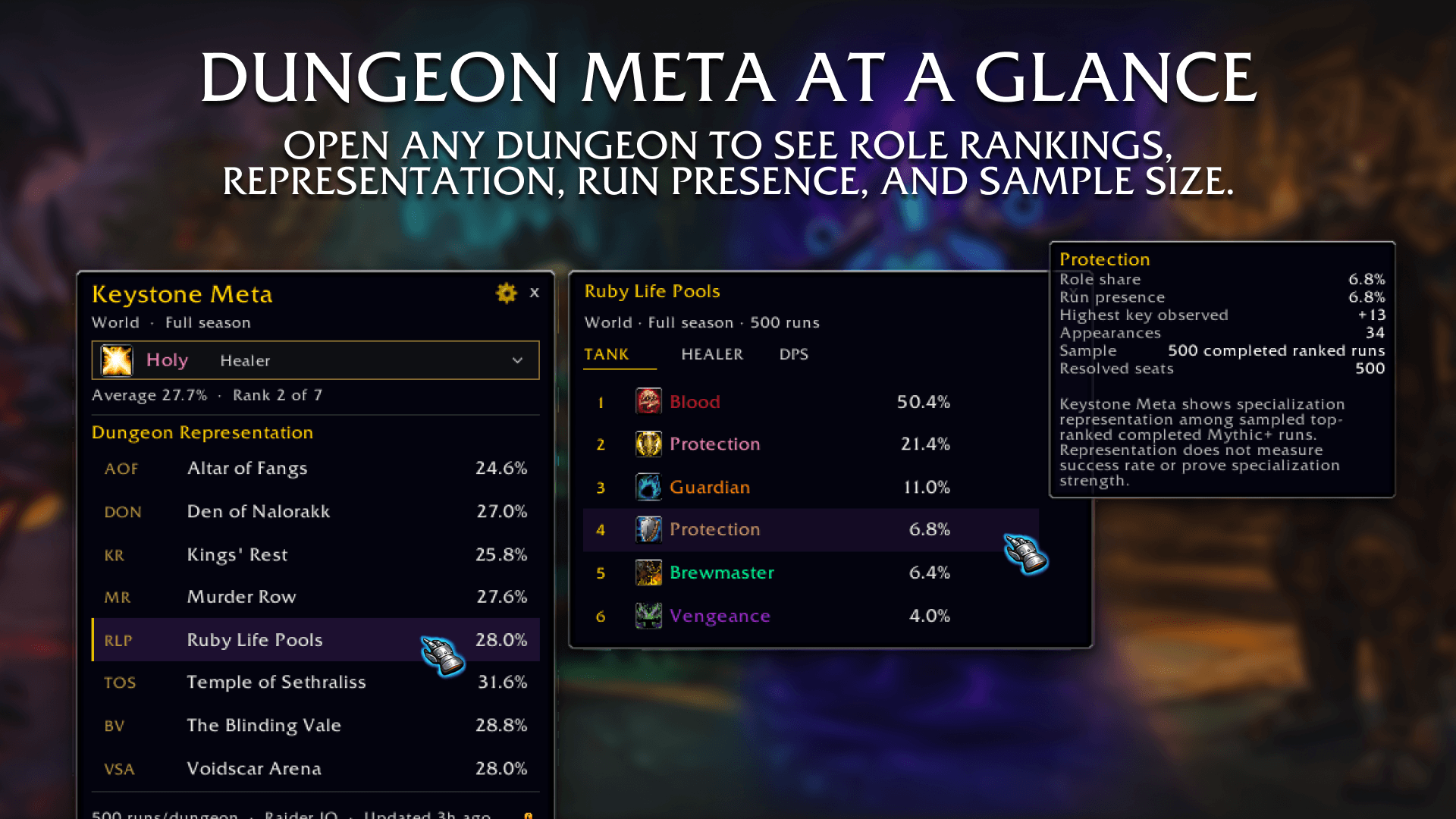
- Role Share & Presence: Role share, run presence, and the highest key observed in the sample — with a Dungeon Detail popout when you click a row.
- Daily Movement: Track how a spec’s role share changed since the last valid daily update, in percentage points.
- Spec Selector: Follows your current specialization by default. Click the spec row to lock another spec, or browse all specializations.
- Cutoffs Companion: Attaches beside Blizzard’s Mythic+ Challenges frame, and beside Keystone Cutoffs when that panel is open. Drag it anywhere when the dungeon finder is closed.
- Daily Automated Updates: Representation data is refreshed automatically every day from Raider.IO. The addon never calls the internet from inside the game.
⮕ Customization
- Follow Current Spec: Keep the panel locked to whatever you are playing, or turn it off and pick a spec yourself.
- Compact Rows: Tighten the dungeon list when you want a smaller footprint.
- Daily Movement Toggle: Show or hide day-over-day change on each dungeon row.
- UI Scale & Background Opacity: Match the panel to your UI without covering the game underneath.
- Panel Management: Left-drag the title, subtitle, or footer to move the window. It remembers standalone position and its offset next to Cutoffs.
- Minimap Integration: Left-click the minimap button to toggle the companion panel.
⮕ Quick Start
- Type /kmeta or /keystonemeta to toggle the panel.
- Left-click the minimap button for the same toggle.
- Open the Mythic+ dungeon finder Meta attaches to the right. If Keystone Cutoffs is shown, it sits beside that instead.
- Click the specialization row to switch specs or browse all specializations.
- Click a dungeon row to open the Dungeon Detail popout and swap Tank / Healer / DPS.
- Use the gear icon for follow-current-spec, compact rows, daily movement, scale, and opacity.
⮕ Why Keystone Meta
Keystone Meta is built to keep you focused on the game: less alt-tabbing, faster reference, and a clean companion next to the tools you already use.
Its biggest strength is the pairing: accurate daily data + dungeon-by-dungeon representation + Cutoffs-family chrome.
That combination makes it easy to see what the top of the ladder is playing without turning the addon into a tier list.
Use it alone, or park it next to Keystone Cutoffs title pace on one side, spec representation on the other.
⮕ Feedback
Have suggestions, bug reports, or feature requests?
Leave a comment and help shape future updates.
⮕ v0.1 Launch (Full Overview)
Major Additions
- Automated Data Pipeline: Fully integrated with Raider.IO for daily world / full-season representation snapshots.
- Dungeon Representation List: Season dungeons with role share, optional daily movement, and fail-closed empty states when a sample is too small.
- Dungeon Detail Popout: Per-dungeon spec breakdown with Tank / Healer / DPS tabs.
- Companion Placement: Attaches to Challenges or Keystone Cutoffs when the dungeon finder is open; stands alone from the minimap when it is not.
- Honest Framing: In-game disclaimer that representation is popularity in the sample, not power.
Ranked-run data comes from Raider.IO. Keystone Meta is a community addon and is not affiliated with or endorsed by Raider.IO.
The KeystoneMeta Team


Owner