Resource Architect (Resource and Power Bar)
- By
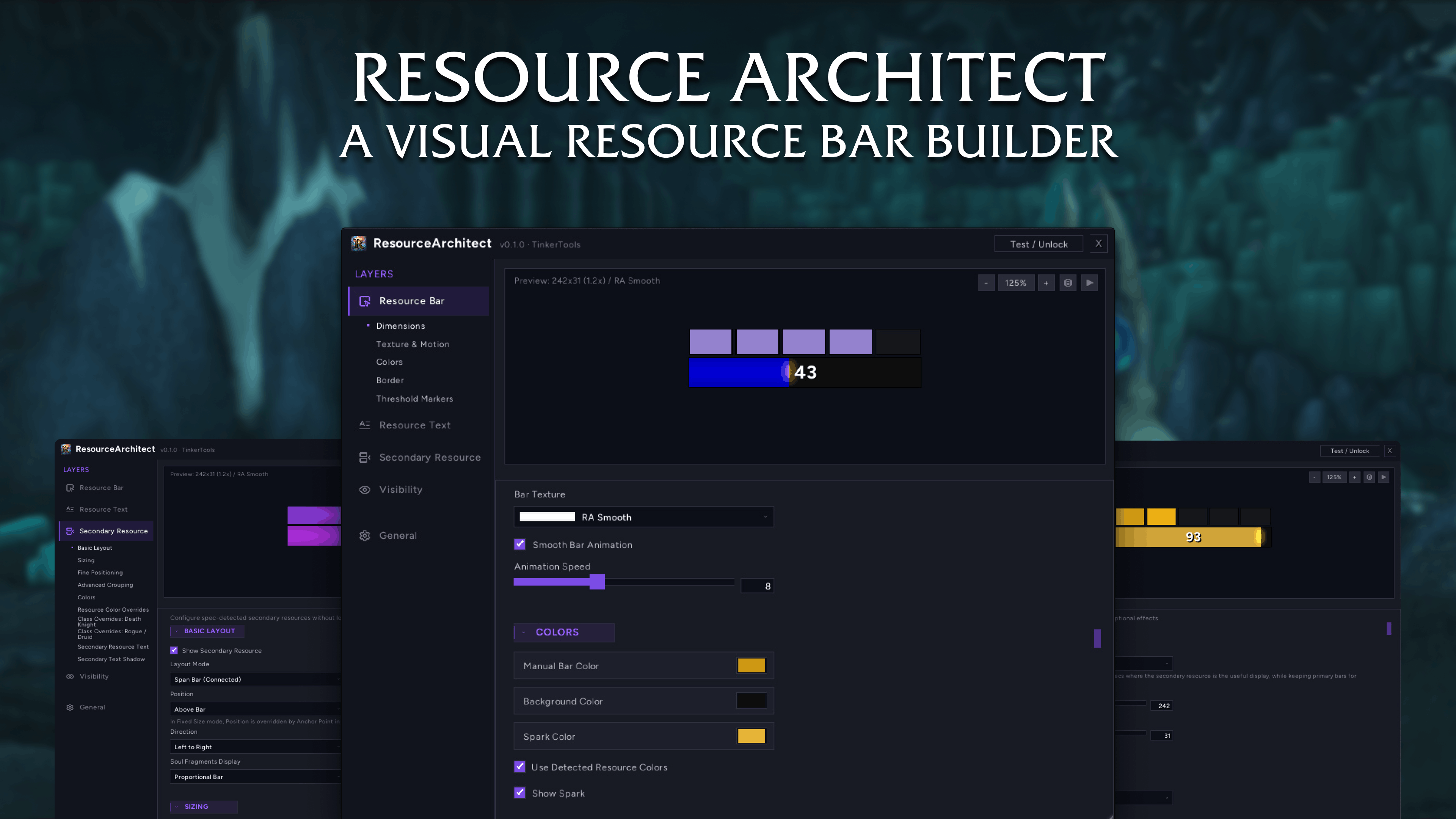
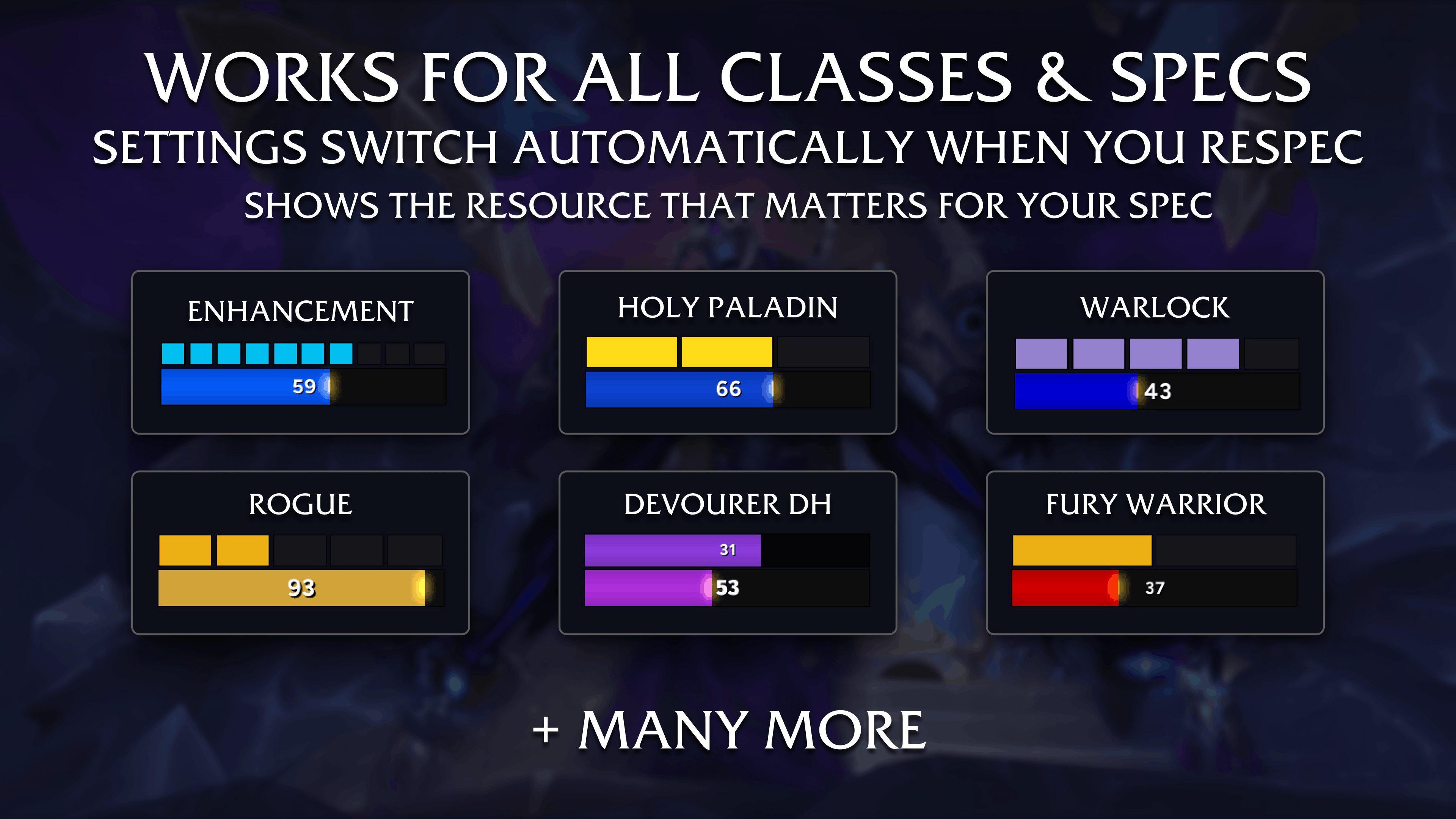
A visual resource bar builder for Midnight. Works for every class and spec, auto-detects your primary and secondary resources, renders them in one customizable frame with per-spec profiles, smart display modes, and a live preview.
1. Resource Architect.png
2. Works for all classes.png
3. Full customization.png

Merged.gif
Description

A visual resource bar builder for Midnight.
ResourceArchitect replaces WoW's default resource bar with a clean, fully customizable one that works for every class and every spec out of the box.
It auto-detects your primary resource (energy, rage, fury, insanity, maelstrom, etc.) and your secondary resource (combo points, holy power, runes, soul shards, chi, etc.), then renders both in a single compact frame with a live preview so you can see exactly what you're building before you lock it in.
⮕ New in version 0.2.0
⮕ Threshold Zones
Your resource bar can now react to your resource level. Define thresholds like "yellow below 40%" or "red below 20%" and the bar shifts color in real time as you gain or spend resources. Works on both the primary bar and secondary blocks — so your combo points, holy power, or runes can light up differently at key counts. Two transition modes: Snap for instant color changes, or Smooth Blend for gradual transitions between zones. Ships with smart defaults for every class and spec, or fully customize your own.
⮕ Threshold Sounds
You can now get an audio cue when your secondary resource hits a count — like a chime at 4 combo points to signal your finisher is ready.
⮕ Abbreviated Numbers
Large resource values can now display as 260K instead of 260000. Toggle in Resource Text → Display.
⮕ Druid Improvements
- Guardian Druids now see Combo Points in Cat Form, updating live on shapeshift.
- New visibility option to hide the primary bar when you're in a form that doesn't match your spec — like a Resto Druid in Moonkin Form.
⮕ Core Features
- Every Class, Every Spec: ResourceArchitect auto-detects your resource type on login and on spec swap. Energy, rage, fury, insanity, lunar power, maelstrom, runic power, focus, essence, mana — all handled. No configuration needed to get started.
- Smart Display Mode: An intelligent "Auto" mode hides the primary bar when it's not the resource you actually care about. Ret Paladin? Shows holy power, hides mana. Warlock? Shows soul shards. Rogue? Shows both energy and combo points. You can also force primary + secondary or secondary-only manually.
- Primary + Secondary in One Frame: Your main resource bar and your secondary indicators (combo points, holy power, chi, runes, arcane charges, soul shards, stagger, soul fragments, and more) are rendered together in a single, cohesive layout.
- Per-Spec Profiles: Settings are stored per-character and per-spec automatically. Swap specs and your bar configuration follows — no manual profile switching needed.
- Live Preview: Every setting updates in real time in the preview panel. The preview runs spec-aware animations so you see realistic values for your current class while you tweak.
- Threshold Markers: Optional tick marks on the primary bar at ability cost breakpoints (e.g. 35 energy for a finisher, 90 insanity for Devouring Plague). Ships with sensible defaults for every spec, or set your own.

⮕ Secondary Resource Details
ResourceArchitect tracks and renders secondary resources for every spec that has one:
- Combo Points (Rogue, Feral Druid) — with charged combo point color support.
- Holy Power (Retribution, Holy, Protection Paladin)
- Chi (Windwalker Monk)
- Soul Shards (Affliction, Demonology, Destruction Warlock)
- Arcane Charges (Arcane Mage)
- Runes (Blood, Frost, Unholy Death Knight) — with per-spec rune colors and partial recharge visualization.
- Stagger (Brewmaster Monk) — proportional bar scaled against max health.
- Soul Fragments (Devourer Demon Hunter) — proportional bar, 5-block, or 6-block display. Detects Void Metamorphosis and Soul Glutton talent for accurate cap tracking.
- Aura-Based Stacks: Maelstrom Weapon (Enhancement), Icicles (Frost Mage), Tip of the Spear (Survival), Whirlwind (Fury Warrior).
Layout Modes:
- Span Bar: Segments connect edge-to-edge across the full primary bar width.
- Fixed Size: Individual blocks with configurable size and spacing.
- Proportional Bar: Continuous fill for Stagger and Soul Fragments (BAR mode).
Position above or below the primary bar, set direction (left-to-right or right-to-left), and use Advanced Grouping to visually cluster blocks (e.g. 3+3 rune splits or 3+2 shard groups).
⮕ Druid Form Awareness
ResourceArchitect tracks your current shapeshift form and swaps the primary resource live:
- Cat Form → Energy + Combo Points
- Bear Form → Rage
- Moonkin Form → Lunar Power
- Caster Form → Mana (or Lunar Power for Balance)
No reload required. The bar updates the moment you shift.
⮕ Customization
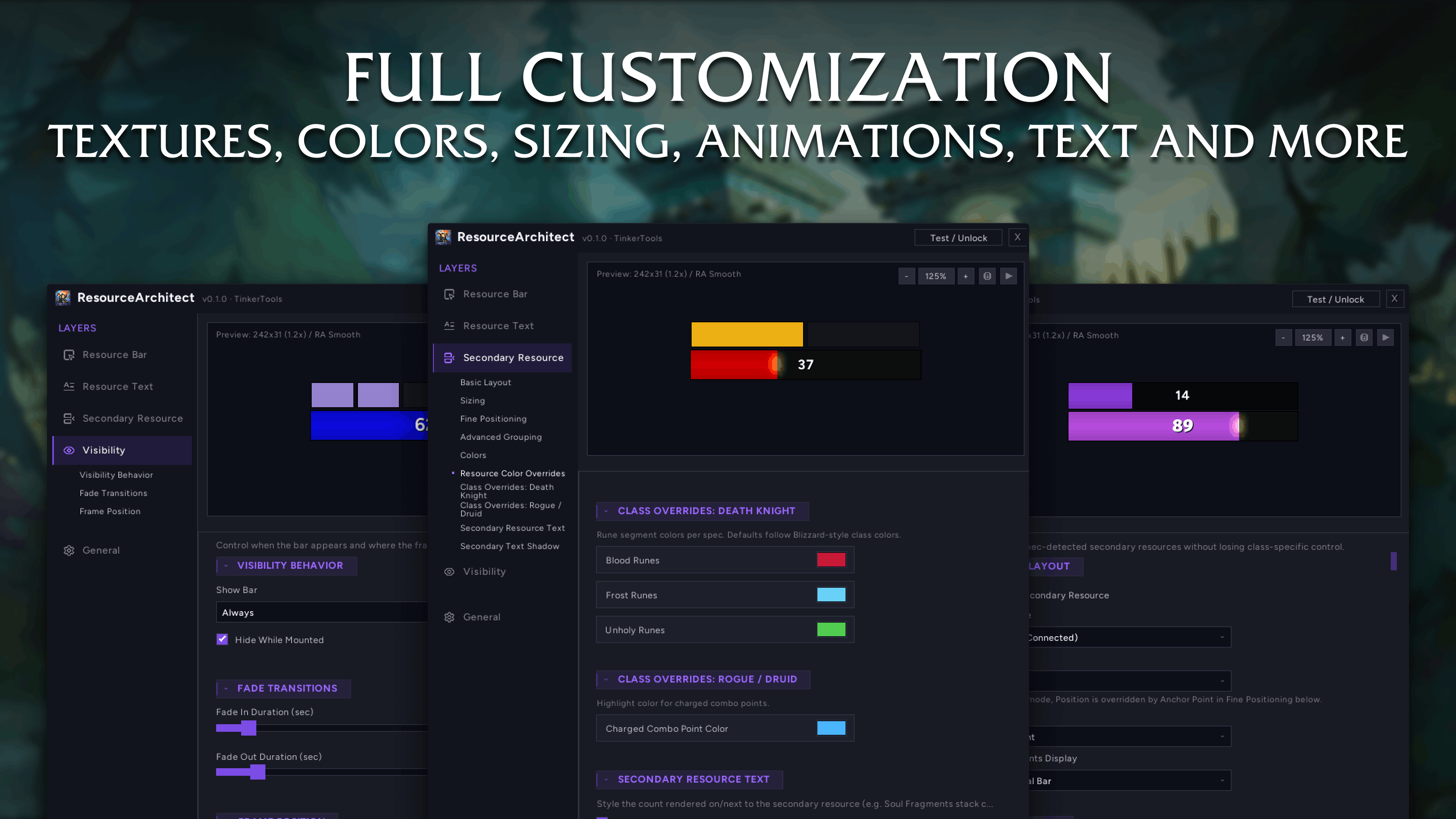
- Bar Styling: Width, height, texture (ships RA Smooth, RA Flat, RA Details Flat — plus any SharedMedia texture), bar color, background color, and a subtle fill gradient effect.
- Smooth Animation: Interpolated bar fill with configurable speed, or snap-to-value if you prefer instant updates.
- Spark & Border: Show/hide spark indicator and border, with independent color pickers for each.
- Resource Colors: "Use Detected Resource Colors" auto-colors the bar based on your current resource type. Override any resource color individually if you want a custom look.
- Secondary Colors: Independent active/inactive block colors, border colors, and per-resource color overrides. DK rune colors per spec (Blood red, Frost blue, Unholy green). Charged combo point color for Rogue and Feral.
- Text Controls: Font (SharedMedia + bundled Figtree family), size, color, outline styles (none, outline, thick outline, shadow). Multiple display formats: current value, current/max, percentage, or current + percentage.
- Text Placement: Anchor-point positioning with offset sliders for pixel-level control.
- Secondary Text: Fully independent text styling for the secondary resource label (font, size, color, outline, shadow, offsets).
- Visibility: Show always, in combat, on target, combat + target, or combat/target. Hide while mounted. Configurable fade in/out durations. Optional ghost alpha for idle, instance, and mounted states so the bar dims instead of disappearing completely.
- Screen Positioning: Unlock and drag the bar anywhere on your screen with the compact mover panel.
⮕ Profiles & Presets
- Automatic Per-Spec Storage: Your settings are saved per-character and per-specialization. Swap from Feral to Balance and the bar reconfigures itself. Log onto an alt and it loads that character's setup.
- Named Presets: Save, duplicate, rename, and delete named presets. Apply a preset to instantly overwrite your current spec's configuration.
- Export & Import: Copy your settings as a string and share them with others, or paste an import string to apply someone else's setup.
⮕ Quick Start
- Type /ra to open the settings window.
- The bar auto-detects your class, spec, and resource type — it works immediately with sensible defaults.
- Adjust dimensions, textures, and colors in the Resource Bar layer.
- Configure your secondary resource layout in the Secondary Resource layer.
- Use Test / Unlock to drag the bar into position on your screen, then lock it.
You can also open ResourceArchitect from the minimap button.
⮕ Why ResourceArchitect
ResourceArchitect is built to give you one bar that handles everything: primary resource, secondary resource, and the settings to make it look exactly how you want — across every class and spec you play.
Its biggest strength is the automatic handling: spec detection + smart display mode + per-spec profiles.
That combination means the bar just works when you swap specs, log alts, or change Druid forms — without you touching a single setting.
⮕ Feedback
Have suggestions, bug reports, or feature requests?
Leave a comment and help shape future updates.
Resource Architect (Resource and Power Bar) Team

Owner