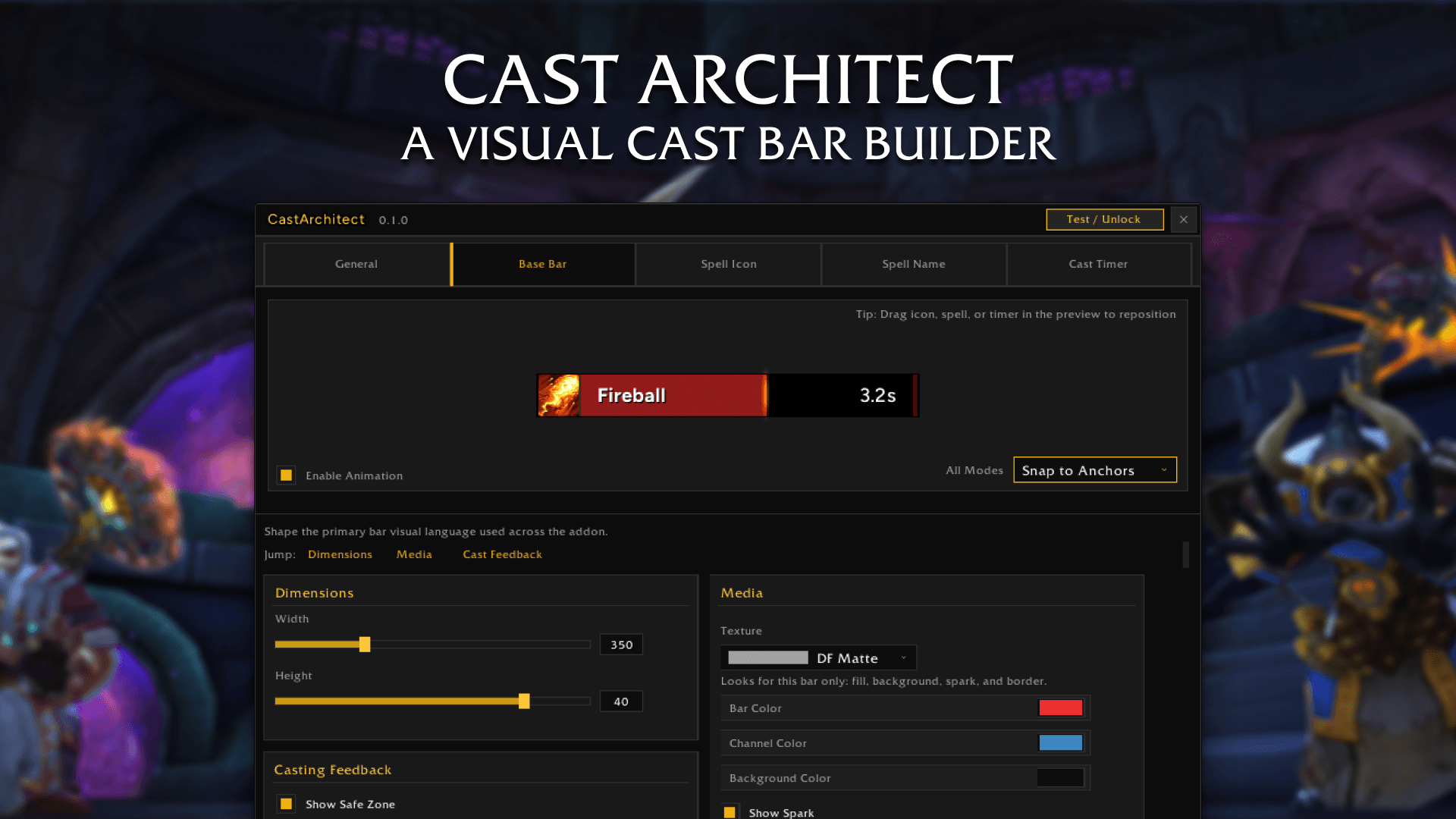
1. Cast Architect.png
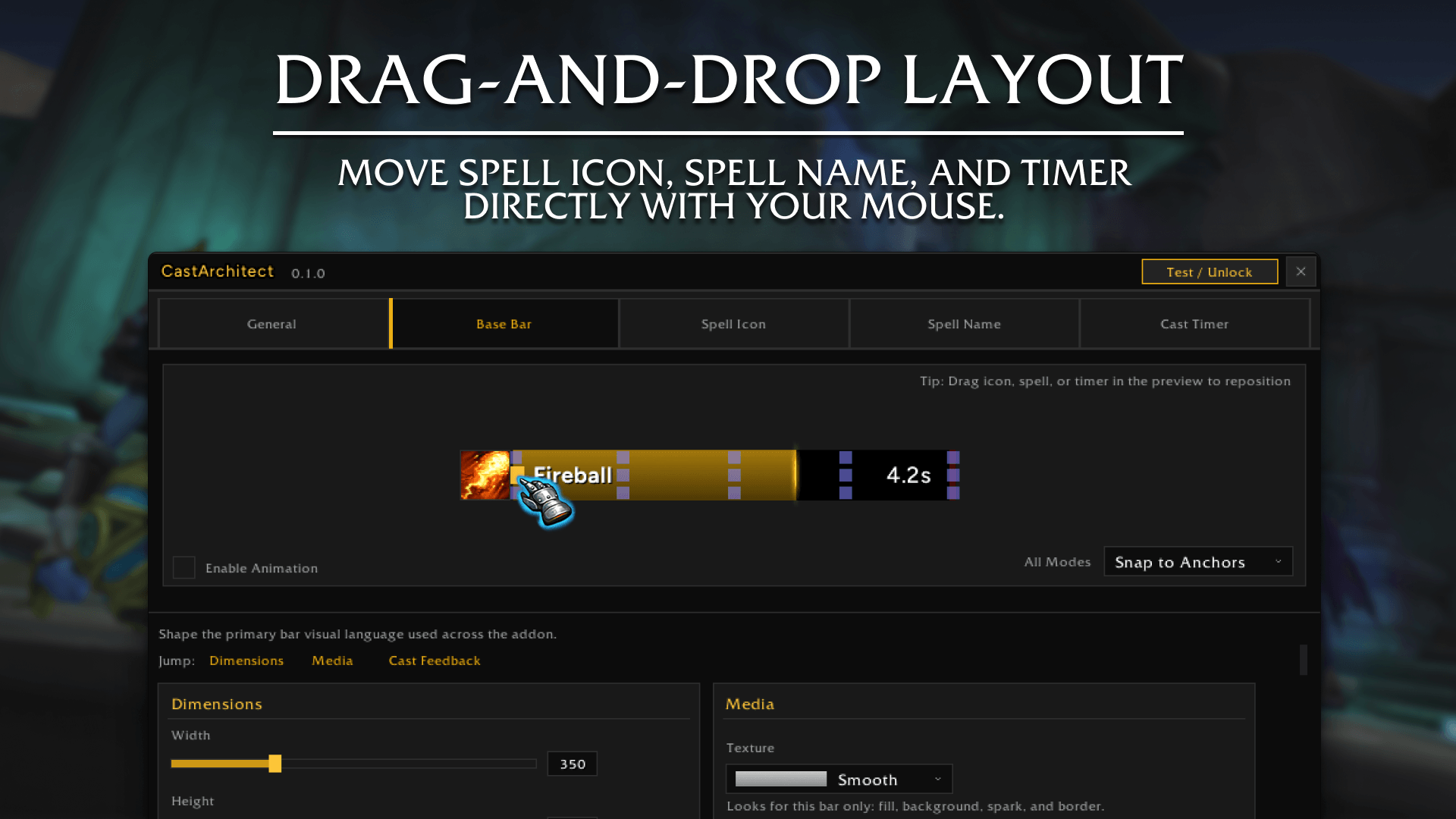
2. Live visual editor.png
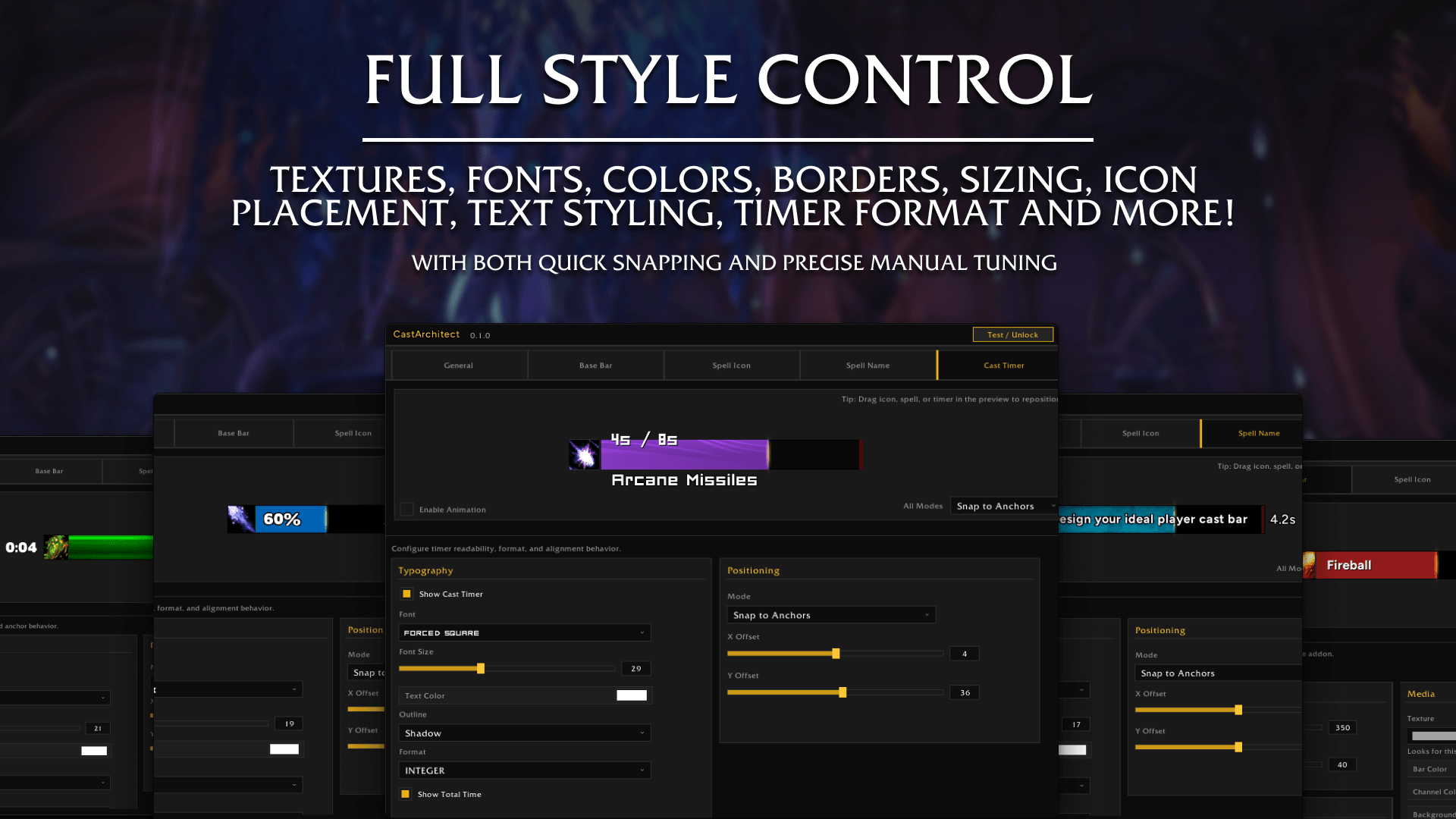
3. Full style control.png
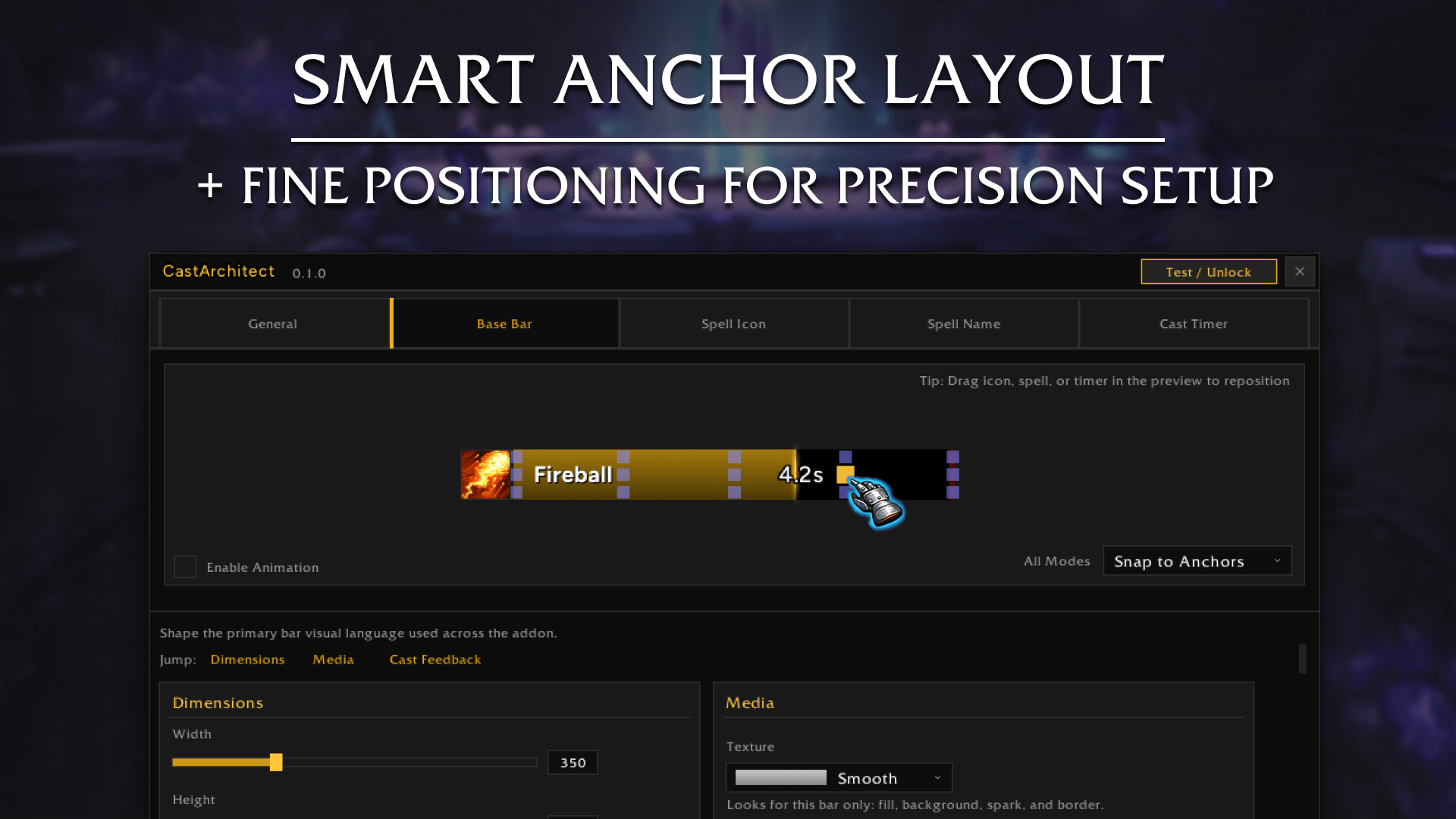
4. Smart anchor layout.png
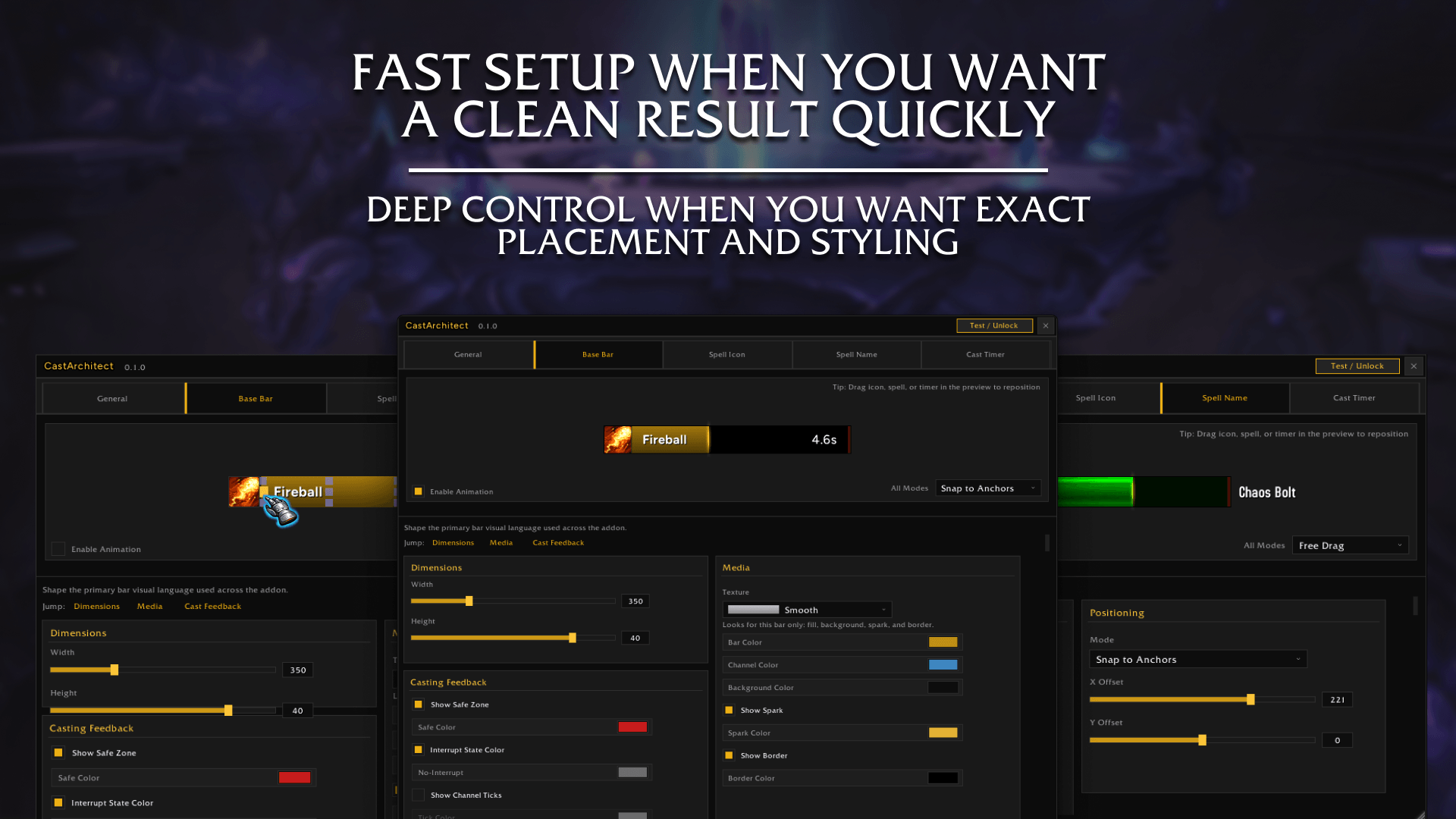
5. Fast setup & Deep control.png
Description

CastArchitect
A visual cast bar builder for Midnight.
CastArchitect replaces WoW's default player cast bar with a cleaner, fully customizable one you build visually.
The core idea is simple: you should be able to drag elements directly in a live preview, see the result instantly, and lock in a layout that feels right without trial-and-error guesswork.
⮕ New in v1.4 update!
v1.4 is the biggest update CastArchitect has seen yet. The headline feature is a full Target Cast Bar - a completely independent second bar that tracks what your target is casting, styled exactly the way you want it. On top of that, profiles now load automatically based on your character and spec, and the positioning editor has been rebuilt into a cleaner floating popup that keeps both bars within easy reach at the same time.
⮕ Target Cast Bar
- A second, fully independent cast bar that tracks your current target.
- Every styling option available on the player bar - fonts, textures, colors, borders, icon position, bar size - applies to the target bar too.
- Switch between Player and Target in the editor with a single click. The entire UI recolors: gold when you're editing your player bar, purple when you're on the target bar, so you always know exactly what you're changing.
- Copy Styling - one button mirrors your player bar's full look onto the target bar instantly. Great starting point before you tweak.
⮕ Per-Character & Per-Spec Profile Binding
- Bind any profile to a specific character, or go deeper and bind a different profile per specialization.
- Set it once. From that point on, logging in or swapping specs loads the right profile automatically - no manual switching, no remembering.
- Fully opt-in. Characters with no bindings continue to work exactly as before.
⮕ New Dual-Bar Positioning Editor
- Unlocking the bars now opens a compact floating popup instead of keeping the main settings frame open.
- Move and resize both bars from the same popup - no need to close and reopen anything.
- The popup remembers where you last left it on screen.
⮕ Core Features
- Live Visual Builder: Your preview updates in real time as you change settings, so you always know exactly what your cast bar will look like.
- True Drag-and-Drop Editing: Move the spell icon, spell name, and cast timer with your mouse directly inside the preview area.
- Anchor Point Workflow: Use snap anchors for fast, clean layouts, then switch to fine offset control when you want pixel-level precision.
- Fast Iteration: Try a layout, drag elements around, test spacing, and refine on the spot instead of opening and closing menus repeatedly.
- Combat Readability: Interrupt-state visuals, success green flash, latency safe zone, channel ticks, and spark feedback help keep important cast information clear.
- Polished Cast Endings: Smooth fade-out on every exit plus clear "Interrupted" / "Cancelled" labels so you always know how a cast resolved.
⮕ Visual Builder Details
- Build by feel, not by guessing numbers: Place elements where your eyes naturally track during combat.
- Snap when you want structure: Anchor points make it easy to keep layouts tidy and consistent.
- Fine-tune when you want precision: Offsets let you nudge any element into the exact final position.
- Preview-first workflow: The builder is designed so layout work happens visually first, settings second.
- Honest preview scenarios: Outcome (interrupted/cancelled) and Fake Cast (PvP) scenarios render distinctly so you can tune those visuals without going into combat to test them.
- Live placement support: Use Test / Unlock to move the actual cast bar position on your screen once your internal layout is ready.
⮕ Cast Feel & Polish
- Smooth Fade-Out on Every Exit: Successful casts, channel ends, interrupts, cancels, and the GCD overlay all fade out cleanly instead of vanishing instantly.
- Success Green Flash: When a cast or channel completes, the bar fill recolors green for the fade-out duration so completions feel rewarding and read at a glance.
- Interrupted / Cancelled Label: The spell name is replaced with "Interrupted" or "Cancelled" during the outcome display + fade, with the timer hidden, so you instantly know how a cast resolved.
- Configurable Fade Out Duration: A new slider in Base Bar > Media (default 0.80s) controls how long the fade lasts.
- Icon Inside Bar Done Right: With icon-inside enabled, the bar shrinks by the icon size so the fill starts exactly at the icon's right edge and tracks accurately. The width you set becomes the combined footprint of (icon + bar), so progress reads honestly across the whole bar.
⮕ Customization
- Bar Styling: Width, height, texture, colors, background, border, and spark.
- Icon Controls: Show/hide, size, and inside/outside placement (inside-mode now correctly shrinks the fill area instead of overlapping the bar).
- Text Controls: Fonts, sizes, colors, and outline styles for spell name and timer.
- Timer Formats: Multiple display modes, with optional total-time display.
- Cast End Behavior: Configure fade-out duration and outcome overlay timing/opacity; success and outcome colors are customizable in the saved profile.
- Screen Positioning: Unlock and move the live cast bar in-world.
⮕ Quick Start
- Type /ca (or /castarchitect) to open settings.
- Drag and position icon, spell name, and timer in the live preview builder.
- Use anchor points for a clean base layout, then fine-tune with offsets.
- Use Test / Unlock to place the live cast bar on your screen.
- Close settings and play.
You can also open CastArchitect from the minimap button.
⮕ Why CastArchitect
CastArchitect is built around a visual-first workflow: less menu friction, faster setup, and better cast readability in real gameplay.
Its biggest strength is the builder itself: drag-and-drop placement + anchor-guided layout + instant preview feedback.
That combination, paired with smooth, polished cast endings, makes it easy to create a cast bar that looks clean, feels intentional, and stays practical in combat.
⮕ Feedback
Have suggestions, bug reports, or feature requests?
Leave a comment and help shape future updates.
⮕ v1.4.2 Changelog
Visual Polish
- New target bar accent color: A deep purple that reads as a context indicator without dominating the UI.
Fixes
- Copy Styling - border not copying: Copying player bar styling to the target bar now correctly transfers the border. Previously the border would not appear on the target bar after a copy.
- Copy Styling - background opacity mismatch: The target bar's dark backdrop looked more transparent than the player bar's after a copy. Both bars now render at the same opacity.
⮕ v1.4.1 Changelog
Fixes
- Character bindings - zone change override: Fixed a bug where the per-character binding system would override your manually selected profile every time you changed zones. Bindings now only apply on login and spec change, which is the intended behavior.
- Profile delete / rename - stale bindings: Deleting or renaming a profile now also removes or updates any character bindings that pointed to it. Previously, stale bindings could trigger a warning on next login.
- Positioning popup - blank content area: Fixed the positioning popup opening with no visible sliders. The container frame had no height set, causing the content to be clipped. All four sliders (X offset, Y offset, width, height) are now fully visible.
⮕ v1.4.0 Changelog
Major Additions
- Target Cast Bar: Full independent second bar tracking your current target's casts. Complete feature parity with the player bar - font, texture, colors, border, icon placement, bar dimensions, smooth fade-out, success flash, and all cast-end behaviors.
- Player / Target context switching: The settings UI can now edit either bar. Gold chrome = player bar. Purple chrome = target bar. Switching context recolors the entire editor.
- Copy Styling: One-click button in the Target tab copies all visual settings from the player bar profile onto the target bar. Bar screen position is excluded since that's always per-character.
- Dual-bar positioning popup: Replaced the inline unlock flow with a floating popup that exposes offset and size sliders for both bars at the same time. Popup position is saved between sessions.
- Per-character & per-spec profile binding: Bind profiles to individual characters or specializations via the Profiles section. Bindings apply automatically on login and spec changes. Fully opt-in - characters with no bindings work exactly as before.
⮕ v1.2 Changelog (Full Overview)
Major Additions
- Smooth fade-out on every exit: every cast end (success, channel end, interrupt, cancel, GCD overlay end) now fades out smoothly instead of disappearing instantly.
- Success green flash: successful casts and channels paint the bar green for the fade-out so completions read clearly at a glance.
- Interrupted / Cancelled label: the spell name is replaced with "Interrupted" or "Cancelled" during the outcome display + fade, with the timer hidden, so the outcome reads instantly.
- Fade Out Duration control: new slider in Base Bar > Media (default 0.80s) for tuning how long the fade lasts.
- Icon Inside Bar overhaul: with icon-inside enabled, the bar fill now correctly starts at the icon's right edge and tracks accurately; the bar width you set becomes the combined footprint of (icon + bar).
- Honest preview scenarios: Outcome: Interrupted, Outcome: Cancelled, and Fake Cast (PvP) now render distinct, accurate visuals in the preview window with helper text noting the runtime overlay state.
- Quieter, more readable defaults (auto-migrated): fade-out 0.80s, outcome overlay duration 0.80s, outcome overlay opacity 0.50, applied automatically to existing profiles.
Fixes & Polish
- Bar Brightness removed: the animated brightness glow and Pulse Speed slider were removed entirely; the animation looked unprofessional and the slider had no perceptible effect.
- Lua error fixed:
attempt to call global 'stopAnimatedEffects' (a nil value)no longer fires on cast end. - Watchdog respects fades: the persistence watchdog never force-hides a bar mid-animation, so fades always play out cleanly.
- Clean chain-casts: new cast / GCD / outcome paths cancel any in-flight fade and snap to full opacity, so back-to-back casts always start clean.
- Profile migration: obsolete keys (
barBrightness,barBrightnessPulseSpeed) are stripped and new keys (fadeOutDuration,successFadeColor,interruptedText,cancelledText) are seeded automatically. - Version surface: settings window title now reads v1.2.
⮕ v1.1 Changelog (Full Overview)
Major Additions
- Empowered cast handling: added stage-aware empowered behavior for better readability during hold-and-release style casts.
- Outcome visuals: interrupted and cancelled casts now have clearer, distinct visual outcomes.
- Preview upgrades: improved preview behavior for normal, channel, and empowered cast flows.
- Timing tools: added queue-window visuals, optional latency text support, and improved channel tick behavior.
- Combat rhythm: added first-pass GCD follow-up behavior after instant casts for better pacing visibility.
Fixes & Polish
- Warning cleanup: resolved repeated startup warnings tied to cast bar template compatibility.
- Stuck cast edge cases: improved handling for cancelled/failure situations where bars could remain visible incorrectly.
- Settings stability: fixed major options-window reliability issues and improved reload behavior.
- Layout polish: refined settings panel structure, resizing behavior, and section spacing for a smoother configuration experience.
- General QoL tuning: multiple readability and interaction improvements across preview and settings flow.
CastArchitect (Castbar) Team

Owner