PocketChange
- By
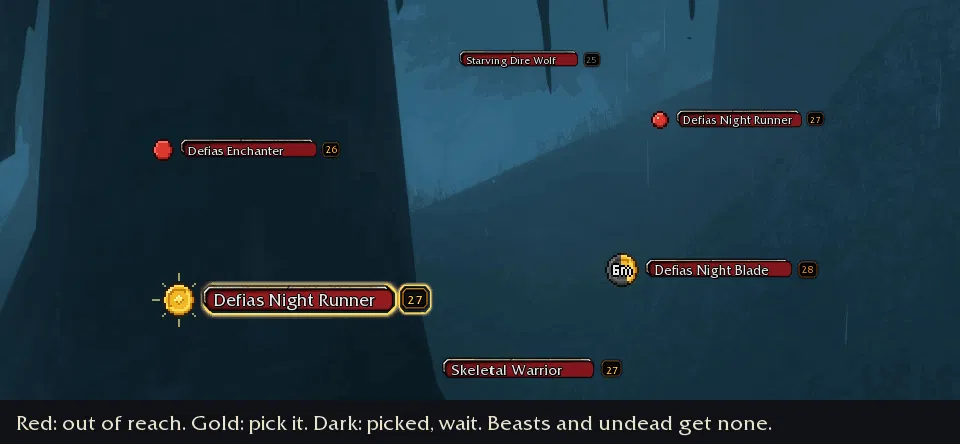
For rogues: a spinning 8-bit coin on every mob you can pick. Red out of reach, gold with a clink when Pick Pocket will land, then a cooldown until their pockets refill.
preview.webp
preview.webp
preview.webp
preview.webp
closing-in.gif
Description
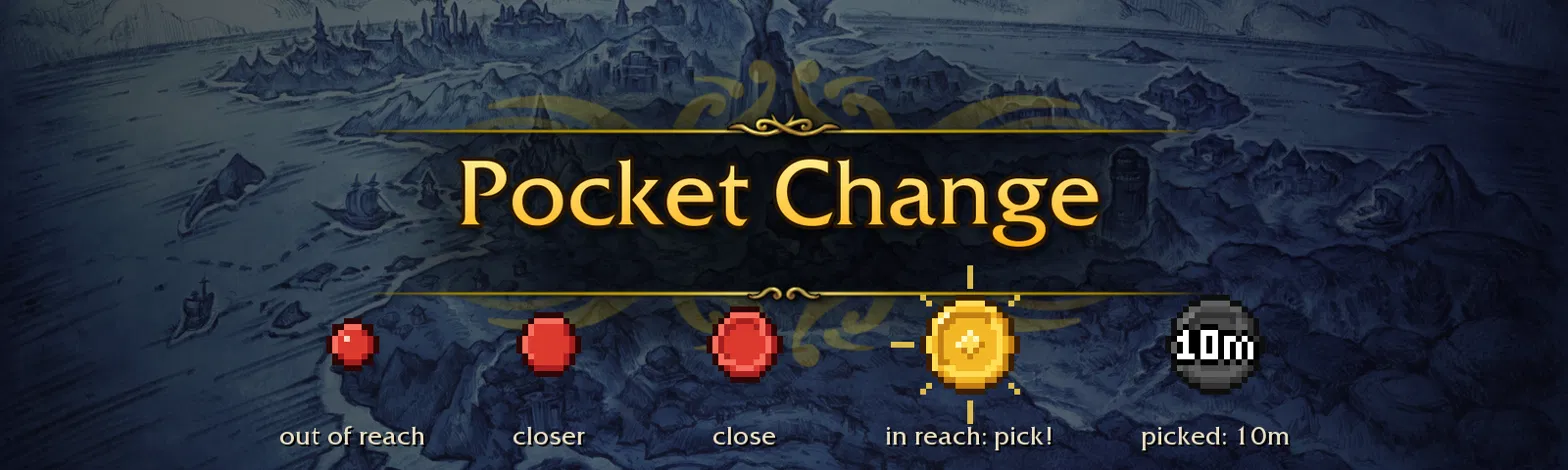
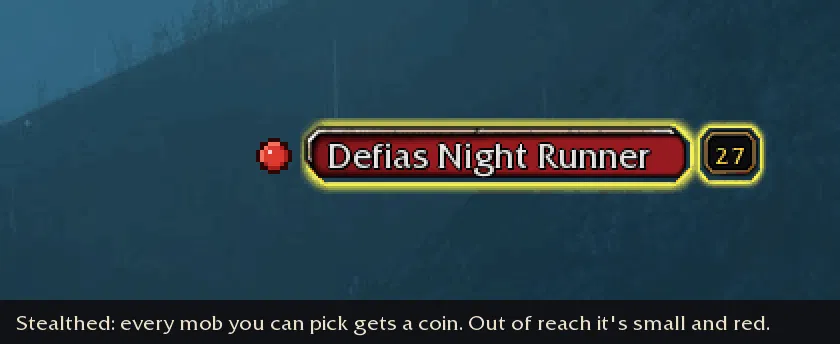
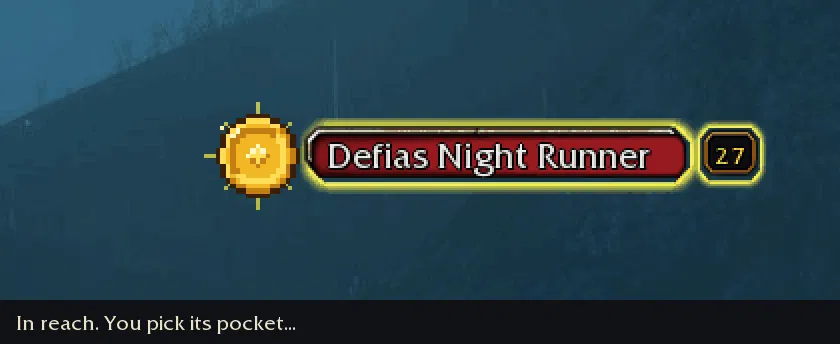
Know who you can pick, and when, at a glance. While you're stealthed, a little spinning 8-bit coin sits left of the nameplate of every mob you can pickpocket. Small and red out of reach, it grows as you close in, and the moment Pick Pocket will land it turns gold with a pop and a coin clink. Once you've picked a mob, its coin goes on cooldown and fills back up with gold until that mob's pockets refill.
Made for WoW Forever (1.60.1). Small and standalone: nothing else to install.
See it
Know when you're in reach
- A coin on every mob you can pick: humanoids you can attack, even ones already in a fight (you can pick those while you stay stealthed). Beasts, undead, mechanicals, critters, players and pets get none, in dungeons too.
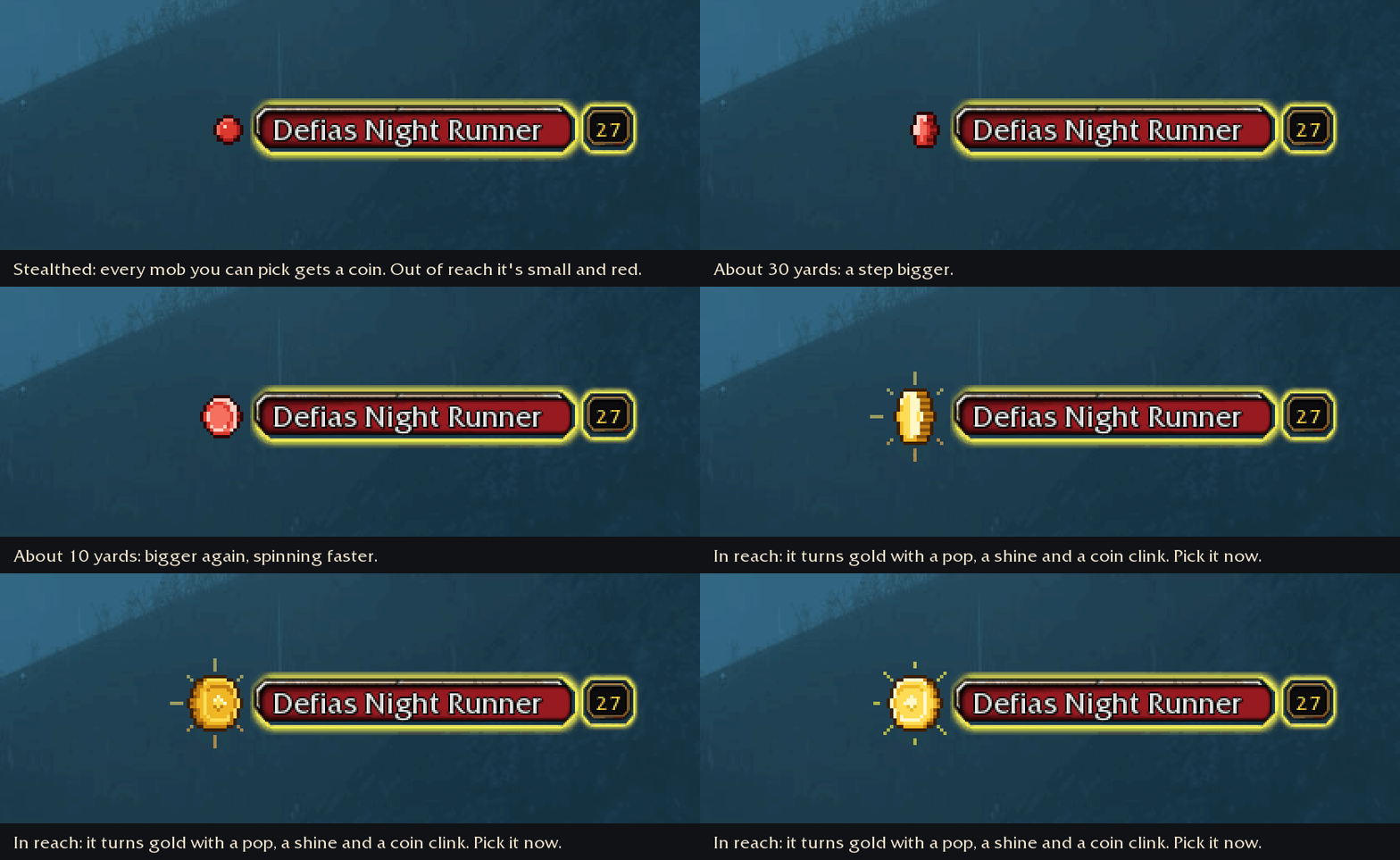
- Red and small out of reach, a step bigger at about 30 yards, bigger again at about 10, spinning faster as you close in.
- Gold the moment Pick Pocket will land: the coin pops, sparkles and shines, and you hear a soft coin clink when it's your target.
- It reads the game's own range checks, so "in reach" means exactly Pick Pocket's reach.
Know when you can pick again
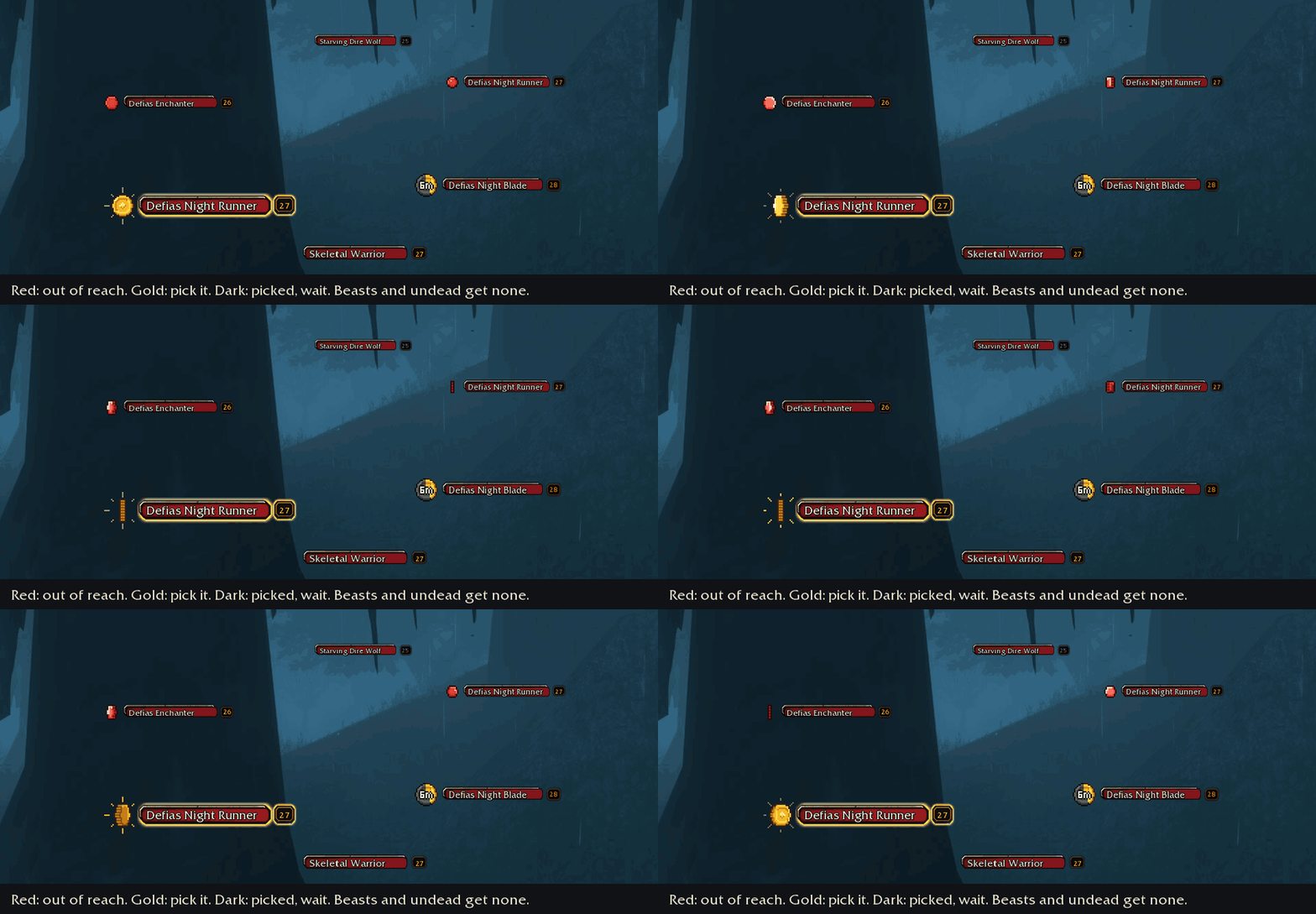
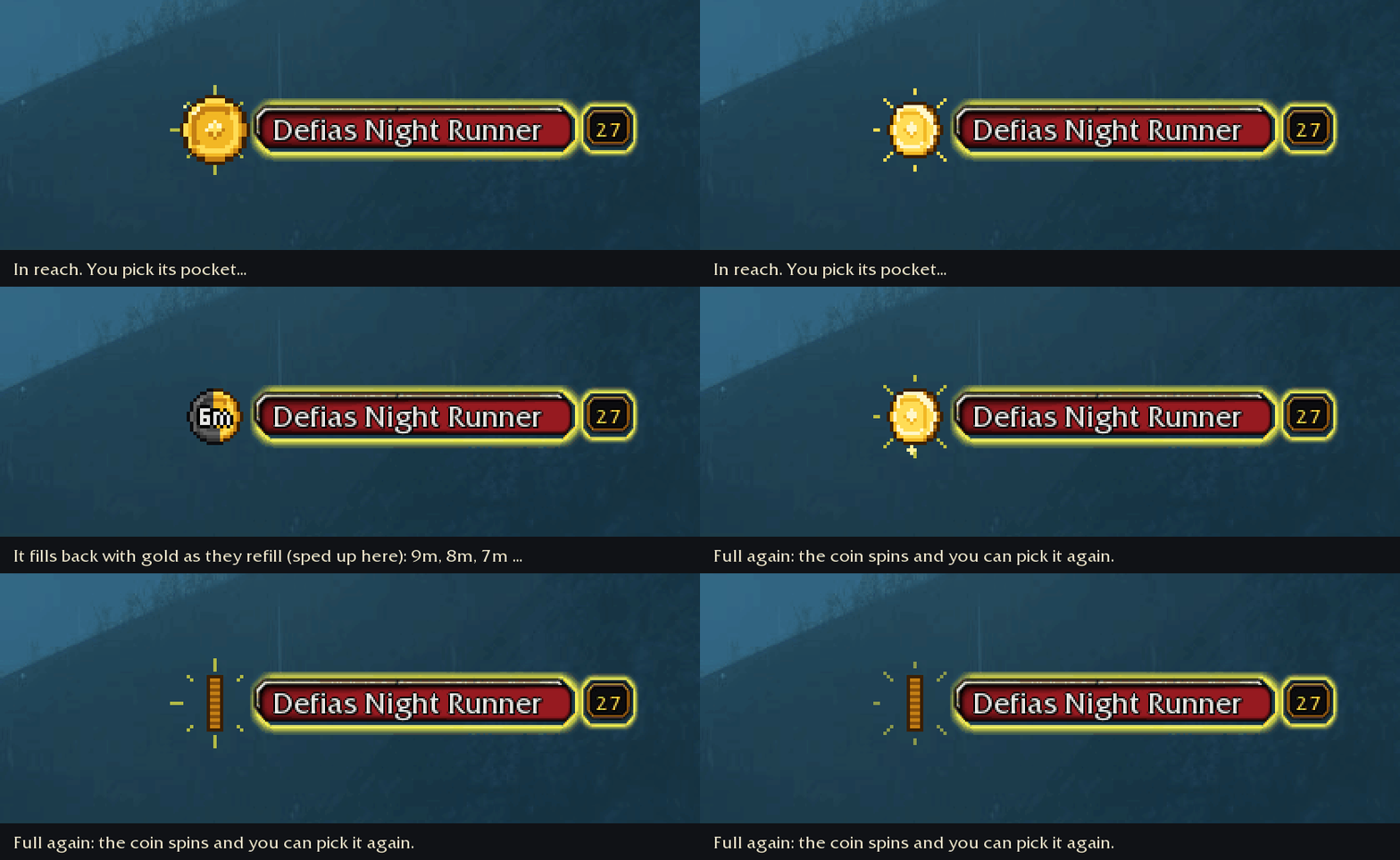
- Picked mobs go on cooldown, like an ability on your action bar: the coin stops spinning, goes dark grey, and fills back with gold clockwise as the mob's pockets refill. You see it stealthed or not.
- Every pick counts: with Pick Pocket on your target, with the interact key, or on a mob that isn't your target. The loot window tells Pocket Change whose pockets they were.
- The time left is written on the coin, the way the action bars write it:
10m,9m...1m, then59,58...1. - When it's full the coin spins again, with a sparkle: you can pick that mob again.
- It learns the refill time. The game doesn't say how long pockets take to refill, so the timer starts at 10 minutes and corrects itself from what the server tells you.
- A mob that tells you it has no pockets never gets a coin again (every mob of that kind). Your picks are remembered through a
/reloador a relog.
Crisp pixel art
- The coin is real pixel art, drawn at a whole number of screen pixels per pixel (2 on a 1440p screen) so it stays sharp at any UI scale. Small, Normal and Large sizes.
Yours to tune
- Coins on or off, and the cooldown after a pick on or off.
- Coins out of stealth too (grey and still), to see who's worth stalking before you stealth.
- Spin out of reach, or keep red coins still until you're in reach. The clink on or off. Coin size.
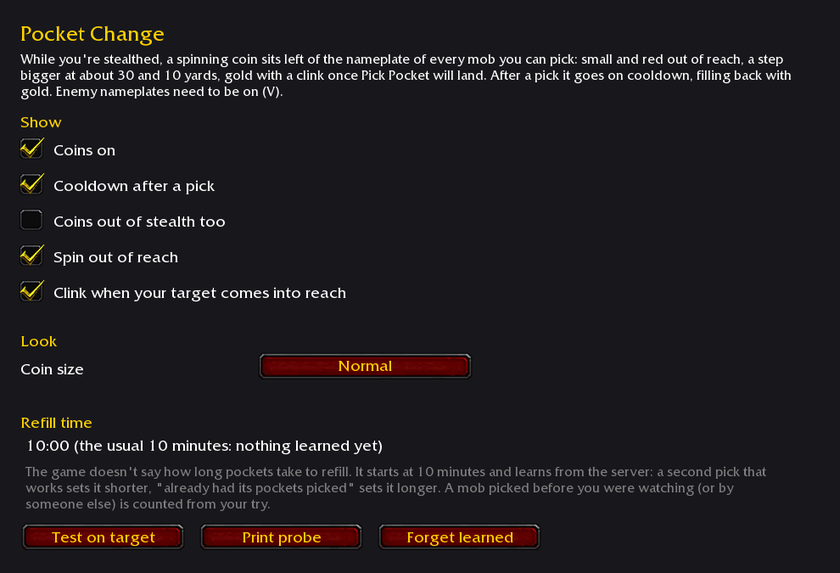
Getting started
- Install it, then restart the game fully (a
/reloaddoesn't pick up a new addon). - Turn on enemy nameplates (default key V).
- Stealth and walk up to a humanoid. The coin does the rest.
- To see every look without hunting for a mob: target anything and type
/pocket test. - Settings: Options, AddOns, Pocket Change, or
/pocket.
Commands
| Command | What it does |
|---|---|
/pocket |
Open the settings |
/pocket test |
Play every look on your target's nameplate: far, closer, in reach, picked, refilled |
/pocket probe |
What the game tells addons about your target: kind of mob, range, picked or not, the refill time it has learned |
/pocket log |
What happened around your last picks: each cast, the loot window, the server's answers |
/pocket reset |
Forget every pick, every mob with no pockets and the learned refill time |
/pocket on / off |
Turn it on or off |
Questions
Does it pick pockets for me? No. It only shows you who can be picked, when you're in reach, and when you can pick them again. You still press Pick Pocket.
Why don't I see any coins? You need to be a rogue who knows Pick Pocket (trainer, level 4), be stealthed, and have enemy nameplates on. /pocket probe on a target says why a mob has no coin.
How long until I can pick a mob again? About 10 minutes to begin with. Pocket Change sharpens that from what the server tells you as you play. Killing the mob resets it too: a mob that respawns has full pockets.
What about dungeons? In dungeons the game hides from addons what kind of mob it is. Pocket Change lets the game itself pick out the humanoids there, so coins still show only on them. Your picks there go on cooldown too.
I see two pocket icons. Another pickpocket addon is drawing in the same spot. Turn one of them off in the AddOns list.
Does it send anything anywhere? No.
Known limits
- Only mobs with a nameplate on screen get a coin.
- A mob someone else picked looks pickable until you try: then the server's answer puts it on cooldown.
- The "about 30 yards" and "about 10 yards" steps use the game's own distance checks, which it only answers while you're out of combat. Pick Pocket's own reach is always checked.
- In dungeons, where the game hides which mob is which, a pick is remembered only while that mob's nameplate stays up, and there's no clink.
The coin, its shine, sparkles and numbers are Pocket Change's own pixel art. The nameplate art in the pictures, the loading-screen painting and the fonts are Blizzard's, drawn from the game's own files. Made by Mistius.
PocketChange Team