PeonSounds-Forever
Plays Peon sounds on quest events — hear "Job's done!" when you complete a quest, "Ready!" on objective completion, and "Yes?" on quest progress. Modular design lets you load only the sounds you want.


Description
PeonSounds – Peon Voice Reactions for Quest Events!
Brings the classic Peon to life — every quest progress, completed objective and finished quest is answered with an authentic Peon voice line straight from Warcraft lore.
MAIN FEATURES:
✅ Plays Peon sounds automatically on quest events
✅ Three independent sound modules — load only what you want
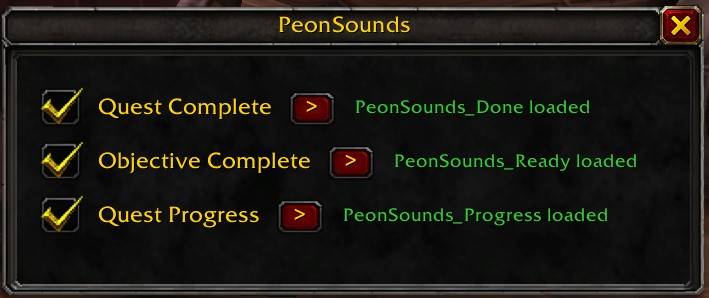
✅ Config panel to enable or disable each sound individually
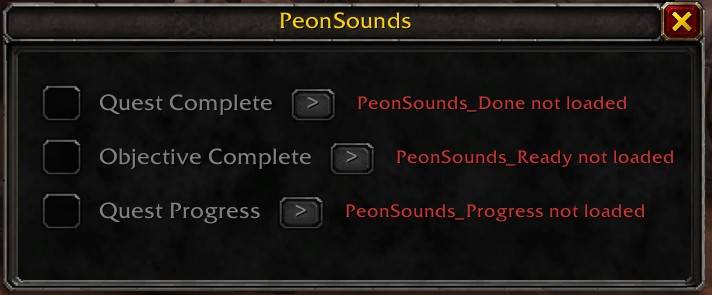
✅ Module status display — shows loaded/not loaded per module
✅ Play buttons in the config panel to preview each sound
✅ Works on WoW Forever 1.60.1
SOUNDS & EVENTS:
| Event | Sound | File |
|---|---|---|
| Quest completed | "Job's done!" — peonbuildingcomplete1.ogg |
ID: 558132 |
| Objective completed | "Ready!" — peonready1.ogg |
ID: 558137 |
| Quest progress | "Yes?" — peonyes3.ogg |
ID: 558147 |
MODULAR DESIGN:
PeonSounds is split into four separate addons. Until Blizzard fixes the SavedVariables bug in WoW Forever (settings not loading on login), you can control which sounds are active by simply enabling or disabling each module in the addon selection screen at login:
✅ PeonSounds — Core addon, always required
✅ PeonSounds_Done — Quest completed sound
✅ PeonSounds_Ready — Objective completed sound
✅ PeonSounds_Progress — Quest progress sound
Once the SavedVariables bug is fixed, load all four modules and use /psounds config to toggle each sound on or off individually without relogging.
SLASH COMMANDS (/psounds or /peonsounds)
| Command | Function |
|---|---|
| /psounds help | Show this list in-game |
| /psounds | Show this list in-game |
| /psounds config | Open config panel |
Requirements: WoW Forever 1.60.1. No dependencies. No libraries.
The PeonSounds-Forever Team