Party Member Marker
Marks party and raid members with class icons and turns friendly nameplates into a clean, name-only look.
Screenshot 2026-07-05 221442.png
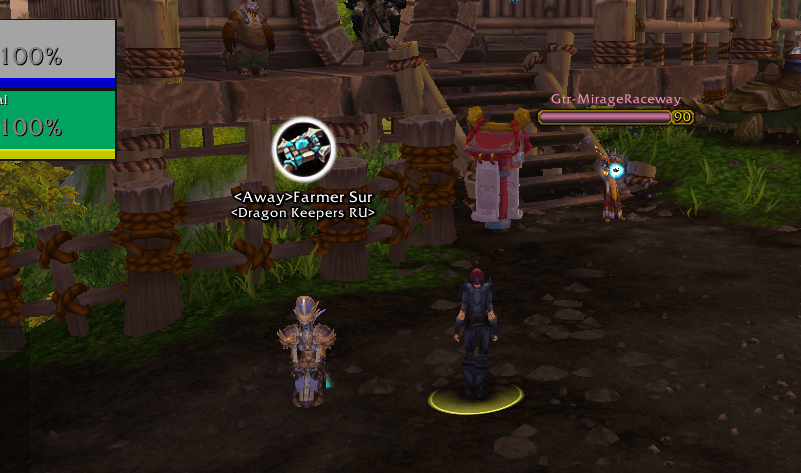
image33.png
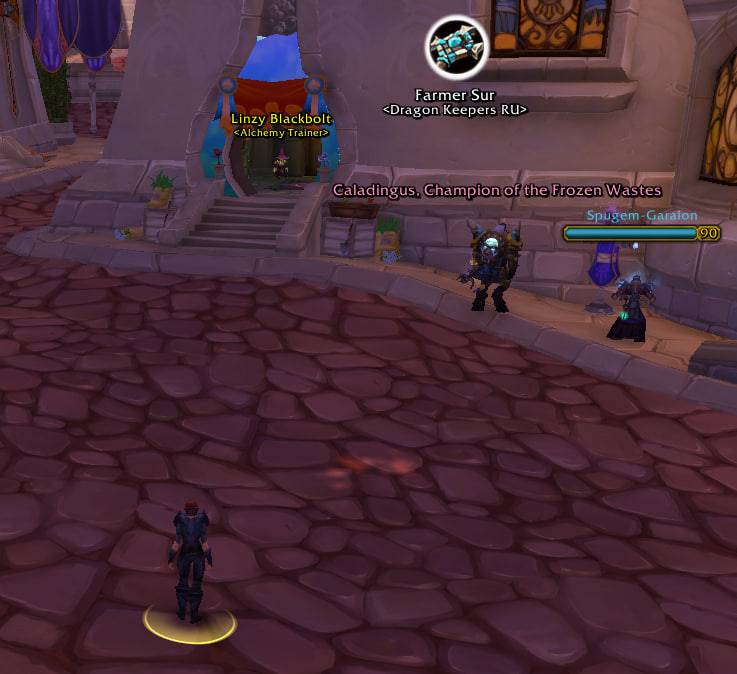
photo_2026-06-30_11-26-19.jpg
Screenshot 2026-06-30 180656.png
Description
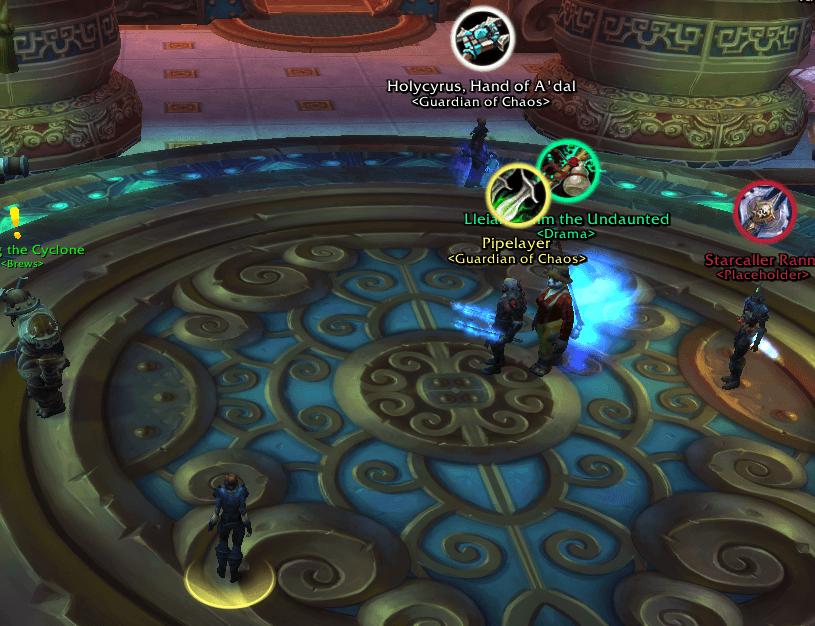
PartyMembersMarker makes it easy to keep track of where your party members are — especially in arena. Each ally is marked with their class icon floating above their nameplate, so you can spot your teammates at a glance — without cluttering the screen with full friendly nameplates, and without asking everyone to set raid markers.
It also keeps things tidy: friendly nameplates are stripped down to a clean, name-only look (like the native "nameplates off" view), while enemy nameplates are left completely untouched.
Built for Mists of Pandaria Classic (5.5.4).
Features
- Class-icon marker — a circular class icon with a class-colored ring above your group members, so you always know where each teammate is. Show it for all players, party members, or raid members (your choice).
- No raid markers needed — find your allies instantly without relying on
{skull}/{cross}raid icons. - Name-only friendly plates — health, cast and level bars are hidden on friendly players and NPCs, leaving just a clean floating name.
- Second line under the name — a player's
<Guild>, or an NPC's occupation (<Innkeeper>,<Vendor>, …). - Smart name colors — player names are tinted by class and show an
<Away>/<Busy>status prefix; NPC names reflect your reputation with their faction (green / yellow / red). - Cleaner look — the native raid target marker is hidden on friendly plates.
- Auto-disable in dungeons/raids — inside PvE instances the game protects (forbids) friendly nameplates, so the addon can't mark them with the class icon and they just clutter the screen. When that happens the addon turns friendly nameplates off automatically and restores your previous setting when you leave. On by default.
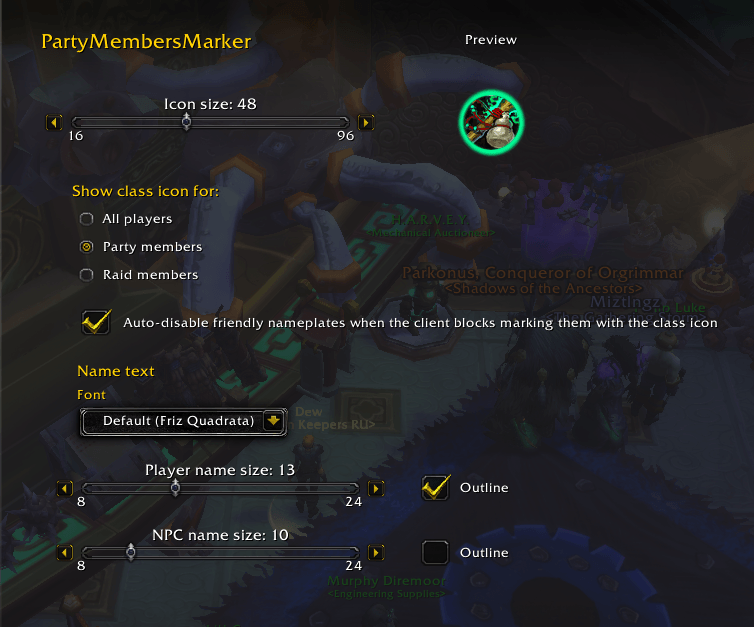
- In-game options — adjust the class-icon size (with a live preview), the icon scope, the font, and the name size & outline (separately for players and NPCs).
How to use
- Install and log in — on first run the addon enables friendly nameplates for you so it works right away (it only marks plates that are actually shown).
- If you ever turn them off, re-enable with Ctrl+V — the addon only works while friendly nameplates are shown.
- Your party/raid members are now marked with their class icon. Open the options to customize: ESC → Options → AddOns → PartyMembersMarker, or type
/pmm config.
Options
- Icon size — class-icon diameter, with a live class-badge preview.
- Show class icon for — All players / Party members / Raid members.
- Name text — choose the font, and set the name size and outline separately for players and NPCs.
- Auto-disable friendly nameplates when the client blocks marking them with the class icon — turn friendly nameplates off inside PvE instances and restore your setting on leaving (on by default).
Note
In some instances (e.g. random dungeons) the game protects friendly nameplates so addons cannot modify them. There, party markers won't appear — this is a client restriction, not a bug. It works in the open world and in arenas/battlegrounds where friendly nameplates aren't protected. The Auto-disable option (on by default) turns friendly nameplates off in those instances so they don't clutter the screen.
Slash commands
/pmm config— open the options panel./pmm— debug: print the current target's tooltip lines and nameplate info.
Party Member Marker Team