OpenMe Forever
- By
A small window that pops up with every box, clam, satchel and quest-starting item in your bags. Click to open.
List.png
Quest.png
Modern.png
compact_list.png
compact.png
Description
OpenMe Forever
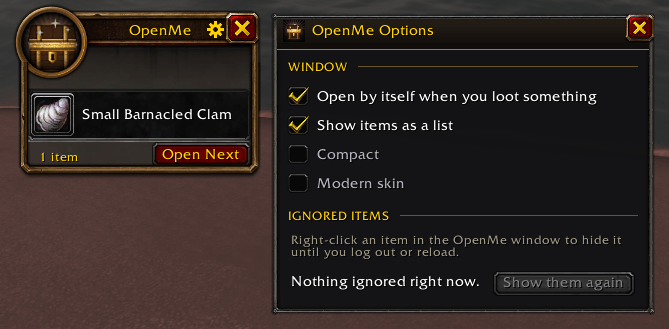
OpenMe Forever adds a small window that lists the items in your bags you can open. It uses the game's own window frame, so it fits in with the default UI.
The window opens by itself when you loot something that can be opened. It closes again once the list is empty.
What goes in the list
Anything with "<Right Click to Open>" on it, or anything the game says has loot inside: clams, boxes, satchels, bags of reward items and so on. Lockboxes stay out of the list until they've been unlocked.
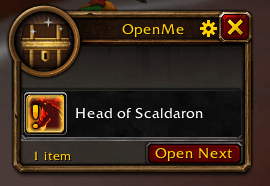
Items that start a quest also go in the list, as long as you haven't accepted that quest yet. They have the yellow "!" border your bags use and are listed before everything else. When you accept the quest, the item leaves the list. If you've already finished the quest, the item isn't listed.
Using it
Click an item in the window to open it. For a quest item, this shows the quest so you can accept it.
The Open Next button opens whatever is first in the list. The game only lets you open one item per click, so you still click once for each item, but you can press the same button every time instead of finding each item in your bags.
Right-click an item to hide it until you log out or reload. Every stack of that item is hidden, and the bottom of the window shows how many items are hidden. /openme unignore brings them back.
Mouse over an item to see its tooltip. Drag the window to move it, and it will open in the same place next time. Escape or the X closes it.
Options
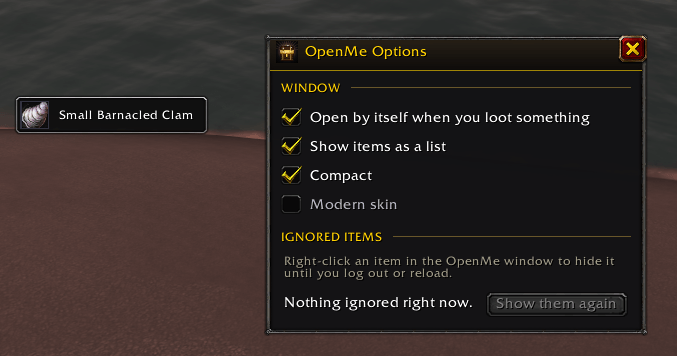
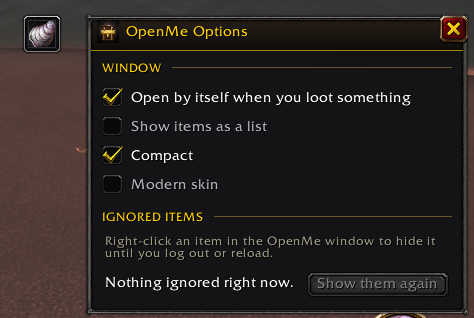
Click the gear in the window's title bar, or type /openme options, to open the options. You can:
- turn the automatic opening on or off
- show the items as a list with their names, or as a grid of icons
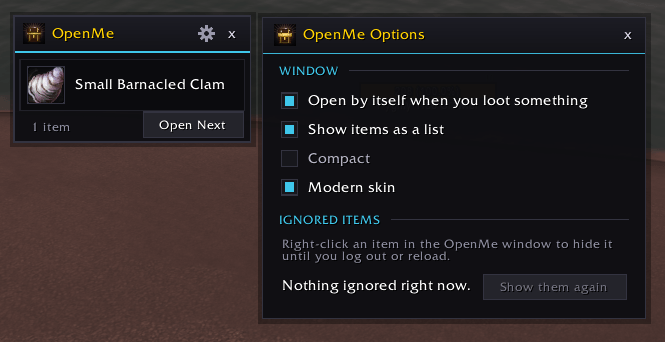
- turn on compact mode: just the items as small icons in a thin box, with no title bar or buttons. Drag the edge to move it, and use
/openme optionsto get back to the options - switch to the modern skin, a flat dark window with item borders coloured by quality
- show items you've hidden again
Commands
/openme shows or hides the window.
/openme options opens the options.
/openme auto turns the automatic opening on or off. With it off, the window only appears when you type /openme.
/openme list shows the items as a list with their names. /openme grid goes back to the icon grid, and /openme layout switches between the two. Your choice is saved.
/openme compact turns compact mode on or off.
/openme modern switches to the flat dark skin, and /openme classic goes back to the game's window style.
/openme unignore shows the items you right-clicked away again.
/openme help lists the commands.
Things to know
The window can't be opened, closed, moved or changed during combat. This is a game restriction on buttons that use items. Anything you loot in a fight is added once combat ends.
Logging in doesn't open the window, even if you already have things to open. Type /openme to see them.
If the first item in the list starts a quest you can't take yet (because of your level, or a quest you haven't done), Open Next will keep trying that item. Right-click it to hide it for now, or click the other items directly.
OpenMe only reads your bags. It doesn't move, sort or sell anything, so it can be used alongside other bag addons.
Made for World of Warcraft Forever. Bug reports and suggestions are welcome in the comments.
OpenMe Forever Team