GuildRecruit
- By
Save your guild ads and LFM messages and post them with one click. Trade in cities, General outside, plus a whisper inbox and a role counter for groups.
Description
GuildRecruit
I got tired of retyping the same guild ad in Trade every 15 minutes, so I made this. You save your messages once and post them with one click. In a capital city it posts to Trade, anywhere else it posts to General.
It also helps with groups. You can keep an LFM message ready, track which roles you still need, and see who whispered you back.
Messages
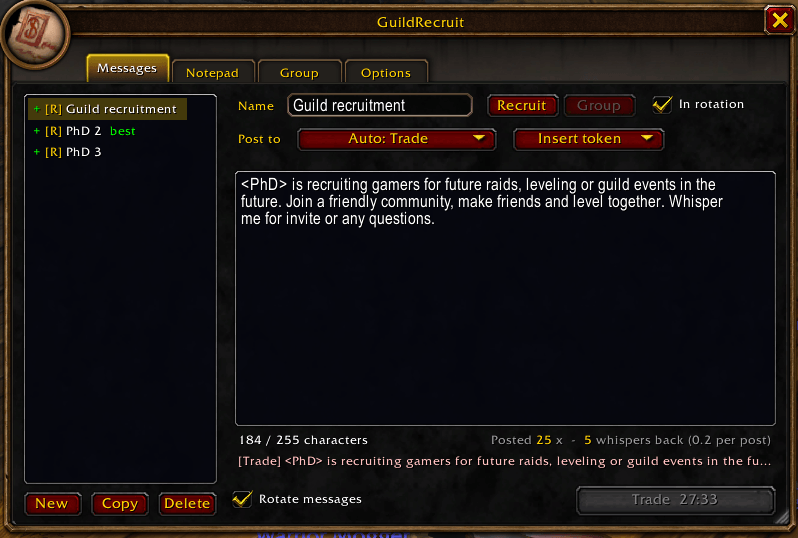
You can save as many messages as you want and mark each one as Recruit or Group. Each message has a channel. The default is Auto (Trade in cities, General outside), but you can also pick Trade, General, LookingForGroup, Guild, Party, Raid, Say or Yell.
These tokens get filled in when you post:
{guild} your guild name
{me} your character name (both parts, e.g. Bear Minimum)
{class} and {level}
{zone} the zone you're in
{need} the roles you still need, e.g. "need 1 tank, 2 DPS"
You can shift-click items into a message to link them. There's a character counter like the one in the macro window (189 / 255). If a line goes over 255 characters it gets split into two chat messages, and it won't cut an item link in half. Preview shows you the finished message without sending anything.
If you have a few versions of your ad, tick "In rotation" on them and turn on Rotate messages. The Post button then posts the next one each time.
Posting
WoW doesn't let addons post in public channels by themselves, so you still have to click. You can use the floating Post button, a keybind, or a macro with /gr post.
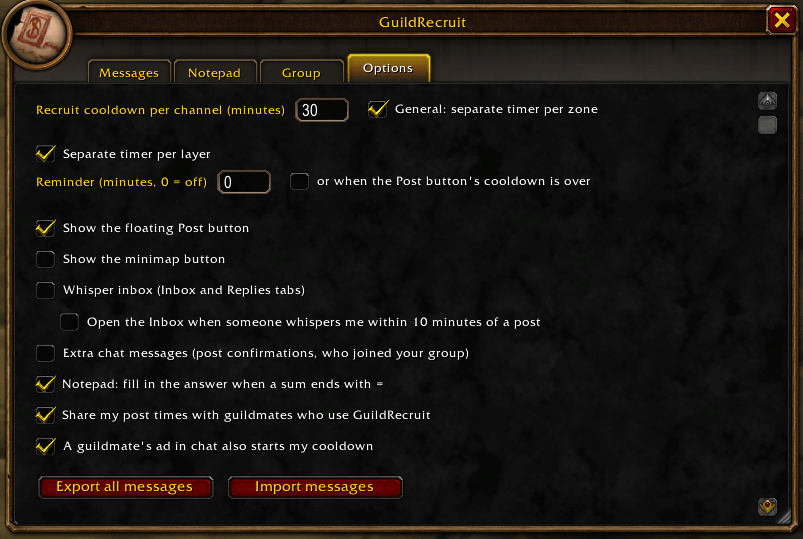
The Post button shows where it will post ("Post: Trade"). While you're on cooldown it shows the time left instead. Each channel has its own cooldown (15 minutes by default), so posting in General doesn't block Trade. Group posts have their own shorter cooldown (2 minutes by default). You can also set a reminder that plays a sound when it's time to post again.
Groups
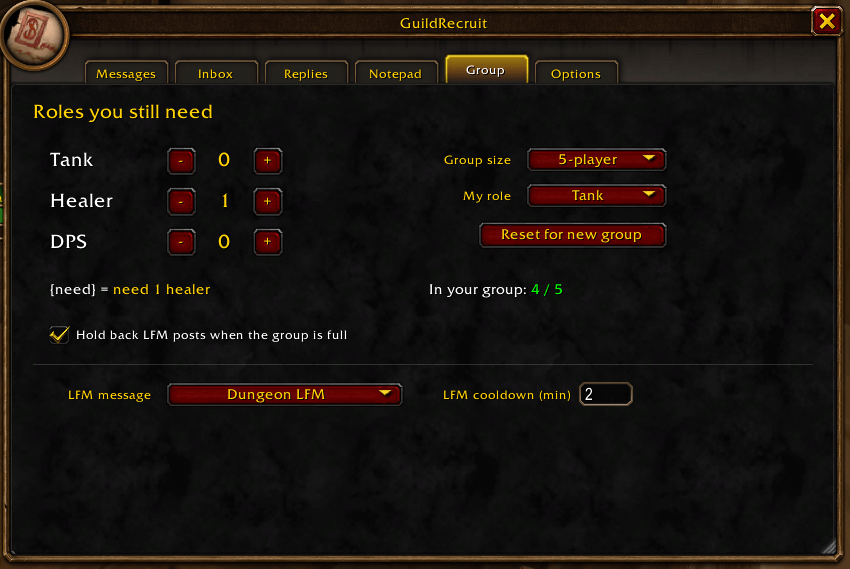
The Group tab keeps count of the tanks, healers and DPS you still need. That count is what {need} turns into. If someone joins with a role set, it's counted automatically. Otherwise use the + and - buttons.
When your group is full, Group messages won't post (hold Shift if you want to post anyway). You can also turn on a separate LFM button, which has its own keybind and /gr lfm.
Whisper inbox
People who whisper you show up in a list with Invite, Guild and Reply buttons. Reply sends one of your saved replies, which you edit in the Replies tab. The inbox can open by itself when someone whispers you within 10 minutes of a post.
Addons can't send guild invites, so the Guild button gives you /ginvite Name to copy (Ctrl+C) and paste into chat. The Invite buttons only work out of combat.
Each message also keeps simple stats: how many times you posted it, and how many people whispered you within 5 minutes of posting it.
Notepad
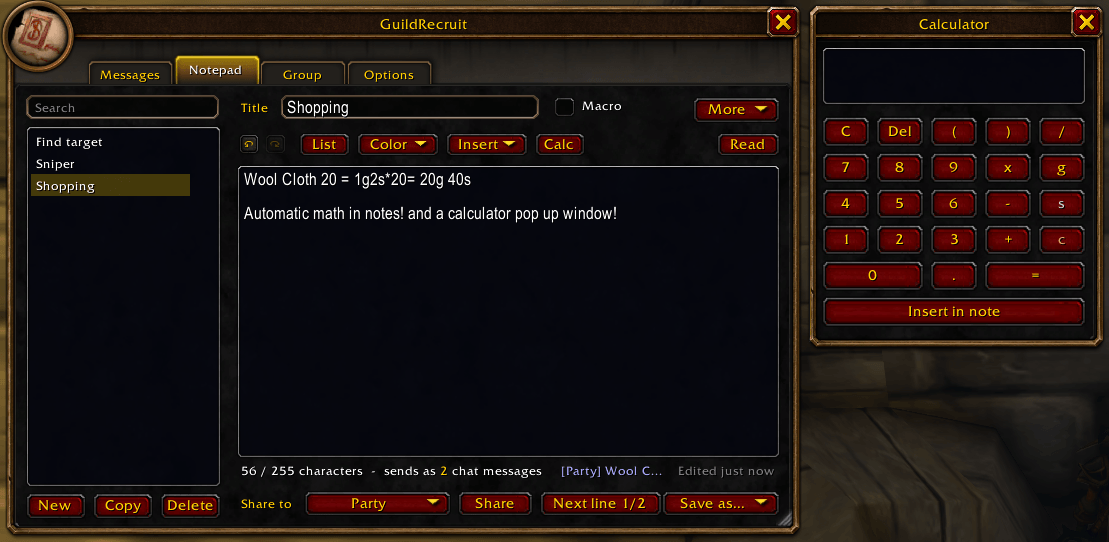
The Notepad tab is for anything else you want to keep. You can share a note to Guild, Party, Raid, Say, a whisper, or the public channels, or turn it into a saved message.
Commands
/gr opens the window
/gr post posts the selected message (/gr post 2 posts message 2)
/gr lfm posts your group message
/gr share shares the selected note
/gr inbox opens the whisper inbox
/gr rotate turns rotation on or off
/gr list lists your messages with their stats
/gr button and /gr minimap show or hide those buttons
/gr resetpos puts the inbox back next to the main window
Keybinds are under Key Bindings > AddOns > GuildRecruit.
GuildRecruit Team