One Click Professions
One-click milling, prospecting, and enchanting to vellums. Compact UI that auto-adjusts, with skill checks for what you can process.
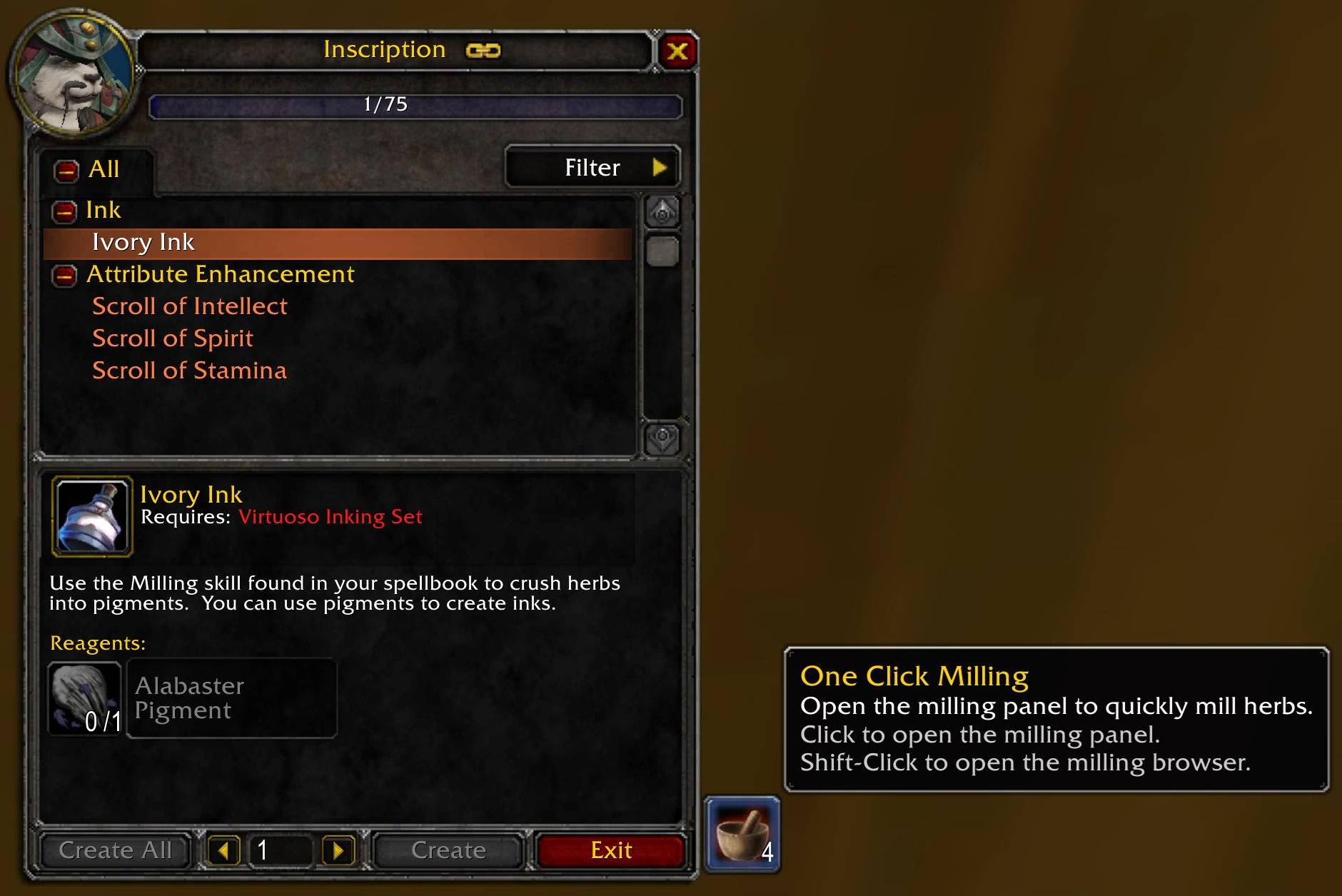
Shows how many times you can mill. Normal click to open panel showing all millable items.
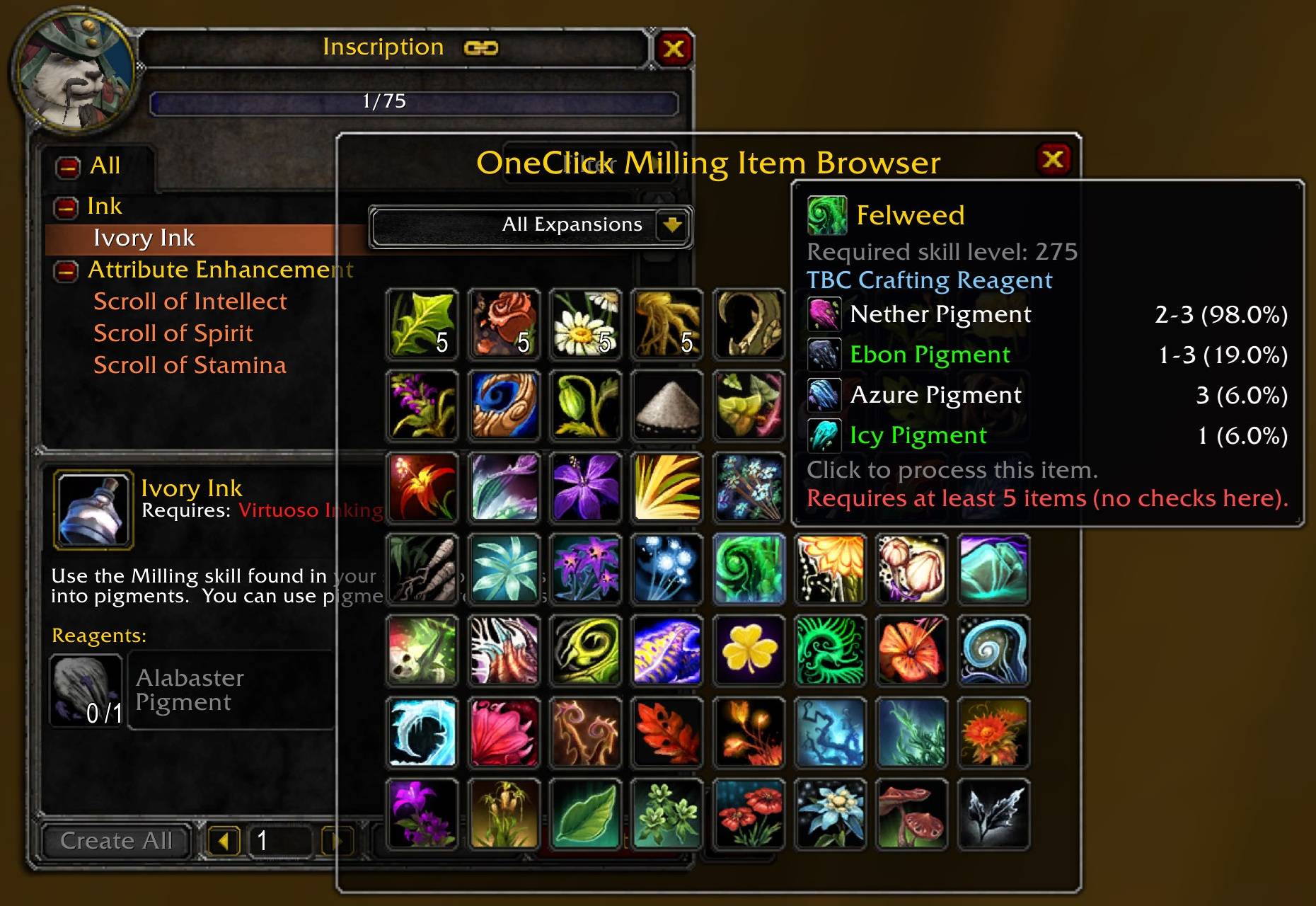
Milling Browser shows all millable items with how many you have in your inventory. Tooltip shows required level and which expansion its a reagent for. Tooltip also shows possible results when milled. Clicking the item will attempt to mill that item.
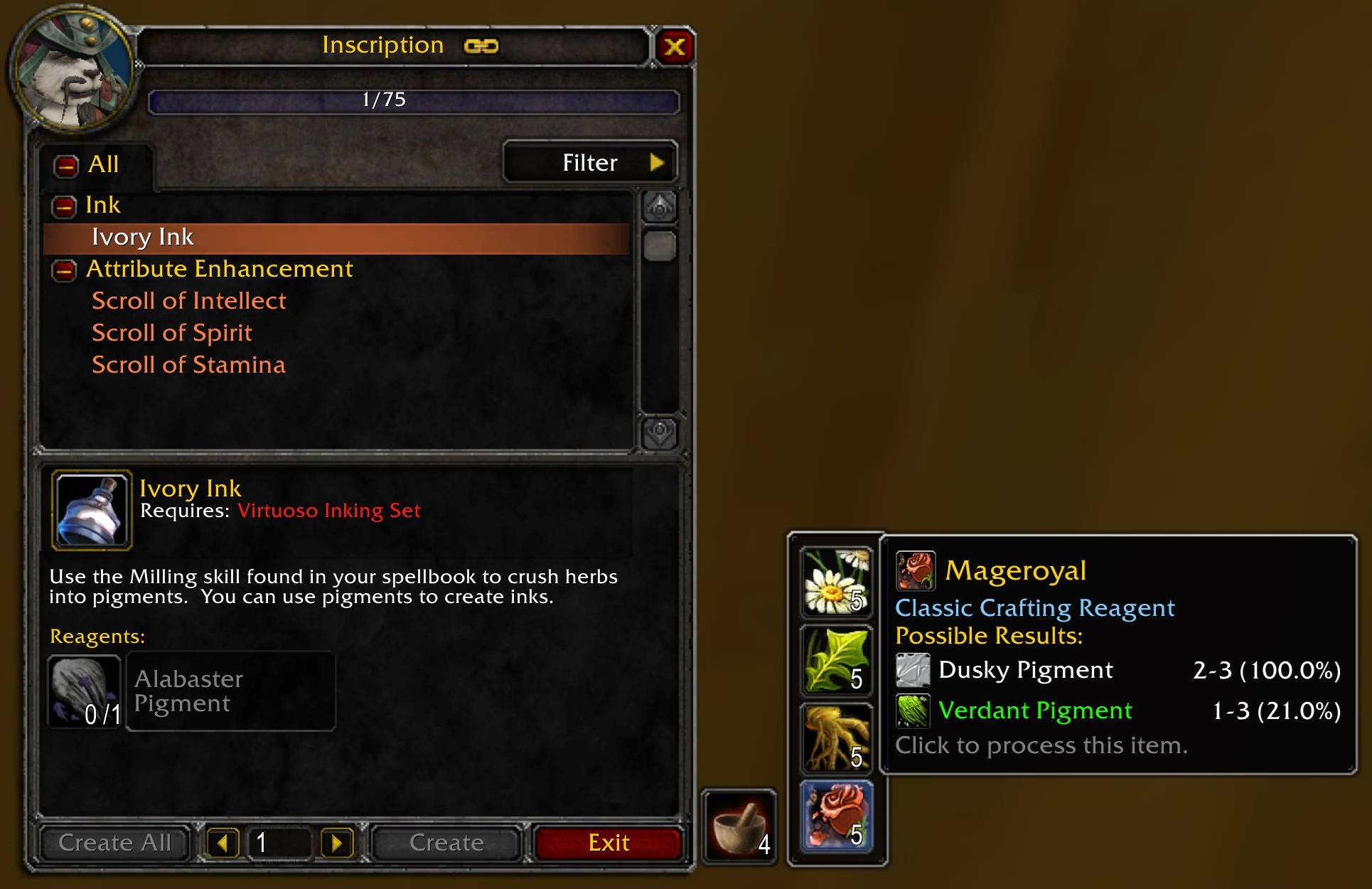
Milling panel shows all millable items with how many you have in your inventory. Tooltip shows which expansion its a reagent for. Tooltip also shows possible results when milled. Clicking the item will mill that item.
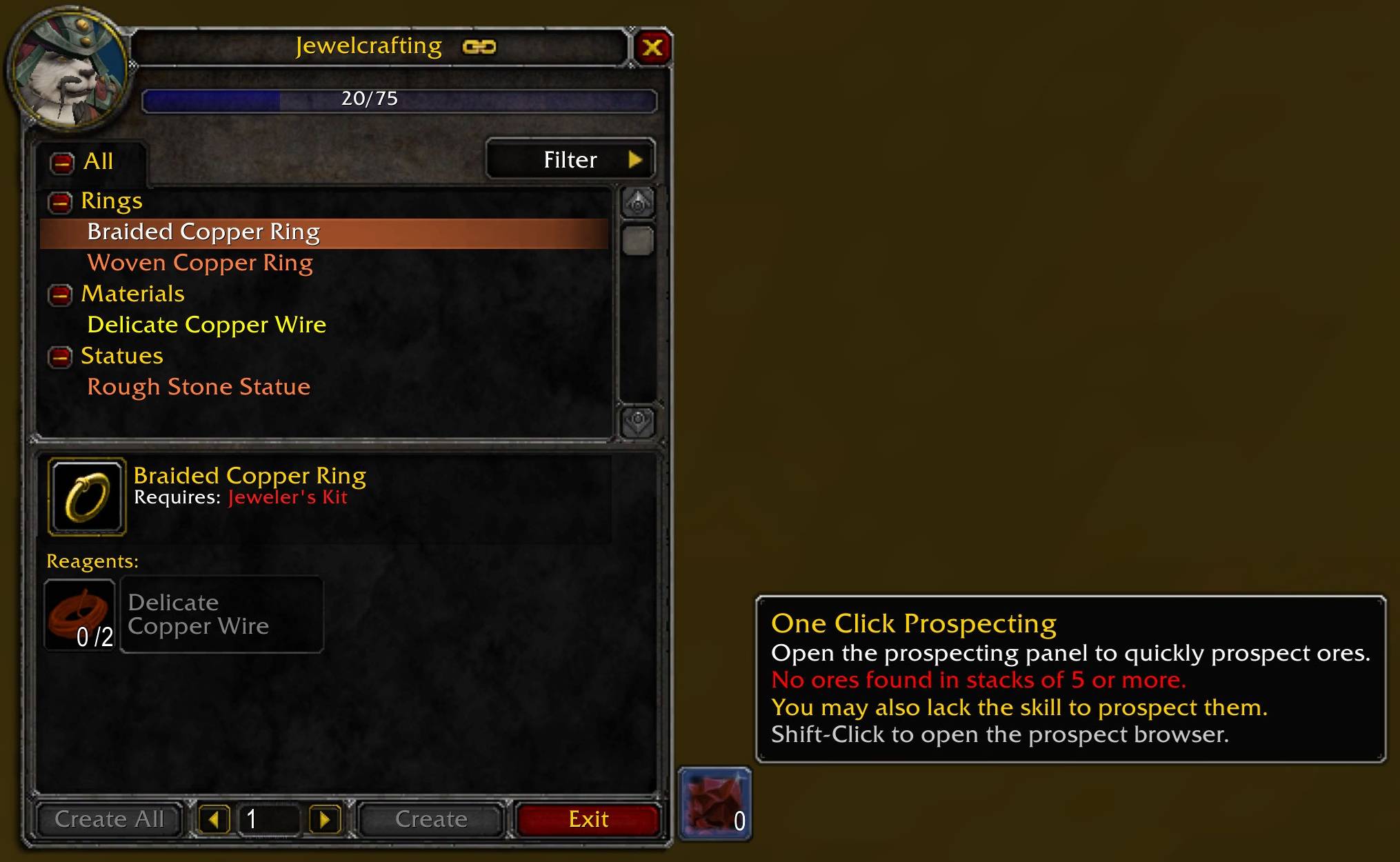
Shows how many times you can prospect. Normal click to open panel showing all prospectable items.
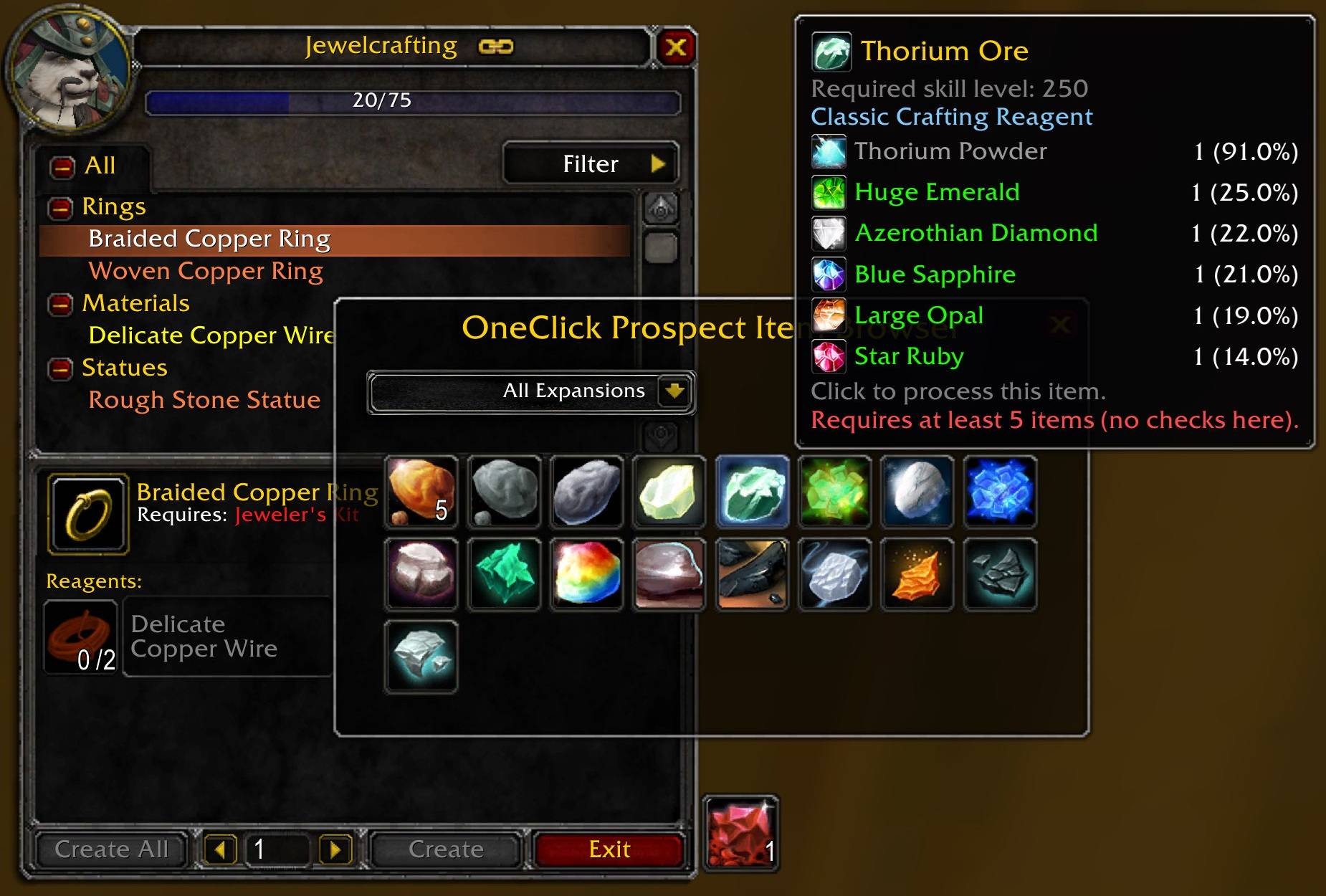
Prospect Browser shows all prospectable items with how many you have in your inventory. Tooltip shows required level and which expansion its a reagent for. Tooltip also shows possible results when prospected. Clicking the item will attempt to prospect.
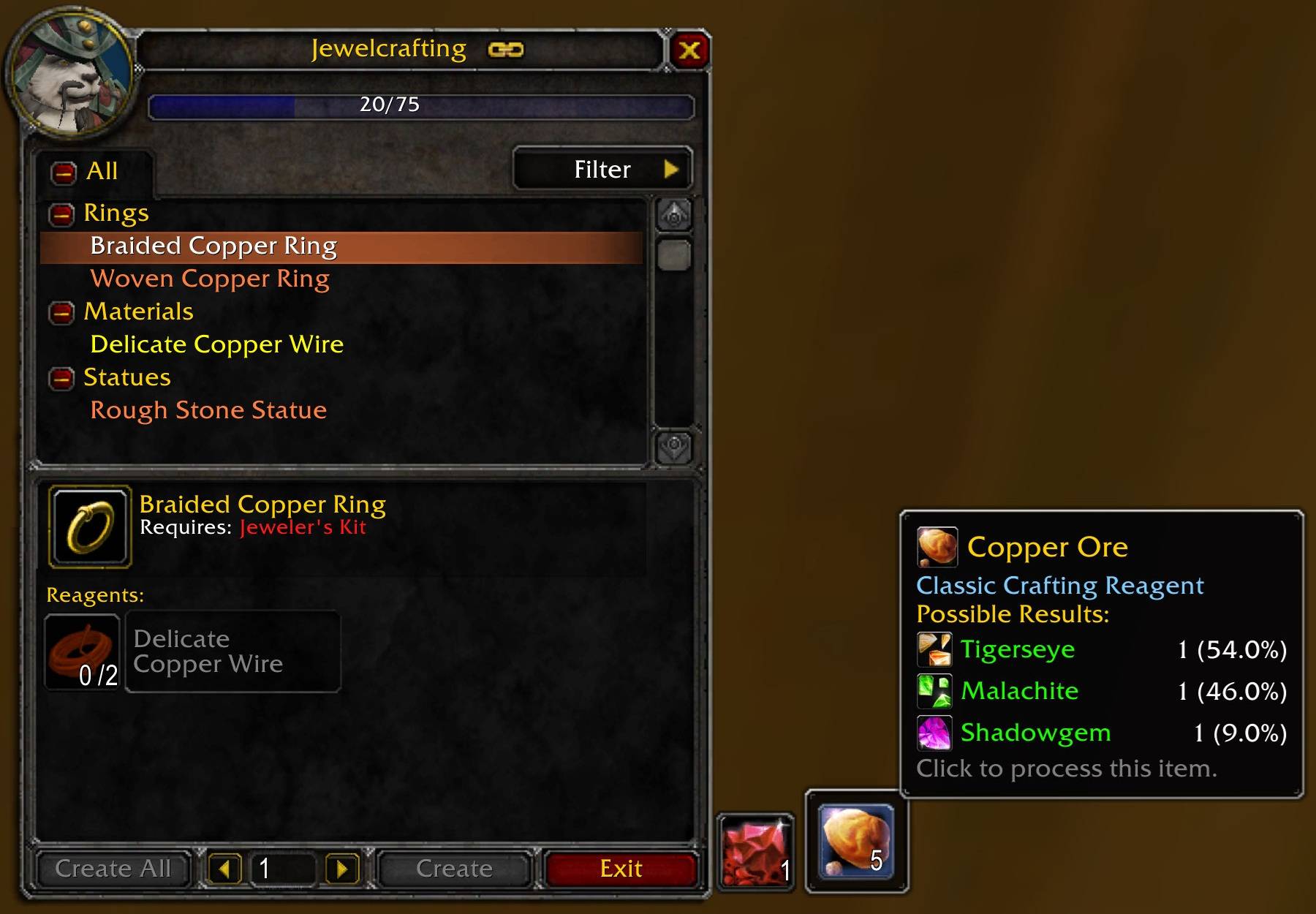
Prospect Panel shows all prospectable items with how many you have in your inventory. Tooltip shows which expansion its a reagent for. Tooltip also shows possible results when prospected. Clicking the item will prospect that item.
Description
One Click Professions
One-click processing for your professions.
Save time by letting this addon handle the repetitive stuff: milling herbs, prospecting ores, and applying enchants to vellums — all with a single click.
✨ Features
- One-click Milling – Processes all herbs your Inscription skill allows.
- One-click Prospecting – Cracks open all ores eligible for your Jewelcrafting skill.
- One-click Enchanting – Applies enchants directly to vellums.
- Smart Skill Checks – Panels only show items your profession skill level can handle.
- Clean UI – Compact slot-based panels that auto-resize as items are added or processed.
- Item Browser – Browse all millable/prospectable items with enhanced tooltips and expansion filters.
⚙️ Notes
Jewelcrafting requires skill level 20 to prospect your first ores.
Panels will not show items you can’t yet process or don’t have at least 5 of (minimum needed).
The browser shows all items regardless of skill or quantity.
🔹 Counts & Highlights
Milling/Prospecting main button shows how many stacks you can process.
Panel buttons show how many you have in your inventory.
Browser buttons also show counts, with a green border if you have at least 5.
🔹 Tooltips
Enhanced with required skill level, expansion, and possible results (sourced from WoWHead).
Browser buttons are ordered by skill level, left-to-right, row by row.
Expansion dropdown lets you quickly filter results.
Once the browser is open, you can safely close the tradeskill frame if desired.
💬 Slash Commands
/oneclick mill – Opens the milling browser (no tradeskill frame required).
/oneclick prospect – Opens the prospecting browser.
/oneclick macro – Creates ready-to-use global macros for milling/prospecting browsers.
Handy for making macro buttons to toggle the item browser quickly.
⚡ Important
One Click processes one stack of 5 per click (not your whole inventory at once).
No clutter, no setup — just install and click.
🧩 Also check out
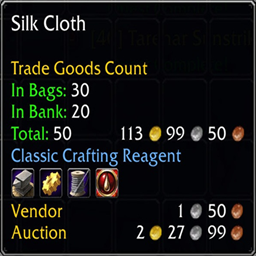
[Trade Goods Count] – Adds detailed counts, expansion info, and profession icons to trade goods tooltips.
One Click Professions Team