DragLink
Adds Drag & Drop to Macros / Chat. Drag spells or items to the macro frame to insert or create macros.
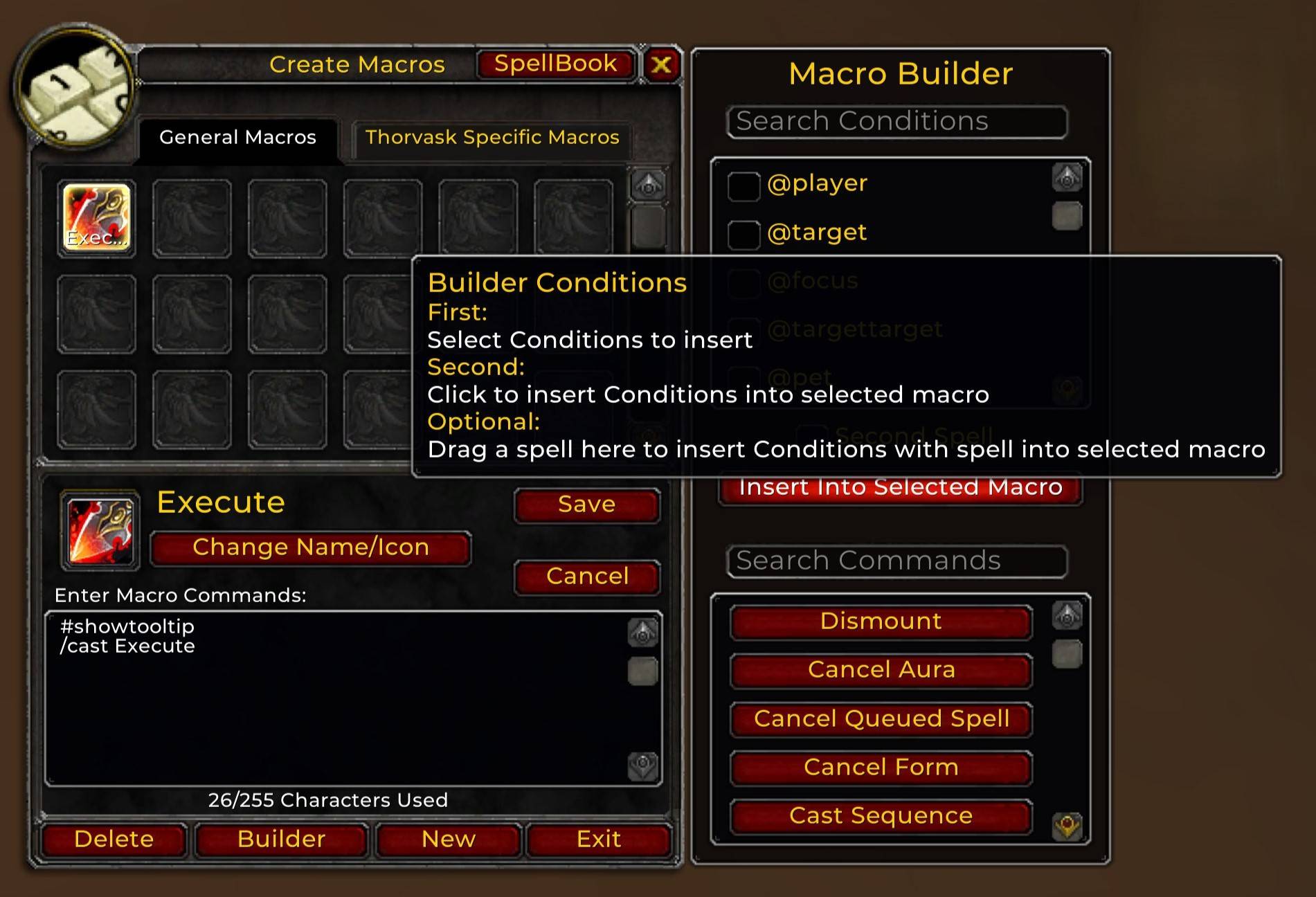
Builder Conditions
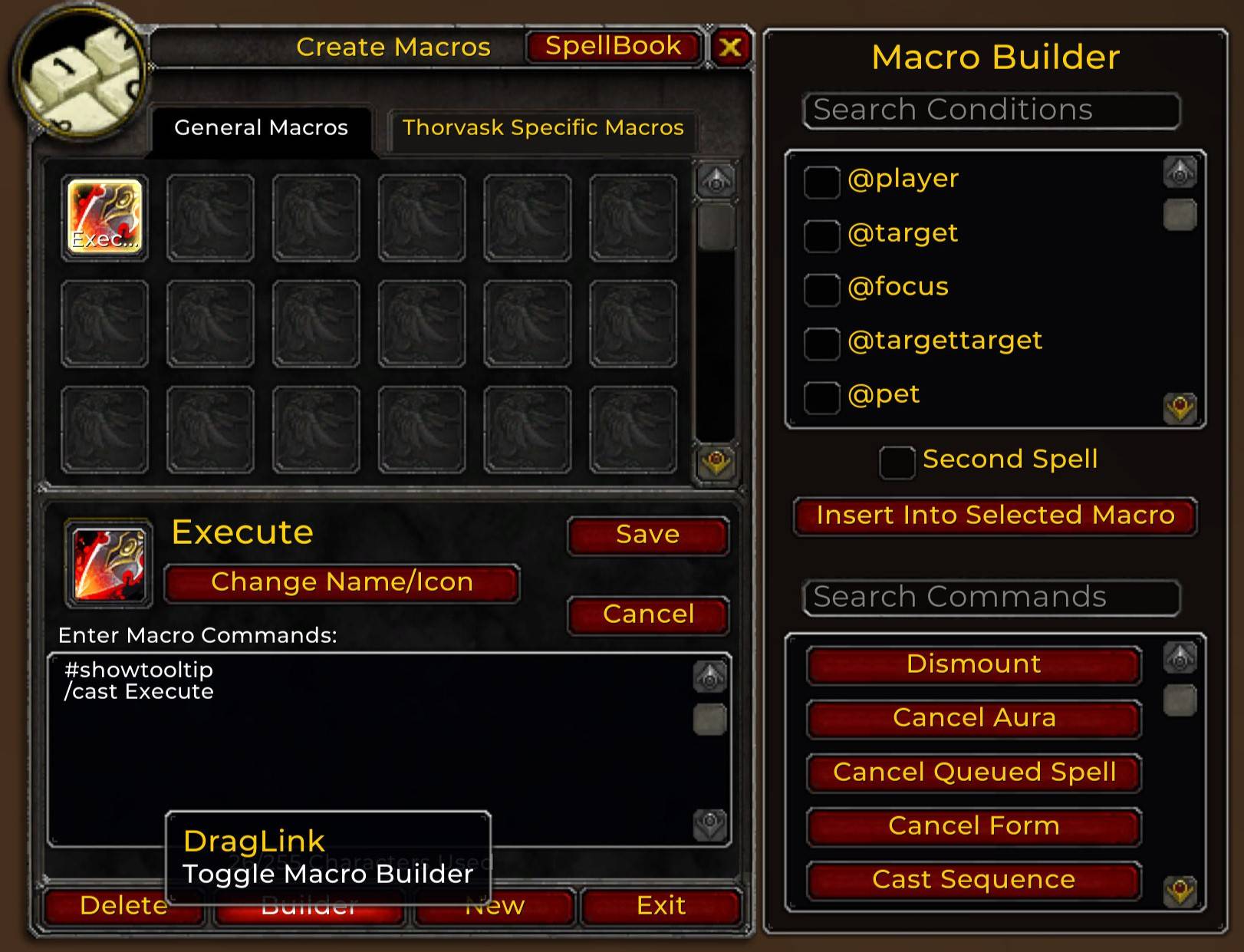
Macro Builder
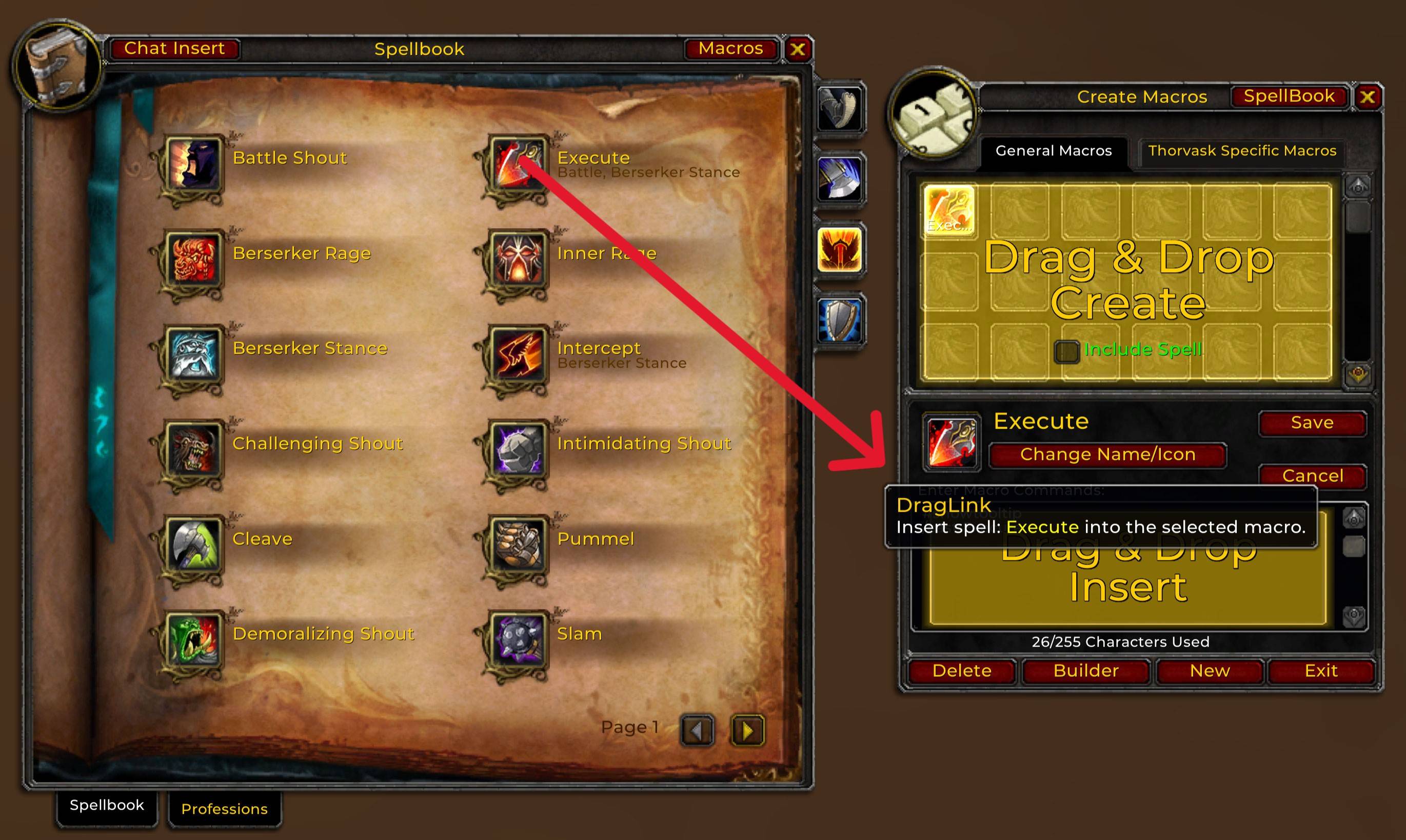
Macro Spell Insert
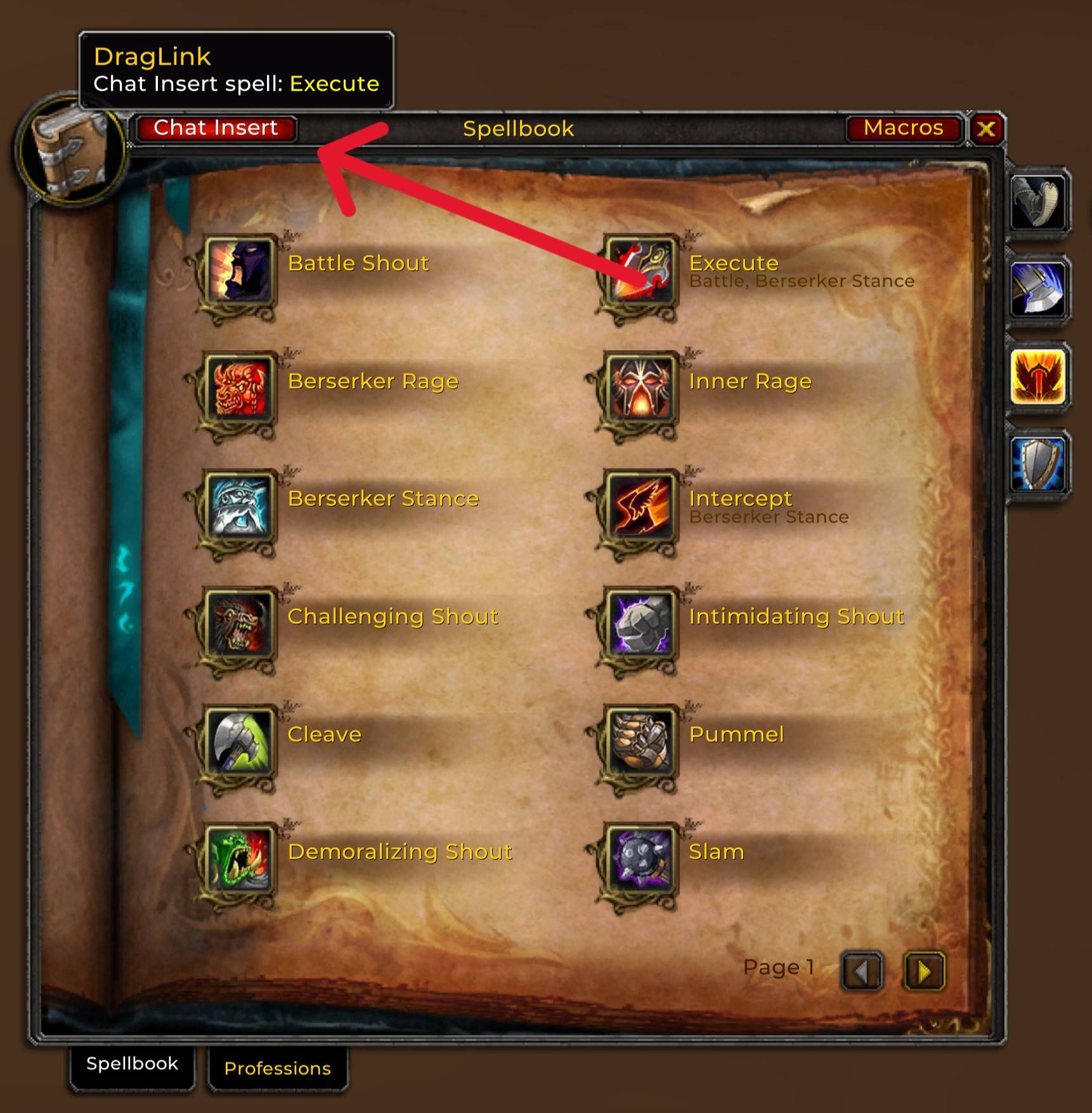
Chat Spell Insert
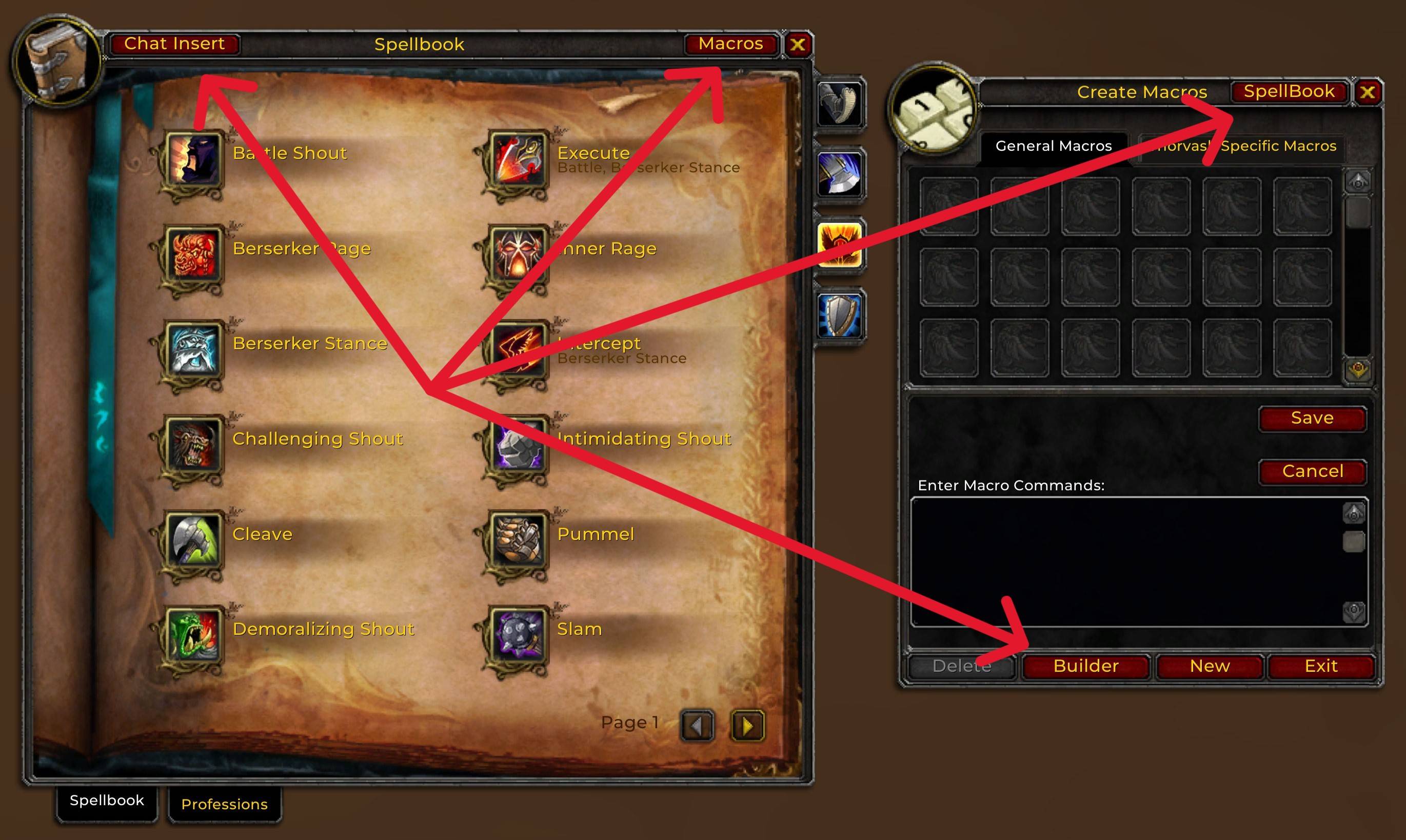
Toggle Buttons
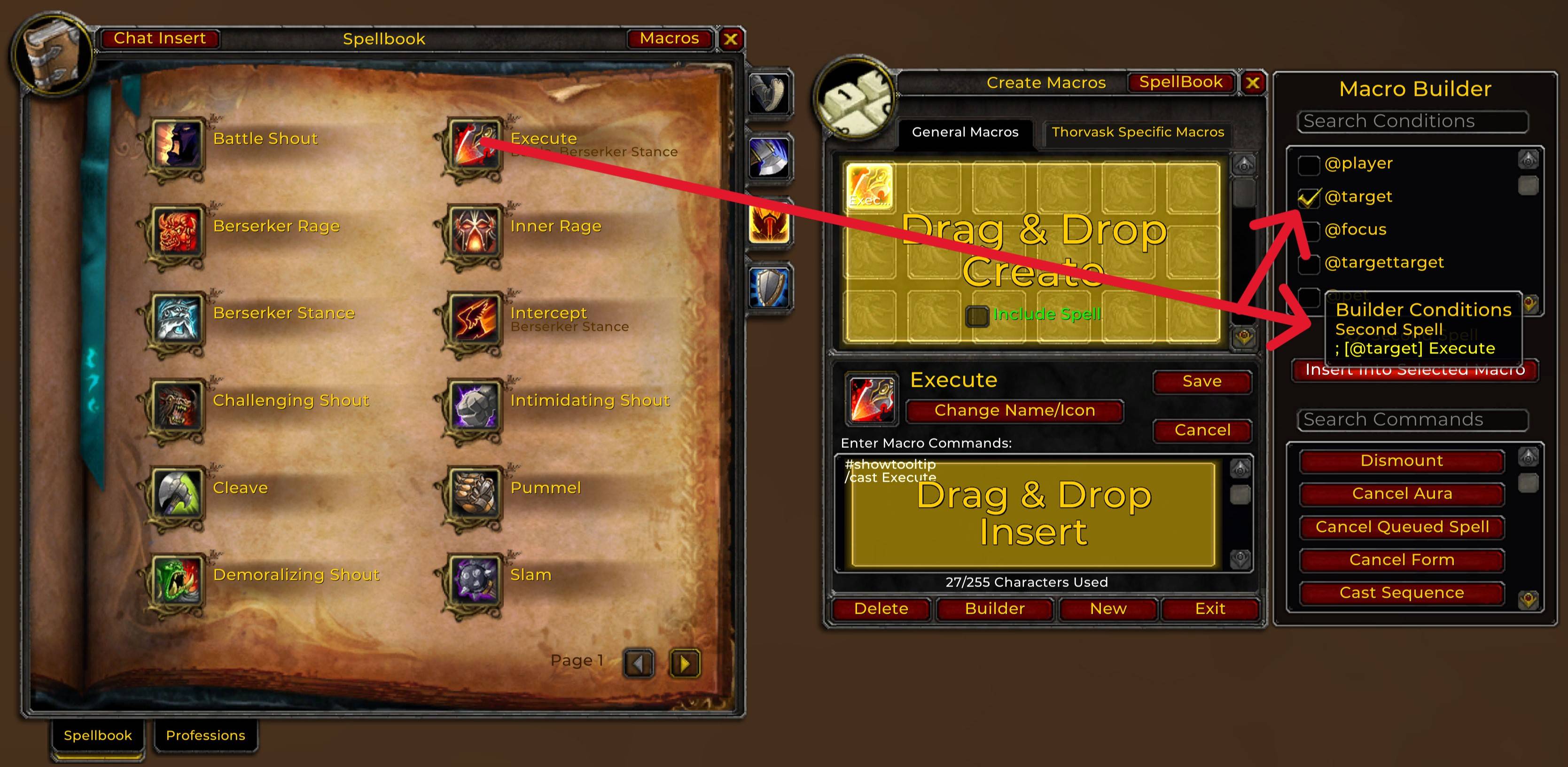
Condition With Second Spell
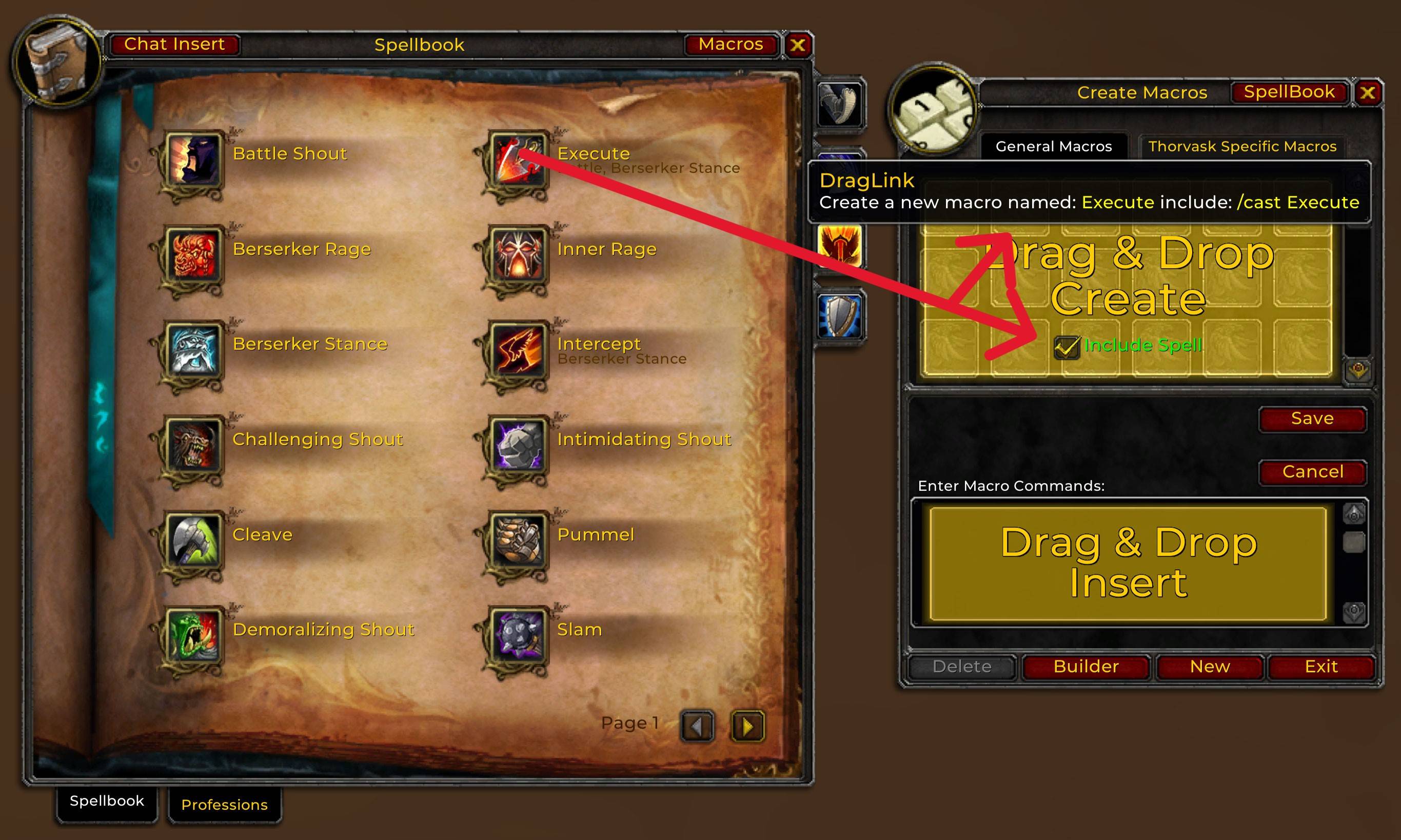
DragLink Create.jpg
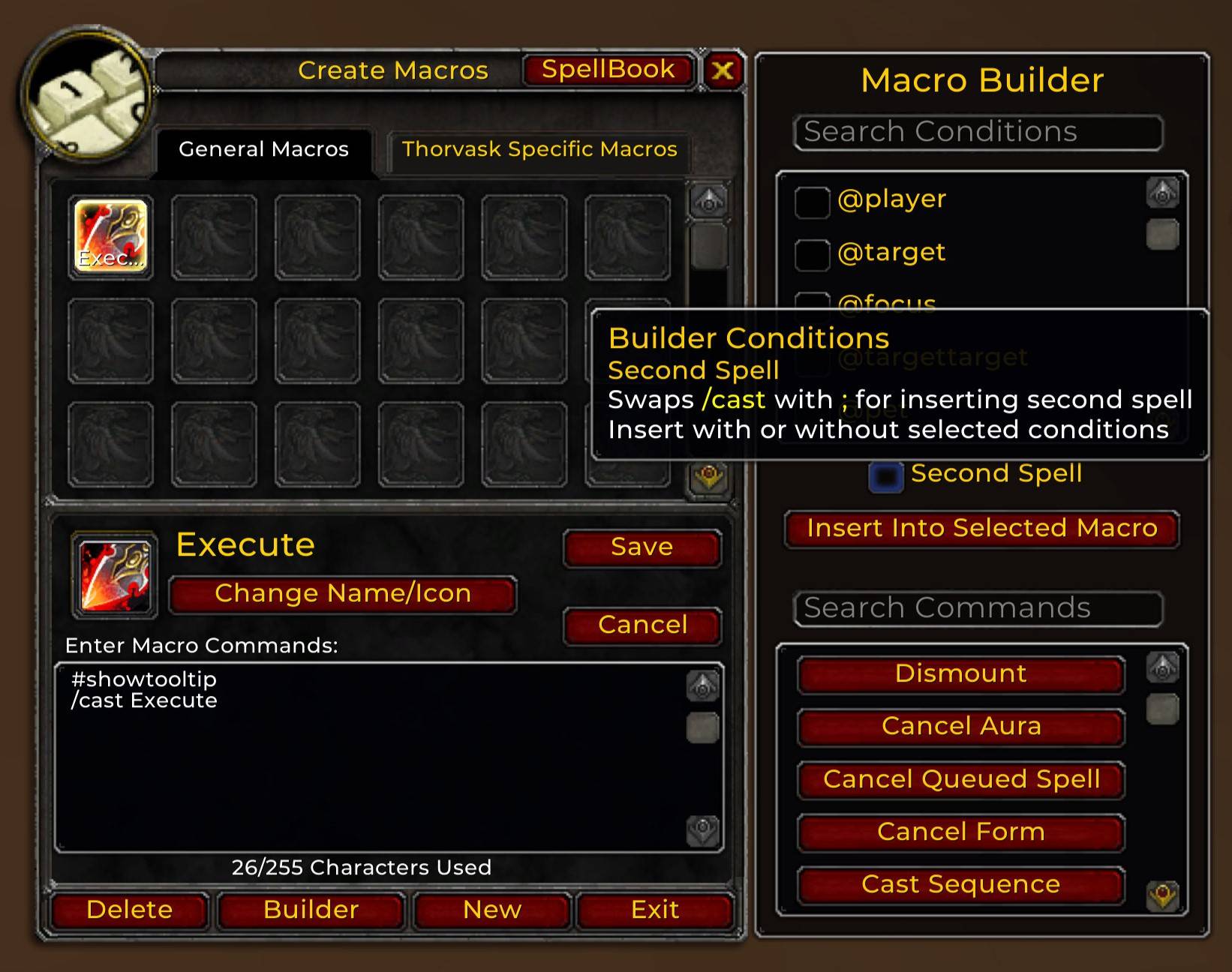
Builder Second Spell Tooltip
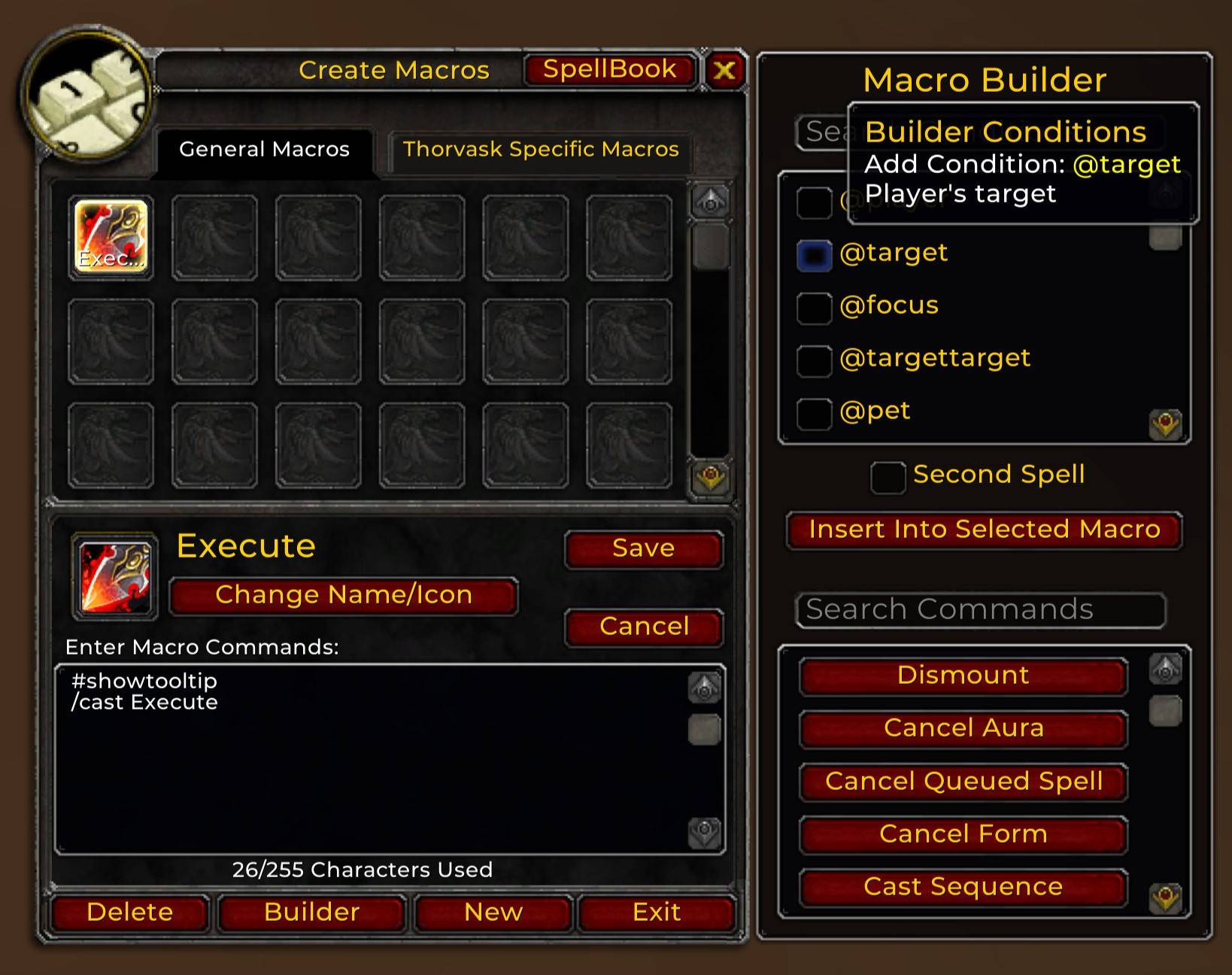
Macro Builder Conditions Selected.jpg
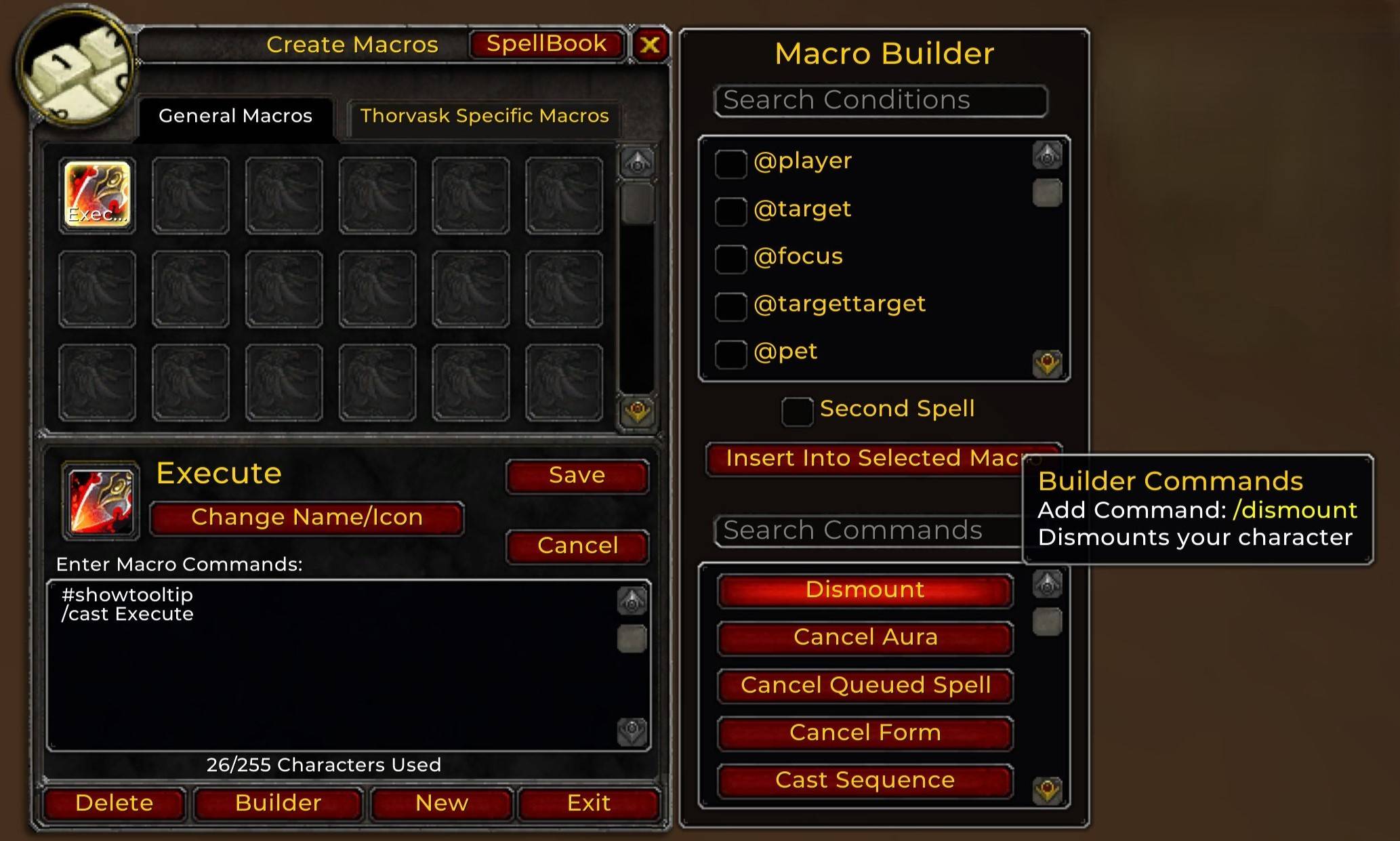
Builder Commands
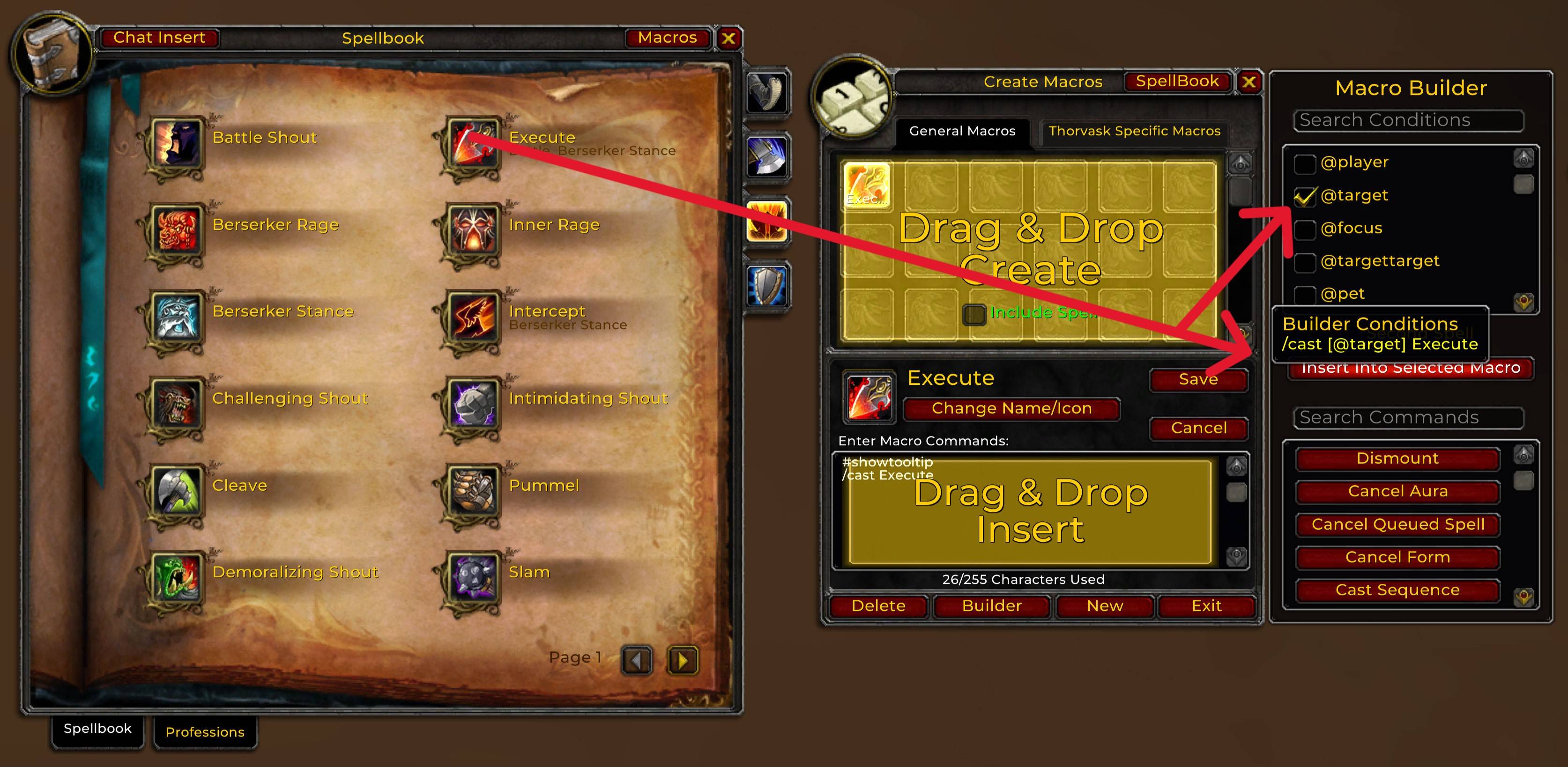
Condition With Spell
Description
# DragLink - World of Warcraft Cataclysm/Classic
## Overview
**DragLink** is a versatile addon designed to enhance your macro and spell management experience. This addon allows you to easily drag-and-drop spells, items, and pet spells into macros or chat for quick and seamless linking. Whether you're creating macros or inserting Conditionals/Commands, DragLink simplifies the process with intuitive drag-and-drop functionality and tooltips that guide you through each step.
### Features
**Drag-and-Drop Support**: Easily drag spells, items, and pet spells into the macro frame or chat insert.
**Macro Creation**: Create macros directly from spells by dragging them into the macro frame.
**Macro Insertion**: Insert spells, items, and pet spells into existing macros.
**Chat Insertion**: Drag spells or pet spells to the Chat Insert button for quick chat linking.
**Tooltip Assistance**: Get helpful tooltips that display information when over the buttons.
**Spellbook and Macro Toggle**: Quickly toggle between the Spellbook and Macros.
**DragLink Macro Builder**: Read about that below.
### Usage
1. **Macro Creation**:
- Drag a spell or pet spell from your spellbook and drop it onto the designated macro creation area.
- A new macro will be created with the dragged spells name.
2. **Macro Insertion**:
- Drag a spell, item, or pet spell and drop it into an existing macro.
- The corresponding information (spell name, item link, etc.) will be inserted into the selected macro.
3. **Chat Linking**:
- Open the chat window and drag a spell or pet spell to the Chat Insert button.
- The spell will be linked in chat for easy sharing.
### DragLink Macro Builder
**Macro Builder -- Conditionals**:
1. **Conditions**:
- Full list of conditionals that you can select. Select as many as you want.
2. **Insert**:
- All selected conditionals will be inserted into selected macro.
3. **Spell Insert**:
- Drag a spell to the insert button and all conditions plus the spell will be inserted into selected macro.
4. **Second Spell**:
- Same as **Spell Insert** but swaps /cast with ;.
- Can insert second spell with or without conditions.
5. **Example**:
- 3 conditions selected will insert [condition1,condition2,condition3]
- 3 conditions selected with a dragged spell will insert /cast [condition1,condition2,condition3] Spell
- 3 conditions selected with second dragged spell will insert ;[condition1,condition2,condition3] Spell
- No conditions selected with second dragged spell will insert ;Spell
**Note**:
All inserted conditions and spells will be placed at the current cursor position in the macro text.
**Macro Builder -- Commands**:
1. **Commands**:
- Full list of commands that you can insert into your macros.
2. **Example**:
- Start Attack command will insert /startattack
**Note**:
All inserted commands will be placed at the current cursor position in the macro text.
### DragLink Conditionals/Commands Customization
This addon comes with an easy-to-edit file DragLinkData.lua Users can modify or add new conditions/commands to enhance the functionality of the addon. Detailed instructions are provided within the DragLinkData.lua file.
**Example**:
Two conditions you often use instead of checking each one every time: let's create a custom condition entry. Open DragLinkData.lua find DragLinkConditionsTable and add your custom condition.
Example Below: Combine as many conditions as you want serperate them with a comma ","
-- Conditions
DragLinkConditionsTable = {
--Add your conditions below
{ name = "My Custom Name", condition = "condition1,condition2", comment = "My custom condition" },
}
### Support
If you encounter any issues or have questions, feel free to reach out! The addon is designed to be lightweight, functional, and easy to use.
DragLink Team