Munin.ChatBox
- By
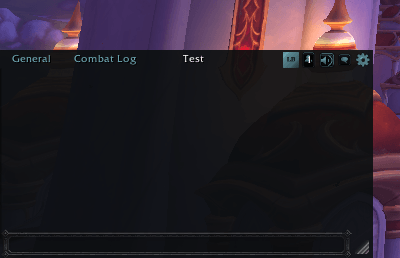
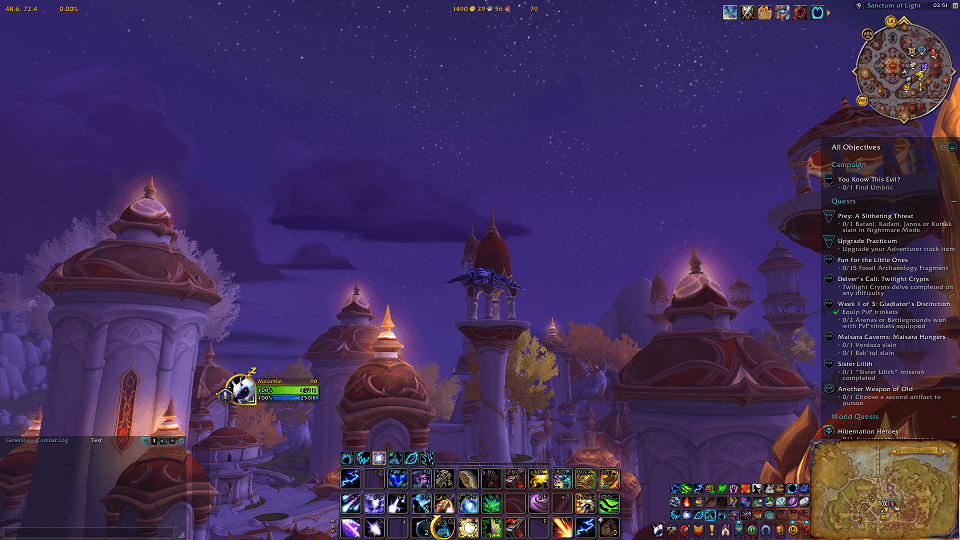
A frosted 'slate glass' restyle of the Chat Log, with instance-based auto-hide and adjustable opacity. Matches Munin.QuestLog and Munin.UI.
2.png
3 b.png
Description
ChatBox
Ready for Forever!
Now integrated with Munin.StyleLib! Your chat box can match the style of any StyleLib add-ons automatically, with twelve styles to pick from.
Turns your default chat window into a movable, resizable Munin box — restyled to match the rest of the suite, with a lock/unlock workflow and a resize grip instead of Edit Mode's default handles.
ChatBox doesn't touch chat functionality itself (filters, channels, links, the Combat Log tab) — It just moves, resizes, and restyles the box around it.
Features
- Movable and resizable — plain click-and-drag to move while unlocked, or alt+right-click-drag any time (even locked); a resize grip in the bottom-right corner resizes the box the same way.
- Lockable — "Locked" checkbox in the gear menu.
- Adjustable background opacity — from the gear menu, blend the panel into your UI however you like, down to fully transparent.
- Restyled to match Munin.UI and Munin.QuestLog.
- Munin.LogBox integration — if Munin.LogBox is installed, a small icon appears on the title bar; click it to open LogBox already refreshed with your latest chat log, ready to select and copy.
- Munin.StyleLib integration - Automatic styling of all your different add-ons, from any author, if they have integration with StyleLib! For a beautiful and cohesive UI.
Usage
- Drag the box to move it while unlocked, or alt+right-click-drag anywhere on it to move it regardless of lock state.
- Drag the bottom-right grip to resize.
- Click the gear icon for Locked and Background Opacity options.
- Click the LogBox icon (only visible if Munin.LogBox is installed) to open LogBox with a fresh copy of your chat log.
- Plain wheel notch — scrolls 3 messages.
- Alt + wheel — scrolls 1 message at a time, for long messages.
- Shift + wheel — jumps straight to the very top or bottom of scrollback, no stepping.
- Scroll the tab row with your mouse wheel when you have many tabs, or use the arrow at the end of the row to pick your tab.
- Pick a style in Esc > Options > AddOns > Munin.ChatBox, or let it follow whatever your other StyleLib add-ons are set to in StyleLib settings.
- Slash commands:
/chatbox lock|unlock|show|hide.
Notes
Pair it with Munin.LogBox to easily copy text out of your chat log.
Munin.ChatBox Team