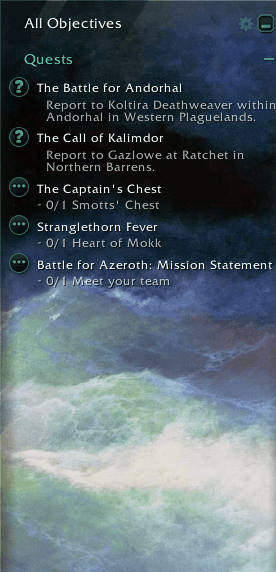
Between the Waves - StyleLib.Pack.png
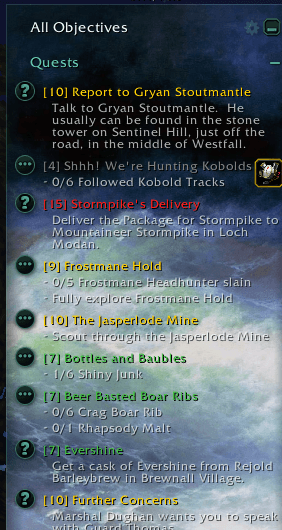
Between the Waves - StyleLib.Pack - Forever.png
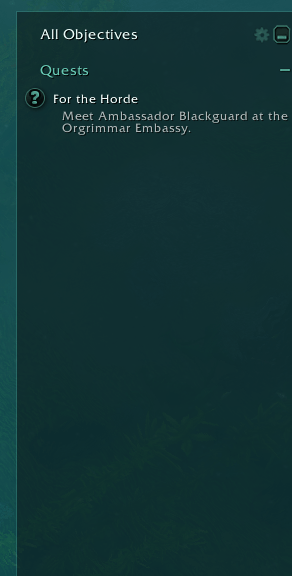
Sea Glass.png
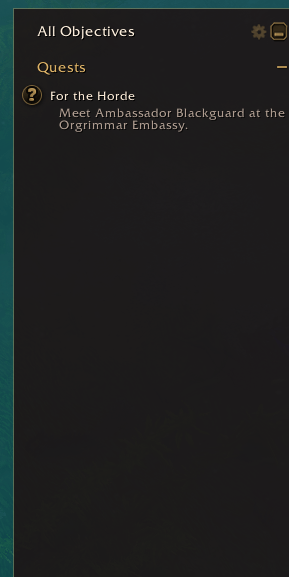
Rosewood.png
Settings.png
Description
Three hand-tuned styles for Munin.StyleLib — and the easiest way to make a style of your own!
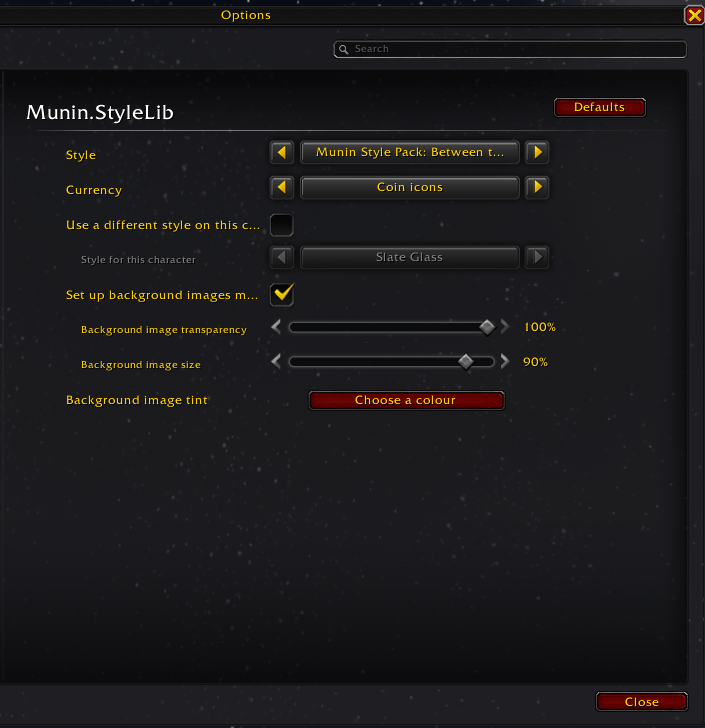
Install it and three new styles appear in your style picker, in Munin.StyleLib and in every add-on that uses it. Pick one and your whole interface follows, or give a single add-on its own look.
Sea Glass — deep water with a mint light in it. A dark, quiet panel that stays out of the way.
Rosewood — warm dark wood and gold, with the game's own quest serif on anything large enough to carry it.
Between the Waves — Sea Glass with an Aivazovsky seascape behind it, the greens in the foam picking up the panel's own color.
Want your own colors instead? Copy this style pack's folder, change the numbers, and the styles are yours. No programming, and nothing to publish unless you want to — there is a walkthrough further down.
Features
- Three complete styles, each with its own colors, typeface and panel opacity, and one with a painting behind it.
- Works everywhere StyleLib does. Set one style for every StyleLib add-on at once, or give any single add-on its own.
- The starting point for your own. Copy the folder, rename it, replace the colors. No painting code to write and no other add-on's frames to touch.
- Commented to be read. Why colors are 0–1 rather than 0–255, why a font is named rather than given as a file path, what the 16pt display-font threshold is for, and which optional fields exist and when you need them.
- The common mistakes, shown rather than described. A short section near the end carries the three ways a style pack usually goes wrong, commented out and explained, so you can recognize them before you make them.
- Free to use, for anything. Including the painting, which is out of copyright.
- The pack author's guide ships with it, as
Theme-Pack-Guide.mdin the add-on's own folder — every field, background images, typefaces, and what you need to own before you publish anything.
Usage
Install it alongside Munin.StyleLib, then pick a style:
- Esc > Options > AddOns > Munin.StyleLib to set the style every StyleLib add-on follows.
- Any individual add-on's own settings page has Style this add-on separately if you want one of them to differ.
- Or
/muninstyleto see what you are on and what else is available.
Make your own style
No programming, and you do not have to publish anything. You take a copy of this pack, give the copy your own name, and change the colors in it.
1. Find your AddOns folder. Add-ons live inside the World of Warcraft installation, in a folder named for the version of the game you play:
World of Warcraft\_retail_\Interface\AddOns\
On Windows that is usually under C:\Program Files (x86)\, and on a Mac under /Applications/. If it isn't there, the Battle.net app will take you to it: select World of Warcraft, click the cog beside the Play button, and choose Show in Explorer — Reveal in Finder on a Mac. Inside you will find a folder per version — _retail_, _classic_era_ and so on. The one you want is whichever already has Munin.StyleLib in its Interface\AddOns.
2. Copy this folder, and give the copy your own name. Don't edit Munin.StyleLib.Pack where it sits — the next update to it would replace every file in there, your colors with them. Copy the folder, paste it straight back into the same AddOns folder, and then three names have to agree:
- Rename the copy to something of your own, say
CherryBlossom. - Rename the
.tocfile inside it to match exactly:CherryBlossom.toc. The game will not load an add-on whose.tocis named differently from its folder, and it gives you no warning. Your pack simply won't be in the add-on list. - In
Styles.lua, change the folder name in everybgImageline to your own, or the background art stops appearing. Find-and-replace does them all at once.
3. Change the colors. Open your copy's Styles.lua in Notepad, or TextEdit on a Mac — any plain text editor, just not Word. Nearly all of the file is explanation; the lines that are yours to change are just a few numbers. Each color is three numbers from 0 to 1 — not 0 to 255, so divide a 0–255 value by 255. label is what the style is called in the picker.
4. Look at it. Save the file and type /reload in the game. Edit, /reload, look — that loop is how a style gets tuned, and you never have to close the game.
Nothing you can type in that file will break the game or your other add-ons. If a style doesn't appear, /muninstyle packs prints what was wrong with it, in plain words. Keep a copy of your finished Styles.lua somewhere outside the game's folders, and putting it back is the whole repair if anything ever happens to it.
If you'd like to share it, there is nothing left to prepare: you already have a self-contained add-on with your name on it. Zip the folder up, upload it to CurseForge as a new project, and say on the page that it requires Munin.StyleLib. Your pack is yours, under whatever name and terms you like — as long as it doesn't read as an official Munin release.
The full reference, including background images and typefaces of your own, is Theme-Pack-Guide.md — it ships inside this add-on's folder, and inside Munin.StyleLib's.
Notes
- Munin.StyleLib is required. This pack carries styles and nothing else; without the library there is nothing for it to hand them to.
- It adds no frames, no commands and no settings of its own. It registers three styles at login for Munin.StyleLib.
- Free to use, for anything. Copy it, change it, publish your own pack from it, sell it if you like — no permission needed, no credit required. That covers the painting too: Between the Waves, by Ivan Aivazovsky (1817–1900), is in the public domain and cropped square here. This grant covers this pack only; Munin.StyleLib itself is a separate work with its own terms.
Munin.StyleLib.Pack Team