Screenshot 2026-10-13 220200.png
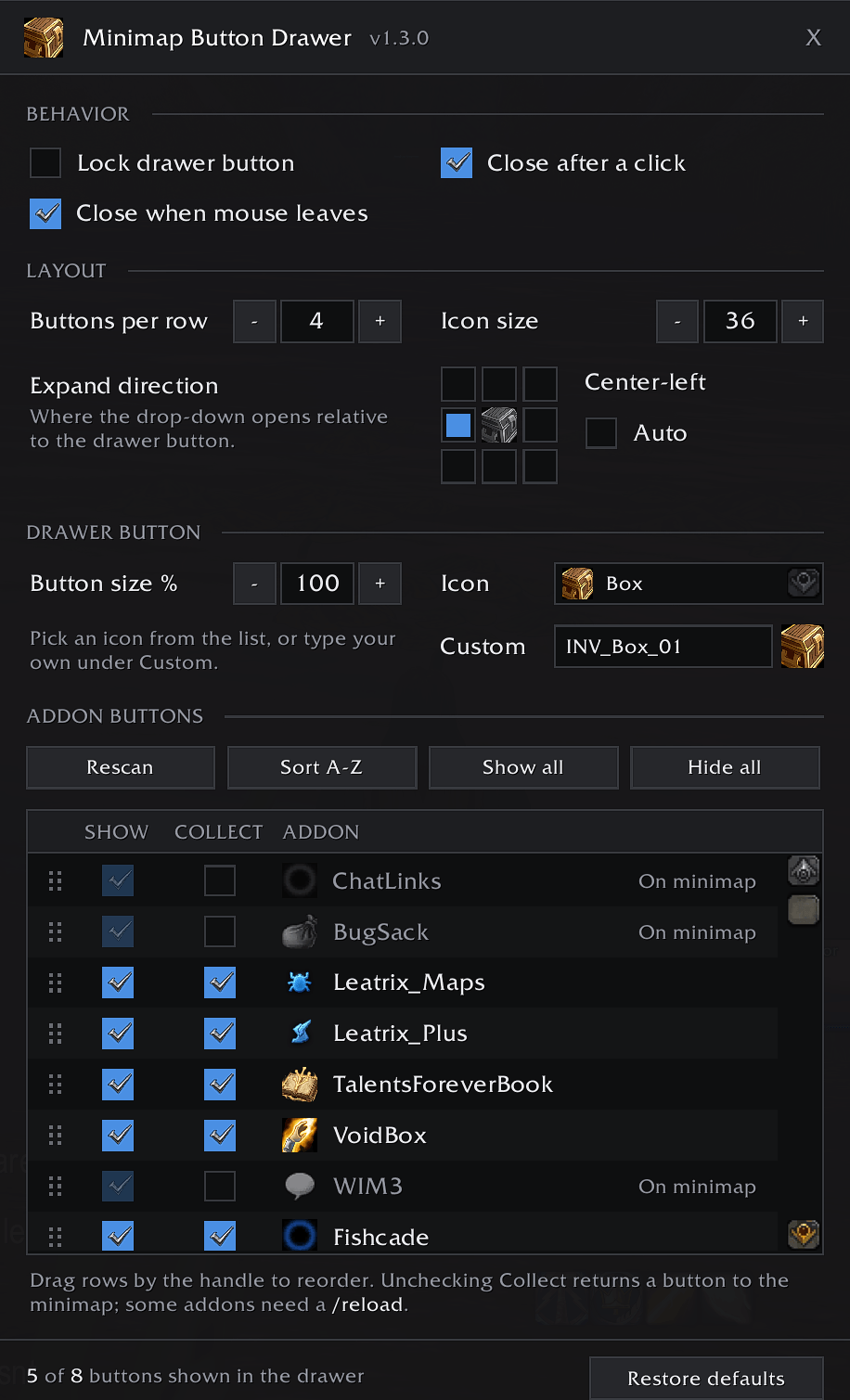
Description
Minimap Button Drawer
Too many addon buttons around your minimap? Put them all in one drawer.
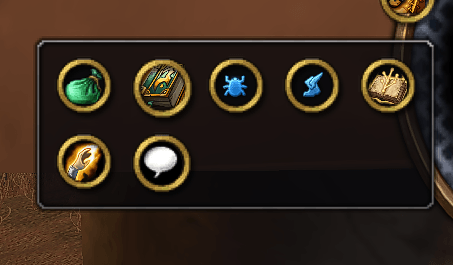
Minimap Button Drawer gathers your addon minimap buttons into a single bag icon. Click it and a neat drop-down opens with every button inside, ready to click like normal. Your minimap edge stays clear, and nothing goes missing.
Features
- One button for all of them. Buttons from almost any addon that uses LibDBIcon (Details!, DBM, BigWigs, WeakAuras and many more) are collected automatically, including ones that load late.
- Choose what shows. Hide buttons you never use without turning off the addon.
- Return any button to the minimap. Uncheck Collect and that button goes back to its normal spot on the minimap edge, where you can still drag it around as usual.
- Drag-and-drop ordering. Arrange the buttons in the order you like, or sort them A–Z with one click.
- Adjustable layout. Set how many buttons go in each row and how big the icons are.
- Close it your way. The drawer can close when your mouse leaves it, after you click a button, or when you press Escape.
- Lockable. Drag the bag icon anywhere around the minimap edge, then lock it in place.
- Clean config window. A modern settings window that you can open even in combat.
- Leaves Blizzard alone. The calendar, tracking, mail, queue status, expansion button and Addon Compartment are never touched.
How to use
| Action | What it does |
|---|---|
| Left-click the bag icon | Open or close the drawer |
| Right-click the bag icon | Open the config window |
| Drag the bag icon | Move it around the minimap edge |
/mbd |
Open the config window |
/mbd rescan |
Check again for new buttons |
/mbd reset |
Put the bag icon back in its default spot |
Notes
- A few addons only finish placing their button after a
/reloadwhen you return it to the minimap. - If a button isn't picked up, or something gets collected that shouldn't be, please post a comment with the frame name (hover over it and type
/fstack) and I'll add support.
Minimap Button Drawer Team