Chat Links
- By
World of Warcraft addon that automatically converts plain text URLs in your chat window into functional, safely clickable links.
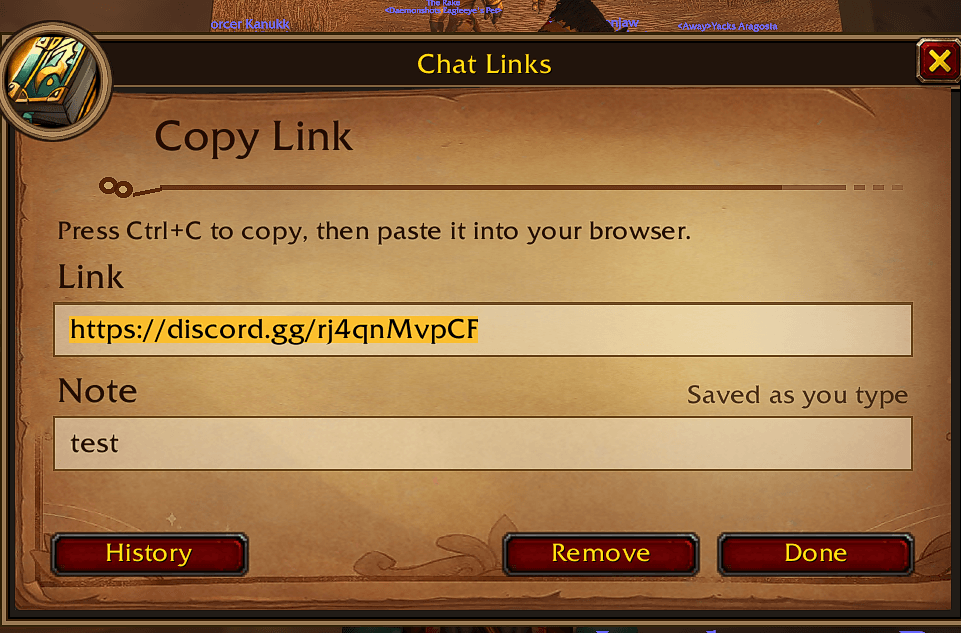
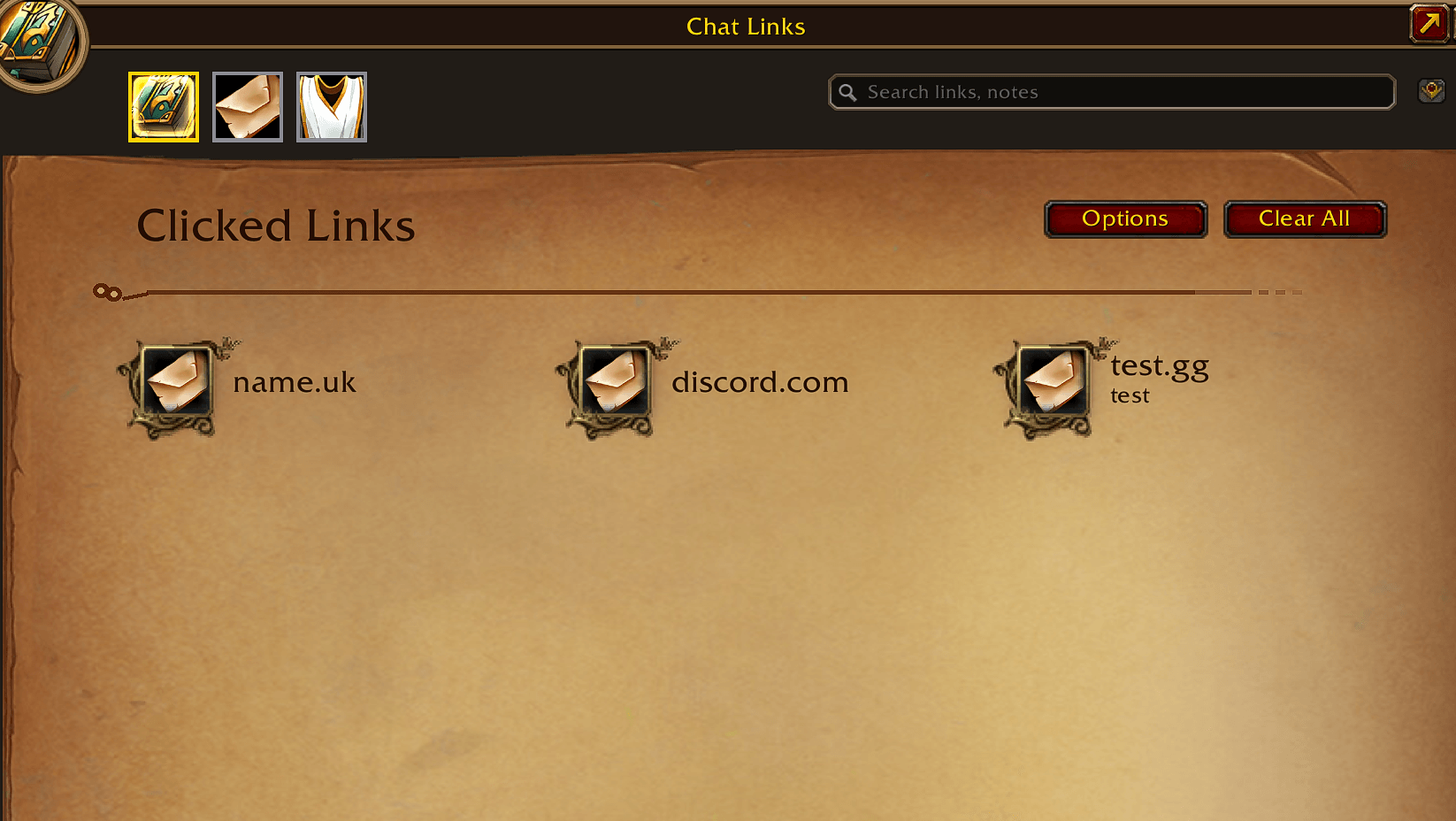
chatlinks.png
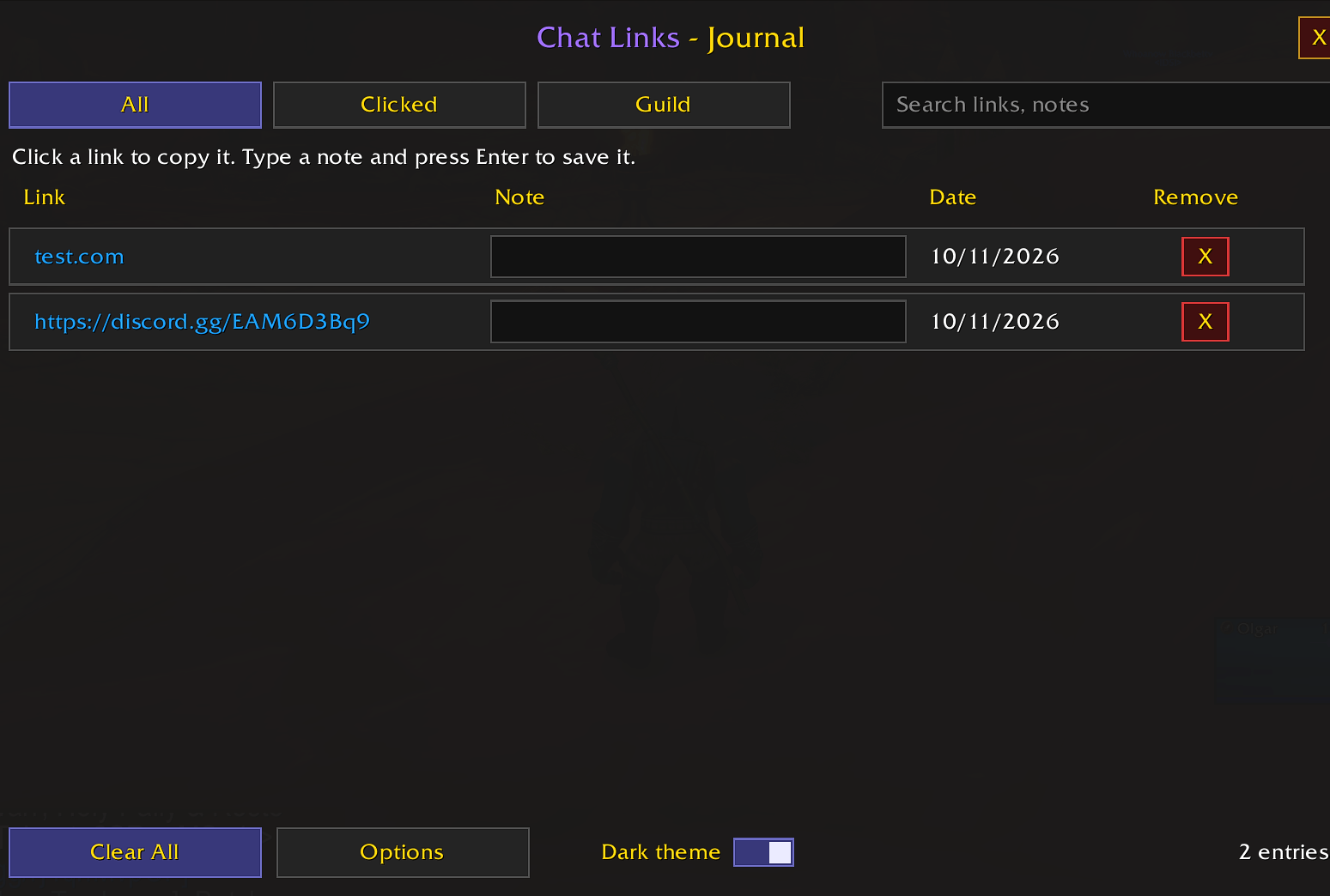
test.png
Screenshot 2026-10-07 201036.png
3.png
Description
Chat Links is a lightweight, zero-dependency World of Warcraft addon that automatically converts plain text URLs in your chat window into functional, safely clickable links, while keeping a browsable history of the links you've used.
Stop wrestling with uncopyable text strings in your chat frame! When a player links a website, Discord server, or stream, Chat Links instantly highlights it and opens a clean, dark-themed copy window so you can send the URL straight to your browser. Every link you open is automatically saved to a personal journal, so you can easily find it again later.
KEY FEATURES
- 🚀 Instant Click-to-Copy: Click any link in your chat to open the copy window. The URL is pre-highlighted so you can just press CTRL+C and paste it into your web browser. Press Escape or Close to dismiss it, and drag it anywhere on screen.
- 🔘 History Button in Copy Window: A History button sits at the bottom-left of the copy window, with Close at the bottom-right, so you can jump straight to your saved links without typing a command.
- 📖 Link History Journal: Every link you click is automatically saved with the date you opened it. Entries are listed newest first. You can add custom notes, delete individual entries, or clear the entire history with one click. Your notes and history persist between sessions and across characters.
- 🗂️ Journal Filter Tabs: Switch between All, Clicked and Guild to focus on exactly what you're looking for.
- 🏰 Guild Link Scanner: Links found in your Guild Info and Guild Message of the Day are automatically added to the journal and tagged, so your guild's Discord, website and signup sheets are always one click away.
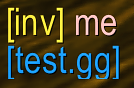
- ✉️ One-Click Player Invites: Automatically detects keywords like "inv" or "invite" in chat messages and turns them into clickable links. Clicking the word instantly sends a group invitation to the sender. Enabled by default, and you can switch it off in Options. When it's off, invite words stay plain text and old invite links do nothing.
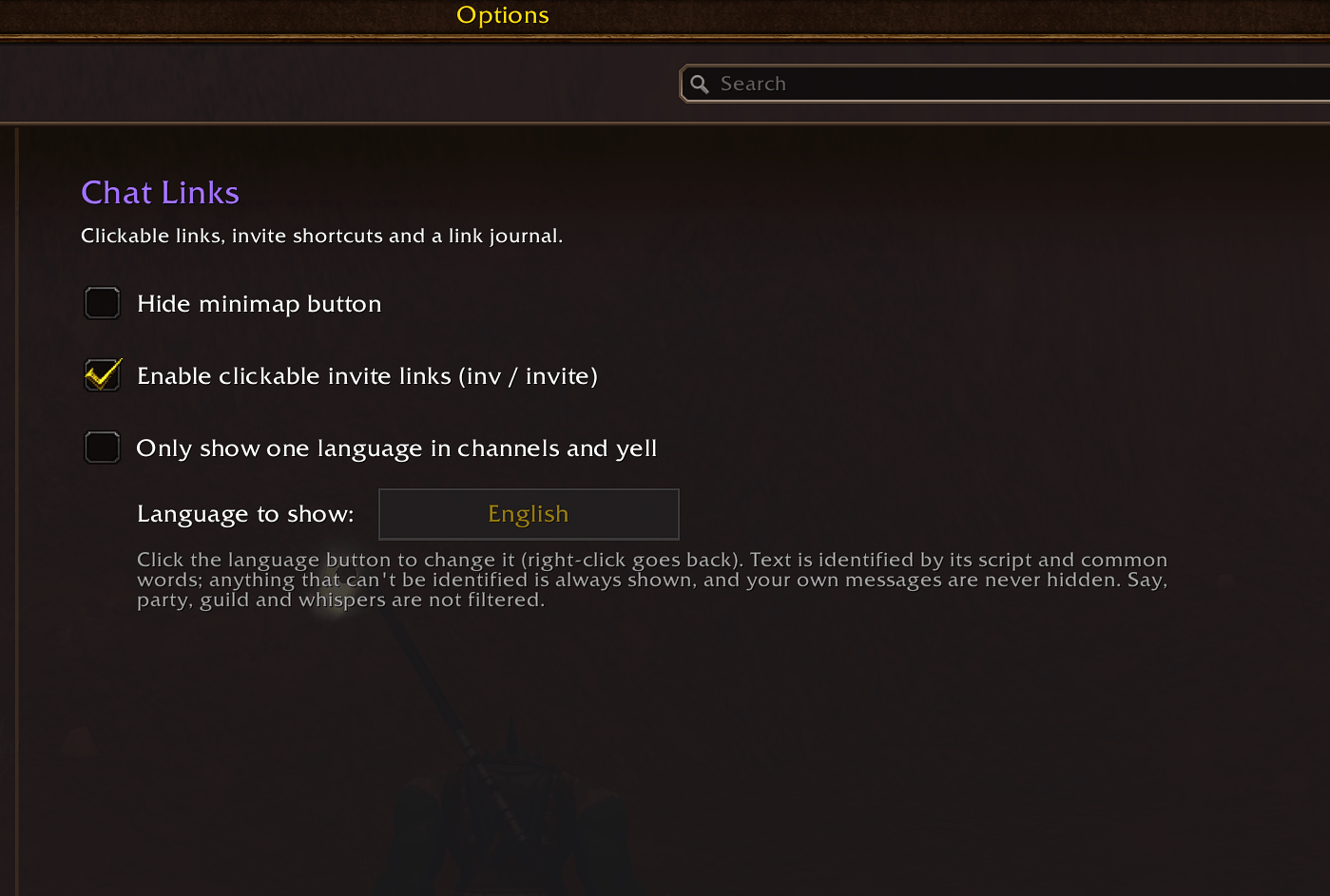
- 🌐 Language Filter (optional): Only want to read English? Turn on the language filter, pick a language, and text in other languages is hidden in numbered channels (General, Trade, LFG, etc.) and Yell. Text is identified by its script and common words, anything that can't be identified is always shown, and your own messages are never hidden. Supports English, Spanish, Portuguese, French, German, Russian, Korean, Chinese and Japanese. Off by default. Say, party, guild and whispers are never filtered.
- 🛡️ Safe URL Parsing: Built with strict pattern isolation to safely isolate and format links without causing chat loops, multi-pattern corruption, or conflicts with other chat addons.
- 🎮 Gaming & Discord Optimized: Detects standard web protocols (http://, https://), naked subdomains (www.), and specialized shortcuts like .gg gaming or Discord invite links.
- 💬 Global Channel Coverage: Works out of the box across all essential chat channels.
- 🪶 Ultra Lightweight: Written in clean, native Lua with a tiny memory footprint. No heavy libraries or external frameworks required.
OPTIONS
- Hide the minimap button
- Enable or disable clickable invite links (on by default)
- Enable the language filter and choose which language to show (off by default)
SLASH COMMANDS
/clor/chatlinks: Toggles the link history journal open/closed./cl options: Opens the options panel./cl minimap: Shows or hides the minimap button.

Chat Links Team