Minimap Button Creator Forever
- By
Create custom minimap buttons for addon commands, spells, mounts, toys, items, consumables, pets, bags, and more...
Description
Minimap Button Creator Forever
Create custom minimap buttons for addon commands, spells, mounts, toys, items, consumables, pets, bags, and more...
Minimap Button Creator Forever lets you turn useful WoW commands and actions into convenient minimap launchers.
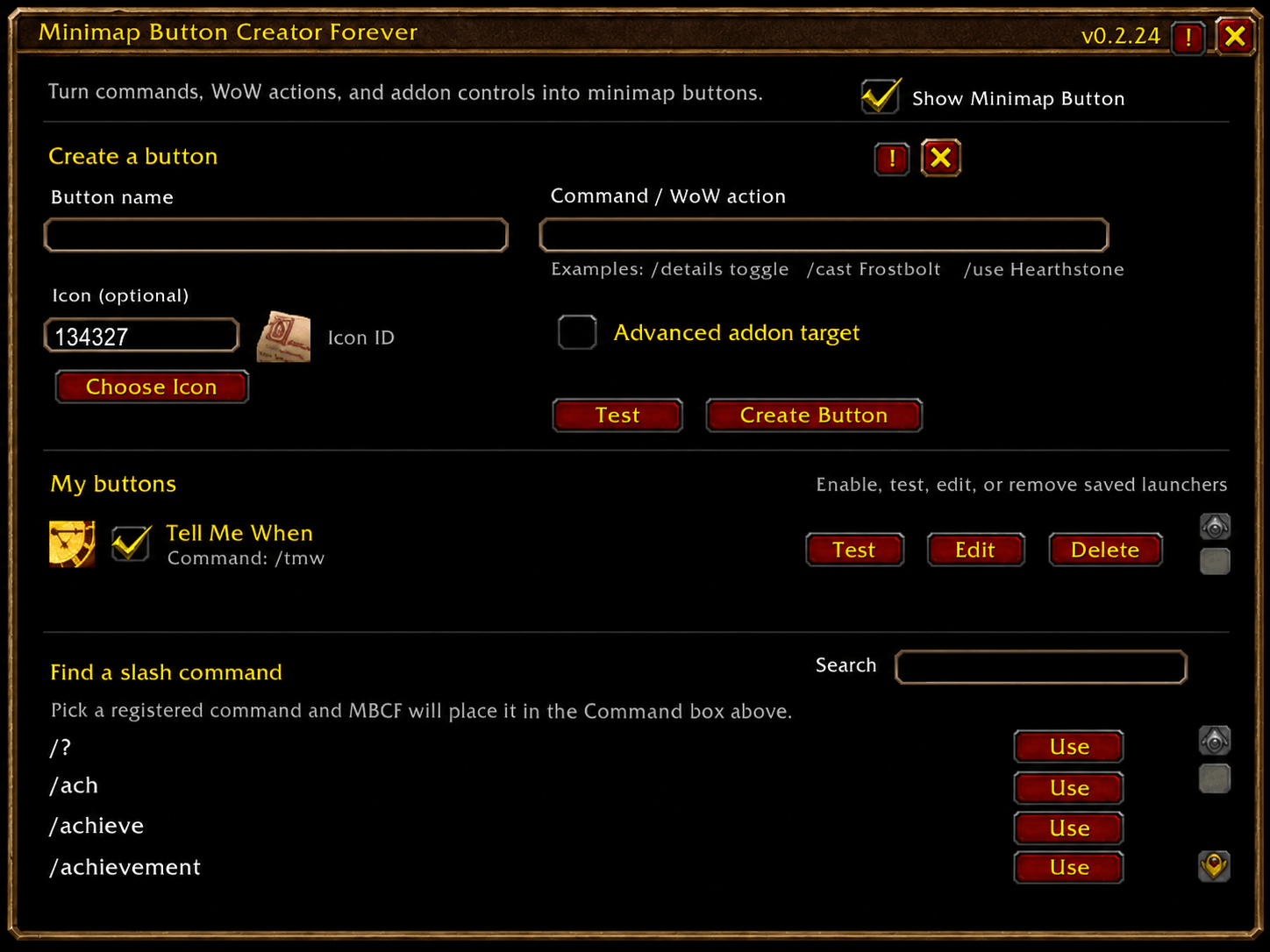
Give your button a name, enter what it should do, choose an icon, and create it.
What can you make a button for?
Examples include:
- Addon commands —
/details toggle,/tmw,/rxp - Spells —
/cast Frostbolt - Mounts —
/cast Swift White Steed - Items —
/use Hearthstone - Consumables —
/use Healing Potion - Toys —
/use Toy Name - Pets —
/summonpet Pet Name - Bags —
/run ToggleAllBags() - Waypoints —
/way 42 63when supported by an installed addon - WoW actions —
/sit,/stand, and other valid commands - Advanced addon controls — exposed functions and UI frames
- And more...
Simple creation
- Enter a button name
- Enter a command or WoW action
- Choose an icon
- Test it when applicable
- Click Create Button
MBCF automatically handles normal addon slash commands and protected WoW actions through the appropriate click system.
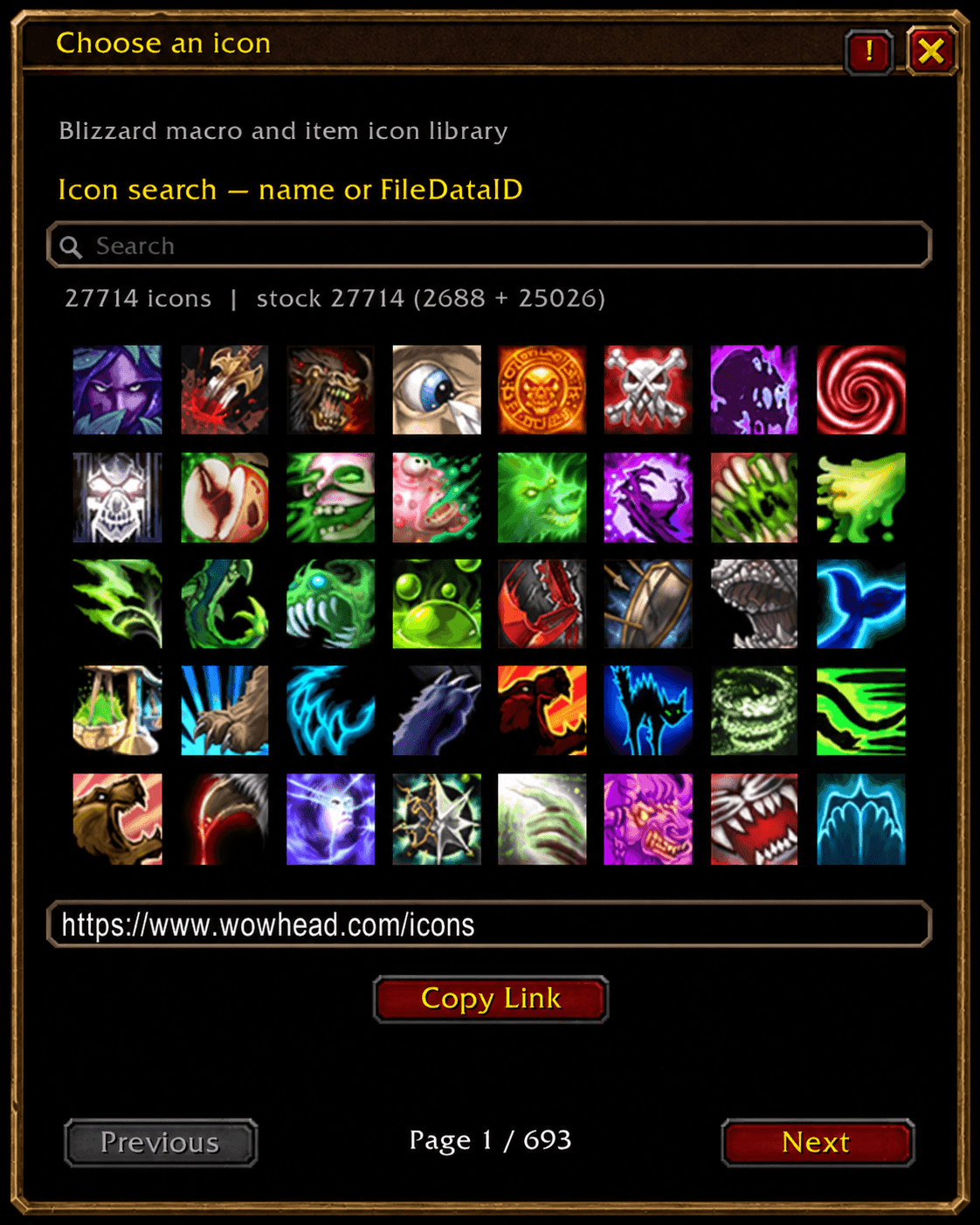
Visual icon picker
Don't know an Icon ID?
Click Choose Icon and browse Blizzard's built-in macro and item icon library visually.
Manual FileDataIDs and texture paths are also supported.
Find addon commands
MBCF includes a searchable list of slash commands currently registered by your installed addons.
Find the command you want, click Use, and it is placed directly into the creator.
Manage your launchers
Created buttons can be:
- Enabled or disabled
- Tested
- Edited
- Deleted
- Dragged around the minimap
Positions and settings are saved between sessions.
Minimap-mod friendly
When LibDataBroker / LibDBIcon is available, MBCF uses standard minimap launchers so created buttons integrate naturally with compatible minimap mods and button managers.
Protected actions retain secure click handling while using the same visible launcher system.
Advanced addon targets
For addons without a useful slash command, Advanced addon target can:
- Call an exposed global Lua function
- Show or hide an exposed UI frame
Most players will not need this section.
Combat restrictions
WoW protects certain actions during combat. MBCF respects those restrictions.
Existing protected launchers follow normal game rules, while creating, editing, deleting, or changing protected buttons may be restricted during combat.
Commands
/mbcf — open or close Minimap Button Creator Forever/mbcf reset — reset the creator window position/mbcf help — show command help
Compatibility
Built for World of Warcraft: Forever.
The Minimap Button Creator Forever Team