MeierBagValue
- By
Displays expected Gold Value of your Inventory, for Vendor and if you sell it on the Auction House (Auctionator has to be installed)
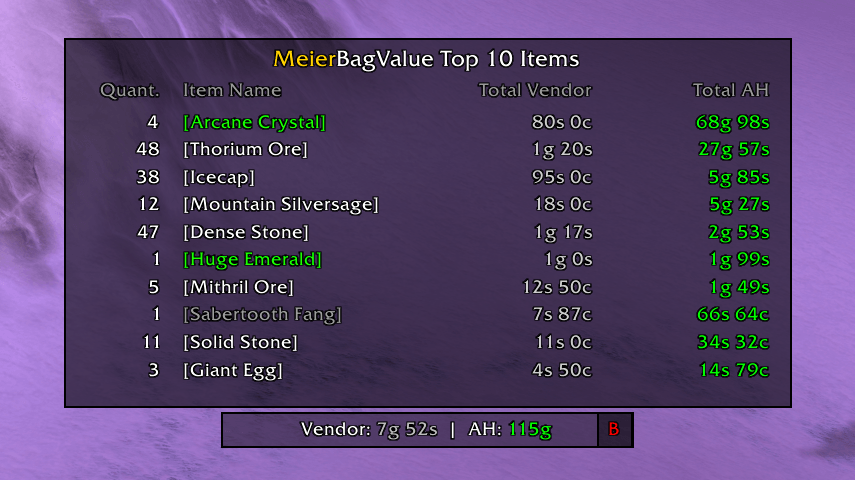
Frame and Top 10 Tooltip
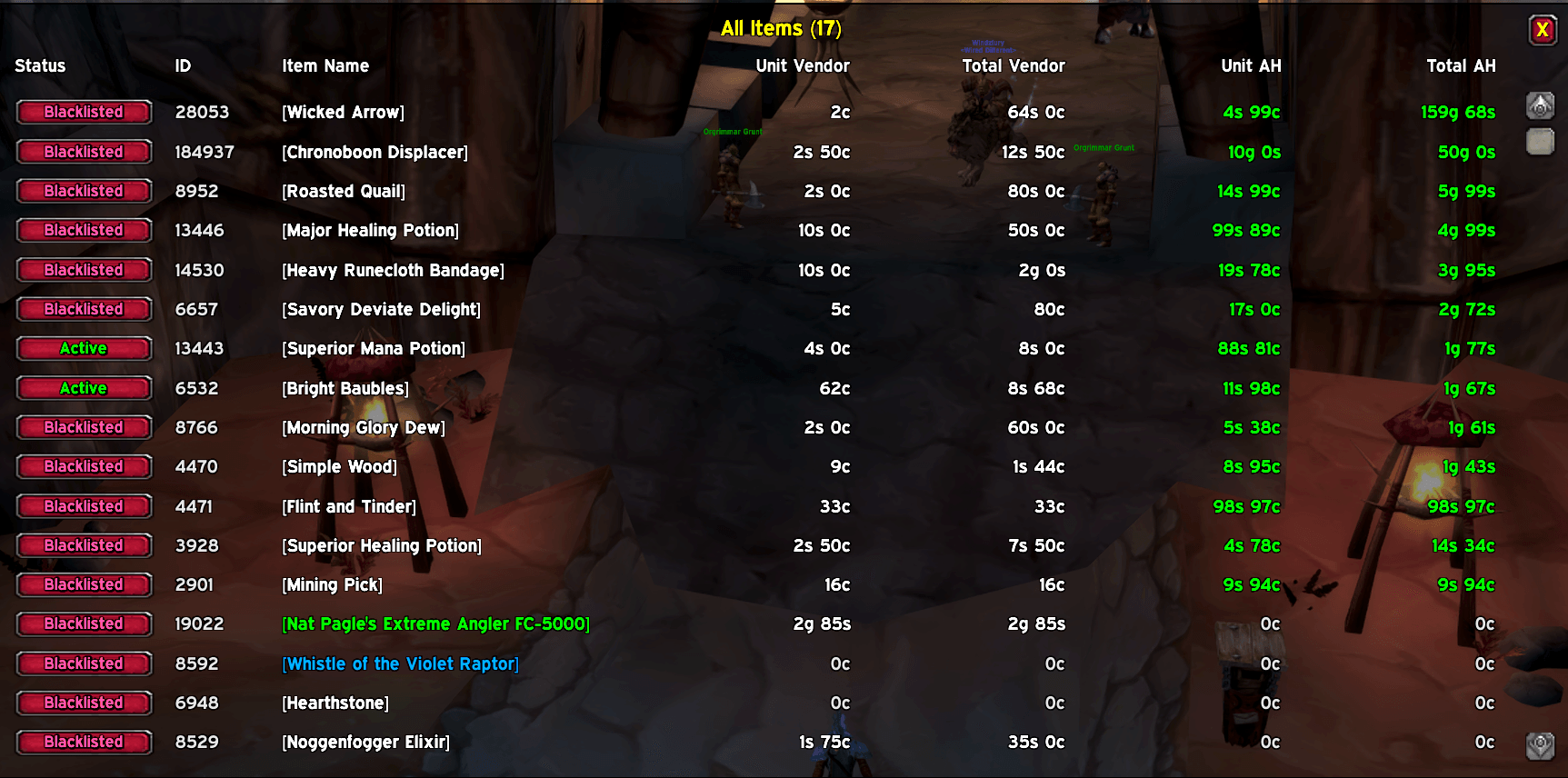
Blacklist Menu
Description
MeierBagValue
MeierBagValue is a lightweight and efficient addon designed for World of Warcraft (Retail, Classic Era, and TBC). It provides a sleek, real-time display of the total value of items currently in your bags, calculating both the immediate Vendor Value and the potential Auction House Value.
🚀 Key Features
- Dual Valuation: Instantly see the total Vendor Value vs. Auction House Value of your inventory side-by-side.
- Auctionator Integration: Leverages your Auctionator scan data to provide accurate market pricing.
- Tooltip: Display the Top 10 Items in your inventory.
- Detailed Item List:
- Click the red 'B' button on the frame (or type
/mbv list all) to open a detailed scrollable window. - Shows Unit Price and Total Price for both Vendor and Auction House for every item.
- Sorted descending by Total AH Value to help you find your most valuable assets.
- Click the red 'B' button on the frame (or type
- Interactive Blacklist:
- Manage your blacklist directly from the list window.
- Click the "Active" (Green) or "Blacklisted" (Red) button next to any item to instantly toggle its inclusion in the total calculation.
- Blacklisted items are excluded from the main window's total value.
- Smart Formatting: Large gold amounts are formatted with thousand separators (e.g., 10.500g) and proper coin icons in the tooltip.
- Cross-Version Support: Works seamlessly on both Retail (including Reagent Bag support) and Classic/TBC.
⚠️ Requirements
This addon requires Auctionator to be installed and enabled. To ensure accurate pricing, please perform regular scans at the Auction House using Auctionator.
🎮 Controls & Usage
- Move the Frame: Hold SHIFT + Left Click & Drag to position the frame anywhere on your screen.
- Open Item List: Click the small red 'B' button on the right side of the main frame.
- Lock/Unlock: Right-Click the frame to open the options menu. You can lock the window position here to prevent accidental movement.
- Detailed Tooltip: Hover over the frame to see the total item count and detailed currency breakdown with icons.
- Per-Character Saving: Your window position, blacklist, and lock settings are saved individually for each character.
⌨️ Slash Commands
You can use the following commands in the chat window to control the addon:
/mbvor/meierbagvalueToggles the frame (Show/Hide)./mbv list <number>or/mbv list allOpens a separate window showing the top<number>most valuable items in your bags (orallitems)./mbv exclude <ItemID>Adds an item ID to the blacklist via command./mbv include <ItemID>Removes an item ID from the blacklist via command./mbv blacklistPrints a list of all currently blacklisted Item IDs to the chat.
MeierBagValue Team