McAwesome Reviews
- By
McAwesome Reviews keeps a private, per-character history of the people you meet in WoW Forever. When a meaningful group ends, it offers a compact commendation flow for a personal 1–5 star rating, positive tags, and an optional note.
Screenshot 2026-10-09 072401.png
Screenshot 2026-10-09 072415.png
Screenshot 2026-10-09 072422.png
Screenshot 2026-10-09 073239.png
Screenshot 2026-10-09 073226.png
Description
McAwesome Reviews
Remember the players you meet, keep private notes, and exchange useful post-instance feedback.
Beta: McAwesome Reviews is actively being tested on WoW Forever: Camelot. Feedback is welcome—please report bugs, confusing behavior, compatibility problems, or feature suggestions through the issue tracker.
McAwesome Reviews builds a private, per-character history of the players you meet in WoW Forever: Camelot. After an eligible dungeon, raid, or scenario, you can rate party members from 1–5, choose structured commendations or concerns, and save a private note for yourself.
When the reviewed player also has McAwesome Reviews installed, only the star rating and selected structured tags are delivered to them. Private notes, instance details, party rosters, and encounter history never leave your SavedVariables.
Review players after real instance activity
Review tracking begins only while grouped inside a dungeon, raid, or scenario. A party member becomes reviewable after either:
- Five minutes together inside the instance, or
- A shared boss kill while both players are present.
The Commend Your Party window opens when you leave an eligible instance or its group ends. Ordinary world-group disbands do not create review prompts.
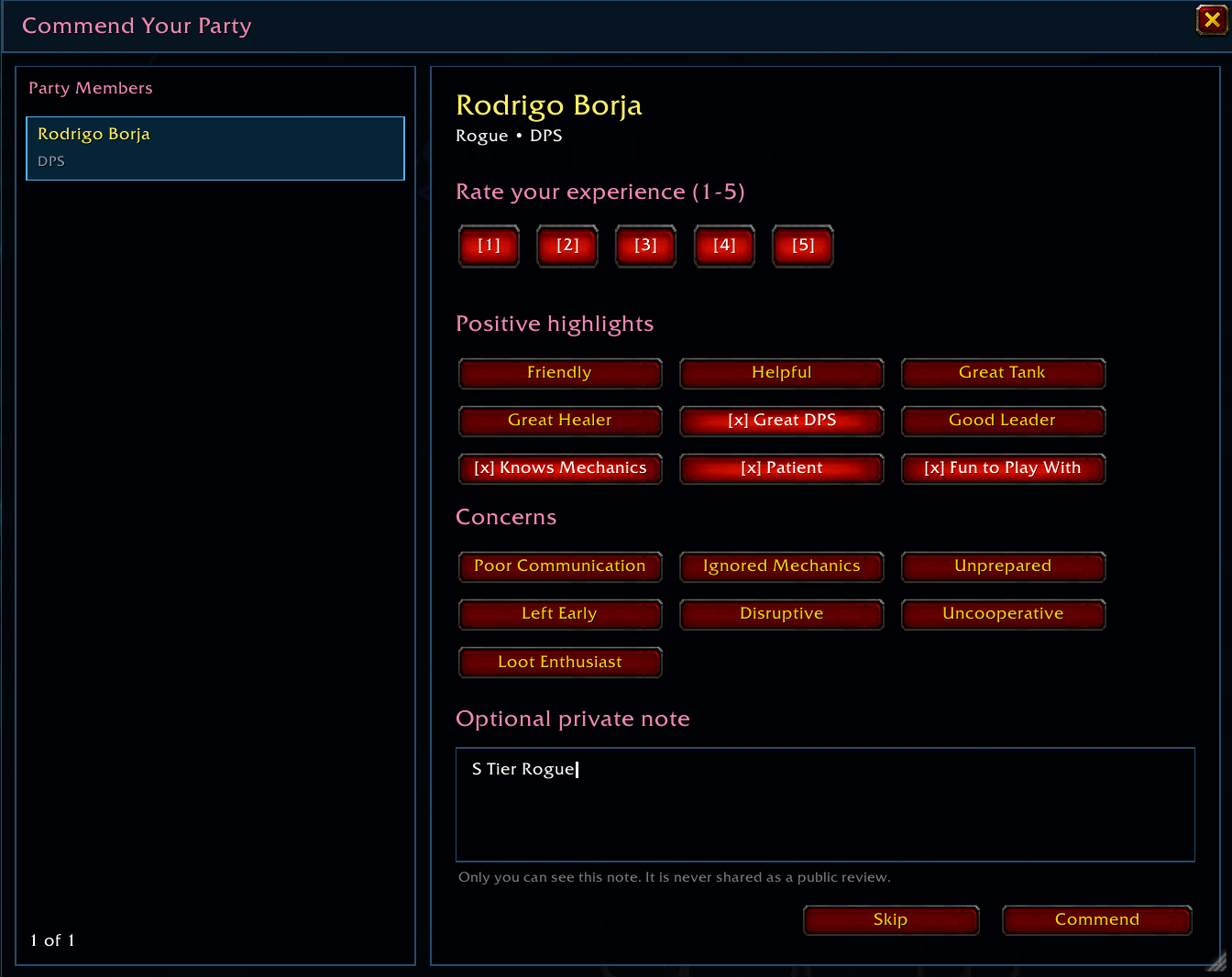
Choose a numbered 1–5 rating, select anything that stood out, add an optional private note, and click Commend. New forms always start blank, and Skip advances without rating that player.
Closing the window does not discard the opportunity. Use Pending or /commend pending for up to 24 hours to submit or revise it.
Positive feedback and concerns
Structured positive tags include options such as:
- Friendly
- Helpful
- Great Tank, Healer, or DPS
- Good Leader
- Knows Mechanics
- Patient
- Fun to Play With
Behavior-focused concerns include:
- Poor Communication
- Ignored Mechanics
- Unprepared
- Left Early
- Disruptive
- Uncooperative
- Loot Enthusiast
These tags can be delivered to the reviewed player. Your free-form private note is for you alone and is never transmitted or shown in a tooltip.
Direct feedback without a public reputation database
McAwesome Reviews communicates directly between compatible addon installations and requires no external library or service.
- Ratings and structured tags are sent through WoW addon messages.
- The sender name is hidden and not stored in the recipient's Reviews interface.
- Connected group members can receive feedback immediately.
- Feedback for an offline or departed player queues locally and retries when both installations meet again in a shared group.
- There is no public reputation lookup, global review database, or third-party relay.
WoW exposes the transport sender to the receiving addon, so this is interface privacy rather than cryptographic anonymity. In a two-person group, the source may still be socially obvious.
Feedback Inbox
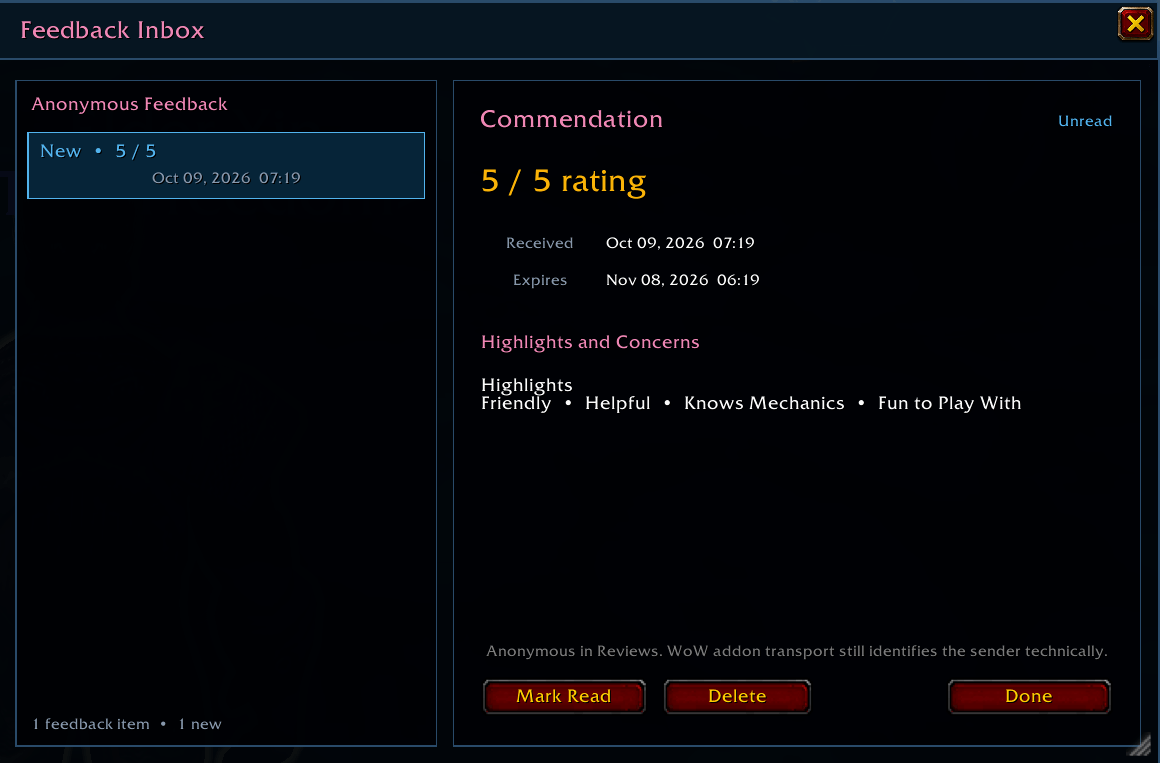
Every unexpired review you receive appears in a newest-first Feedback Inbox.
- The main Feedback button counts unread items.
- Select any item to see its rating, tags, received date, and expiration date.
- Marking an item read keeps it in the inbox.
- Deleting feedback requires a separate confirmation.
- Received feedback automatically expires after 30 days.
A 4- or 5-star result is presented as a commendation. Lower ratings remain private feedback and are never published as a public warning about another player.
Personal player history
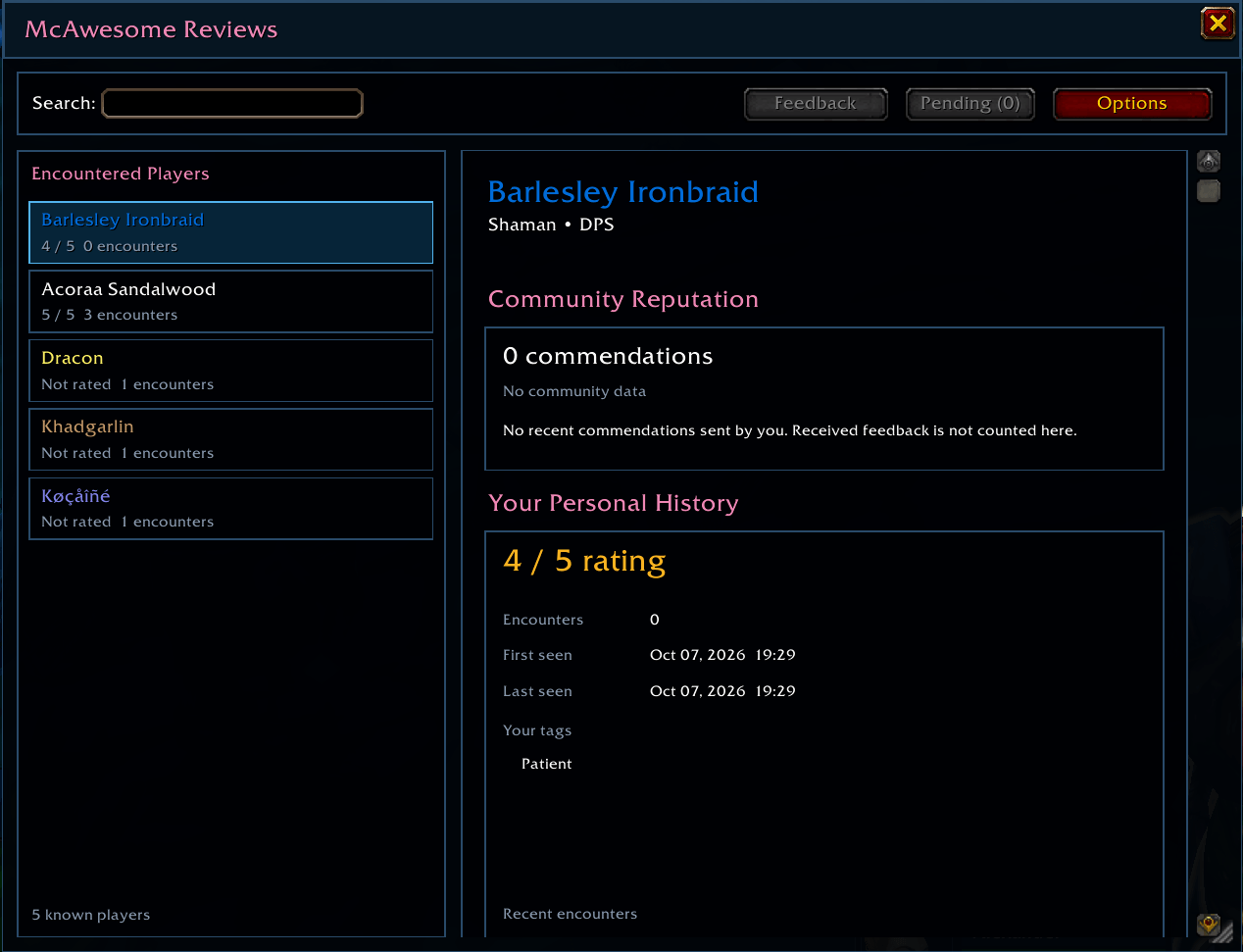
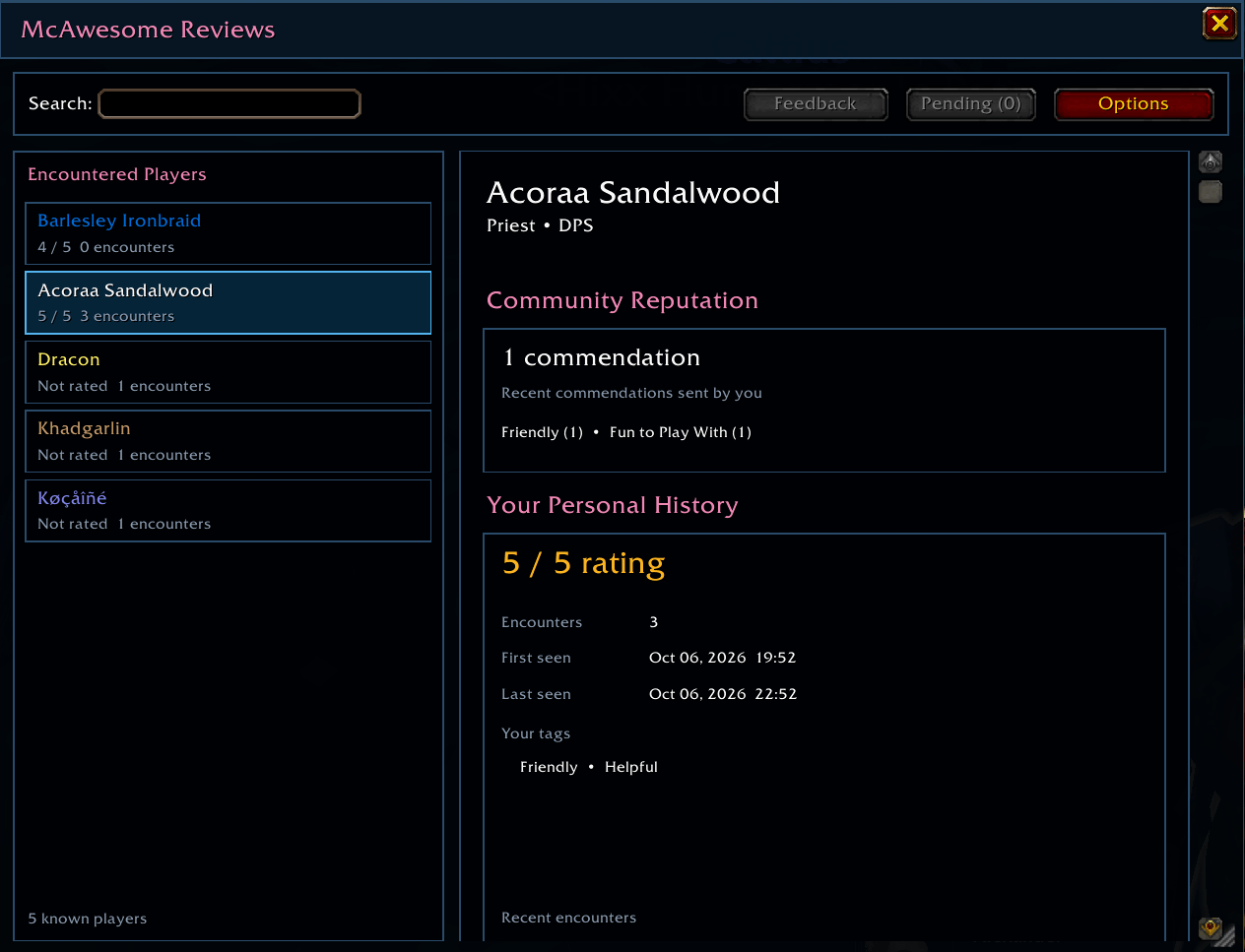
Run /commend to browse and search players you have encountered. McAwesome Reviews records available information such as:
- Forever first name and surname
- Class and role
- First and last seen dates
- Encounter count and recent instance activity
- Your latest rating and selected tags
- Your private note
The player card keeps Community Reputation, Your Personal History, and Your Private Note clearly separated. Personal reviews, notes, received feedback, and delivery records expire on a rolling 30-day schedule.
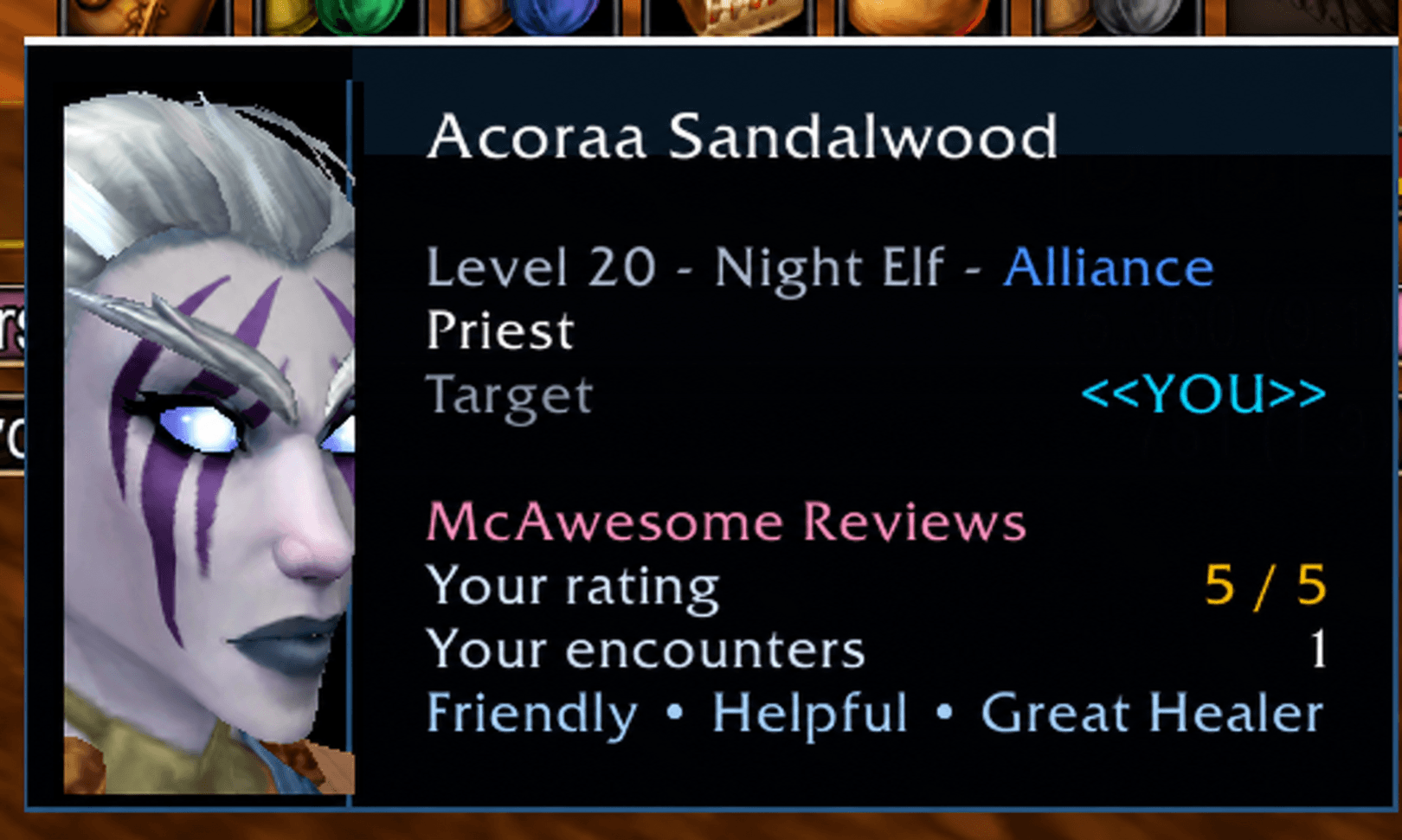
Known-player tooltips can show a compact summary of your own history without revealing private notes. If McAwesome Unit Frames is installed, that same read-only summary can appear in its player profile tooltip when both addons enable the integration. Otherwise, Reviews updates Blizzard's normal player tooltip.
Easy access and configuration
Open Reviews with /commend or left-click its minimap button. Right-click the minimap button to open Options. When McAwesome Maps is installed, the button is automatically collected into its Tools tray; otherwise it remains on the standard Blizzard minimap.
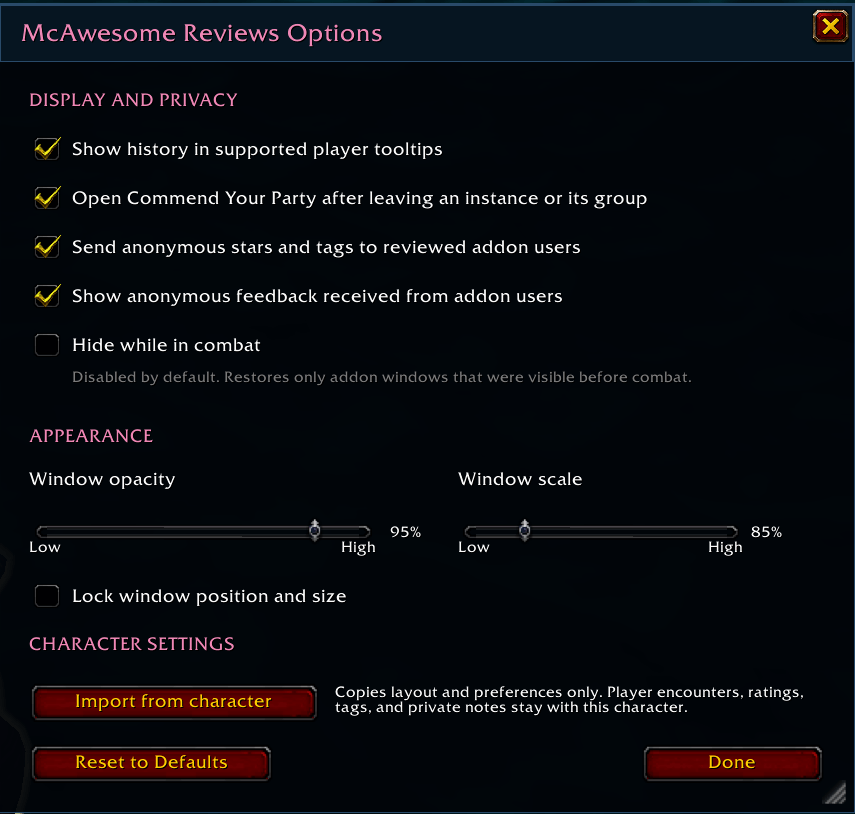
Available settings include:
- Player tooltip history
- Automatic post-instance review prompts
- Sending and receiving direct feedback
- Window opacity and scale
- Window position and size locking
- Hide while in combat
Options opens beside the active Reviews or Commend window rather than covering it. Windows are movable and resizable, support stable scaling, use current-character class colors for titles and headings, and close with Escape in the expected topmost-first order.
Hide while in combat is disabled by default. When enabled, it hides only addon gameplay windows that were visible when combat began and restores only those same windows afterward. Options, import, and confirmation panels are not reopened by combat handling.
Import settings from another character
Import from character copies transferable preferences from another character on the same account. Sources are shown as:
<Character Name> <Realm Name> - <Game Version>
The import includes layout, scale, opacity, locking, tooltip visibility, review-prompt visibility, communication preferences, and combat hiding. Encountered players, ratings, tags, private notes, received feedback, and active group state remain character-specific.
Controls
| Action | Result |
|---|---|
| Left-click the minimap button | Open McAwesome Reviews |
| Right-click the minimap button | Open Options |
| Click a player | Open that player's history |
| Click a numbered 1–5 button | Choose a rating |
| Click a commendation or concern | Toggle that structured tag |
| Commend | Save the review and continue |
| Skip | Continue without rating that player |
| Pending | Reopen eligible reviews for up to 24 hours |
| Feedback | Open received feedback; the badge shows unread items |
| Escape | Close the topmost McAwesome Reviews window |
Slash commands
| Command | Action |
|---|---|
/commend |
Open the player browser |
/commend options |
Open settings |
/commend pending |
Reopen unexpired review opportunities |
/commend feedback |
Open the Feedback Inbox |
/commend peers |
Show recently detected compatible Reviews users |
/commend debug group |
Print group-session diagnostics |
/commend version |
Show addon and Camelot interface versions |
/commend help |
Show command help |
Supported game version
McAwesome Reviews is built for WoW Forever: Camelot 1.60.1.70205, interface 16001.
Retail is not supported.
Important limitations
- Both players need a protocol-compatible version of McAwesome Reviews for direct feedback delivery.
- Offline feedback can be delivered only after both installations announce themselves from a future shared group.
- Reviews does not expose every review ever written about a player. You see your own player history and feedback sent directly to you.
- Unusual objectives that do not produce Camelot's boss event use the five-minute shared-instance rule.
McAwesome Reviews Team