McAwesome Action Bars
- By
A customizable action bar replacement for WoW Forever/Camelot. Move, scale, split, space, and style action bars, bags, game menu, XP/reputation, currencies, and more—with character setting imports.


Screenshot 2026-10-09 070938.png

Screenshot 2026-10-09 071026.png
Screenshot 2026-10-09 071000.png
Screenshot 2026-10-09 070954.png
Description
McAwesome Action Bars
Join the McAwesome Addons community on Discord for support, feedback, and updates.
Replace Blizzard's action-bar presentation while keeping its dependable secure action system.
McAwesome Action Bars is built for World of Warcraft: Forever. It removes Blizzard's bronze action-bar shell and presents actions through independent secure buttons in a complete, movable McAwesome layout. Blizzard remains the engine and keybinding backend while its native player bars stay invisibly available instead of competing for the visible layout.
Features
- Full presentation replacement for all eight player action bars available in World of Warcraft: Forever.
- Independent secure player-bar frames and buttons that retain Blizzard actions and keybindings without allowing targeting or usability refreshes to rebuild the visible layout.
- Bright cyan slot outlines and a soft glow reveal every enabled player action bar while dragging a spell, action, item, macro, mount, equipment set, or flyout.
- Independently movable, scalable, and reflowable Pet and Stance bars use addon-owned secure proxy buttons while Blizzard's protected native buttons remain untouched behavior backends. An active Pet Bar keeps all ten slots visible with the same configurable black cells and square borders as standard action bars, including empty slots.
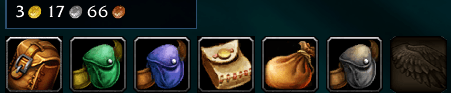
- McAwesome-owned Bag Bar with all seven Forever inventory controls—the main backpack, four equipped-bag slots, reagent bag, and Key Ring—isolated from Blizzard Edit Mode positioning, with validated tooltips, bag toggling, bag pickup, and item placement.
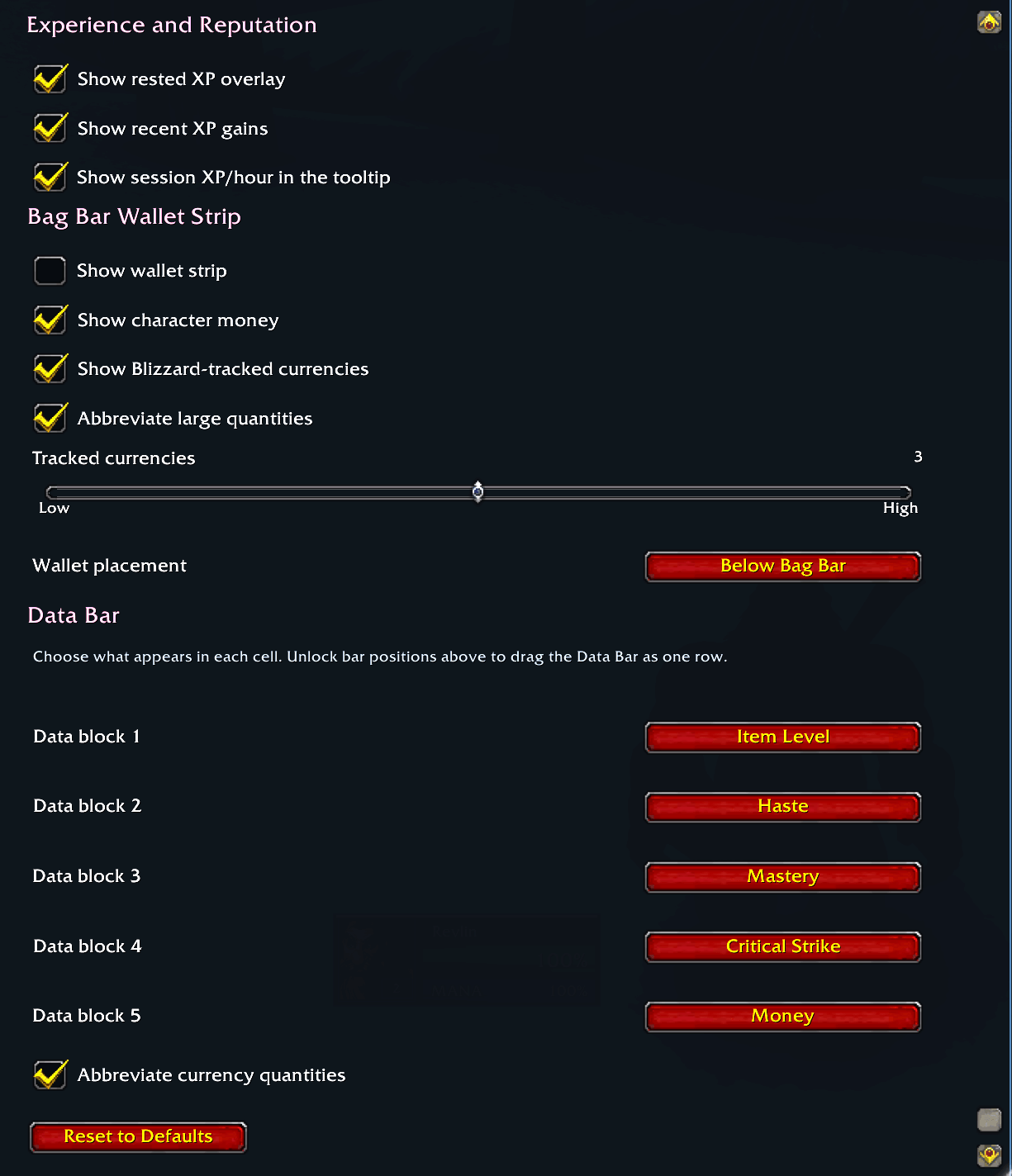
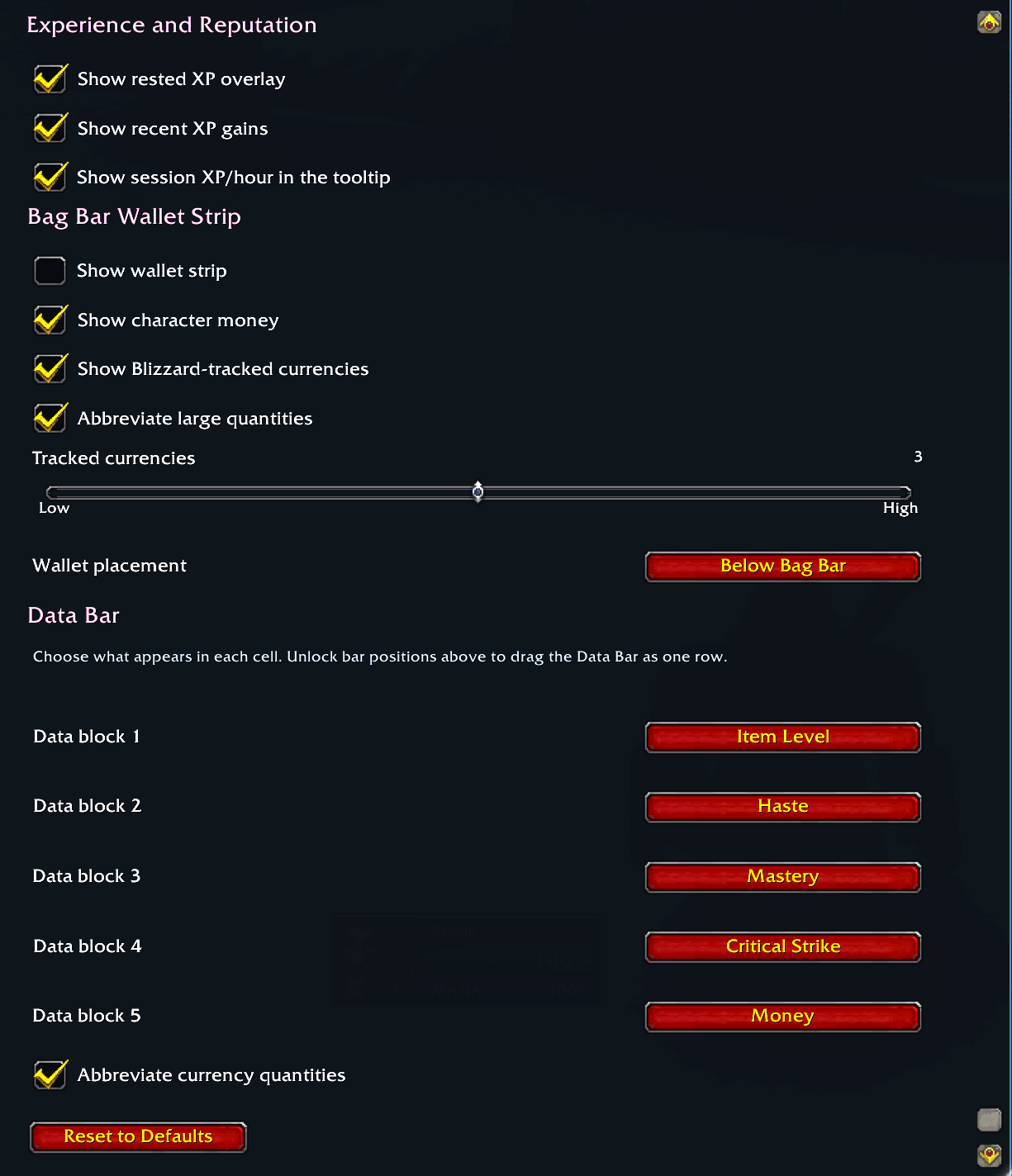
- Optional Bag Bar wallet strip for character money and up to five currencies from Blizzard's Show on Backpack list, with above/below placement and quantity abbreviation controls.
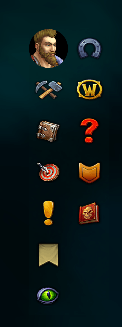
- Independent Game Menu proxy buttons—including the player's Character Info portrait and Forever's Legacy control in place of the obsolete Achievement control—with secure native panel clicks, metadata-based detection and direct panel toggling for Forever's Game Menu control, no redundant hybrid-client Talent button, a guarded Adventure Guide fallback, and combat-safe deferred visibility synchronization, without reparenting, hiding, resizing, or anchoring the native Micro Menu.
- Enhanced Experience / Reputation Bar with class-colored XP, rested progress, Blizzard-standard 20-segment divisions, recent-gain callouts, level endpoints, and detailed hover information; watched reputation retains its meaningful faction color.
- Movable and scalable player Cast Bar with a spell icon, spell name, tenths-of-a-second countdown, class-colored fill and trim, luminous progress spark, reverse channel progress, and a gold uninterruptible state. Forever interaction casts normalize internal missing-text sentinels such as
Opening - No Textto the useful action name. - Fixed minimap launcher for configuration; McAwesome Maps automatically collects it into its Tools tray when available.
- Opt-in automatic upgrades for direct action-bar spells when a new highest rank is learned. Normal automation changes only buttons holding the previous highest rank, so deliberately lower ranks remain available; macros, items, positions, and keybindings are untouched. A separate one-time action can catch up every direct spell button.
- Independently movable Data Bar with one continuous background and six equal text zones. Each zone can show bag usage as
used/capacity, with a toggle to include or exclude reagent-bag capacity; item level; Strength, Agility, Stamina, Intellect, or Spirit; attack power or ranged attack power; Defense, Dodge, or Armor; Haste, Mastery, Critical Strike, or Versatility; money; or one of Blizzard's first five Show on Backpack currencies. Click character-data zones to open Character Info, or click Money and Bag Space to open the bags. Main Hand and Ranged weapon-damage ranges are intentionally omitted. - Charcoal Cartographer texture reused from McAwesome Maps, with adjustable square outlines around every action slot—including empty slots—and a choice of near-black or transparent cell interiors; border opacity can range from fully visible to hidden, while cyan remains reserved for unlocked movers and Blizzard's bronze shell is suppressed.
- Per-bar activation from the Bars panel, plus drag positioning, independent 60–160% scaling, and independent 5–100% opacity.
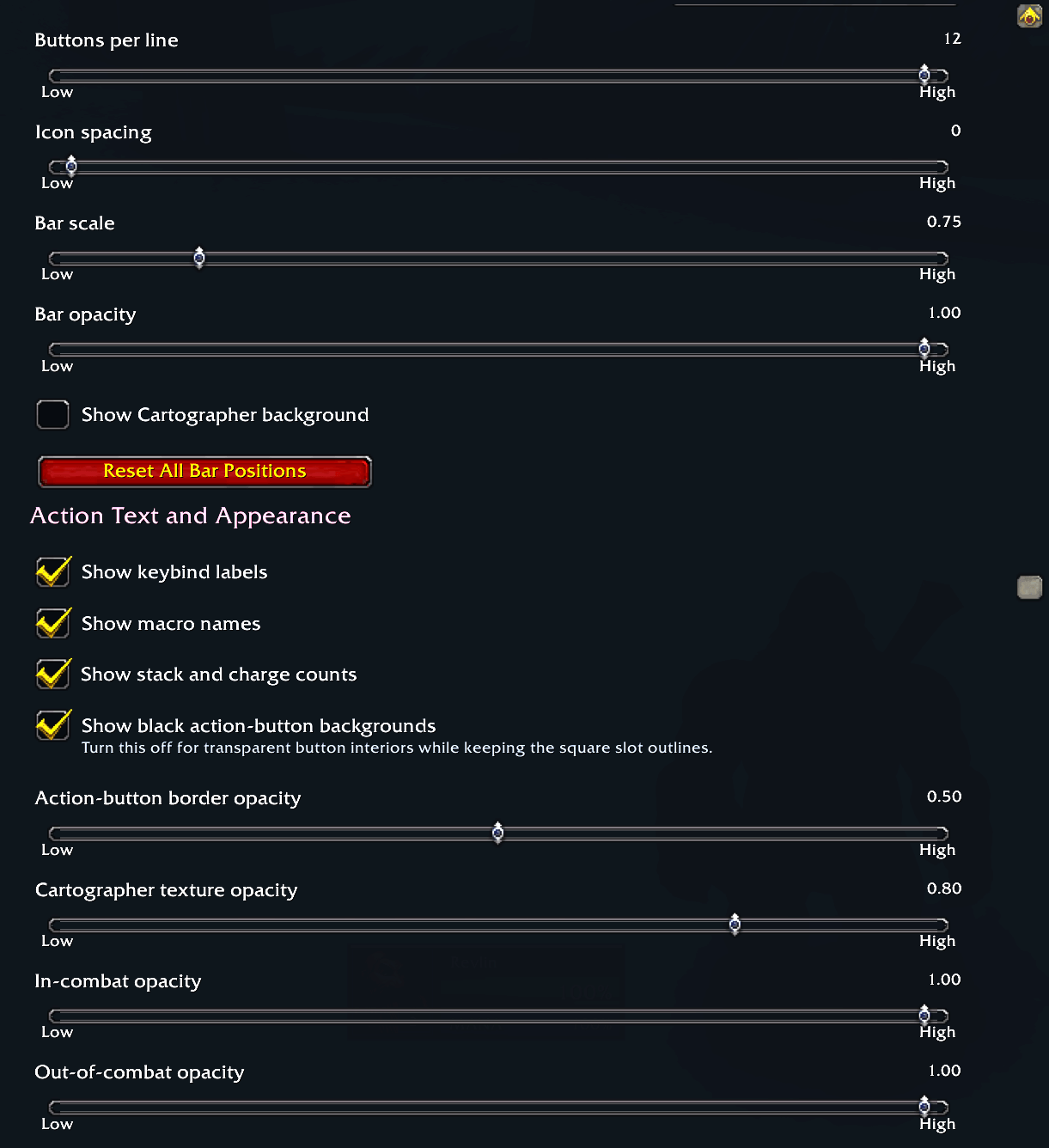
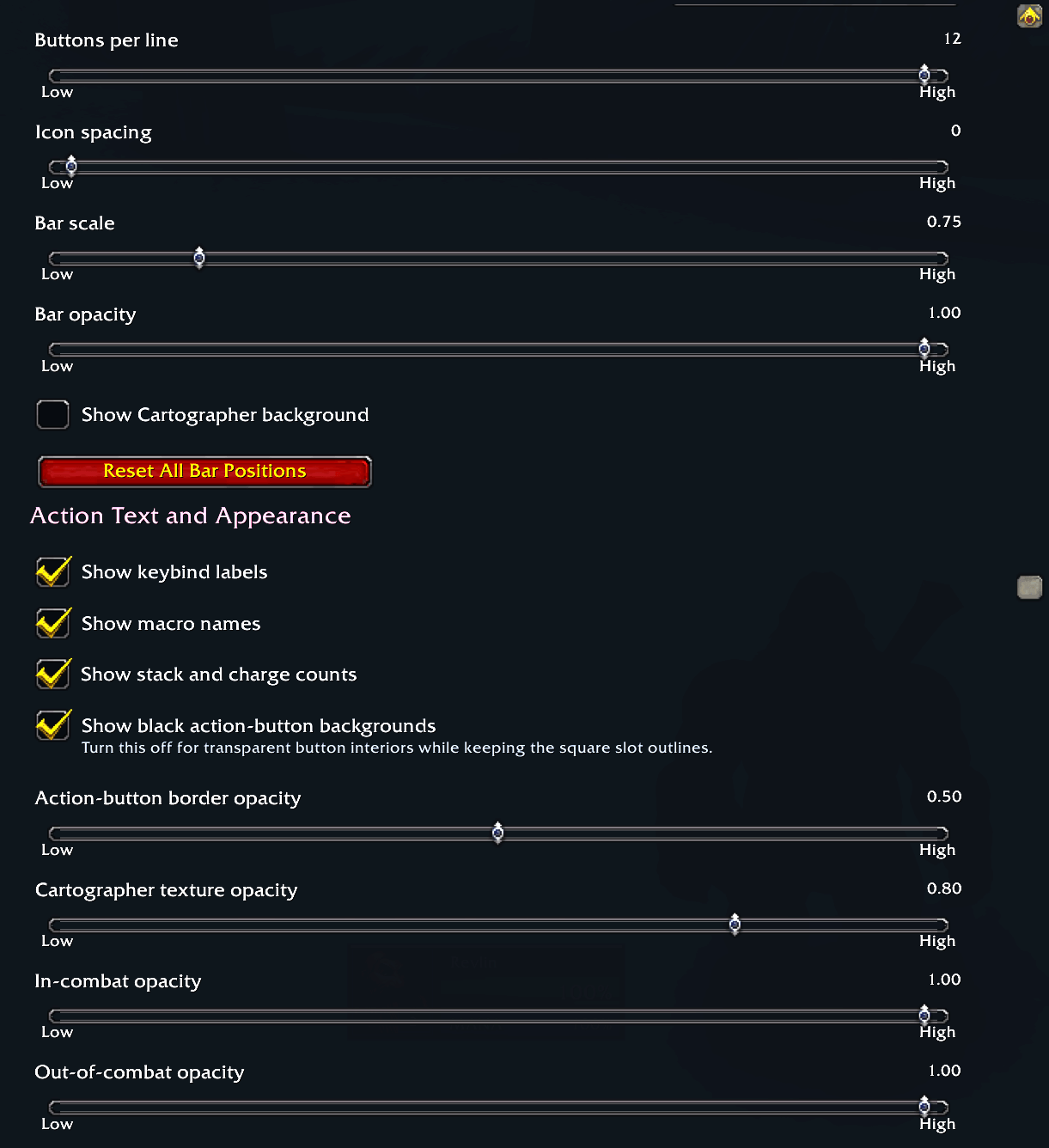
- Horizontal or vertical growth with configurable buttons per line and independent 0–12 pixel icon spacing, supporting layouts such as 12×1, 6×2, 4×3, 3×4, 2×6, and 1×12.
- Independent horizontal-center and vertical-center snapping with cyan alignment guides while dragging.
- Combat-safe deferral of protected position and size changes.
- Configurable keybind labels, macro names, counts, bag/status visibility, global texture opacity, per-bar background visibility, combat fading, and optional combat hiding.
- Screen-relative saved positions for safer reuse across resolutions and UI scales.
- Complete settings in the required McAwesome Configurator, including every global, per-bar, progress, data-block, visibility, and appearance preference.
- Family-wide character import with measured physical-screen placement and destination-native anchors that remain stable across
/reload.
Arrange the bars
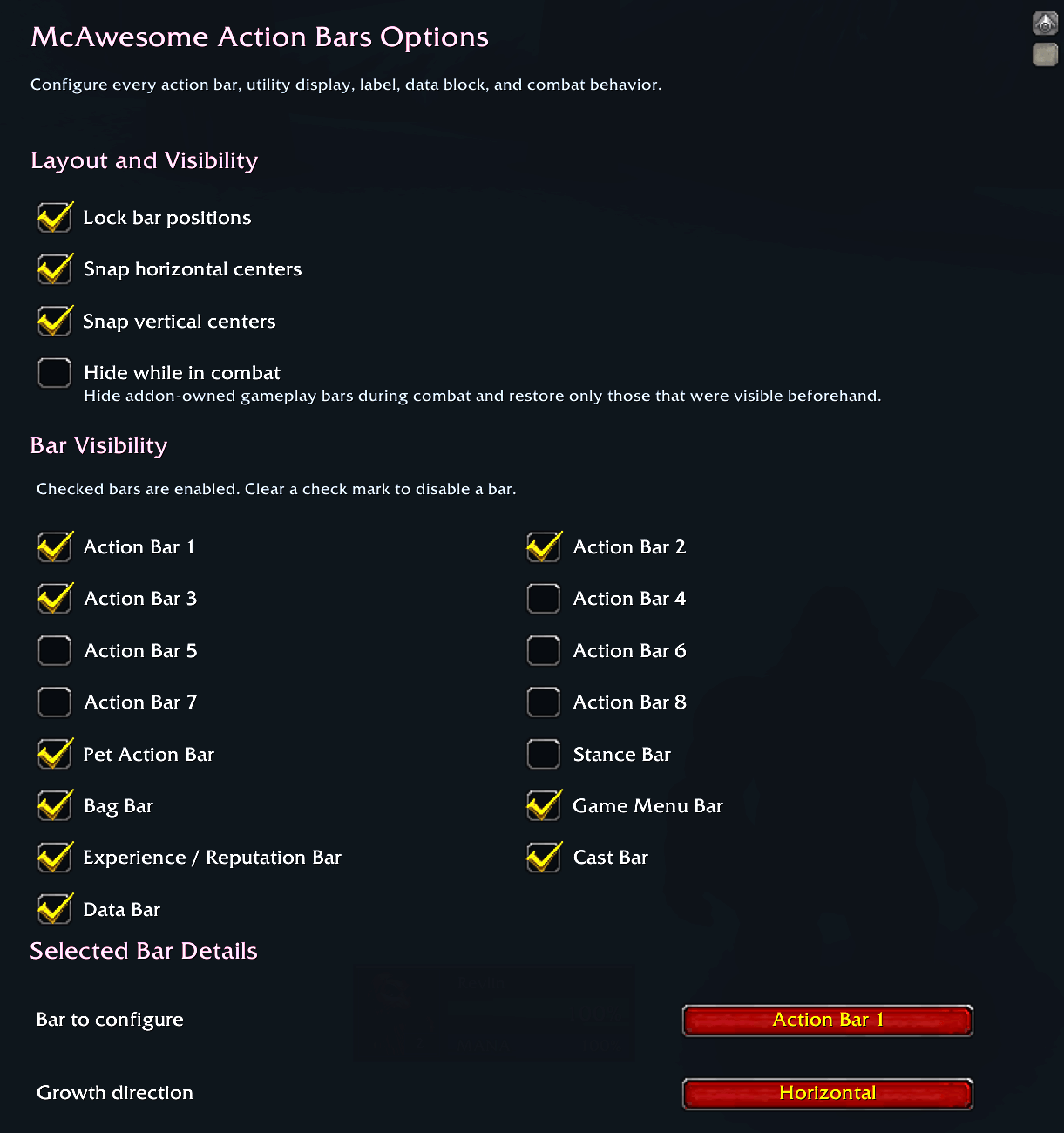
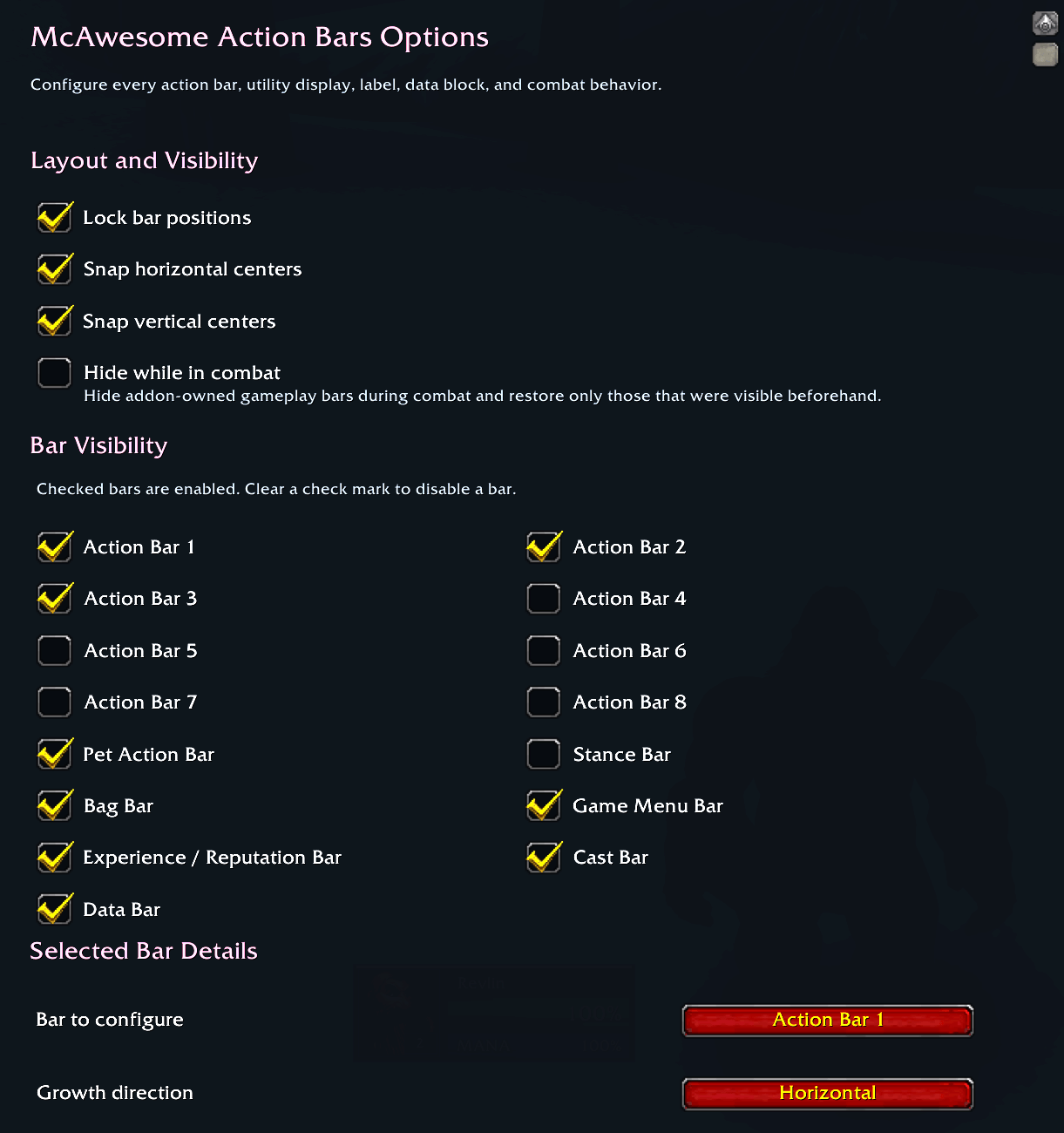
Open /maab and choose the Action Bars tab in McAwesome Configurator. The Bar Visibility list always shows every supported bar, including disabled bars: checked bars are enabled and unchecked bars are disabled. Open the Bar to configure dropdown to select the bar whose detailed layout controls you want to edit, without cycling through unrelated bars. Clear Lock bar positions to drag the selected bar's compact cyan outline. Bar scale resizes the complete selected bar from 60% to 160%, including its icons, spacing, Cartographer background, and mover bounds. Cyan centerline guides appear within the 8-pixel snap range. Set horizontal or vertical growth, buttons per line, icon spacing, scale, opacity, and background visibility, then lock the layout; those choices persist through /reload.
If a Bar Visibility check mark appears to do nothing, clear Lock bar positions. An enabled bar with no visible actions can look absent while locked; unlocking reveals its cyan mover or preview so you can confirm the bar is enabled and position it, then lock the layout again.
Changes requested during combat are saved and applied when combat ends. Blizzard continues to control the abilities, paging, cooldowns, keybindings, and contextual action states.
Hide while in combat is disabled by default. When enabled, it suppresses only McAwesome gameplay bars, keeps action and context refreshes from making them visible during combat, and restores only bars that were visible and remain enabled afterward. Options, import, and confirmation panels remain unaffected.
Spell and item drag-and-drop follows the visible McAwesome button rectangles, including custom icon spacing. Hold the configured Pickup Action Key modifier—Shift by default—while dragging an icon; the initial mouse-down is suppressed so moving an action does not cast it. Blizzard's transparent backend buttons do not remain as invisible drop targets at their original positions.
Reset All Bar Positions restores the clean McAwesome screen-relative layout and 100% sizing.
Import another character's setup
Open Configurator's General tab and use Import Character Settings. Sources appear as <Character Full Name> [<Realm Name>] [<Game Version>] - <#> addon(s), and one confirmation applies the selected character across every installed McAwesome addon.
Action Bars deep-copies per-bar enabled state, measured placement, direction, buttons per line, icon spacing, scale—including the Bag Bar, Game Menu Bar, and Data Bar—opacity, Cartographer background visibility, black-or-transparent action-button backgrounds, action-button border opacity, alignment preferences, lock state, label/count visibility, combat hiding, texture opacity, combat/out-of-combat opacity, progress display choices, Bag Bar wallet preferences, and Data Bar contents. It applies scale and layout first, clamps each bar on-screen, verifies the live result, corrects any residual placement error, and saves destination-native anchors.
Action assignments, spells, macros, keybindings, caches, scans, progress, goals, and other character-specific gameplay state are never copied. Protected changes wait safely until combat ends. Action Bars waits for secure layouts to finish rendering before replacing its portable profile geometry. After this update, log into each intended source character and run /reload once before importing; this creates a fresh profile and intentionally replaces stale pre-fix snapshots.
Configuration
Open the Action Bars tab in McAwesome Configurator from the McAwesome minimap icon, /maab, /maab options, or Options → AddOns → McAwesome Action Bars. The tab includes every per-bar layout control plus appearance, spell-rank automation, progress, Bag Bar wallet, Data Bar, and combat settings. Automatic spell-rank upgrades are disabled by default and wait until combat ends and the cursor is empty. Upgrade All Spell Ranks Now also replaces deliberately lower-ranked direct spell buttons, as explained beside the control, then reports each spell's old and new rank and every affected bar/button location in chat. Each of the six Data Bar blocks opens a complete alphabetized selection menu and updates immediately when an entry is chosen, including Bag Space used/capacity; the adjacent checkbox includes or excludes reagent-bag slots and is enabled by default. When positions are locked, click character-data zones to open Character Info or click Money and Bag Space to open the bags. Choose the wallet's money and tracked currencies independently, then clear Lock bar positions to drag the Data Bar row. All headings use the current player's class color and actions use shared Blizzard controls.
Configurator owns expected Escape behavior and closes its topmost child before the main window. Gameplay keybindings are unchanged.
Commands
/maab— open the Action Bars tab in McAwesome Configurator/maab lock— lock bar positions/maab unlock— show drag overlays/maab reset— reset this character's settings/maab help— show command help
Supported game version
World of Warcraft: Forever 1.60.1 (interface 16001).
Installation
The CurseForge app installs McAwesome Configurator automatically as a required dependency. Manual installations must place both McAwesomeActionBars and McAwesomeConfigurator in the World of Warcraft: Forever Interface/AddOns folder before login or /reload.
Important notes
- A character becomes an import source after Configurator captures it; run
/reloadonce on each intended source after this update. - Possess and Vehicle/Override actions securely page through Action Bar 1 and share that bar's layout rather than appearing as separate movable bars.
- Enabling Hide while in combat after combat has already begun uses a safe opacity fallback for secure action bars until combat ends; the secure click-through hide applies on the next combat transition.
- Live-client verification is required for unusual contextual bars, combat transitions, paging, vehicles, pet states, and different UI scales.
McAwesome Action Bars Team