McAwesome Chats
- By
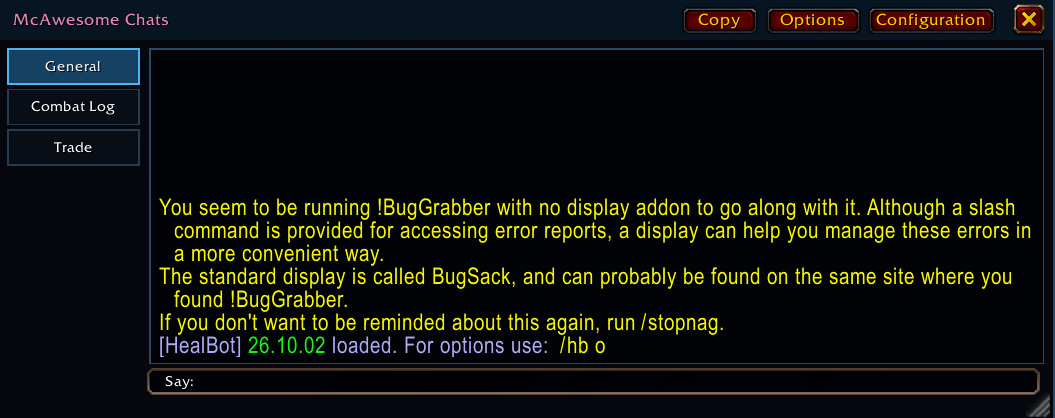
McAwesome Chats replaces the visible Blizzard chat interface while continuing to use Blizzard's chat routing, filters, formatting, links, and channel configuration behind the scenes. It is designed for WoW Forever.
Screenshot 2026-10-06 062948.png
Screenshot 2026-10-03 085349.png
Screenshot 2026-10-03 085356.png
Screenshot 2026-10-03 085414.png
Screenshot 2026-10-03 085441.png
Description
McAwesome Chats
Join the McAwesome Addons community on Discord for support, feedback, and updates.
A movable, resizable, Second Life-inspired replacement for World of Warcraft's chat windows.
McAwesome Chats is built for World of Warcraft: Forever. It replaces Blizzard's visible chat frames while retaining Blizzard's routing, filters, formatting, links, channel configuration, and protected command handling behind the scenes, including complete First-Surname whisper identities.
Features
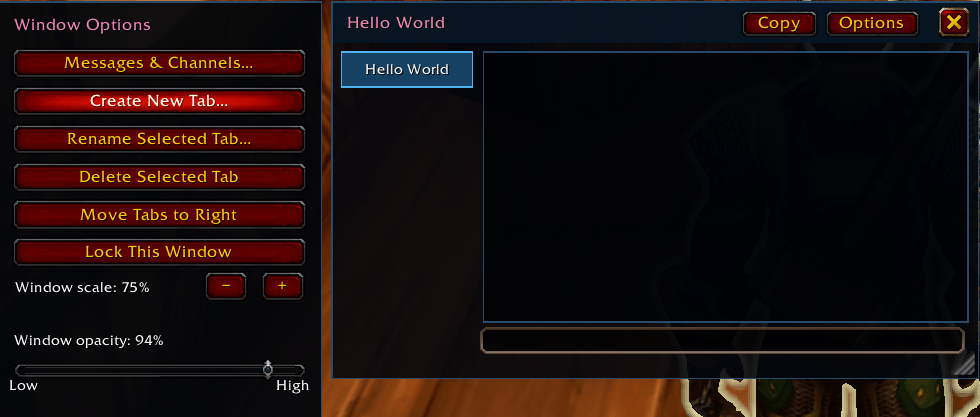
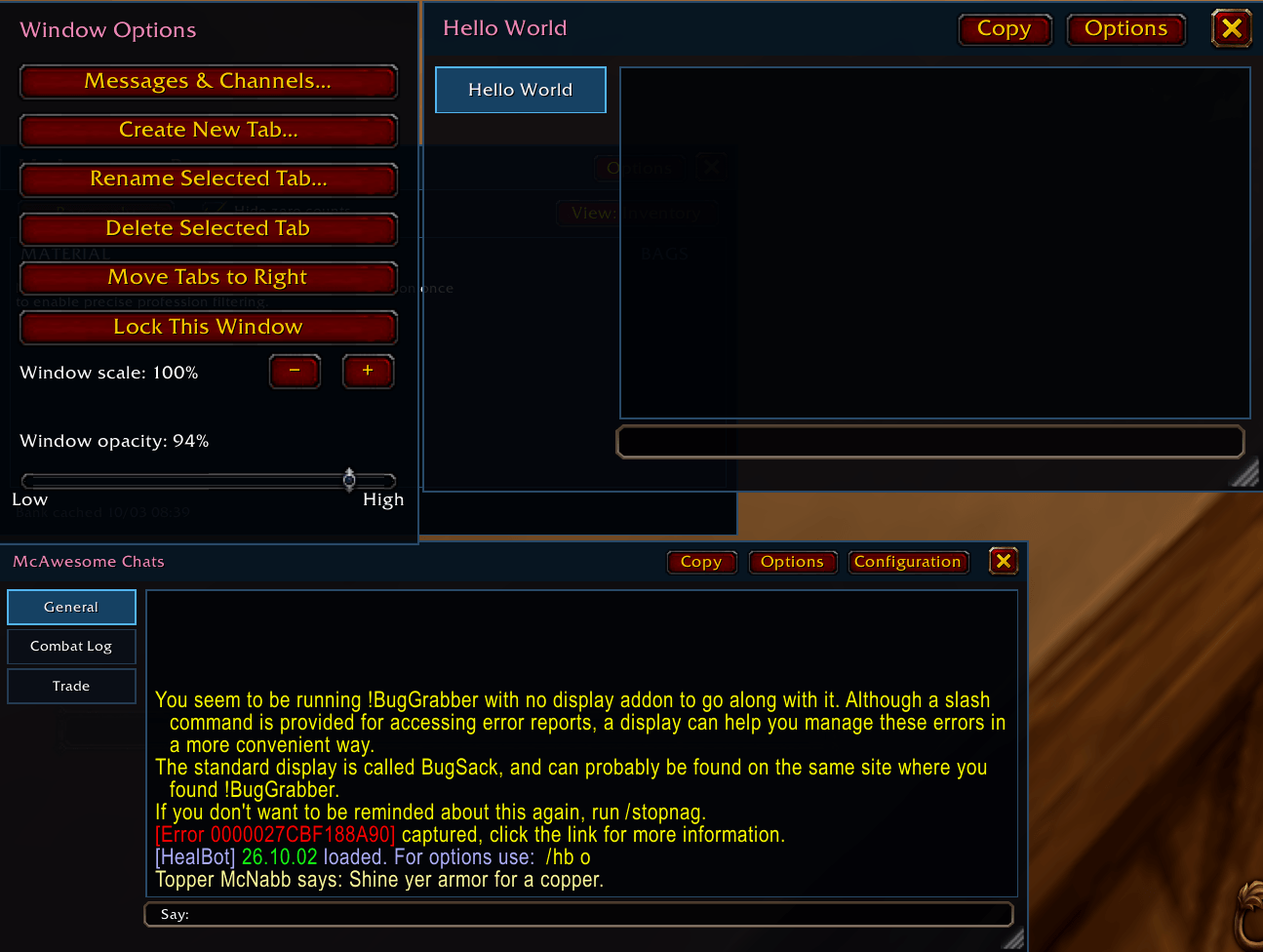
- Movable, resizable chat windows with saved positions, dimensions, opacity, and lock state.
- Compact vertical tabs on either side of each window.
- Replaced Blizzard chat frames and tabs remain hidden through Alt-Z interface hide/show cycles.
- Multiple independent windows and multiple configurable tabs per window.
- Blizzard's standard message and channel allocation controls.
- Class-colored addon titles and class-colored instant-message names.
- Click, Shift-click, and right-click player-name actions matching Blizzard chat behavior, including Invite from whisper tabs.
- Choosing Whisper from Blizzard's Contacts pane opens and focuses that player's McAwesome instant-message tab.
- From General, the normal Reply key (
Rby default) targets the latest private-message sender without changing tabs; Tab cycles through Blizzard's recent whisper targets, while the messages remain in their individual instant-message tabs. - Closeable instant-message tabs with unread counts and complete Forever reply targets preserve their last 500 messages across
/reloaduntil manually closed. - Battle.net instant-message tabs are persisted by stable Blizzard account ID and labeled with the friend's BattleTag rather than their Real ID name, so relogging cannot reassign or relabel a saved tab as the wrong identity.
- Concise color-coded destination labels on every chat panel, such as Say, Party, Raid, Guild, the numbered channel name, or the whisper target, with the selection preserved through
/reload. /1,/2, and other joined-channel shortcuts for General, Trade, and custom channels.- Native macros and ordinary slash commands, with direct protected Enter handling for
/campand/logoutand no confirmation popup; Shift-click inserts item, spell, quest, and Dungeon Journal links into the active main or detached chat input, with protected link payloads passed untouched. - Native system output, including secret-marked
/dumpresults, remains visible in the mirrored General chat view. - Selectable transcript-copy window with partial-selection and Select All support; Blizzard-protected lines remain visible in chat and become a clear non-copyable marker in the copy window.
- Separate My Actions and What Happened to Me combat-log views, switched by Blizzard's native quick-filter controls while Blizzard retains the hardware-driven filter setup; McAwesome mirrors the resulting transcript without parsing protected data.
- Independent scale, opacity, locking, tab placement, filters, and optional local-time timestamps for each window, plus global chat font size.
- Visible draggable scrollbars on every main and detached chat transcript, with mouse-wheel scrolling retained.
- Optional Hide while in combat, disabled by default, immediately suppresses every McAwesome gameplay chat window and restores only the windows that were visible beforehand; chat updates cannot reopen them during combat.
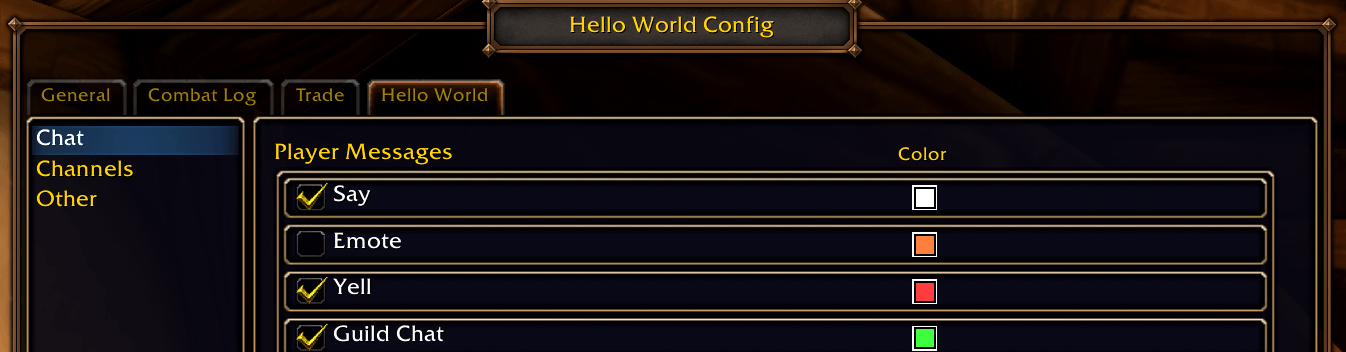
- Complete Chats tab in McAwesome Configurator plus family-wide import of transferable chat layouts and preferences.
Using McAwesome Chats
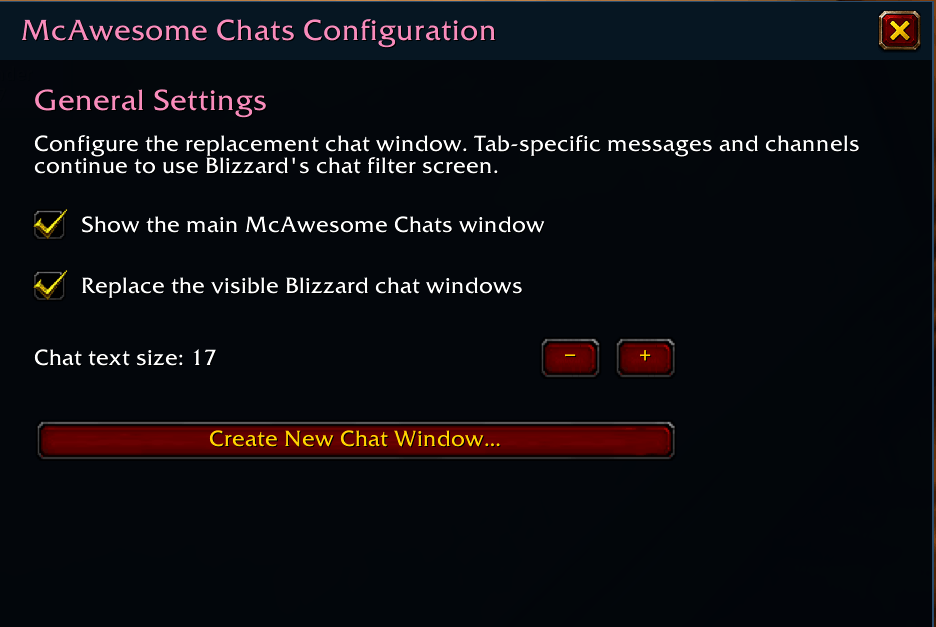
In World of Warcraft: Forever, the main window's single Options button opens the Chats tab in McAwesome Configurator. It contains main-window visibility, scale, opacity, locking, timestamps, tab placement, font size, Blizzard replacement, combat behavior, and tab/window actions. Detached windows retain their contextual controls.
Use Configurator's General tab to select a source labeled <Character Name> <Realm Name> - <Game Version>, review family-wide coverage, and import. Chats copies main and detached window sizes and positions, scale, opacity, locks, per-window timestamps, tab layout, Blizzard message/channel filters, combat-filter choice, visibility, replacement behavior, and font size. Imported custom tabs retain whether they belong to the main panel or to a particular detached chat window, and their backing Blizzard configuration entries are recreated so the imported message and channel selections remain editable. An import uses the source's portable normalized positions after the destination size and scale are active, clamps them on-screen, and saves exact destination-native anchors for future reloads. Ordinary reloads replay those native anchors exactly, while legacy anchor-only profiles remain supported. Protected changes wait until combat ends when required.
Legacy saved entries for the same character and realm are consolidated automatically, so each source character appears only once and keeps the newest compatible settings snapshot.
The importer never replaces conversations, transcript or combat history, the active tab, outgoing destinations, caches, scans, or other character-specific runtime data. The account-wide profile index refreshes after login and settings changes and before logout or /reload, and the current character is excluded from its own source list. Incompatible profiles are clearly labeled and cannot be selected for import; closing Options closes the importer.
Press Escape to close the most recently opened McAwesome configuration, Options, importer, transcript-copy, or detached-window Options panel. Stacked panels close one at a time, so the importer closes before the Options panel beneath it, without changing gameplay keybinds.
Type normal WoW commands directly in McAwesome's own visible field. Every main or secondary chat panel keeps its current destination visible as a plain label such as Say:, Party:, Raid:, Guild:, General:, or To Name:. /reload, macros, /p, /1, /2, and other ordinary commands retain the addon cursor and styling without showing Blizzard's input bar. Entering /camp or /logout and pressing Enter or Numpad Enter performs the protected command directly through a preconfigured secure binding without changing protected keyboard-propagation state, with no additional popup or click. /quit and /exit remain blocked with an explanation.
After login or /reload, every McAwesome typing field starts unfocused so gameplay keys are not captured. Click a chat input or use an intentional chat-entry key to focus it.
With General selected, press WoW's normal Reply binding (R by default) to address the newest private-message sender in the General input without opening their tab. Press Tab to cycle through the recent senders Blizzard remembers. After the reply is sent, General returns to its prior public destination and the private transcript remains in that person's instant-message tab.
Commands
| Command | Action |
|---|---|
/mchats |
Show the main window and open its Configurator tab |
/mchats config or /mchats settings |
Open the Chats tab in Configurator |
/mchats toggle |
Toggle the main window |
/mchats show |
Show the main window |
/mchats hide |
Hide McAwesome Chats and restore Blizzard input |
/mchats lock or /mchats unlock |
Lock or unlock the main window |
/mchats alpha 0-100 |
Set main-window opacity |
/mchats scale 75-135 |
Scale the main window only |
/mchats font 10-24 |
Set chat text size |
/mchats tabs left or /mchats tabs right |
Choose main-window tab placement |
/mchats blizzard |
Toggle the original Blizzard chat UI |
/mchats reset |
Restore addon defaults |
In World of Warcraft: Forever, /mchats is the dedicated Chats shortcut; /mac belongs to McAwesome Configurator.
Installation
Install McAwesome Chats through the CurseForge app; it installs McAwesome Configurator automatically as a required dependency. Then restart World of Warcraft or run /reload.
For manual installation, copy both McAwesomeChats and McAwesomeConfigurator into the World of Warcraft: Forever Interface/AddOns directory.
Supported game versions
- World of Warcraft: Forever 1.60.1 (interface
16001).
Known limitations
- Instant-message tabs beyond the available vertical space remain open but are temporarily hidden.
McAwesome Chats Team