McAwesome Configurator
- By
One settings hub for every McAwesome addon, with unified configuration tabs and family-wide character settings import for WoW Forever/Camelot.
Screenshot 2026-10-11 185007.png
Screenshot 2026-10-11 185023.png
Screenshot 2026-10-11 185031.png
Description
McAwesome Configurator
Configure the entire McAwesome addon family from one window and carry that setup to every character.
McAwesome Configurator is the shared settings hub for WoW Forever/Camelot McAwesome addons. Integrated addons register themselves automatically, receive their own tabs, and participate in one family-wide character import.
Features
- One stable, scrollable settings window for the McAwesome addon family
- Automatic addon-tab discovery without a hard-coded addon list
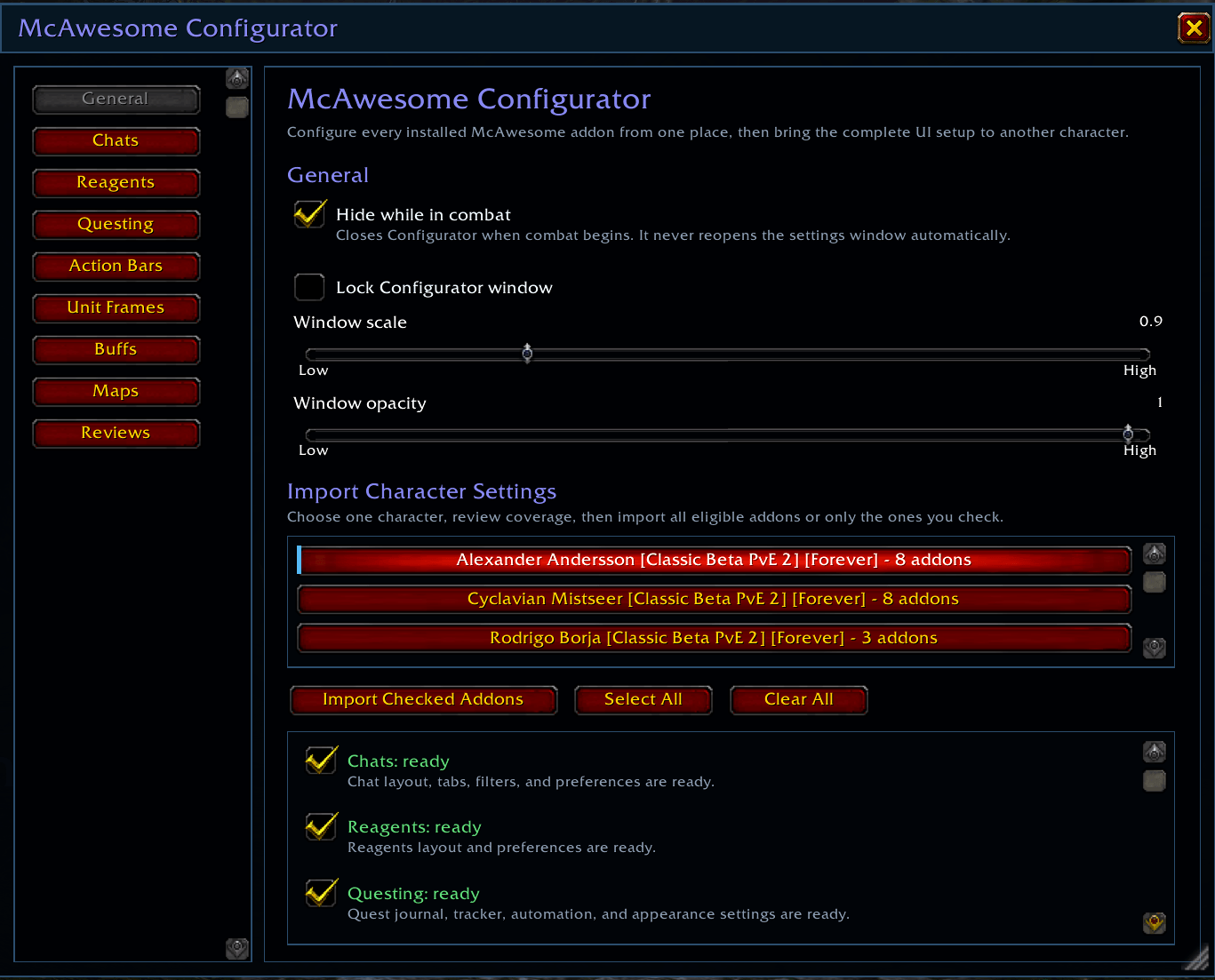
- Whole-UI character import with a review step before changes apply
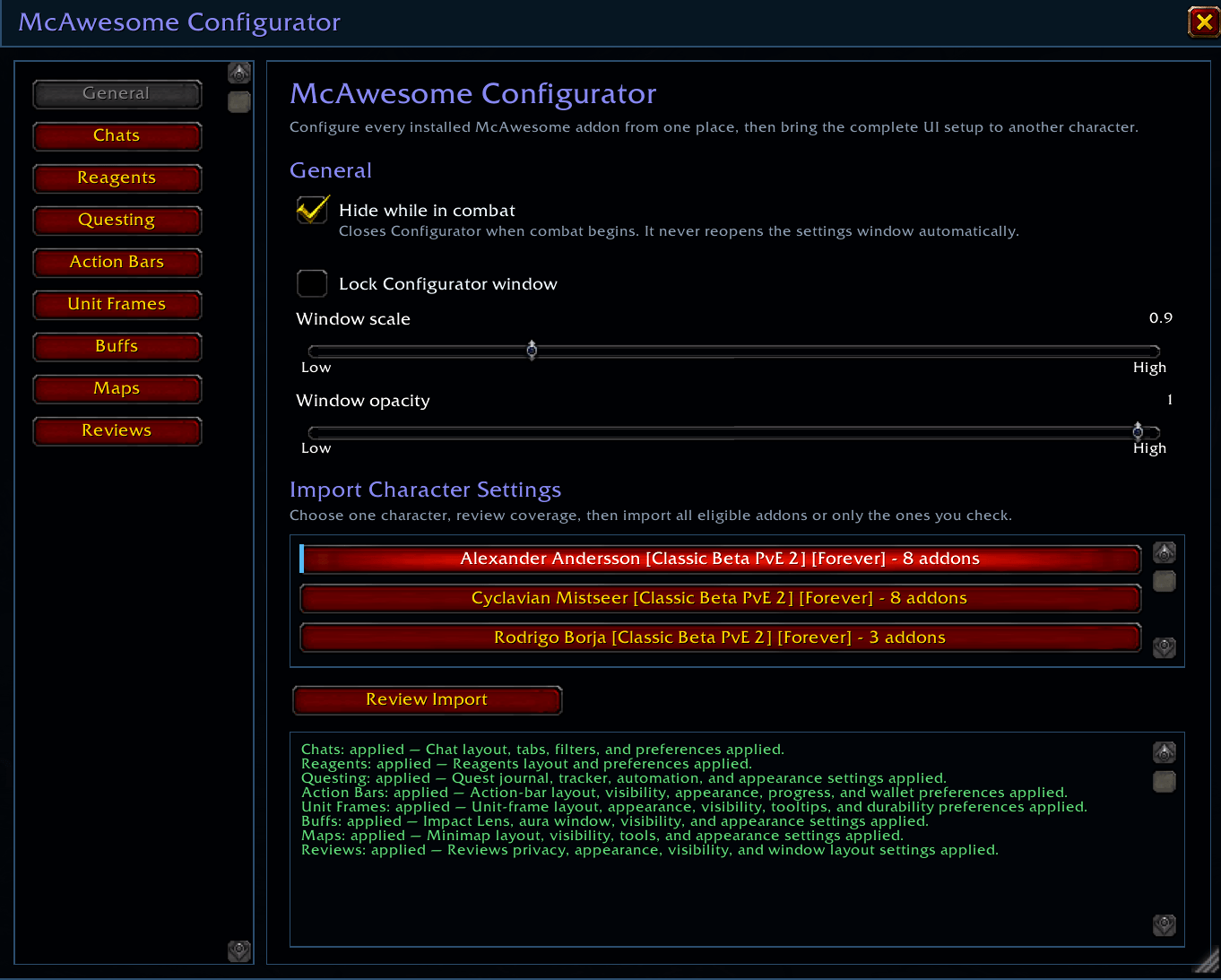
- Per-addon applied, deferred, skipped, and failed import results
- Account-wide namespaced snapshots that survive temporary addon removal
- Movable, resizable, scalable, lockable McAwesome interface
- Class-colored titles and headings with standard Blizzard action buttons
/macand/mcconfigcommands plus a Blizzard AddOns Settings launcher
Import a complete McAwesome setup
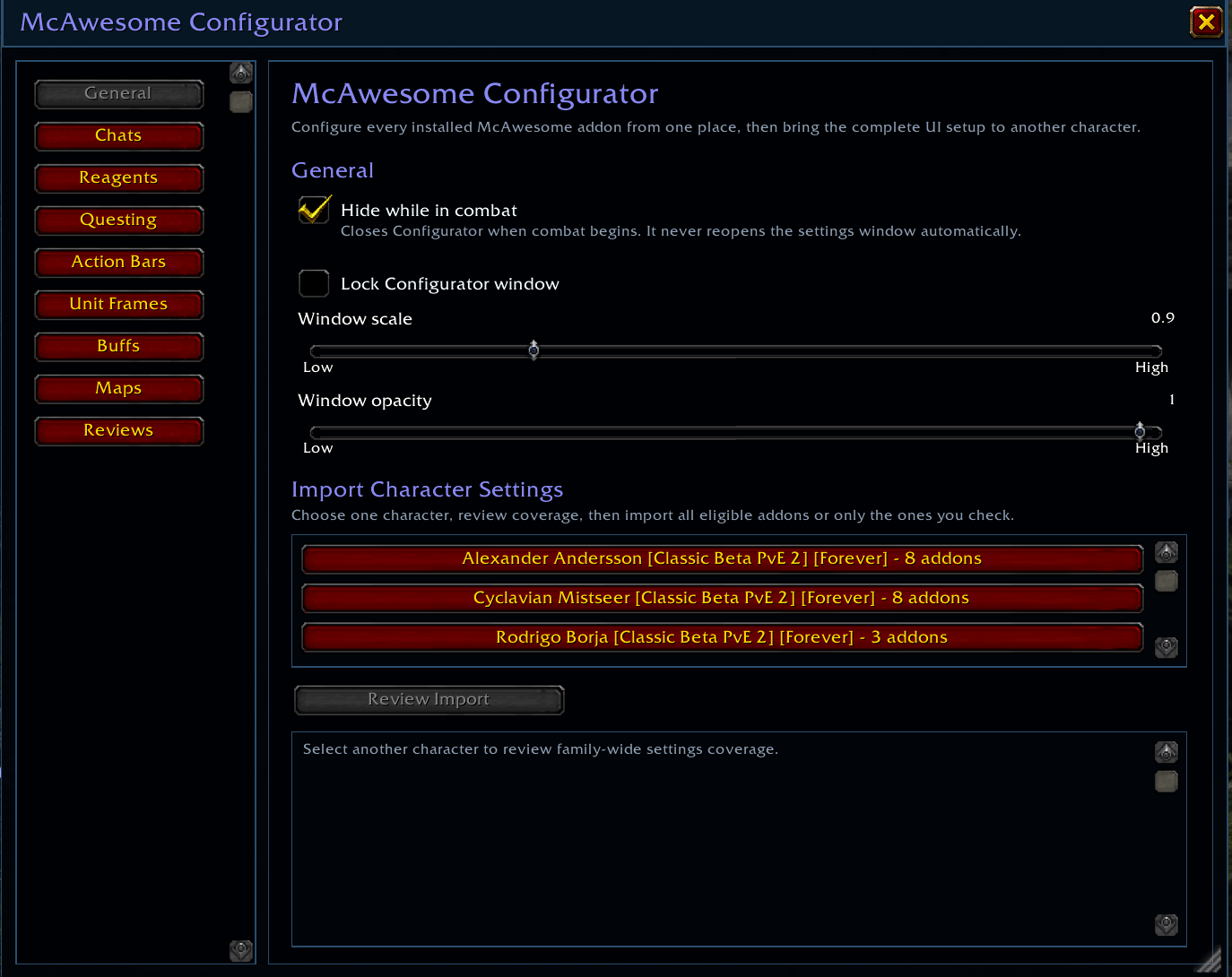
Open Configurator on each character once so installed McAwesome addons can export their transferable preferences. On a new character, open the General tab, select a source shown as <Character Name> <Realm Name> - <Game Version>, and choose Review Import. Configurator shows coverage before anything changes. Choose Import Selected to apply every eligible addon snapshot.
Each addon validates and applies its own settings. Character-specific gameplay state—such as quest progress, inventory observations, scans, caches, and combat history—remains untouched unless an addon explicitly defines it as transferable.
Configuration
Type /mac or /mcconfig to open Configurator. The General tab controls window scale, opacity, locking, and Hide while in combat. Hide while in combat is disabled by default; when enabled it closes Configurator as combat begins and never reopens the settings window automatically.
Installed integrated addons appear as additional tabs. Safe settings apply immediately, while protected changes may wait until combat ends.
Installation
CurseForge App
Install McAwesome Configurator, then restart World of Warcraft or run /reload. McAwesome feature addons will declare Configurator as a required dependency as they receive their separate integration updates.
Manual installation
Extract the release and copy the inner McAwesomeConfigurator folder into _classic_beta_/Interface/AddOns. Confirm the path ends with Interface/AddOns/McAwesomeConfigurator/McAwesomeConfigurator_Camelot.toc, then restart the game or run /reload.
Supported game versions
Built specifically for WoW Forever/Camelot interface 16001. This addon is not intended for Retail WoW.
Current integration status
The initial release provides the Configurator API and UI foundation. Existing McAwesome addons have not been changed in this build and will appear as tabs after their own future integration releases.
McAwesome Configurator Team