Max Rougue Suite
- By
Max Rogue Suite is a modular combat assistant for Rogues, featuring Energy tracking, visual Combo Points, configurable audio cues, poison monitoring, specialization priorities, statistics, talents, faction themes, and multilingual support.
MRS_3.jpg
MRS_5.jpg
MRS_6.jpg
MRS_7.jpg
MRS_4.jpg
Description
Max Rogue Suite
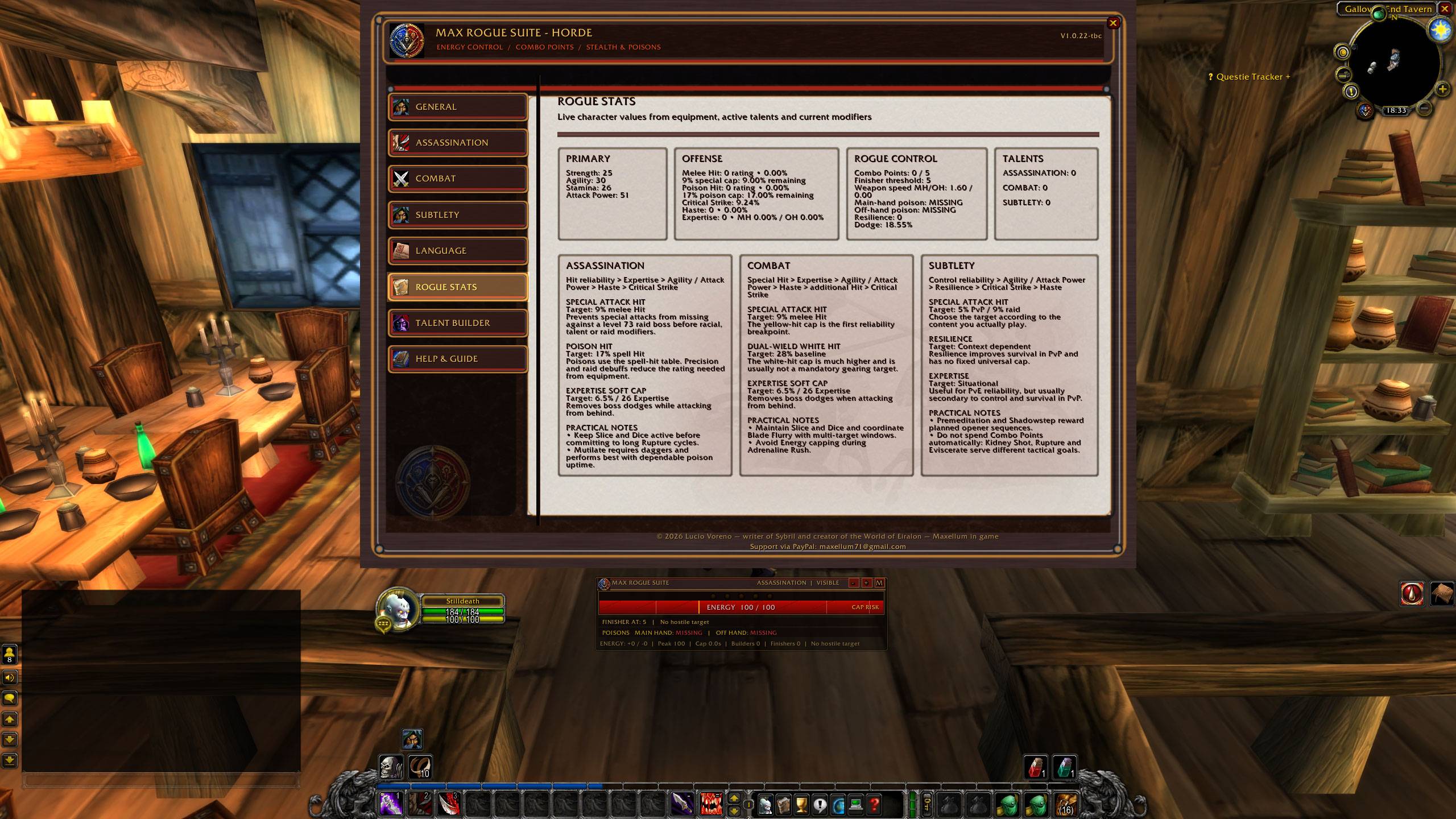
Max Rogue Suite is a modular combat-information addon designed specifically for Rogues in World of Warcraft.
It combines Energy management, visual Combo Point tracking, poison monitoring, stealth awareness, specialization priorities, combat statistics, audio cues, talent planning, faction-themed interface options, and multilingual support in a single configurable suite.
The addon does not cast abilities, select targets, automate rotations, or perform protected actions. It reads information already available through the World of Warcraft client and presents it through a compact, movable, and customizable HUD.
Main Features
- Real-time Energy tracking.
- Five visual Combo Point indicators linked to the current target.
- Separate audio selection for Combo Points 1 through 5.
- Configurable finisher threshold.
- Stealth and visible-state detection.
- Specialization-aware priorities for Assassination, Combat, and Subtlety.
- Builder, opener, finisher, control, and utility tracking.
- Main-hand and off-hand poison monitoring.
- Buff, debuff, and cooldown timers.
- Combat statistics and live Rogue character data.
- Talent planning tools where supported by the selected game version.
- Alliance, Horde, and automatic faction themes.
- English, Italian, French, and Spanish interface localization.
- Movable, scalable, lockable, and opacity-adjustable HUD.
- Minimal mode with Energy and Combo Points only.
- Minimap launcher and slash commands.
Energy Control
The Energy bar displays current and maximum Energy while helping the player recognize important resource states.
Configurable thresholds can identify:
- Low Energy.
- Controlled Energy range.
- High Energy or recommended spending range.
- Cap Risk.
- Reserved Energy reference.
The bar changes its visual state according to the configured thresholds. Low Energy and Full Energy alerts remain visual, allowing Combo Point audio to stay clear and distinct.
Visual Combo Points
Combo Points are displayed as five circular indicators positioned above the Energy bar.
- All five circles remain visible while inactive.
- Each circle illuminates as a Combo Point is gained.
- The active point receives a stronger glow.
- Reaching the configured finisher threshold produces a more noticeable ready state.
- Combo Points remain tied to the current target, following the behavior of the game client.
This design makes Combo Point status readable at a glance without relying on a small numeric counter.
Combo Point Audio
Each accumulated Combo Point can use a separate sound.
You can independently configure audio for:
- Combo Point 1.
- Combo Point 2.
- Combo Point 3.
- Combo Point 4.
- Combo Point 5.
The assigned sound plays only when the current total increases. Abilities that generate multiple points can announce the newly reached total directly.
A dedicated test button plays all five configured selections in sequence before combat.
Specialization Priorities
Max Rogue Suite supports the three Rogue specializations:
Assassination
Focuses on poison pressure, dagger attacks, stealth openers, resource control, and efficient finishers.
The priority system can evaluate abilities such as:
- Mutilate or the selected builder.
- Garrote and other openers.
- Slice and Dice maintenance.
- Rupture.
- Eviscerate or other available finishers.
- Cold Blood and offensive utility.
- Poison uptime.
Combat
Focuses on sustained damage, weapon attacks, cooldown windows, and Energy efficiency.
The priority system can evaluate abilities such as:
- Sinister Strike.
- Backstab.
- Slice and Dice.
- Rupture.
- Eviscerate.
- Blade Flurry.
- Adrenaline Rush.
- Riposte and reactive utility.
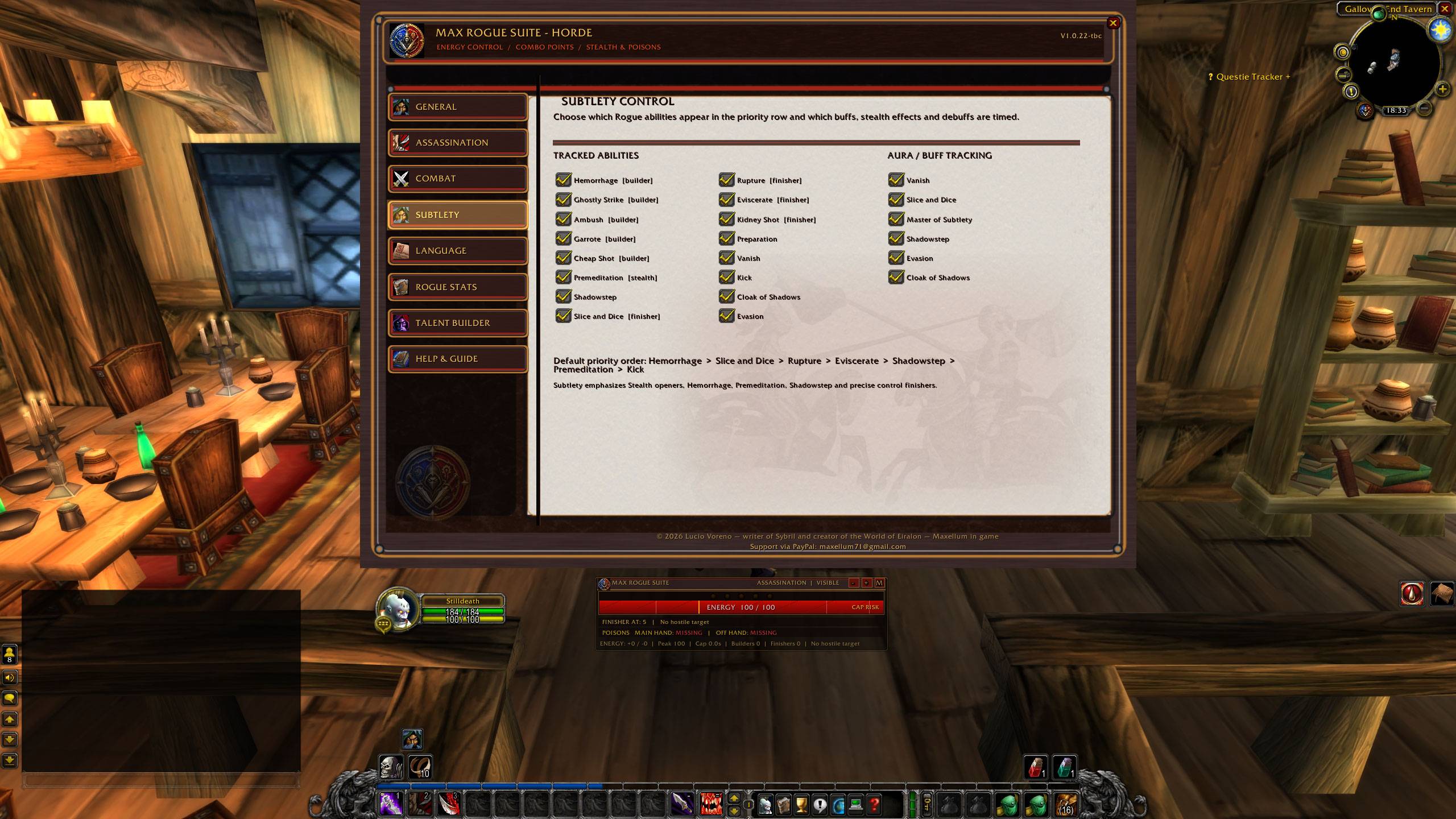
Subtlety
Focuses on stealth, openers, mobility, control, and tactical finishers.
The priority system can evaluate abilities such as:
- Premeditation.
- Shadowstep.
- Hemorrhage.
- Garrote.
- Cheap Shot.
- Kidney Shot.
- Preparation.
- Vanish and control utility.
Automatic Mode
Automatic mode detects the most relevant specialization from the character's active talent configuration where the game client allows it.
A specialization can also be selected manually from the configuration menu.
Priority Row
The priority row evaluates available combat information, including:
- Current Energy.
- Current Combo Points.
- Stealth state.
- Learned abilities.
- Cooldowns.
- Ability usability.
- Active buffs.
- Existing target debuffs.
- User-enabled abilities.
- Selected or detected specialization.
Priority icons can display Energy cost, projected Energy after use, cooldown status, and ability readiness.
The priority system is advisory only. It never casts an ability or changes the player's action bar.
Poison Monitoring
The addon checks temporary weapon enchants independently for the main hand and off hand.
For each weapon it can display:
- Active or missing status.
- Remaining duration.
- Remaining charges when supplied by the client.
Because the game API does not always provide a reliable localized poison name, the addon prioritizes accurate status, duration, and charge information rather than guessing the poison type.
Aura, Buff, and Debuff Tracking
Max Rogue Suite can monitor important Rogue effects, including supported examples such as:
- Stealth.
- Slice and Dice.
- Blade Flurry.
- Adrenaline Rush.
- Cold Blood.
- Master of Subtlety.
- Shadowstep.
- Evasion.
- Cloak of Shadows.
- Garrote.
- Rupture.
- Expose Armor.
- Kidney Shot.
Only learned, enabled, and relevant effects are displayed.
Available effects may vary according to the World of Warcraft version being used.
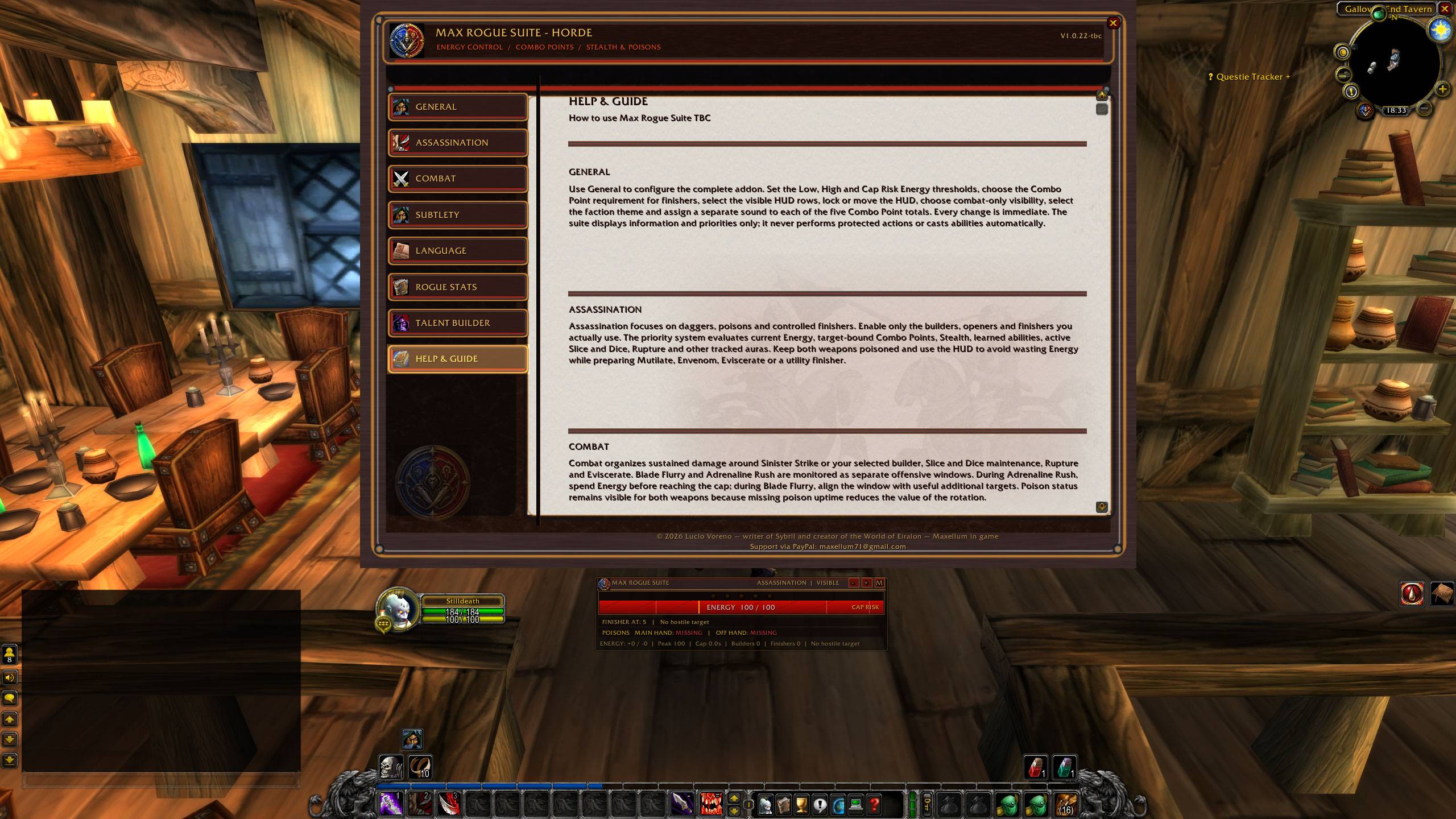
Rogue Statistics
The Rogue Statistics page reads live character information from the client.
Depending on the supported game version, it can display:
- Strength.
- Agility.
- Stamina.
- Attack Power.
- Melee Hit.
- Poison or spell Hit.
- Critical Strike.
- Haste.
- Expertise.
- Resilience.
- Dodge.
- Main-hand and off-hand weapon speed.
- Current Combo Points.
- Poison status.
- Talent-point allocation.
The page also includes practical specialization guidance and reference notes. These values are informational and should always be interpreted according to the character's build, content, group composition, and game version.
Combat Statistics
During combat, the addon can record and display:
- Energy gained.
- Energy spent.
- Peak Energy.
- Time spent near or at the Energy cap.
- Builders used.
- Finishers used.
- Maximum Combo Points reached.
Statistics can be reset manually or automatically at the beginning of each combat.
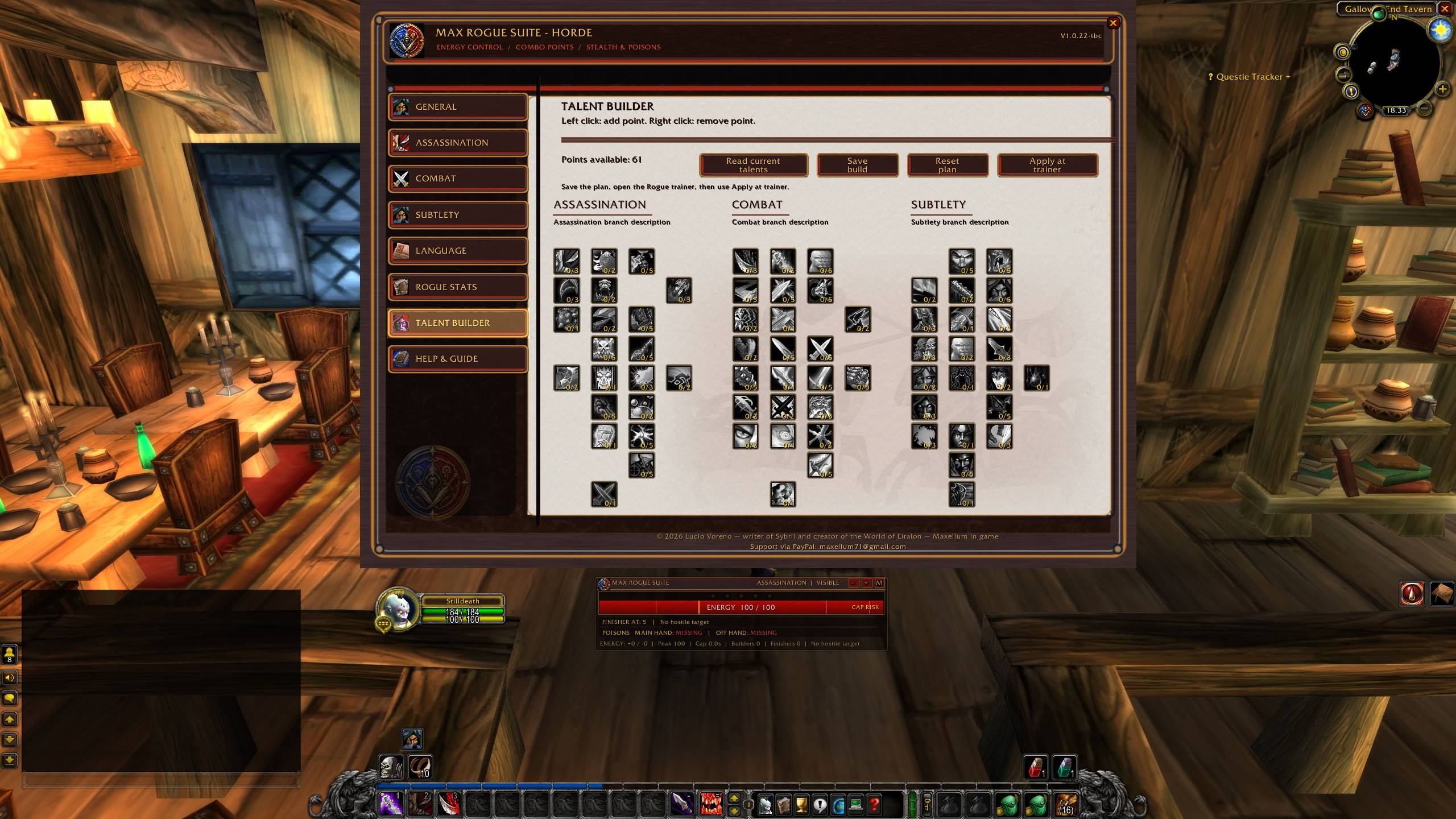
Talent Planner
Where supported by the game version, Max Rogue Suite includes a Rogue Talent Planner.
The planner can provide:
- Left-click to add a planned rank.
- Right-click to remove a planned rank.
- Tier requirement validation.
- Available-point validation.
- Import of the current talent build.
- Saving of a planned build.
- Controlled application while the appropriate trainer interface is open.
Spending talent points changes the character. Always review the complete plan before confirming any trainer-assisted application.
Minimal HUD
Minimal mode keeps only the most important combat information visible:
- Energy bar.
- Five visual Combo Point circles.
The title, poison row, aura timers, priority row, and combat statistics can be hidden for a cleaner layout.
The minimal HUD remains movable, scalable, lockable, and accessible from the minimap launcher.
Interface Customization
The HUD can be configured with:
- Lock and unlock controls.
- Drag positioning.
- Scale adjustment.
- Opacity adjustment.
- Combat-only visibility.
- Rogue-only visibility.
- Individual HUD section toggles.
- Automatic, Alliance, or Horde visual theme.
- Minimap button visibility.
The interface uses a consistent internal layout system to preserve spacing and alignment across the different configuration pages and supported languages.
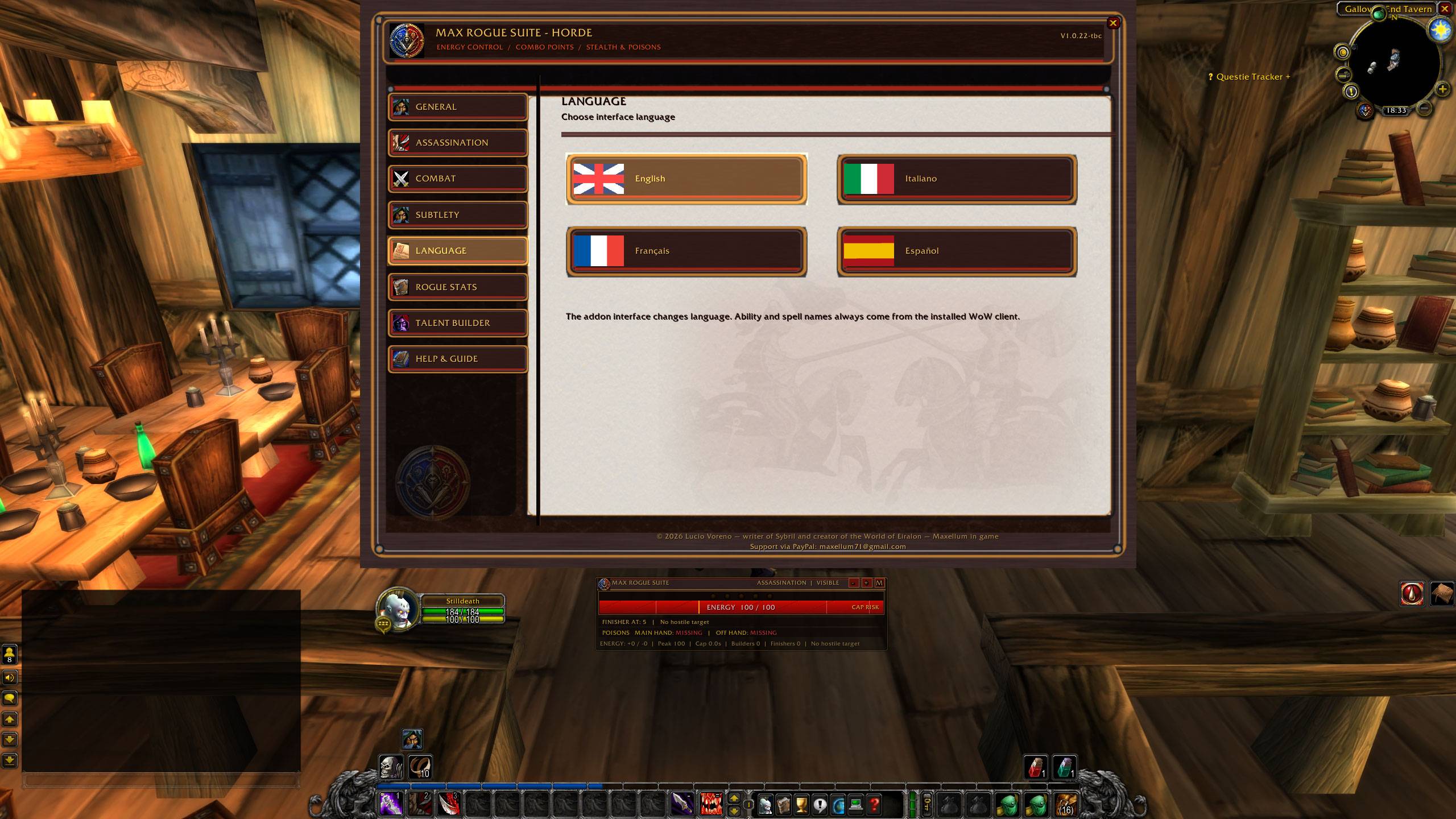
Language Support
The complete addon interface supports:
- English.
- Italian.
- French.
- Spanish.
Menus, guides, buttons, status messages, and statistics explanations are localized.
Ability, spell, poison, and talent names are read directly from the installed World of Warcraft client whenever possible. This keeps names consistent with the player's game language and server data.
Minimap Button
The minimap launcher uses the custom Max Rogue Suite emblem.
- Left-click opens the configuration menu.
- Right-click toggles combat-only visibility.
- Dragging moves the button around the minimap.
Slash Commands
/mrs— open or close the configuration menu./mrs lock— lock the HUD./mrs unlock— unlock the HUD./mrs test— toggle test mode./mrs soundtest— test the five configured Combo Point sounds./mrs reset— reset HUD position and scale./mrs combatonly— toggle combat-only visibility./mrs mapbutton— restore the minimap button./mrs auto— enable automatic specialization detection./mrs assassination— select Assassination mode./mrs combat— select Combat mode./mrs subtlety— select Subtlety mode./mrs theme auto— use the automatic faction theme./mrs theme alliance— use the Alliance theme./mrs theme horde— use the Horde theme./mrs help— display command help.
Alternative base commands may include /roguesuite and /maxrogue.
Important Notes
- Max Rogue Suite does not automate combat.
- It does not cast abilities.
- It does not select targets.
- It does not perform protected actions.
- It does not replace player decisions.
- Priority suggestions remain advisory.
- Some abilities, statistics, talents, and effects depend on the selected World of Warcraft version.
Author and Copyright
© 2026 Lucio Voreno — author of Sybril and creator of the World of Eiralon. All rights reserved.
Author: Lucio Voreno / Maxellum in game.
Support via PayPal: maxellum71@gmail.com
Max Rougue Suite Team