MAX_Prot_Paladin_Bar
- By
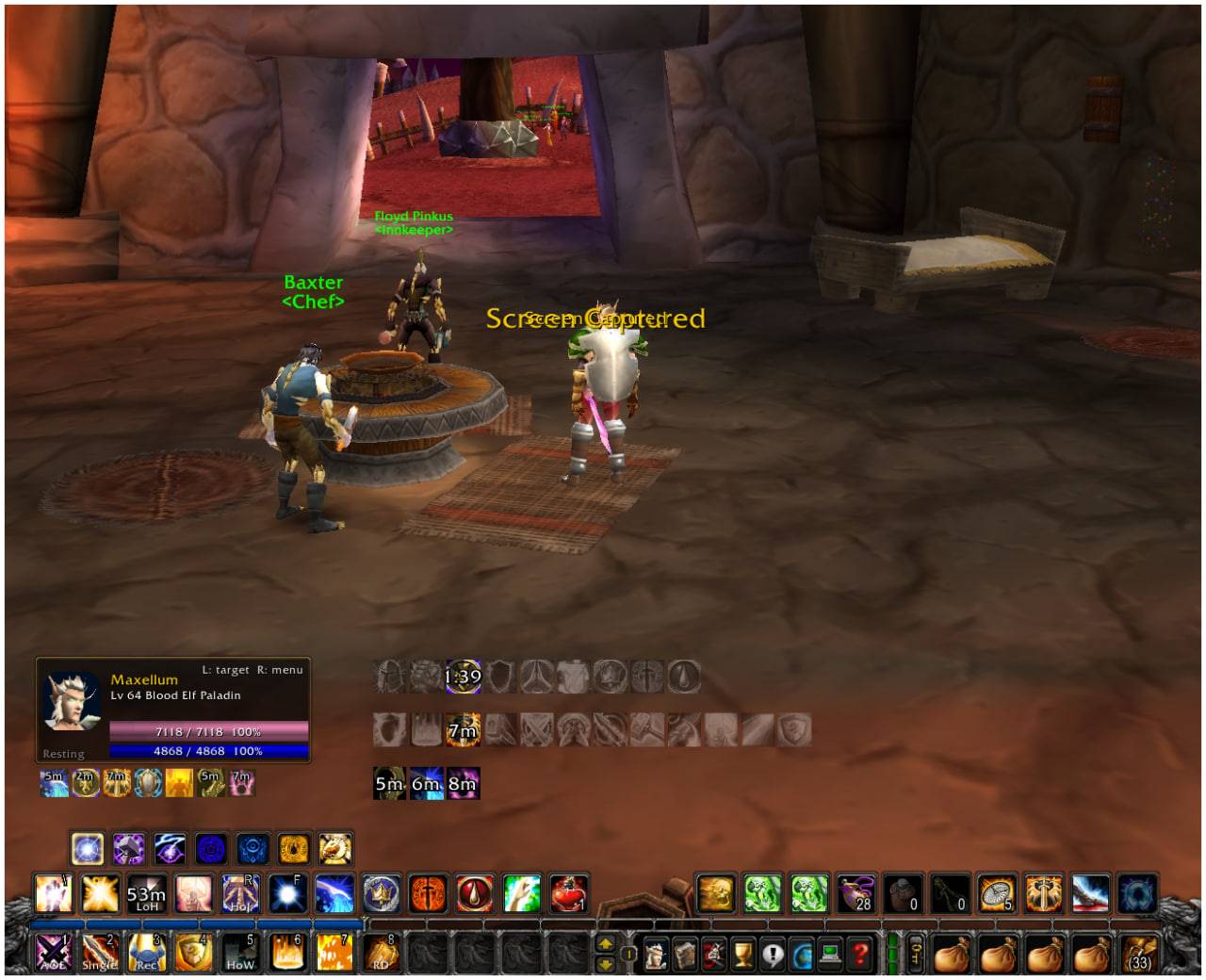
A customizable WoW addon for Protection Paladins that displays active combat spells in a clear, movable bar above your character.
Max_Prot_Paladin_bar.jpg
Max_Prot_Paladin_bar_menù.jpg
Lucio_Voreno_Addon_TBC.jpg
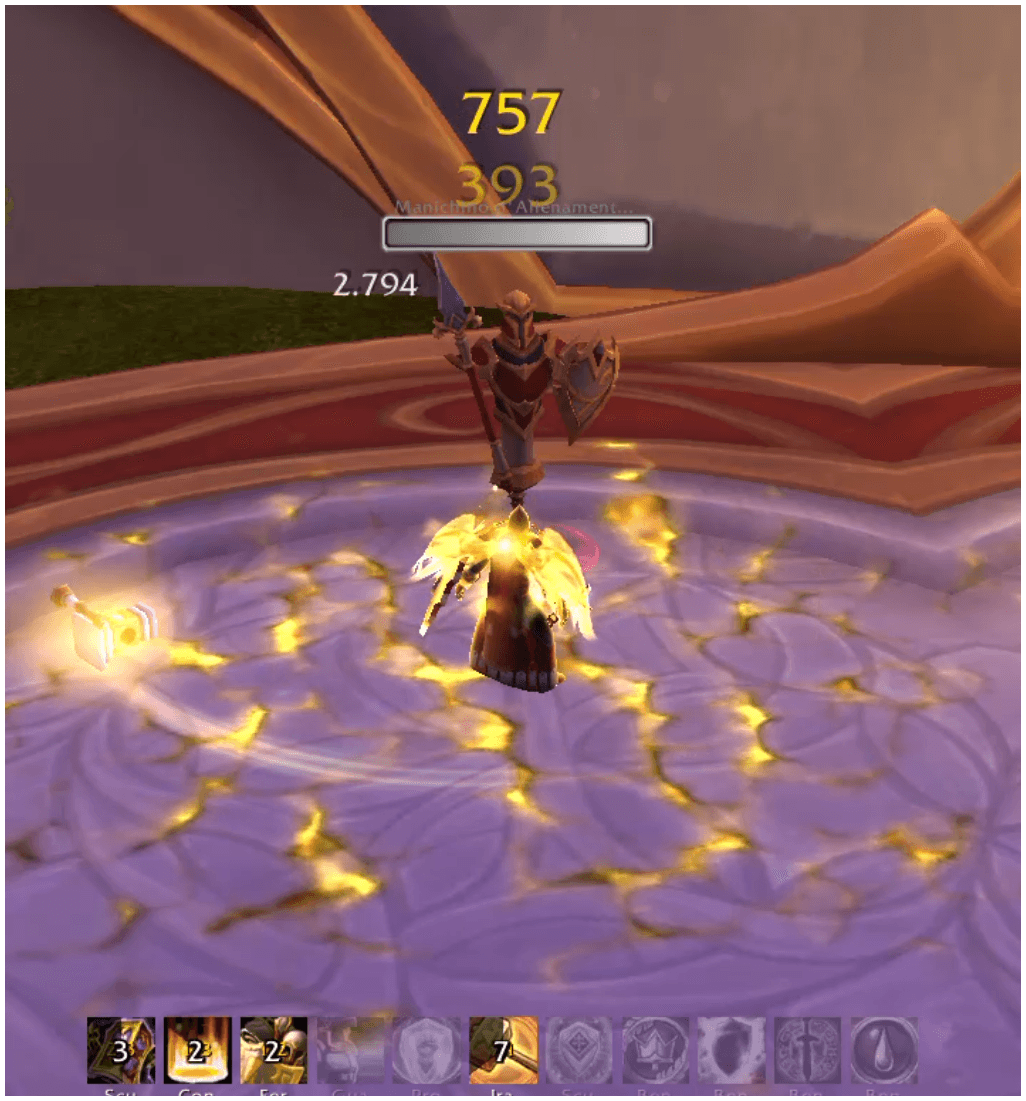
Lucio_Voreno_addon.png
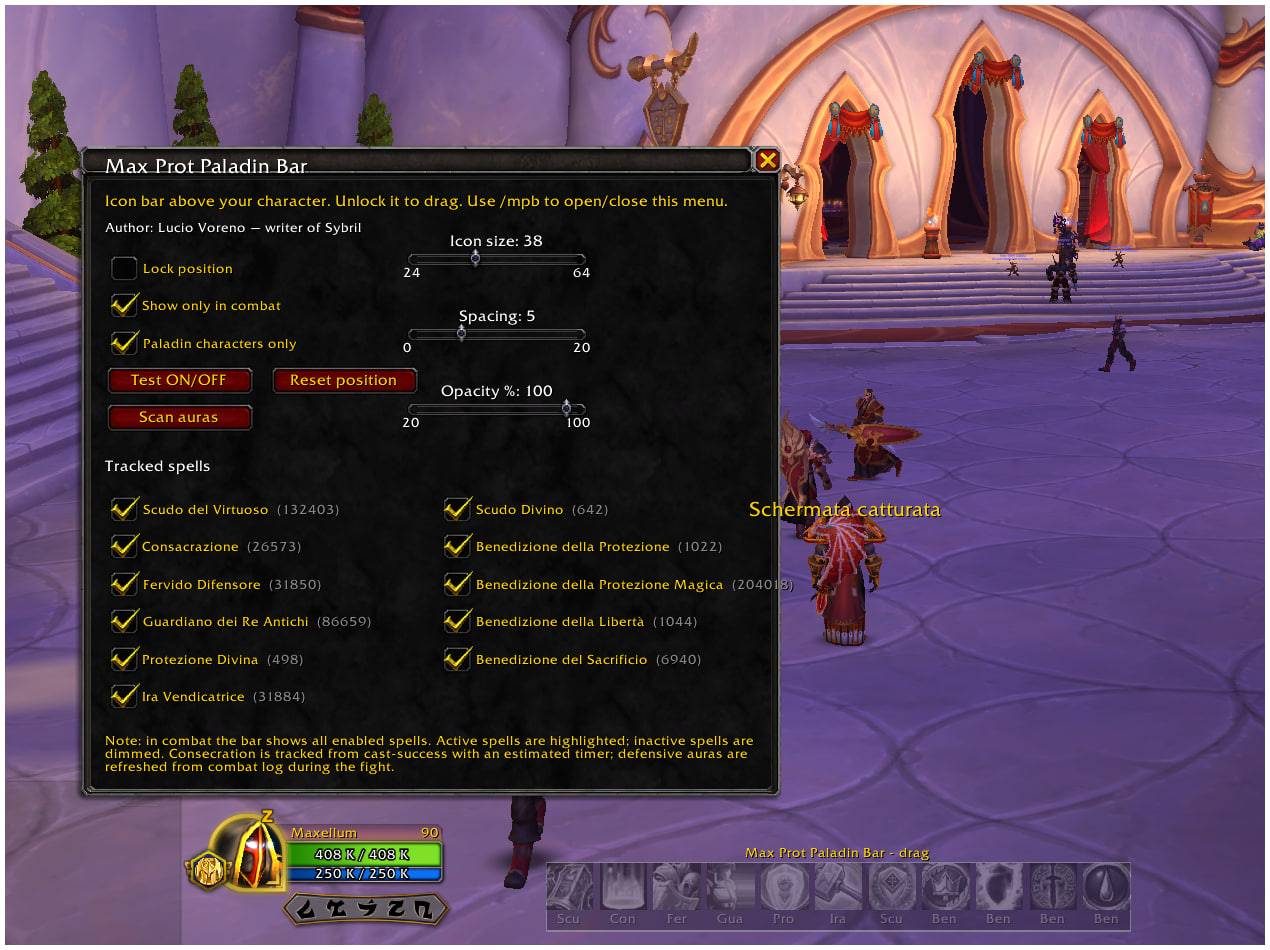
Lucio_Voreno_menu
Description
Max Prot Paladin Bar
Max Prot Paladin Bar is a focused World of Warcraft addon created for Protection Paladins who want a clearer and more disciplined way to track their most important tanking tools.
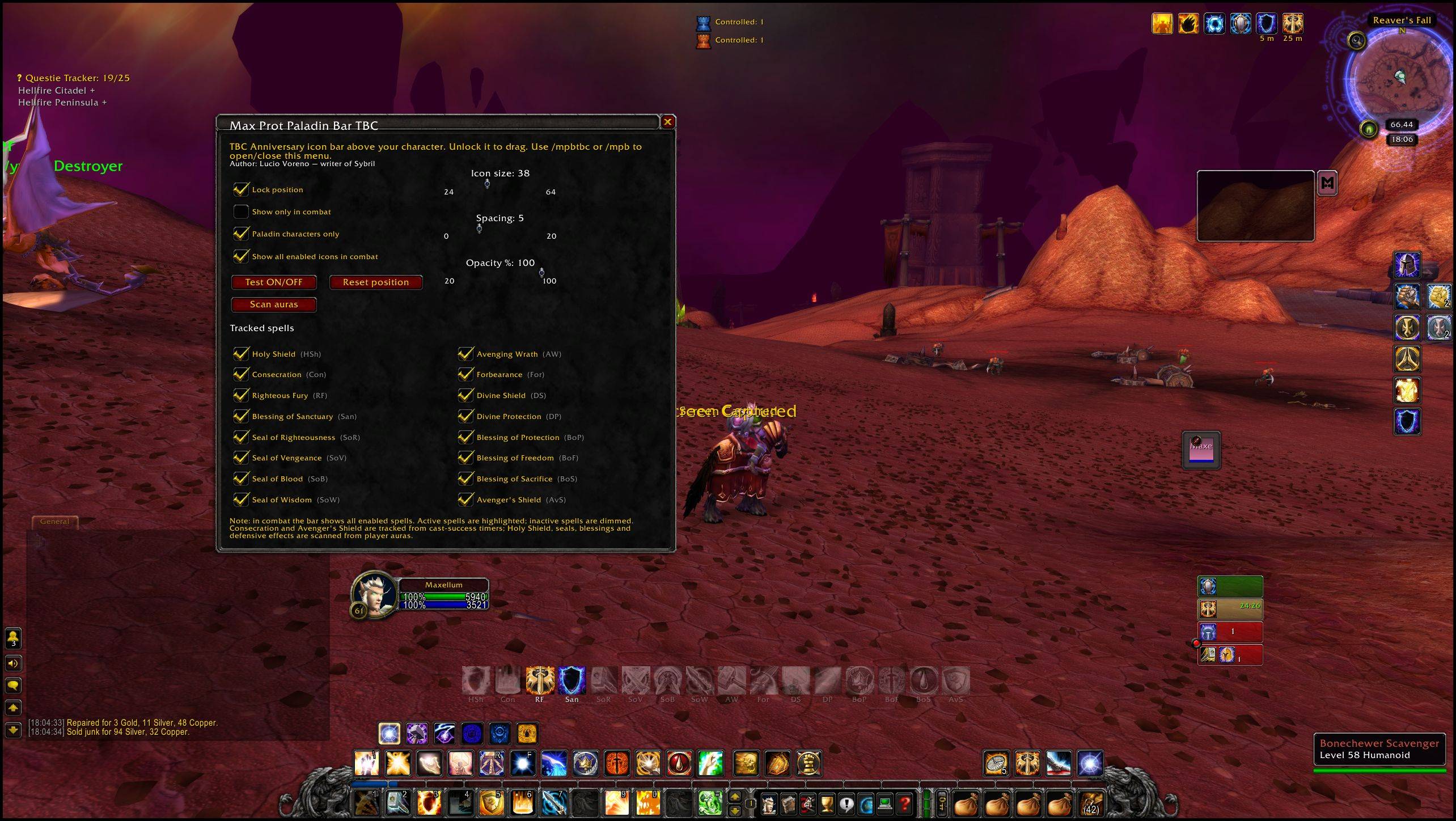
The addon places a compact, configurable bar near the center of the screen, allowing the player to monitor key blessings, defensive effects, combat abilities, and personal preparation buffs without relying on scattered default UI elements.
The idea behind the addon is simple: a Protection Paladin survives through control, timing, preparation, and awareness. Max Prot Paladin Bar helps keep that information visible, organized, and readable during combat.
It is not designed to play the game for you. It does not automate rotations, cast abilities, select targets, or make decisions. It is a visual awareness tool built to support the player’s own judgment.
What the addon does
Max Prot Paladin Bar tracks the most relevant Protection Paladin effects and displays them in a layered structure.
The addon separates the information into different rows, so the player can quickly understand what is active, what is missing, and what needs attention.
The upper layer is dedicated to blessings and support effects. The central layer focuses on defensive and combat tools. The lower layer can track useful player buffs, such as food, flask, phial, rune, weapon oil, and other long-duration preparation effects.
This layered structure makes the addon useful both before combat and during active tanking.
Built for tank awareness
Protection Paladin gameplay is not only about pressing defensive buttons. It is about knowing when your mitigation is active, when your major tools are available, when your protection effects are missing, and whether your character is properly prepared before engaging enemies.
Max Prot Paladin Bar is designed around that mindset.
It gives the tank a dedicated visual space for the essential parts of the Paladin toolkit, helping the player maintain control without filling the screen with unnecessary information.
The addon is especially useful in dungeons, raids, leveling content, and difficult solo situations where losing track of one defensive effect can quickly become dangerous.
Retail and TBC versions
Max Prot Paladin Bar exists in separate versions for World of Warcraft Retail and The Burning Crusade Classic Anniversary.
This is important because the Protection Paladin toolkit is different between the two versions of the game.
The Retail version focuses on the current Paladin environment and removes outdated blessing entries that no longer exist in modern gameplay.
The TBC version is built around the classic Protection Paladin identity, including the older blessing, seal, defensive, and utility structure that defines tanking in The Burning Crusade.
Each version is adapted to its own game system instead of using a generic spell list.
Configurable interface
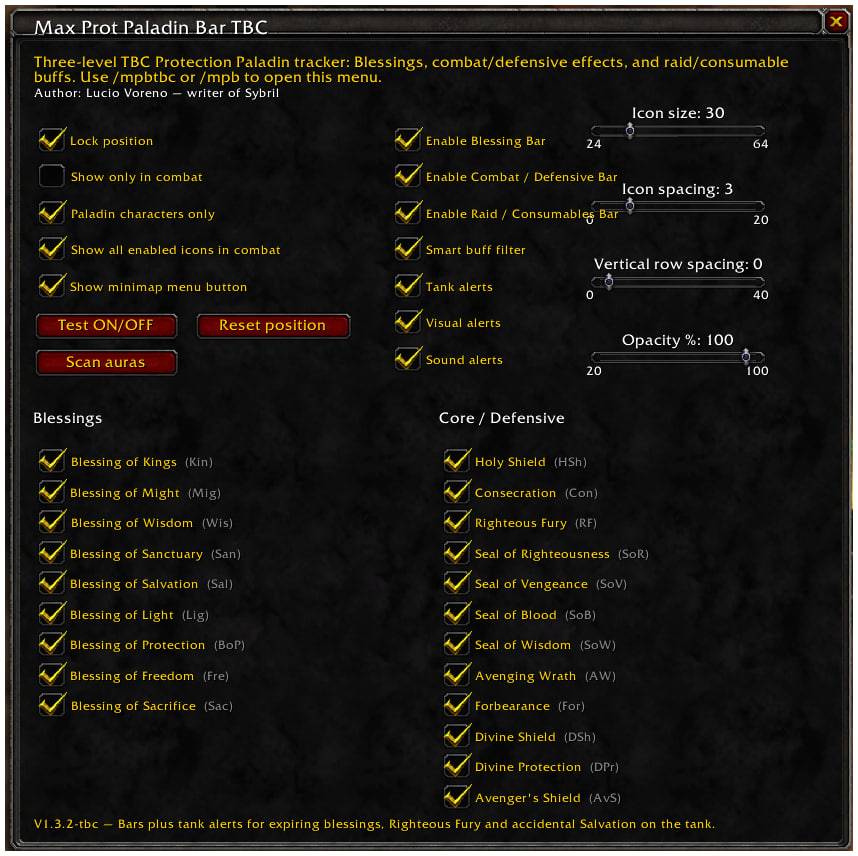
The addon includes an in-game menu that allows the player to adjust the display directly.
The bar can be moved, locked, resized, and customized. Icon size, spacing, opacity, vertical distance between rows, combat-only display, smart buff filtering, and minimap button visibility can all be adjusted.
This allows the player to fit the addon into different UI layouts, screen resolutions, and personal preferences.
The goal is to keep the display readable without blocking the battlefield.
Smart buff tracking
The optional player buff layer is designed to help the tank check readiness before combat.
Instead of showing every possible aura, the smart filter focuses on useful preparation effects such as food, flask, phial, runes, weapon oils, and long-duration enhancements.
This makes it easier to see whether the character is properly prepared without turning the addon into a cluttered copy of the default buff frame.
Visual clarity during combat
Max Prot Paladin Bar is built to remain clear under pressure.
The icons, duration numbers, stack text, and spacing are designed to scale together, so the display remains proportional when the player makes the bar smaller or larger.
The addon can also be set to appear only in combat, keeping the screen clean while still providing the tank with the information needed when the fight begins.
Quick access
The addon includes a minimap button for fast access to the configuration menu.
This makes it easy to open the options, adjust the display, test the bar, or change visibility settings without interrupting the normal flow of gameplay.
Final concept
Max Prot Paladin Bar is for players who want their Protection Paladin interface to feel controlled, practical, and purposeful.
It brings blessings, defensive tools, combat effects, and preparation buffs into one readable tanking display, helping the player stay aware, prepared, and in command of the fight.
Author: Lucio Voreno — writer of Sybril.
MAX_Prot_Paladin_Bar Team