Max Healing Suite
- By
Max Healing Suite is a universal WoW healing addon with secure click-casting, smart rank guidance, party and raid frames, class icons, active-heal tracking, dispels, resurrection tools, and flexible layouts for every healer.

Icona MHS.jpeg
MHS_3.jpeg
MHS_1.jpeg
MHS_2.jpeg
MHS_4.jpeg
Description
Max Healing Suite
Complete healing frames and secure click-casting for World of Warcraft Retail, Classic Season of Discovery, and The Burning Crusade Classic by Lucio Voreno / Maxellum.
The selected interface language can be Italian, English, French, or Spanish. Spell names remain in the World of Warcraft client language so secure casts always match the spellbook exactly.
Supported game versions
- World of Warcraft Retail.
- World of Warcraft Classic Season of Discovery.
- World of Warcraft The Burning Crusade Classic.
Each edition is adapted to the mechanics, spell system, and secure-action restrictions of its game client.
Main functions
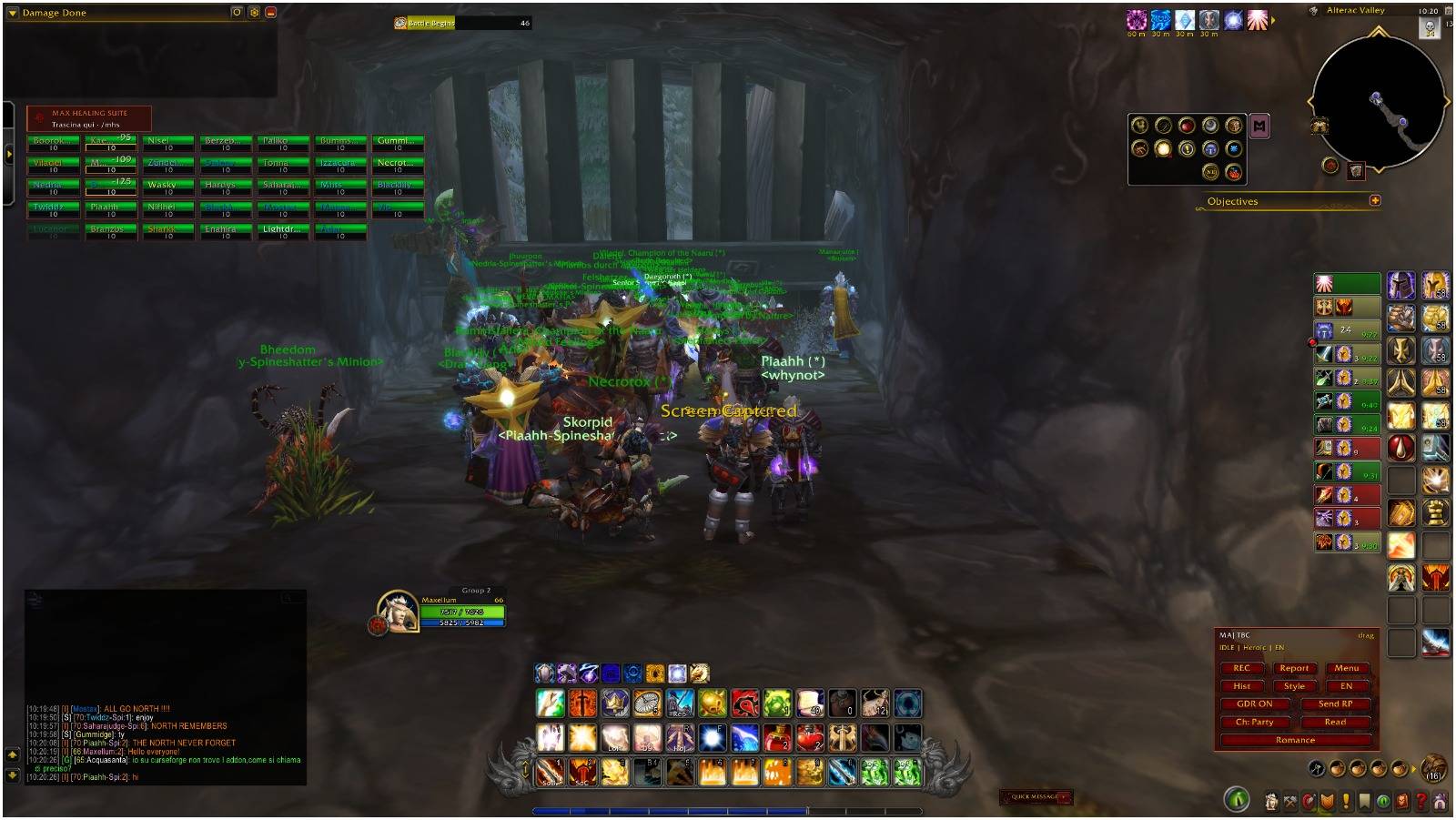
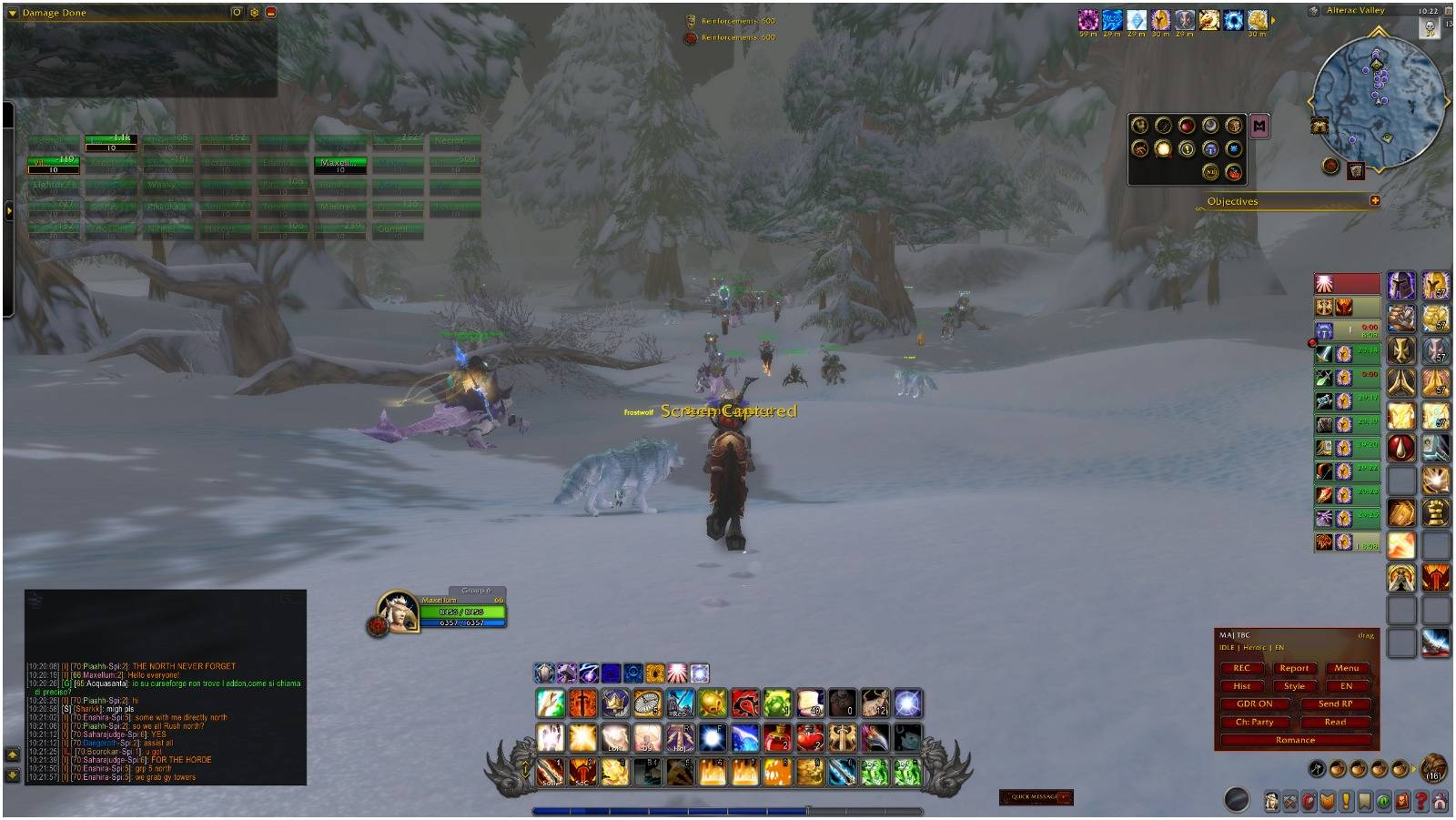
- Secure clickable party, raid, and battleground frames.
- Independent party and raid dimensions.
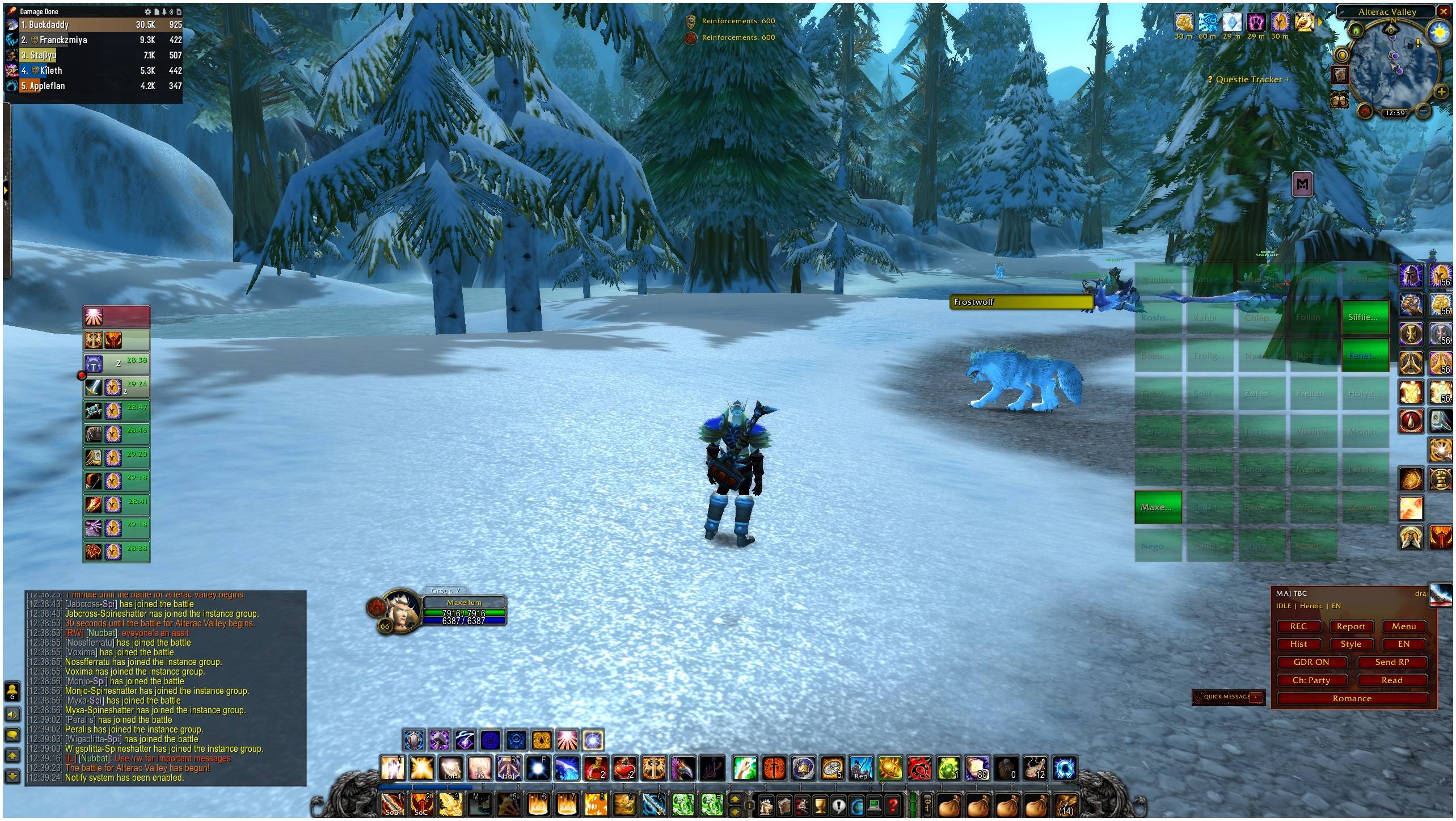
- Battleground and Raid preset at 100 x 50.
- Horizontal 8 x 5 and vertical 5 x 8 layouts for 40-player groups.
- Class-colored names and class icons in the upper-right corner.
- Missing-health display and incoming-heal support where available.
- Out-of-range fading, dead status, and offline status.
- Player-cast healing effects with duration tracking.
- Dispellable-debuff icons and class-specific dispel actions.
- Secure normal resurrection and combat resurrection actions where available.
- Alliance, Horde, and automatic faction themes.
- Movable frame anchor, frame lock, preview mode, minimap button, and in-game instructions.
- Italian, English, French, and Spanish interface localization.
Secure click-casting
Max Healing Suite allows healing and utility actions to be assigned directly to party and raid frames.
Supported mouse inputs:
- Left Button.
- Right Button.
- Middle Button.
- Mouse Button 4.
- Mouse Button 5.
Supported modifier groups:
- No modifier.
- Shift.
- Ctrl.
- Alt.
Available actions depend on the character and game version. They can include healing spells, healing families, target selection, cleanse or dispel actions, normal resurrection, combat resurrection, and disabled bindings.
All protected actions use World of Warcraft secure attributes. The player always performs the final click and remains in control of every cast.
Healing families
At login and whenever the spellbook changes, Max Healing Suite scans the character's known restorative abilities and organizes them into healing families.
Depending on the class and game version, these can include:
- Fast direct heals.
- Large direct heals.
- Efficient direct heals.
- Healing-over-time effects.
- Shields and absorbs.
- Chain heals.
- Group and area heals.
- Reactive healing abilities.
- Emergency abilities.
- Conditional healing effects.
- Rune-based healing abilities in Season of Discovery.
Multiple healing families can be enabled at the same time.
Additional enabled families can appear as secure buttons on the unit frame. Family buttons cast the highest available rank in Classic and TBC Classic, or the exact known spell in Retail.
Classic and TBC rank guidance
Classic and TBC healing spells may have several ranks with different mana costs and healing values.
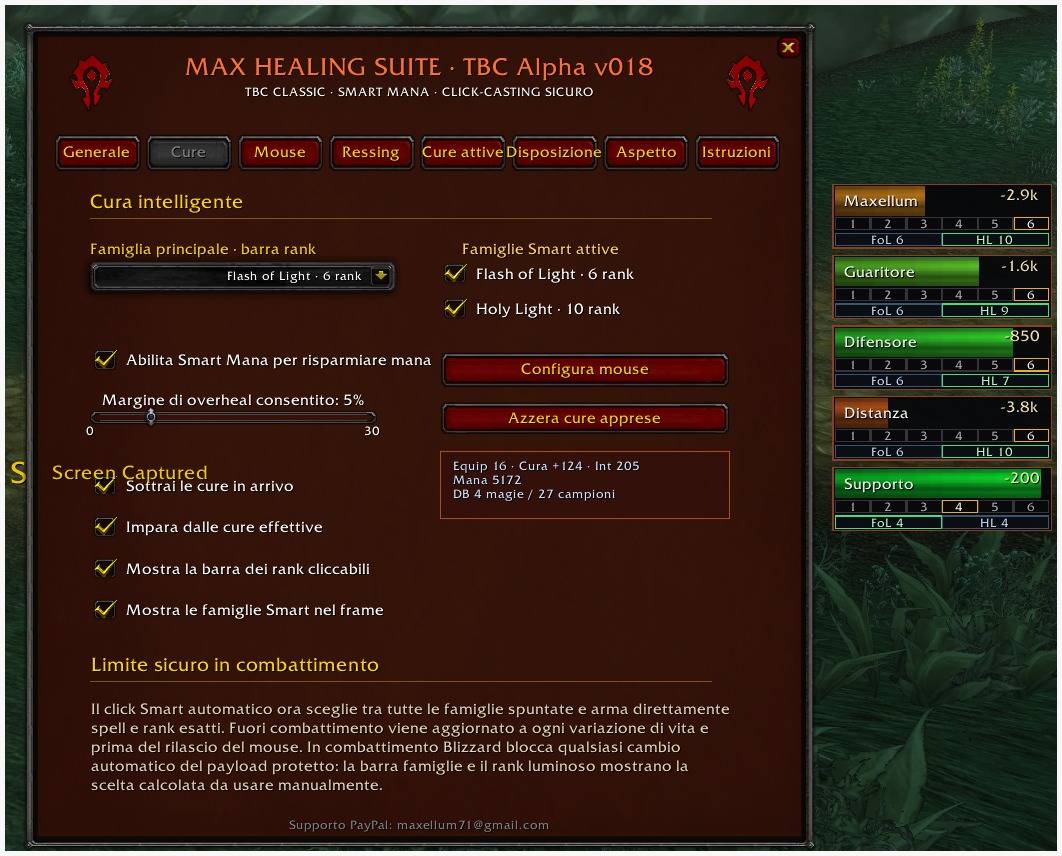
For the selected primary healing family, Max Healing Suite can:
- Detect every known rank.
- Measure the target's missing health.
- Subtract incoming healing where supported.
- Apply the configured overheal allowance.
- Use equipment data and learned real-heal samples.
- Estimate the healing value of every known rank.
- Highlight the least expensive rank expected to cover the effective deficit.
The suggested rank appears in the clickable strip below the unit's health bar.
Each rank tile is prepared as a secure button and casts that exact rank when clicked.
Direct mouse clicks on the main health bar always cast the maximum known rank of the assigned healing family.
This creates two clear healing methods:
- Click the health bar for maximum-rank emergency healing.
- Click the highlighted rank tile for calibrated mana-efficient healing.
World of Warcraft does not allow addons to dynamically replace a protected spell according to a unit's changing health after combat has started. Max Healing Suite therefore provides secure recommendations and prepared buttons without claiming to automate combat healing.
Retail behavior
Retail healing spells no longer use the traditional multi-rank system.
Each configured mouse combination stores one exact spell. That spell is cast directly on the clicked unit through Retail-safe secure attributes.
The Retail edition focuses on:
- Secure click-casting.
- Health-state information.
- Incoming-heal awareness.
- Healing-family organization.
- Active healing effects.
- Dispels and debuff indicators.
- Normal and combat resurrection tools.
- Class identification.
- Flexible party, raid, and battleground layouts.
Retail can protect numeric health and aura values during some combat activities. Max Healing Suite does not attempt to bypass those restrictions. Secure healing, dispel, and resurrection actions remain available, while numeric information is shown only when the client exposes it safely.
Adaptive healing database
Classic and TBC editions include an optional learning system that records actual healing performance.
The database can track:
- Effective healing values.
- Spell and rank performance.
- Number of collected samples.
- Equipment healing power.
- Intellect.
- Maximum mana.
- Character-specific healing information.
- Rune-dependent configurations where applicable.
These samples improve future estimates and allow recommendations to adapt to the character's equipment and real healing output.
The learning database can be reset from the options menu.
Incoming healing and overheal control
When the game client exposes incoming-heal information, Max Healing Suite can subtract that amount from the target's current health deficit.
This helps reduce recommendations for damage already being covered by another healer.
A configurable overheal margin controls how conservative the rank recommendation should be.
- A lower value favors mana efficiency.
- A higher value provides additional healing safety.
The final decision always remains with the player.
Active healing effects
Max Healing Suite can display restorative effects applied by your character.
Tracked effects can include:
- Healing-over-time spells.
- Healing shields.
- Prayer of Mending-style effects.
- Earth Shield-style effects.
- Class-specific healing auras.
- Equivalent restorative mechanics.
Party and raid frames can use separate limits for the number of visible icons.
Duration text and cooldown swipes can be enabled.
Normal buffs, offensive effects, unrelated utility abilities, dispels, and resurrection spells are excluded from the active-healing display.
Dispels and debuff tracking
Max Healing Suite detects dispellable debuffs according to the abilities currently available to the character.
The system can provide:
- Dispellable-debuff icons.
- Debuff-type recognition.
- Cleanse or dispel mouse bindings.
- Visual highlighting when a removable effect is present.
Supported dispel categories depend on class, specialization, talents, Runes, and game version.
Resurrection tools
Max Healing Suite detects normal resurrection and combat resurrection abilities where available.
Classic and TBC editions can also provide:
- Maximum-rank resurrection.
- Minimum-rank resurrection.
- Low-mana resurrection guidance.
- Configurable low-mana threshold.
- Configurable mana reserve.
- Spell and rank information.
- Mana cost.
- Readiness status.
- Secure resurrection bindings.
When supported, a lower-cost resurrection rank can be prepared outside combat when mana falls below the configured threshold.
Season of Discovery support
The Classic Season of Discovery edition supports restorative abilities introduced through the Rune system.
The addon rescans the spellbook and adapts when Rune-based capabilities change.
Support includes healing and restorative abilities available to:
- Paladin.
- Priest.
- Druid.
- Shaman.
- Mage.
- Other classes with valid healing or support abilities.
Rune-dependent healing information is kept separate where required so recommendations remain relevant to the active setup.
Layout and appearance
Available visual options include:
- Alliance theme.
- Horde theme.
- Automatic faction theme.
- Adjustable opacity.
- Global interface scale.
- Independent party and raid dimensions.
- Frame spacing.
- Horizontal and vertical raid orientation.
- Movable frame anchor.
- Frame locking.
- Preview mode.
- Battleground and Raid preset at 100 x 50.
Preview mode allows the interface to be configured without joining a group.
Configuration
The options window includes separate sections for:
- General settings.
- Healing.
- Mouse bindings.
- Resurrection.
- Active healing effects.
- Layout.
- Appearance.
- Instructions.
A minimap button is available for quickly opening the configuration window.
Quick setup
- Open Max Healing Suite from the minimap button.
- Configure party and raid dimensions.
- Assign healing and utility actions in the Mouse panel.
- Select the primary healing family where supported.
- Enable incoming-heal tracking and active healing effects.
- In Classic or TBC Classic, enable the clickable rank strip.
- Use the Battleground and Raid preset for large-group content.
Commands
- /mhs opens the options window.
- /mhs lock locks the frame mover.
- /mhs unlock unlocks the frame mover.
- /mhs preview enables or disables party preview.
- /mhs reset resets the frame position.
Installation
Replace the entire MaxHealingSuite folder inside the correct World of Warcraft Interface/AddOns directory.
Restart the client or use /reload after installing a new version.
Author
Lucio Voreno / Maxellum in game.
Author of Sybril and creator of the World of Eiralon.
© 2026 Lucio Voreno. All rights reserved.
Support
Max Healing Suite is developed and maintained independently.
Players who would like to support continued development, testing, localization, and future updates can use PayPal:
Thank you for supporting Max Healing Suite.
Max Healing Suite Team