MAX_AH_Trading_Panel
- By
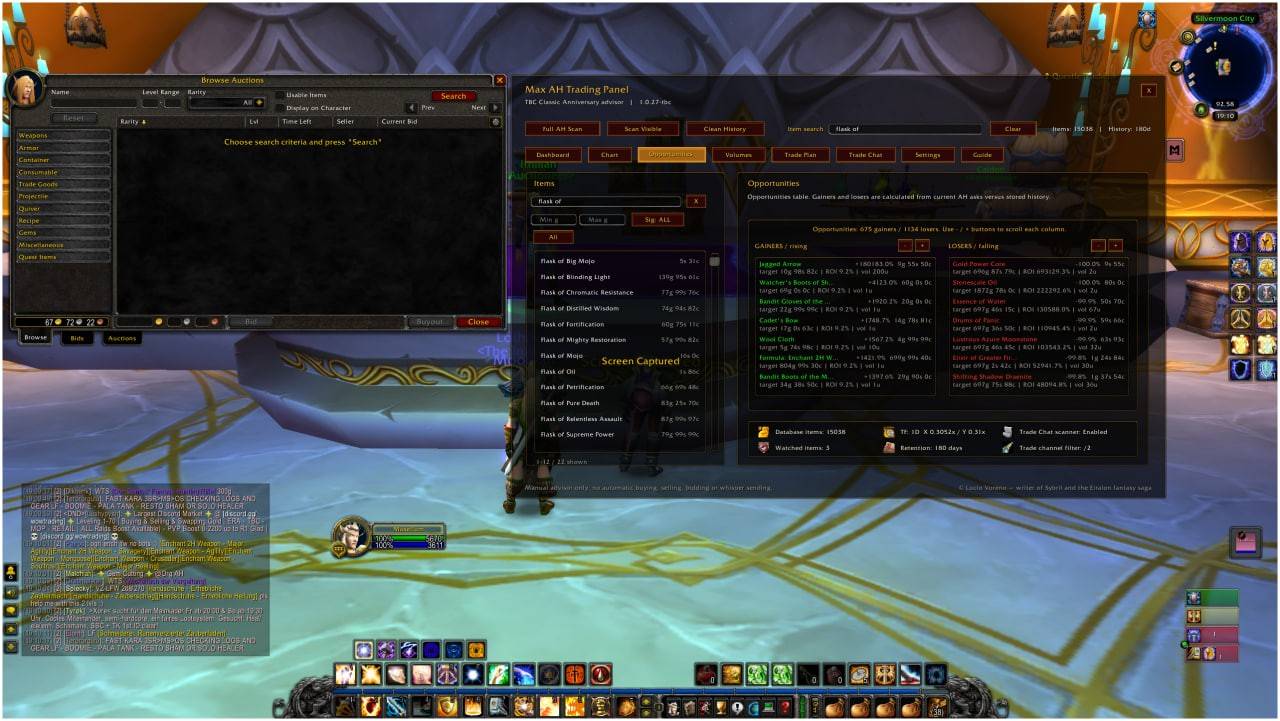
Max AH Trading Panel is an Auction House analysis addon with price history, charts, volumes, opportunities, trade planning and an operating guide. Advisory only: no automatic buying, selling, bidding or whispers.
MAX_Auction_House_Trading_Panel.jpg
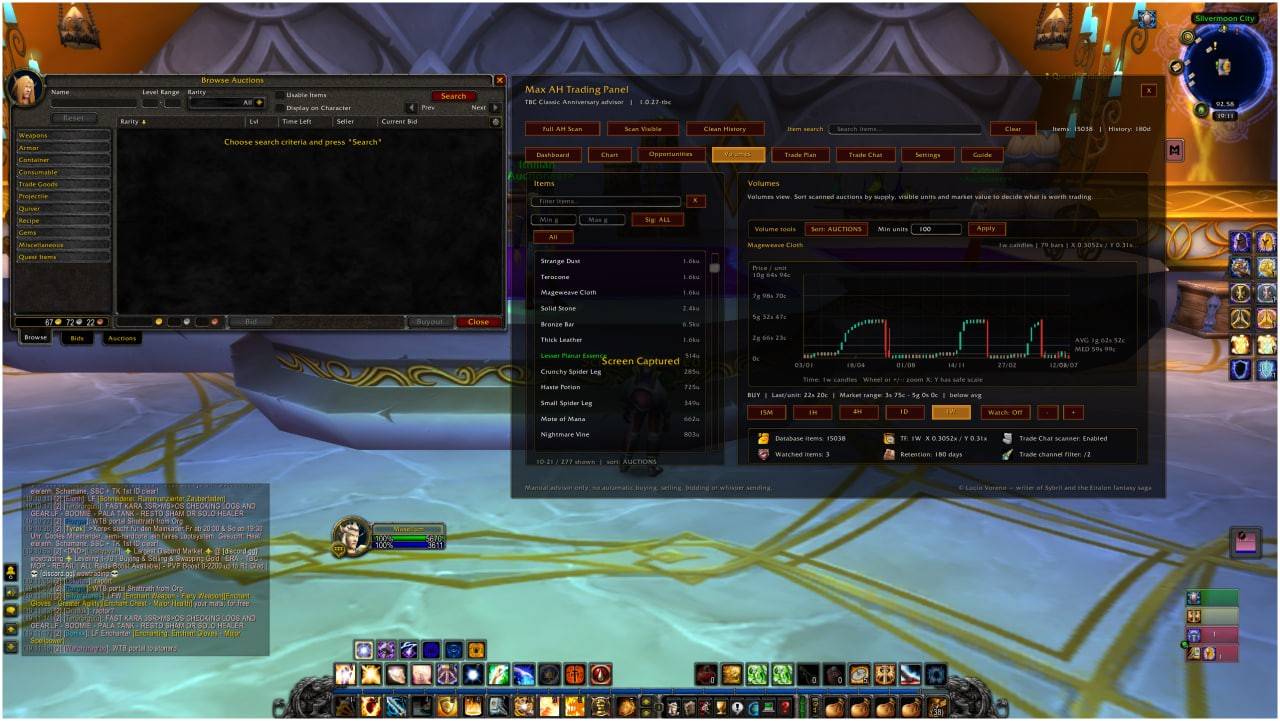
MAX_Auction_House_Trading_Panel_2.jpg
MAX_Auction_House_Trading_Panel_1.jpg
Description
Max AH Trading Panel is an Auction House analysis addon designed to help players read the market, track item prices, compare opportunities and plan manual trades with more structure.
The addon is built as a decision-support panel, not as an automation tool. It does not automatically buy, sell, bid, post auctions or send whispers. The player remains fully responsible for every Auction House action.
Main Features
Price History Database
Max AH Trading Panel stores observed Auction House prices over time, allowing you to build a local market history for the items you scan.
It can help you understand whether an item is trading near its usual range, below average, above average, or moving into a potentially interesting price zone.
Professional Chart View
The addon includes a charting panel with multiple timeframes and visual styles.
Available chart tools include:
-
Candlestick chart
-
Japanese candle view
-
OHLC style
-
Line chart
-
SMA overlay
-
Zoom and horizontal pan
-
Price/unit visualization
-
Market range, average and median references
The goal is to give Auction House trading a clearer, more analytical interface.
Timeframes
You can analyze item history across different timeframes, including shorter and longer views, depending on the data stored in your addon database.
This helps separate short-term noise from broader market trends.
Opportunities Panel
The Opportunities tab helps identify items that may be moving significantly compared to stored historical data.
It highlights potential gainers and losers, helping you spot items that may deserve closer review.
Volumes Panel
The Volumes tab focuses on supply, visible auction depth, auction count, unit volume and estimated market value.
This is useful for avoiding thin markets and understanding whether an item has enough liquidity to be worth trading.
Trade Plan
The Trade Plan tab provides a structured manual trading plan for the selected item.
It can show:
-
Current ask/unit
-
Suggested max buy area
-
Sell target/unit
-
Estimated cost
-
Estimated net profit
-
Estimated ROI
-
Visible Auction House book
-
Suggested lot analysis
-
Planning values to copy manually into the official Auction House interface
The addon does not execute the trade. It only gives the player the numbers.
Trade Chat Scanner
The addon can monitor trade chat for item mentions, helping you keep track of potential market activity outside the Auction House window.
User Guide
A built-in scrollable guide explains the addon tabs, buttons and operating workflow directly inside the panel.
Planning-Only Philosophy
Max AH Trading Panel is intentionally designed as a manual advisor.
It does not perform protected Auction House actions and does not attempt to automate gameplay. All purchases, sales, bids and listings must be performed manually by the player through the official game interface.
This keeps the addon focused on analysis, planning and clarity.
Typical Workflow
-
Open the Auction House.
-
Scan visible or broader market data.
-
Select an item from the item list.
-
Review the chart, price history and market range.
-
Check volumes and opportunities.
-
Open the Trade Plan.
-
Copy the suggested values manually into the official Auction House interface.
-
Make the final decision yourself.
Who Is It For?
Max AH Trading Panel is useful for players who want a more structured way to approach Auction House trading, including:
-
Market watchers
-
Crafters
-
Farmers
-
Flippers
-
Players tracking materials
-
Players who want price history before buying or selling
-
Anyone who wants a cleaner analytical view of Auction House data
Important Note
This addon is not a bot and does not automate trading.
It is an analysis and planning tool only.
No automatic buying.
No automatic selling.
No automatic bidding.
No automatic whispers.
MAX_AH_Trading_Panel Team