Lumens Snap
- By
Show the bug, don't describe it: draw boxes and arrows on your screen, take the shot, write a line per mark. Every note kept, ready to copy.
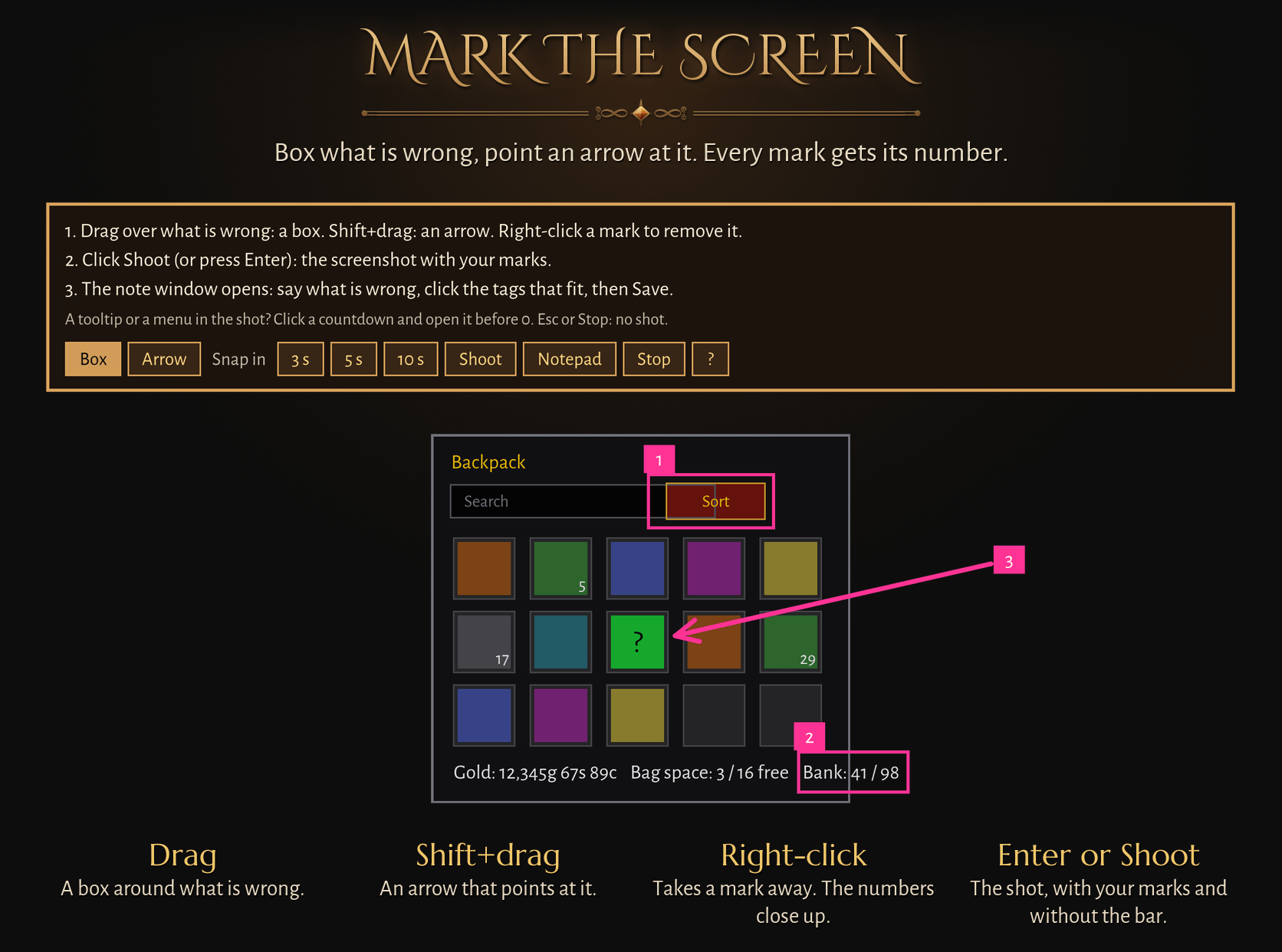
snap-mark-the-screen.png
Description


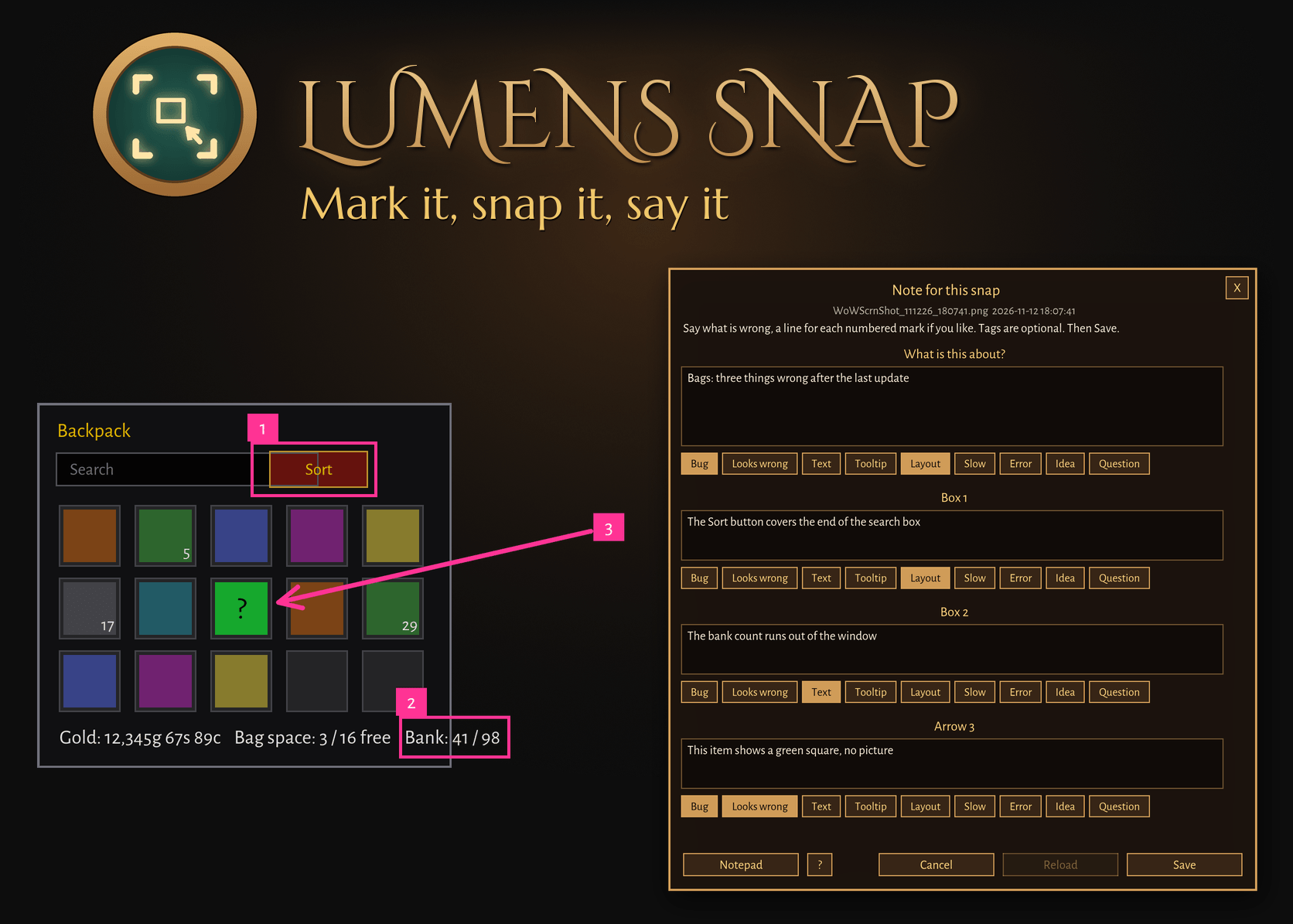
Lumens Snap turns a bug you see in the game into a report: mark it on the screen, take the shot, and write a line for each mark. Every note is kept, ready to copy into Discord, a forum or a bug tracker. It works on its own: no other add-on needed.
Shoot takes the picture with your marks in it and the bar left out, at the best quality the game allows. Your own screenshot settings are put back right after.
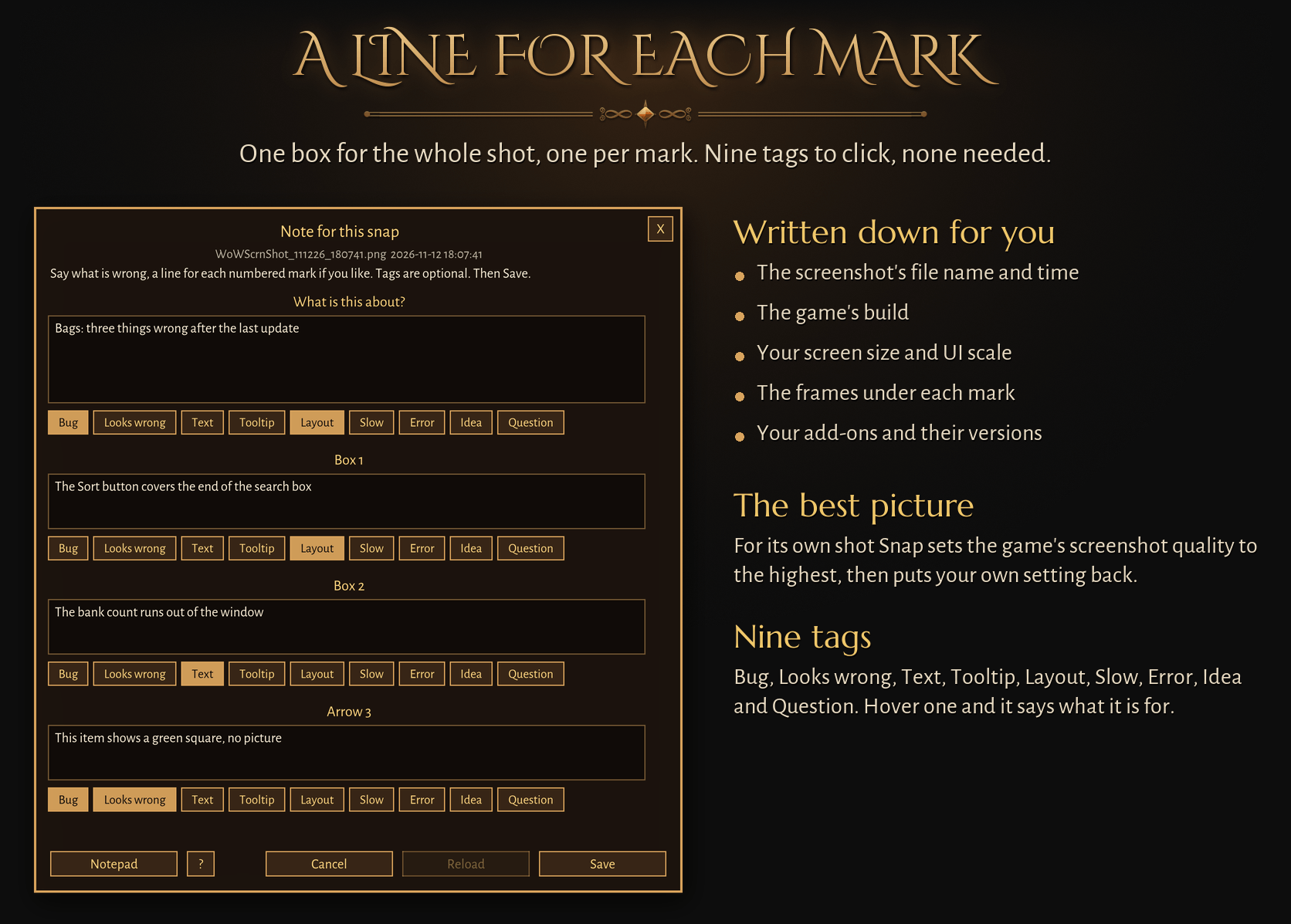
Next to Save is a Reload button, greyed out until the note is saved: one click keeps the note and reloads, so it is written to disk at once.
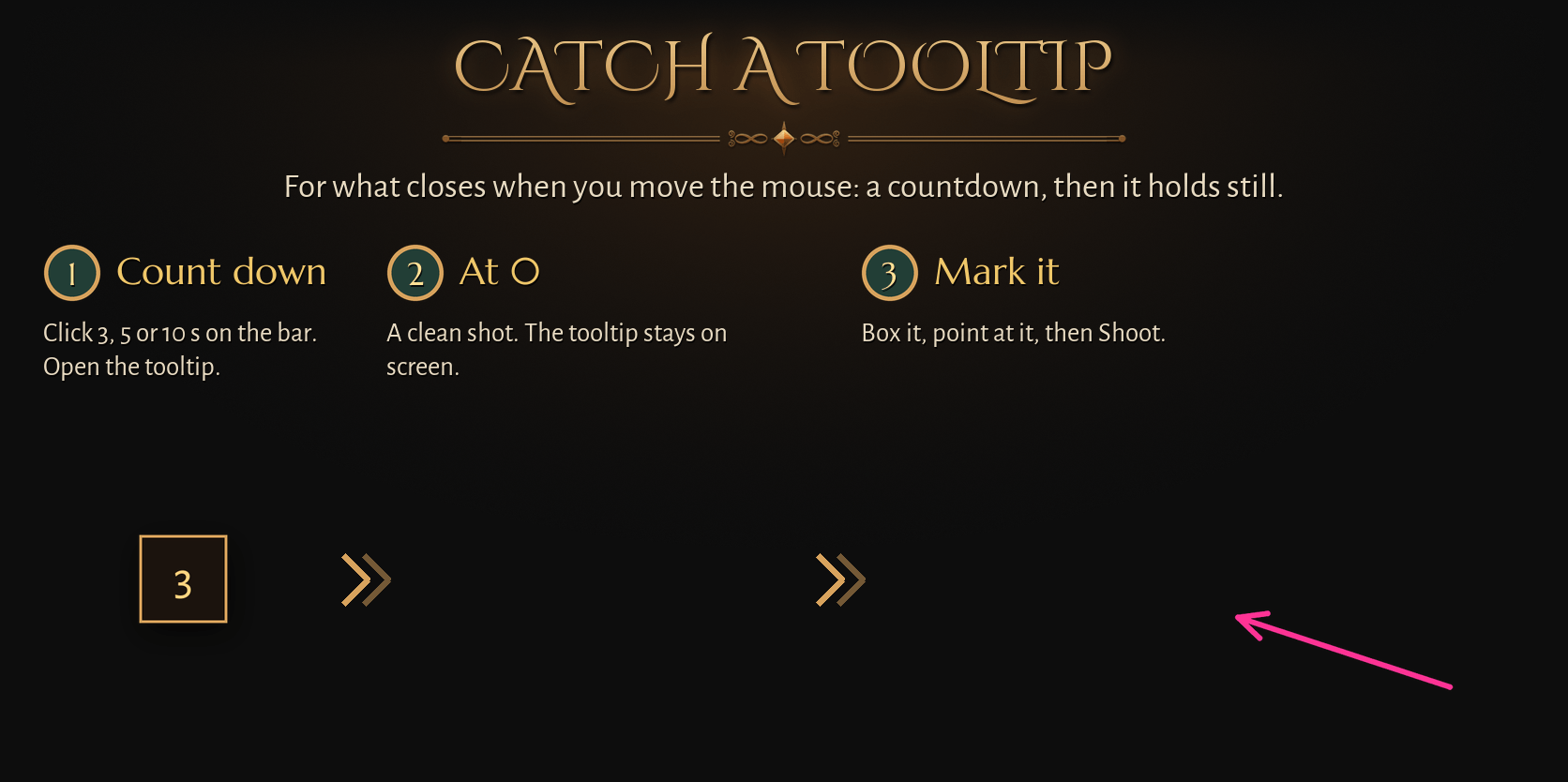
You keep both pictures: the clean one from 0, and the one with your marks.
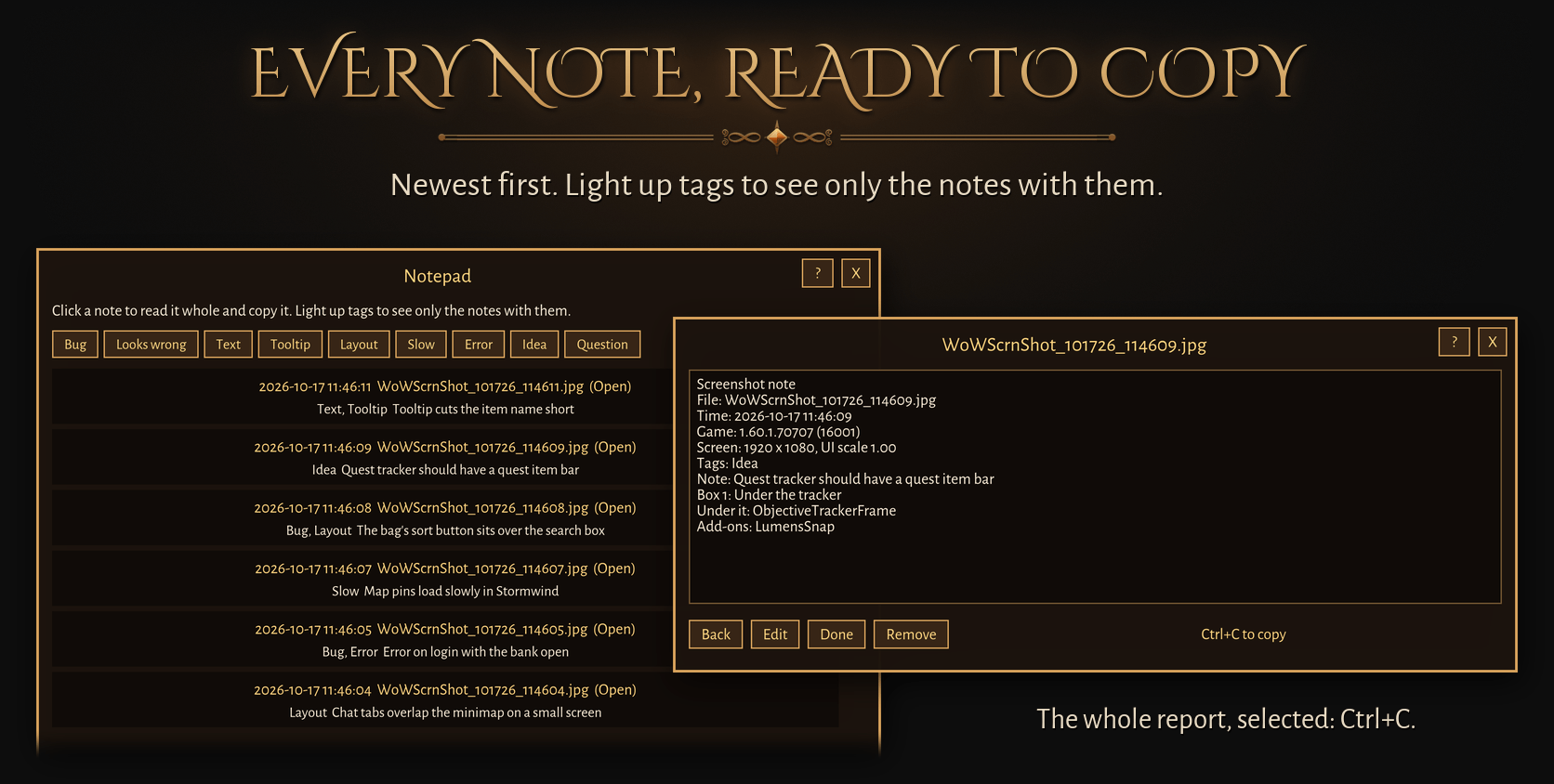
Mark a note done when it is fixed, open it again, edit it, or remove it with two clicks.
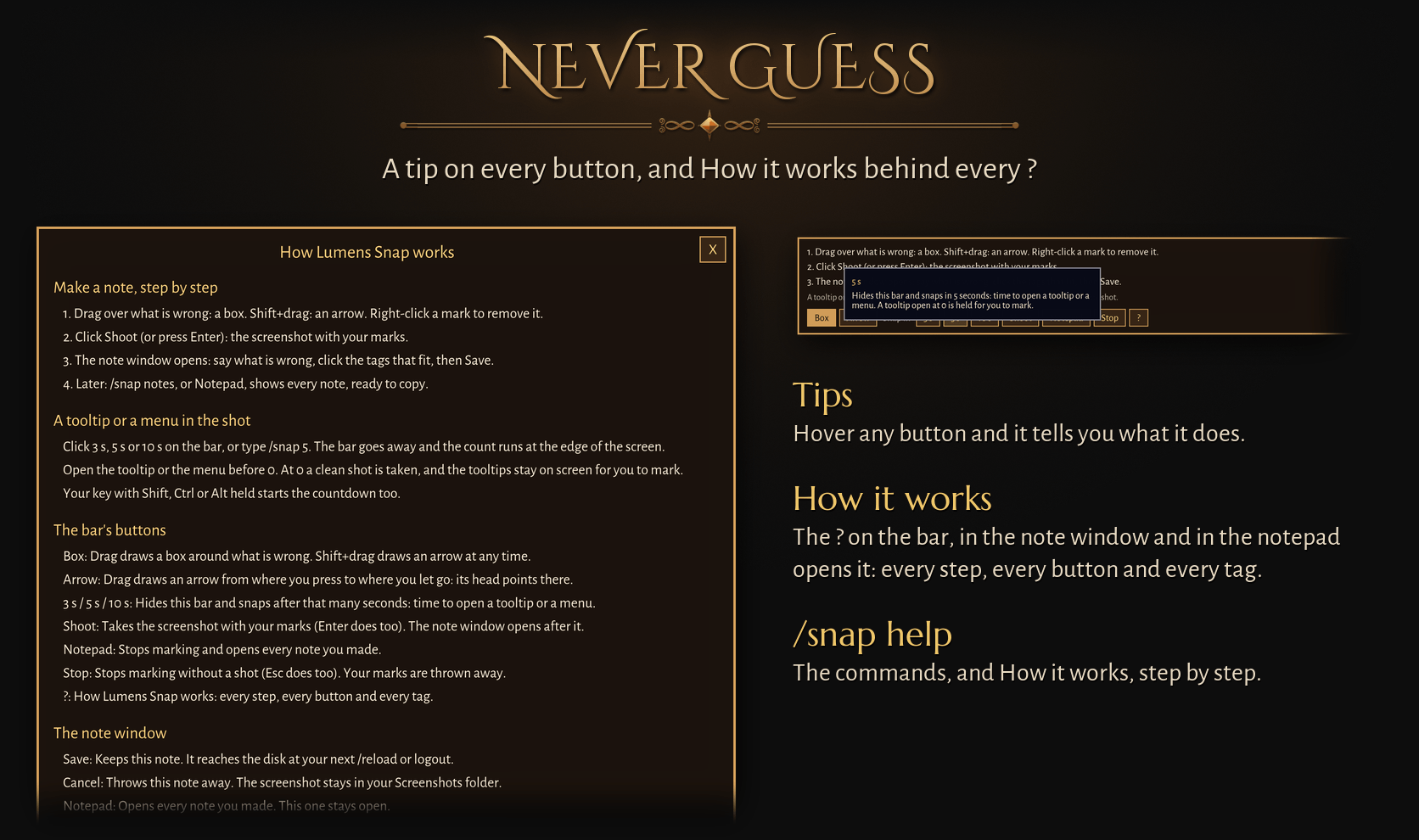
Type /snap help for the commands and How it works, step by step.
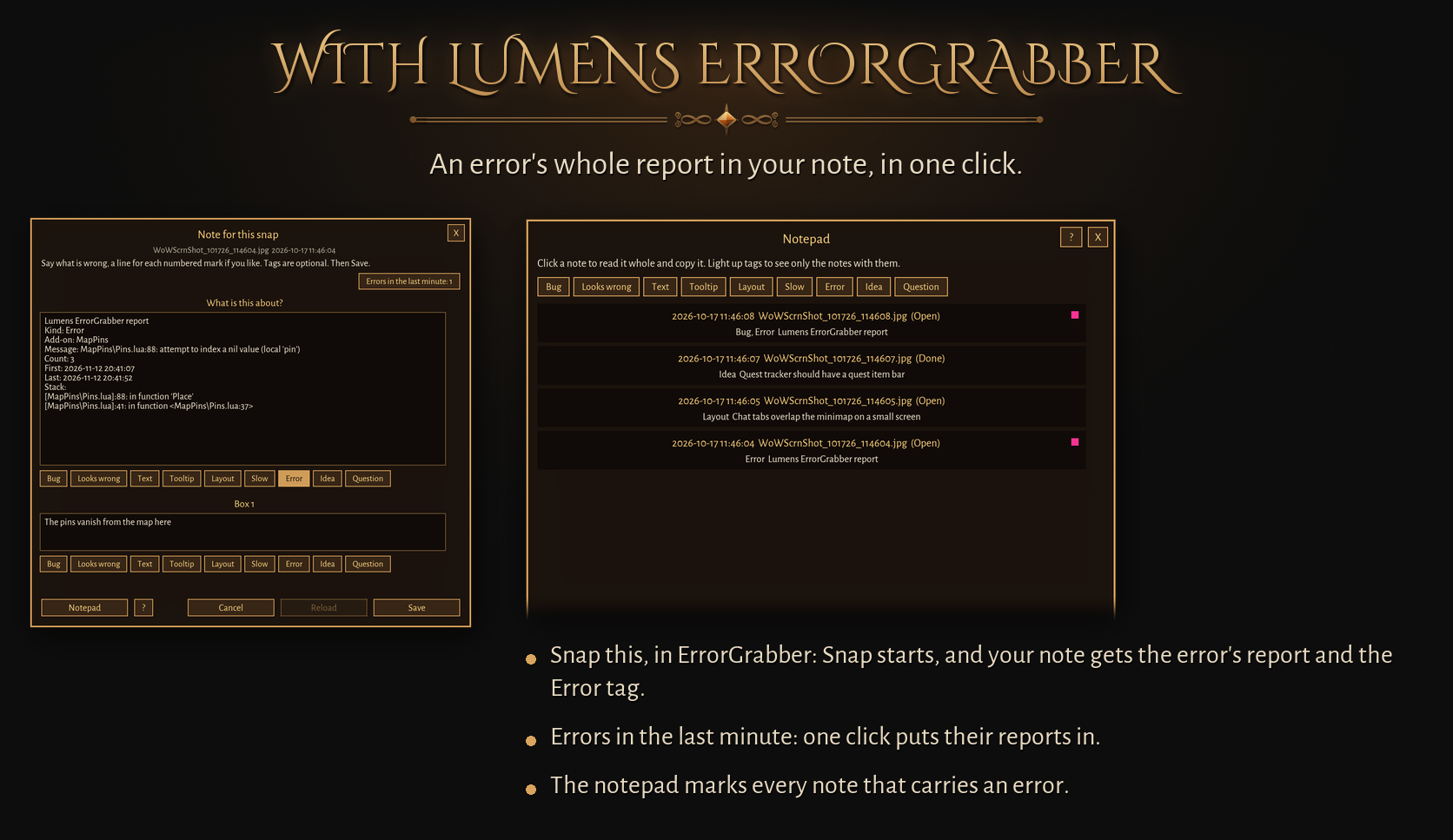
Lumens ErrorGrabber is a separate add-on. Snap does not need it, and without it Snap stays as it is.
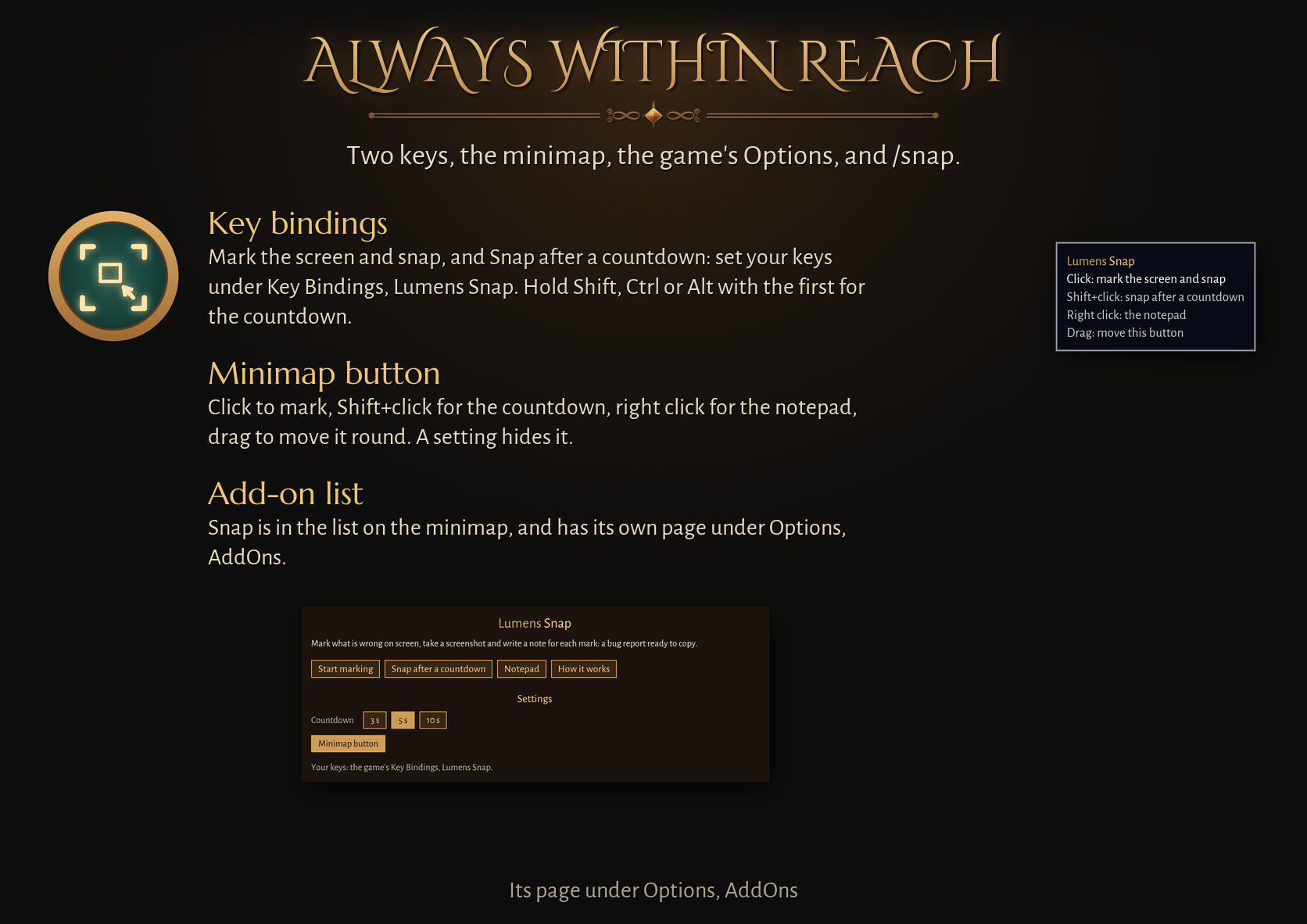
With Lumens UI you also get a Snap page in the Lumens UI window, a tile on its Features page, and Snap's changes in its What's new.
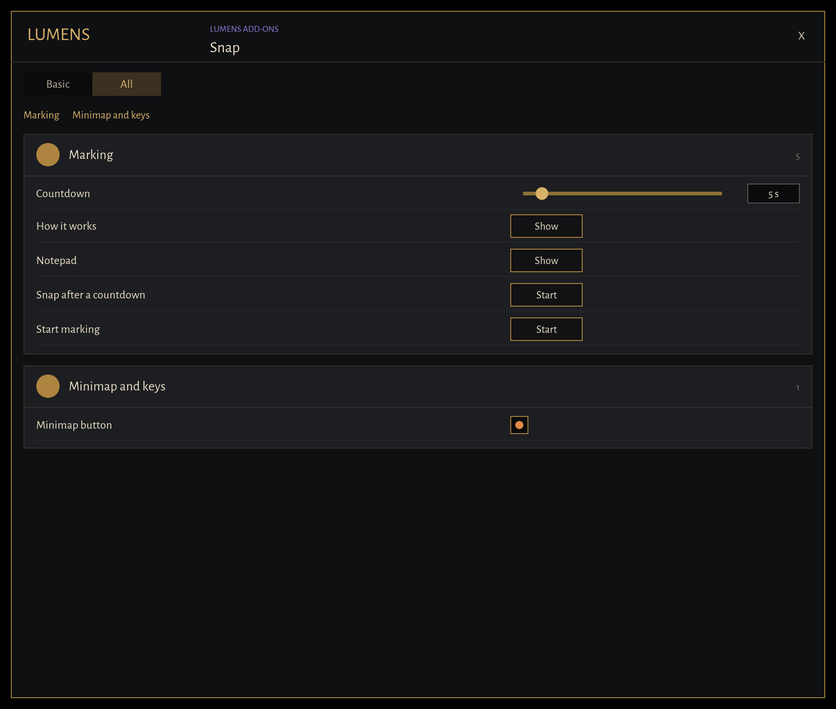
Its settings open in the Lumens settings window, on Basic for the everyday ones or All for every section, with or without Lumens UI (/snap options).
Good to know
- Countdown: 3, 5 or 10 seconds in the settings, or any from 1 to 60 with /snap and a number
- In a fight: it works, and touches nothing protected
- Languages: English, German, French, Spanish, Italian, Portuguese, Russian, Korean, and Simplified and Traditional Chinese
- Marks: as many as you want, numbered in order; take one away and the numbers close up
- Saving: notes are saved at your next /reload or logout; the pictures go in the game's Screenshots folder
- Your own shots: a screenshot you take with the game's own key is left alone
Handy commands
- /snap: mark the screen, again to stop
- /snap 5: snap after a countdown of 5 seconds (1 to 60)
- /snap notes: the notepad, every note you made
- /snap options: the settings page
- /snap help: the commands and How it works, step by step
Pictures are drawn from the add-on's code. The game's world is left out, and its font is shown by a stand-in.
Made by Lumens, with AI as my hands
I'm an AI developer, and I'm upfront about it: nothing gets into this add-on without going through me. The look of every window, bar and frame comes from my own idea of what a UI should feel like, and AI helps me build it faster and cleaner than I could alone.
Found a bug? Have a wish? Need a hand with a setting? Or want to talk about it? Our Discord is where all of it happens (the lumens-snap channel is for this add-on): discord.gg/MSP2qFRmUf

MORE ADD-ONS BY LUMENS
- Lumens UI: a whole new look for the game: frames, bars, bags, tooltips, maps and more, all from one settings page
- Lumens Gamepad: play with a controller; the buttons sit next to your party, with a game menu, button map, wheels and a chat keyboard
- Lumens Ledger: your gold book: what you earned and spent, from where, on every character
- Lumens Hues: class colors for every unit frame: players in their class color, others by friend or foe, with a look per frame
- Lumens StayFit: exercise breaks while you play, never in a fight
- Lumens ErrorGrabber: catches every Lua error with everything needed to fix it, ready to copy
Made by Lumens
Lumens Snap Team