Lumens Gamepad
- By
Play WoW: Forever with a controller on the game's own frames: button marks on the party and focus frames, a button map, wheels and a setup.


Your controller, on the game's own frames.
Lumens Gamepad puts the buttons of your controller where you look: next to each member of your party. It also brings one big game menu with a gamepad menu in it, a button map, a wheel for your potions and pet, a keyboard for the chat, and a first-time setup. It works on its own, with no other add-on, and it only wakes up while the game's gamepad mode is on.
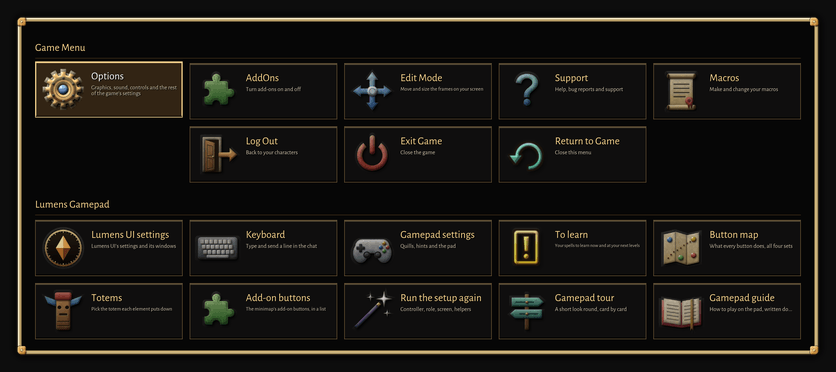
The game menu is one big page of tiles: the game's own entries on top, the gamepad menu under them. Every tile has its icon and a line of what it does: the keyboard, the Gamepad settings, the button map, the setup, the tour and the guide. More tiles come when they apply: To learn with Lumens UI, Totems on a shaman, and Add-on buttons when the game's add-on list holds other add-ons' buttons. The layout follows a wide or a tall screen by itself, and the glow behind each icon takes the icon’s own shape. The button map has a size slider, from 50 to 100%; with the map open, LT makes it smaller and RT bigger. It has the gamepad bar’s 3 pages too: D-pad up from the top row to the page, then left and right turn it, so you can put something on each page.
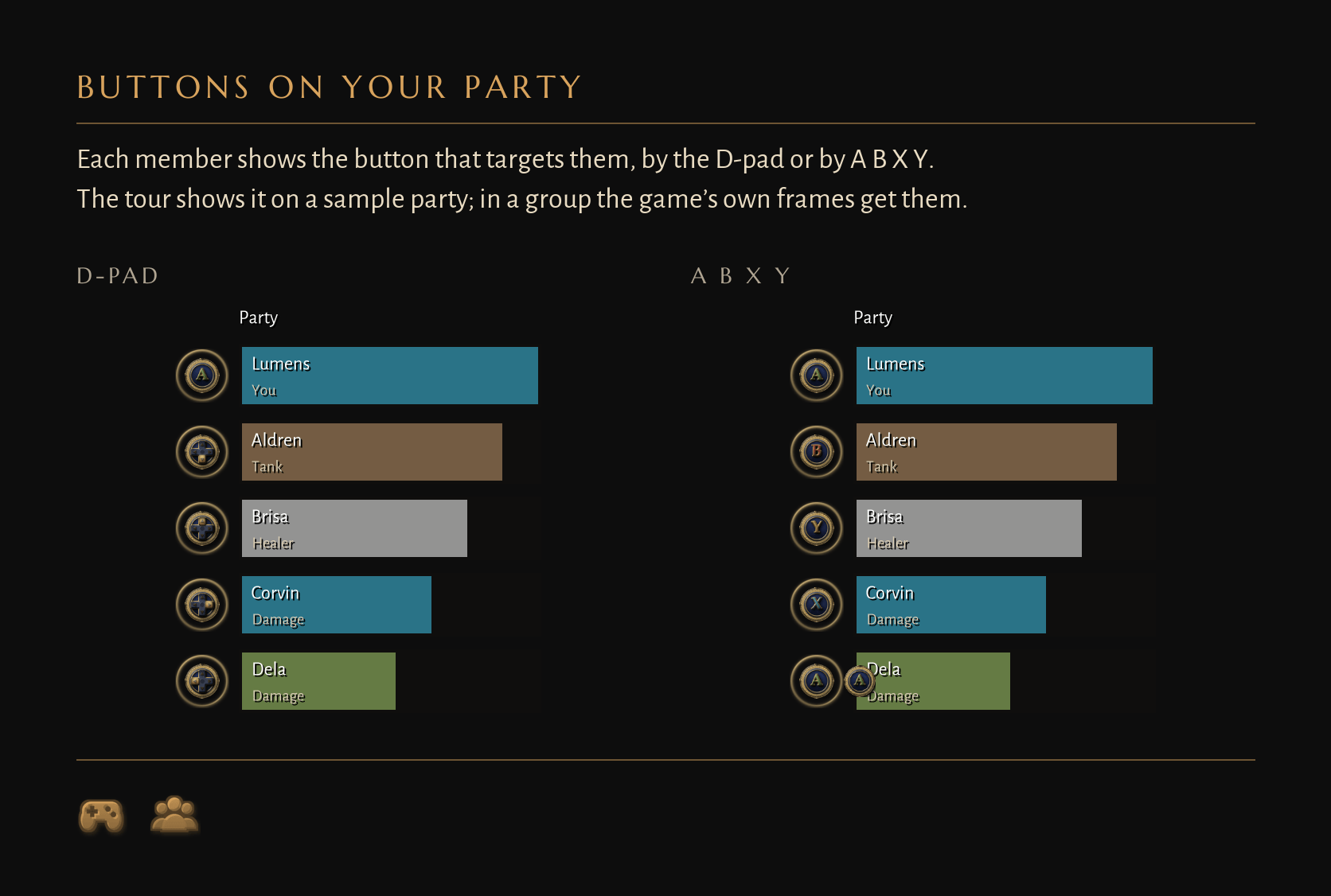
Each member of your party shows the button that targets them, on the game's own party frames: the D-pad, or A, B, X and Y if you choose that (A twice picks the fifth member). Hold LB to use them. The buttons pick who gets your heal, buff, dispel or resurrection, for every role and not only healers. The picture is the sample party of the tour; in a group the same buttons sit on the game's own frames. In a raid there are no party marks. The marks can be made bigger or smaller, put on any side of a frame and made brighter.
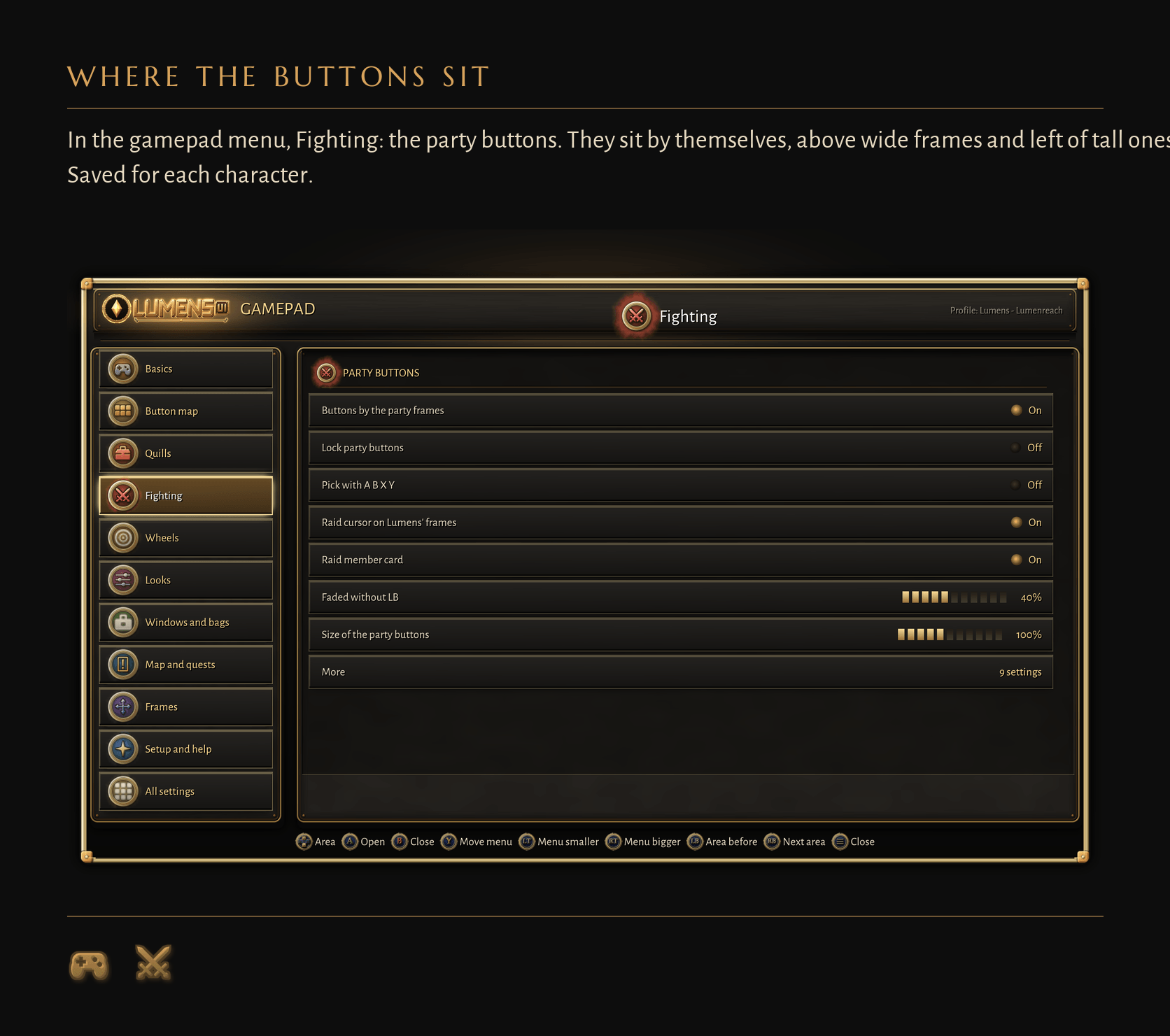
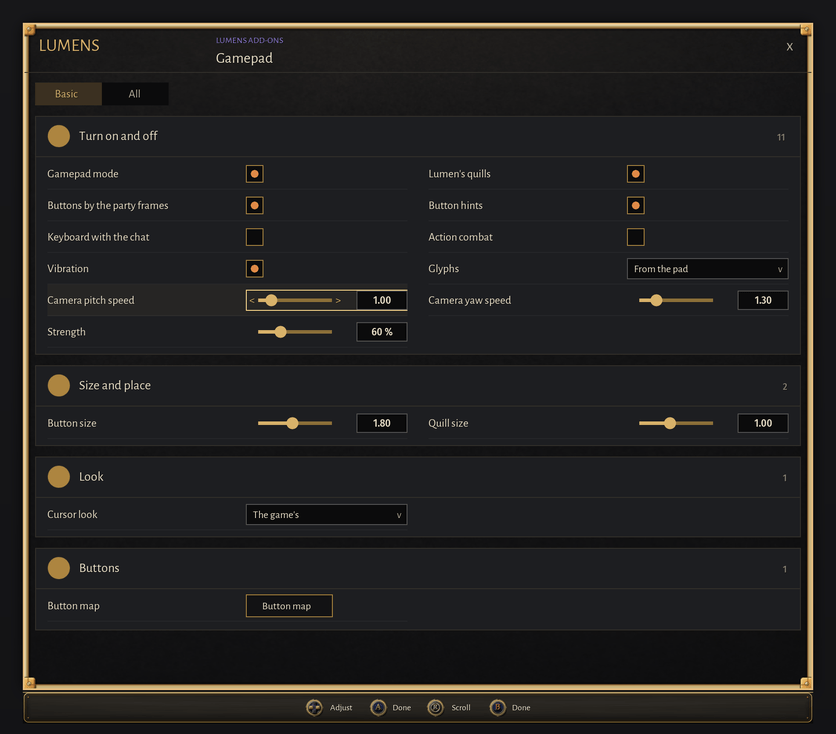
Every setting is in the gamepad menu, and in the Lumens settings window too: on its own it shows just the Gamepad page, and with Lumens UI it is the Gamepad tab, and the Gamepad settings tile in the game menu opens it there. The pad moves through that window: LB for the list, RB for the page, the D-pad on its side, A grabs a slider and B goes back. Under Fighting, Party buttons: switch them on, choose the D-pad or A, B, X and Y, and set how they act. The buttons sit by themselves, above horizontal party frames and left of vertical ones, with no setting. Saved for each character.
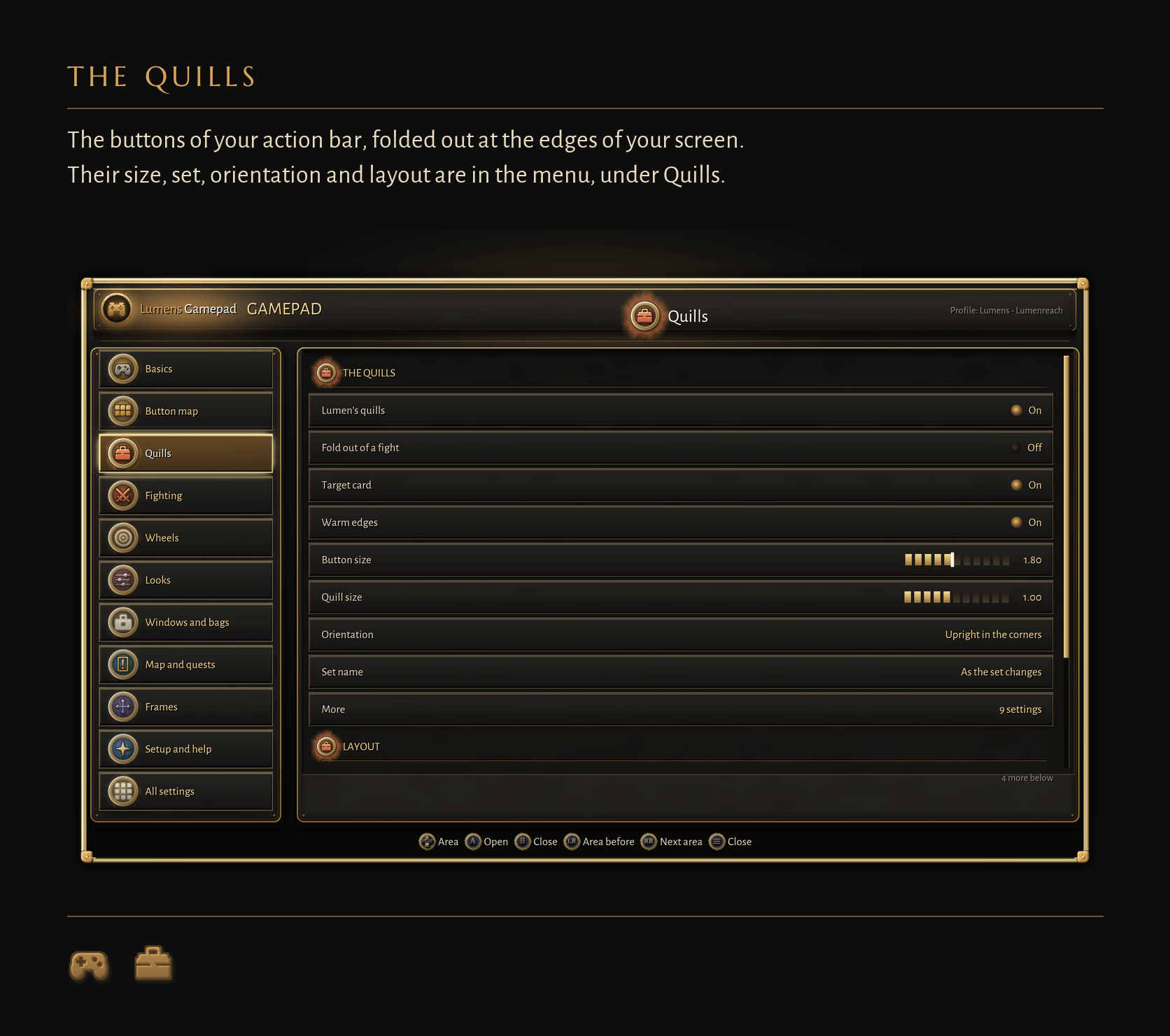
The buttons of your action bar, folded out at the edges of your screen as quills. Their size, set, orientation and layout are in the menu, under Quills.
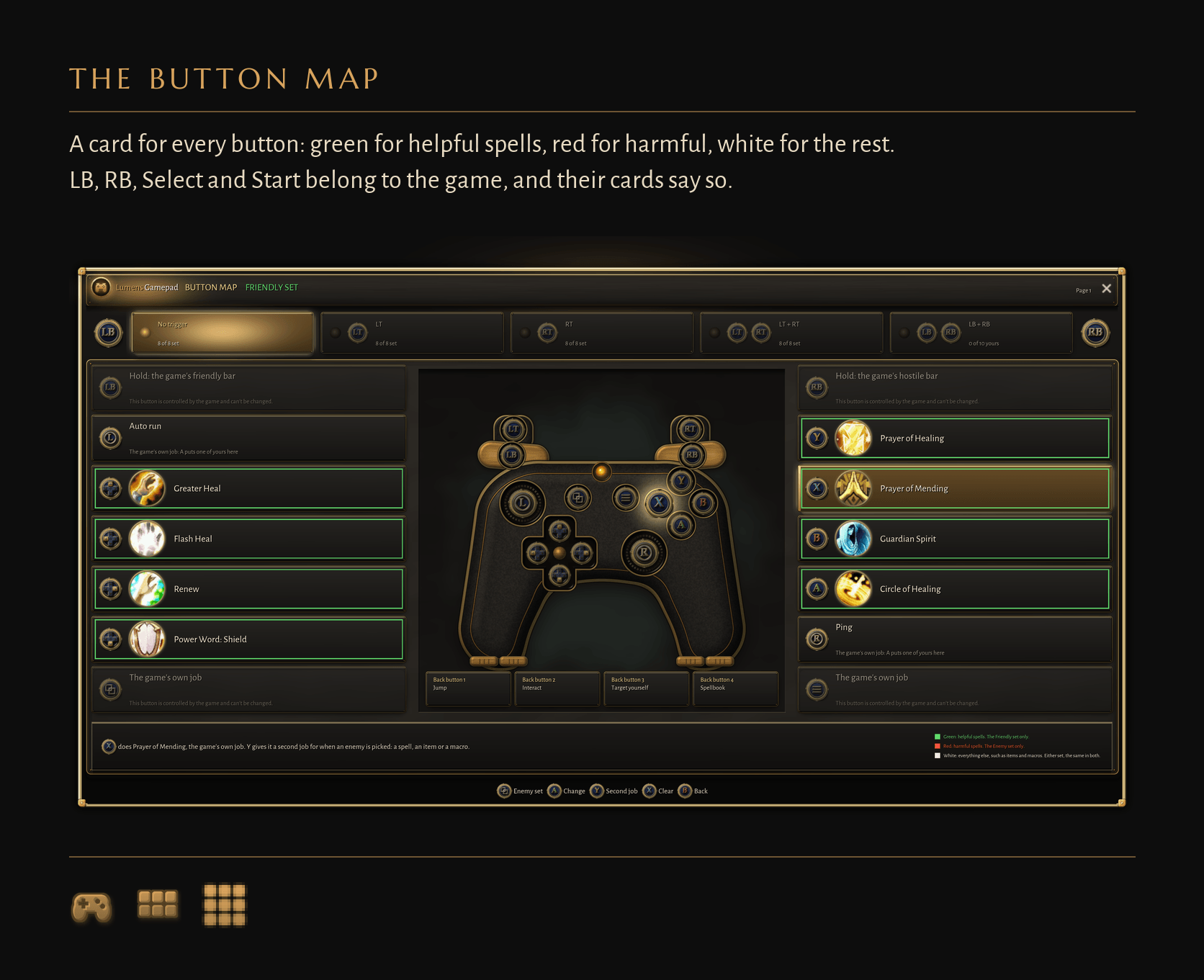
A card for every button: green for helpful spells, red for harmful, white for items, macros and the rest. Select switches between the Friendly and the Enemy set, and LB + RB is a page for your own shortcuts. Start, Select, LB and RB belong to the game, and their cards say so.
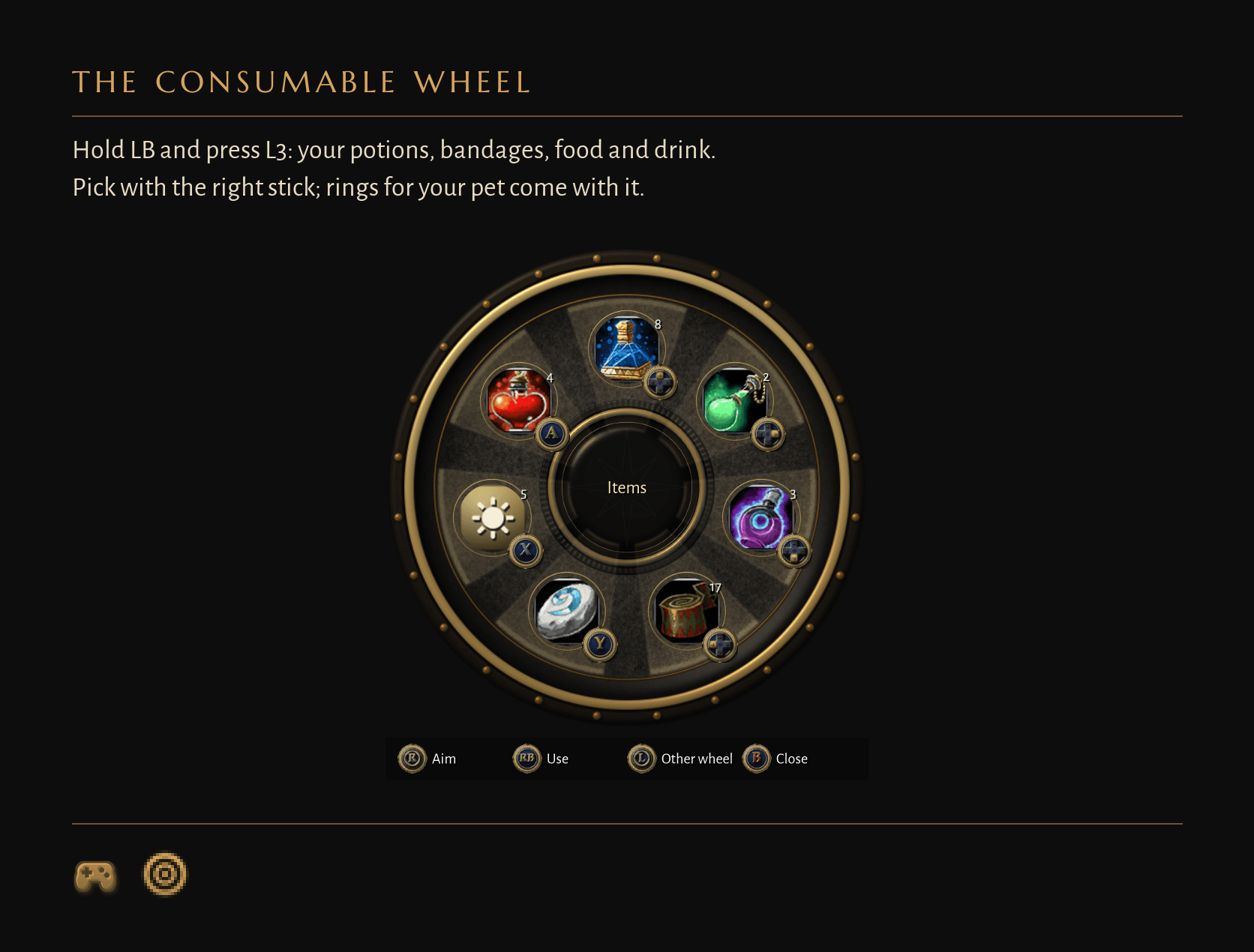
Hold LB and press L3 for the consumable wheel: your potions, bandages, food and drink, and rings for your pet (calling it, and caring for it). Aim with the right stick and press RB to use. Its Own page holds the spells, items and macros you put on it, and you fill it from the wheel with the pad alone, no mouse needed, and a To learn tile opens the list of spells still to come.
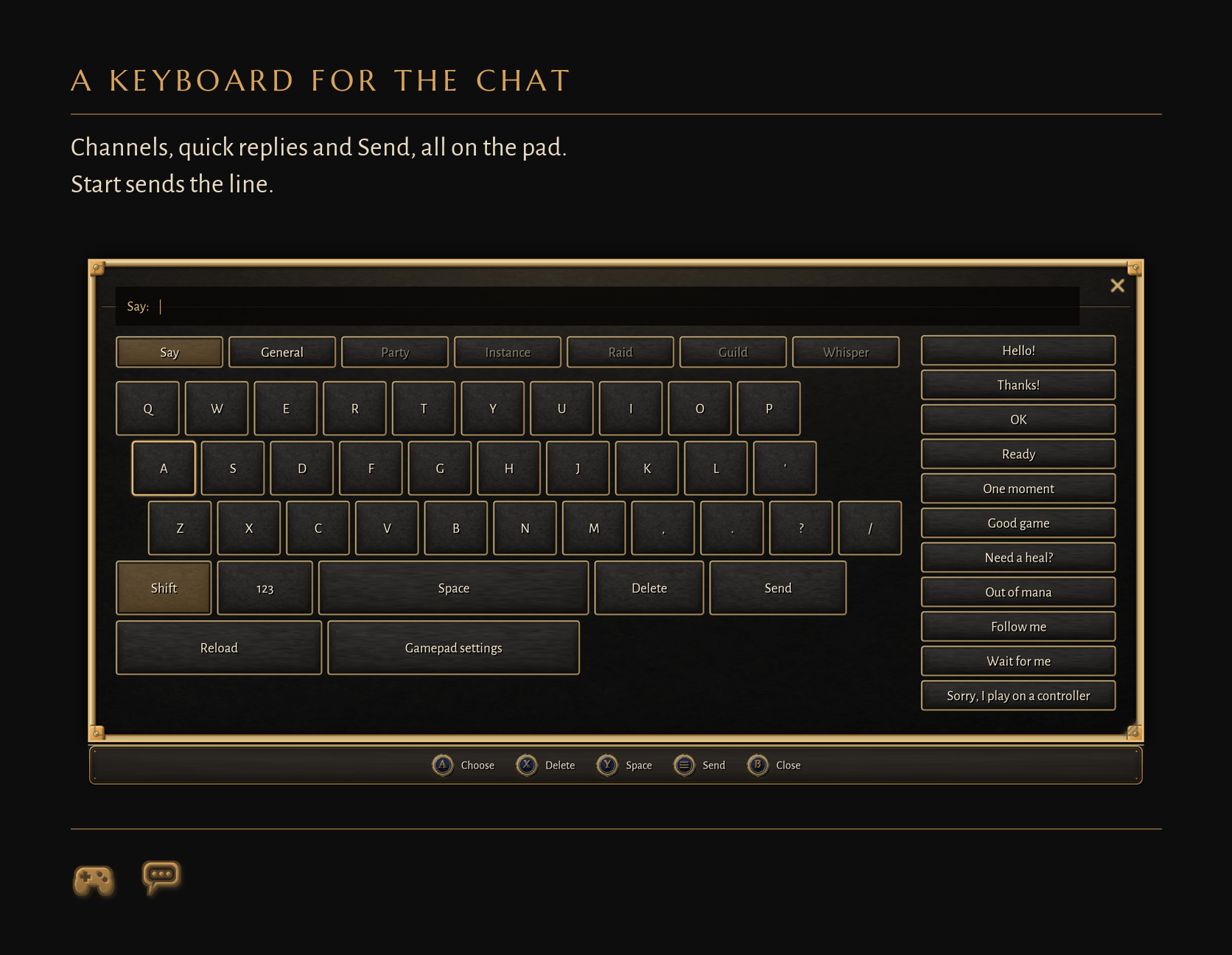
A keyboard for the chat, on the pad: channels (it opens on the one you last talked in), quick replies, and keys for Reload and the gamepad menu. Letters with the D-pad and A, X deletes, Y is a space, Start sends the line.
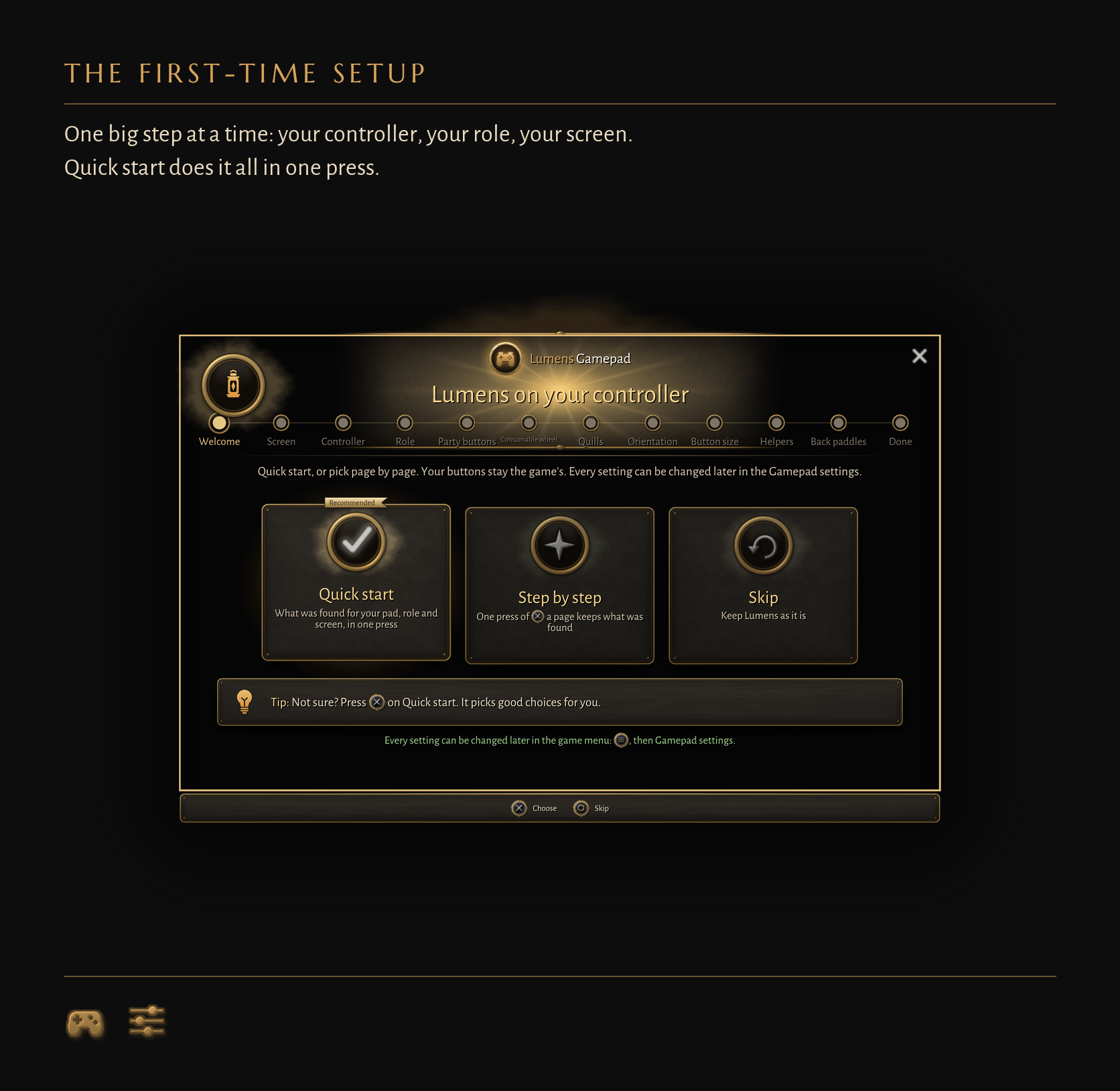
The first time, a setup asks your controller, your role and your screen, one big step at a time. You can run it again from the game menu, and a tour and a written guide stay there too.
Good to know
- On its own: it needs no other add-on, and works on the game's default frames. Sell with X, junk marks, the bag cursor and moving frames need Lumens UI
- The game's buttons: Start, Select, LB and RB are the game's and cannot be changed; the Button map says so on their cards
- Settings: all of them are in the gamepad menu and in the Lumens settings window (with Lumens UI, its Gamepad tab), kept in the add-on's own file; where the marks sit is saved for each character
- Languages: all nine of the game's languages
- Mouse mode: it loads its heavy part only when the game's gamepad mode starts, so a mouse player pays almost nothing
- From Lumens UI: if you used the Gamepad page in Lumens UI, your settings are carried over once, at the first login with Lumens UI on (if it was off, it tries again at the next login). Where the marks sit starts fresh
- Lumens UI: with it too, the Gamepad page shows in the Lumens UI window, the pad also reaches Lumens' bags (cursor, X sells, Y marks junk) and can move Lumens' frames. Use the current Lumens UI: an older one that still carries its own pad keeps it, and Lumens Gamepad stays out of the way
Handy commands
- /lpad: opens the Lumens Gamepad page in the game's Settings; /lpad settings: opens the gamepad menu, where every setting is, while the game's gamepad mode is on; /lpad help lists the commands. The Button map, the setup, the tour, the keyboard and the guide are in the gamepad menu too
Pictures are made from the add-on running in the game's own render harness: its real windows, textures and icons. The game's world and its own frames are left out (the marks are shown on the sample party), and the game's font is shown by a stand-in.
Made by Lumens, with AI as my hands
I'm an AI developer, and I'm upfront about it: nothing gets into this add-on without going through me. The look of every window, bar and frame comes from my own idea of what a UI should feel like, and AI helps me build it faster and cleaner than I could alone.
Questions or ideas? Come to the gamepad forum on our Discord; a bug or an error goes in bug-reports there: discord.gg/MSP2qFRmUf

MORE ADD-ONS BY LUMENS
- Lumens UI: a whole new look for the game: frames, bars, bags, tooltips, maps and more, all from one settings page
- Lumens Ledger: your gold book: what you earned and spent, from where, on every character
- Lumens Hues: class colors for every unit frame: players in their class color, others by friend or foe, with a look per frame
- Lumens StayFit: exercise breaks while you play, never in a fight
- Lumens Snap: mark a bug on your screen, take the shot, write a line for each mark, ready to copy
- Lumens ErrorGrabber: catches every Lua error with everything needed to fix it, ready to copy
Made by Lumens
Lumens Gamepad Team