Lumens Hues
- By
Colors your unit frames by class and reaction, with your own colors and live previews.
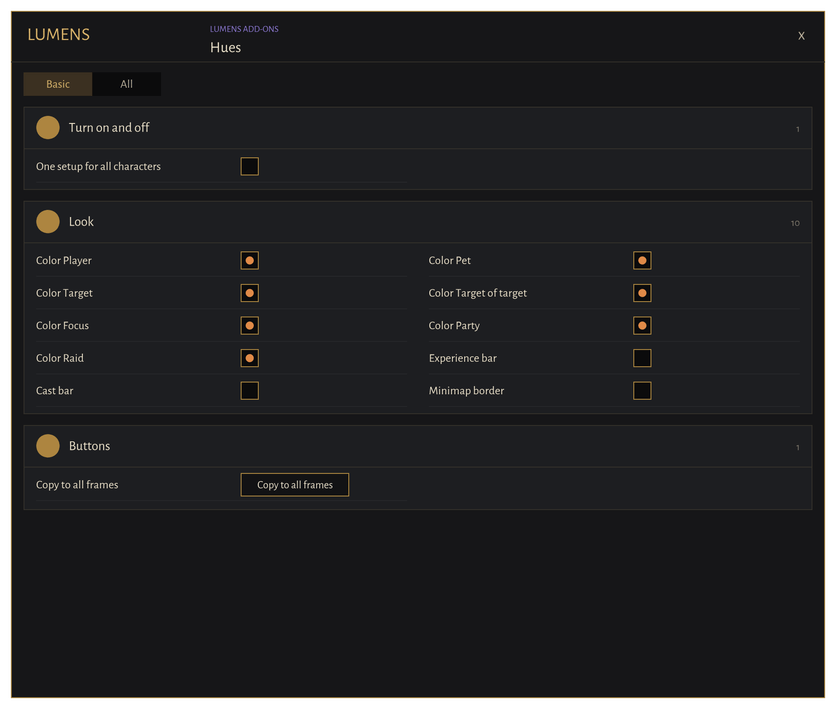
hues-settings-basic.png
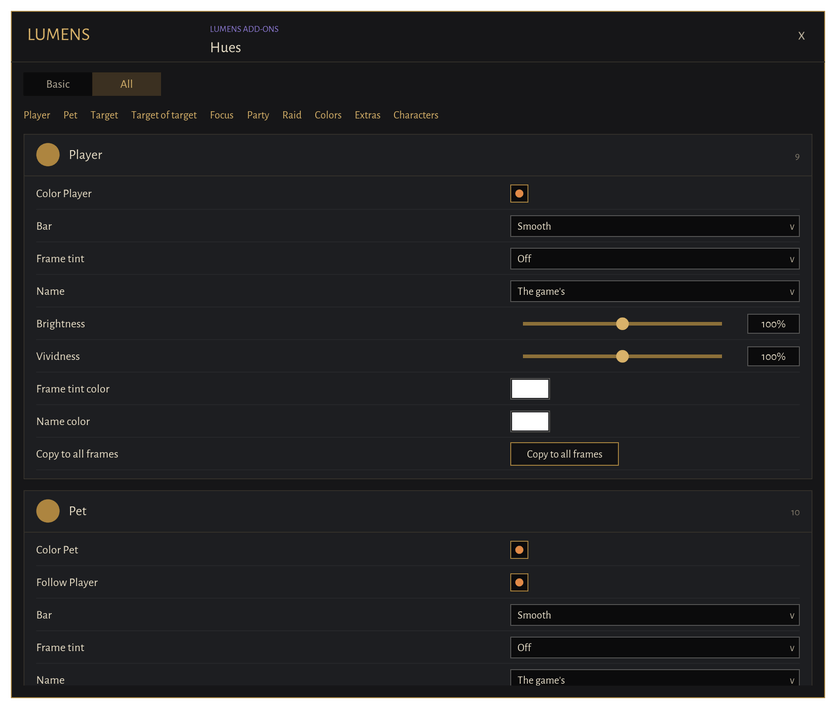
hues-settings-all.png
Description


Lumens Hues
Every unit frame in color, the way you like it.
Lumens Hues colors your unit frames: players in their class color, others by hostile, neutral or friendly, and creatures tapped by others in their own color. It works on its own on the game's frames, and with Lumens UI it colors the Lumens frames.
What you get
- One switch per frame. Player, pet, target, target of target, focus, party and raid, each on or off.
- A look per frame. The bar (plain, smooth or gloss), a frame tint (dark, your class, friend or foe, or your own color), the name's color, brightness and vividness.
- Follow along. The pet can follow the player's look and the target of target the target's.
- Copy to all frames. Set one frame up, then give every frame the same look in one click.
- Your own colors. A color for every class, for hostile, neutral and friendly, and for tapped by others, with one button back to the class colors of Lumens or the game.
- Extras. A class-colored experience bar, cast bar and minimap border, each with its own switch.
- Per character or shared. Each character has its own setup, or switch on one setup for all characters.
Basic or All
The settings open in the Lumens settings window. Basic has the switches you use most; All has every setting, with a strip to jump to each frame, Colors, Extras and Characters.
Works on its own, better with Lumens UI
- On its own it needs no other add-on and colors the game's own frames.
- Beside Lumens UI it colors the Lumens frames, and its settings are a page in Lumens UI's window, in the Lumens add-ons group.
- In your language. English plus German, Spanish, French, Italian, Korean, Portuguese, Russian and Chinese (simplified and traditional).
Getting started
- Install and log in. Your frames are in color at once.
/huesopens its settings./hues helplists the commands.
Help and feedback
Found a bug or have an idea? Open an Issue here, or ask on Discord: https://discord.gg/MSP2qFRmUf
MORE ADD-ONS BY LUMENS
- Lumens UI: a whole new look for the game: frames, bars, bags, tooltips, maps and more, all from one settings page
- Lumens Gamepad: play with a controller; the buttons sit next to your party, with a game menu, button map, wheels and a chat keyboard
- Lumens Ledger: your gold book: what you earned and spent, from where, on every character
- Lumens StayFit: exercise breaks while you play, never in a fight
- Lumens Snap: mark a bug on your screen, take the shot, write a line for each mark, ready to copy
- Lumens ErrorGrabber: catches every Lua error with everything needed to fix it, ready to copy
Lumens Hues Team