Lumens ErrorGrabber
- By
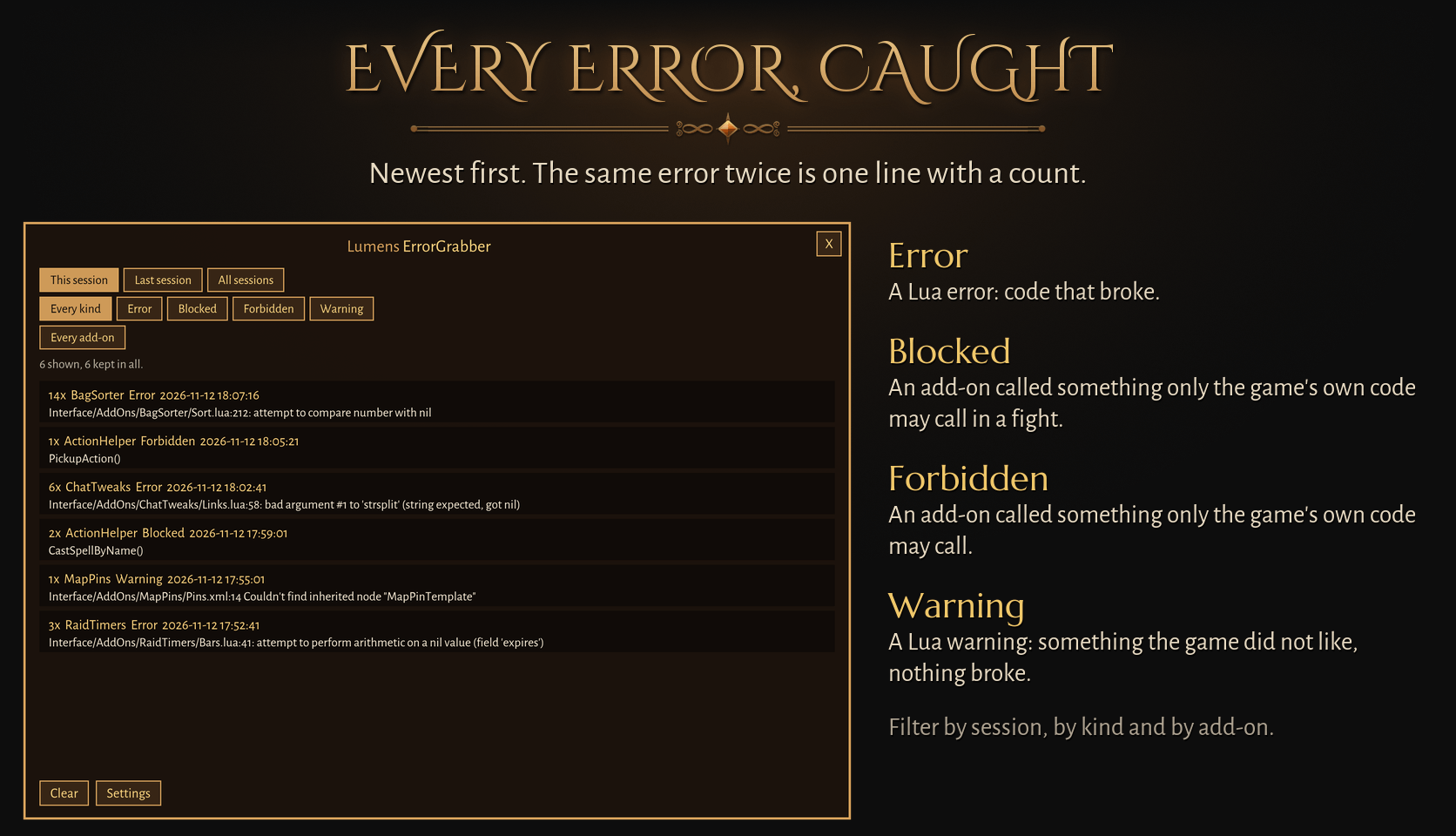
Catches every Lua error, blocked action and warning, with its stack, locals and add-on: newest first, counted, ready to copy. No popups.
errorgrabber-catching.png
errorgrabber-quiet.png
errorgrabber-settings.png
errorgrabber-ways-in.png

errorgrabber-buy-me-a-coffee.png
Description


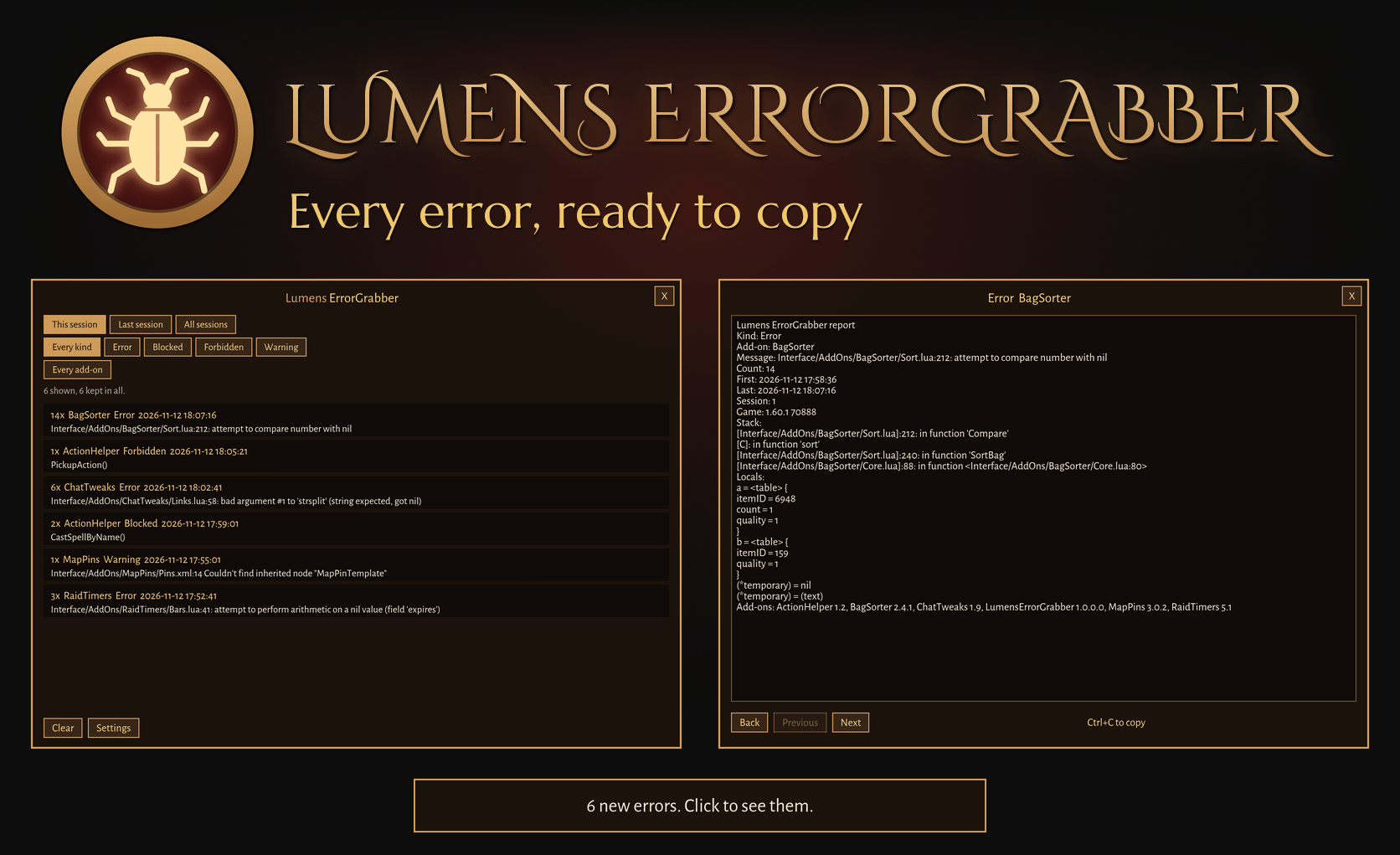
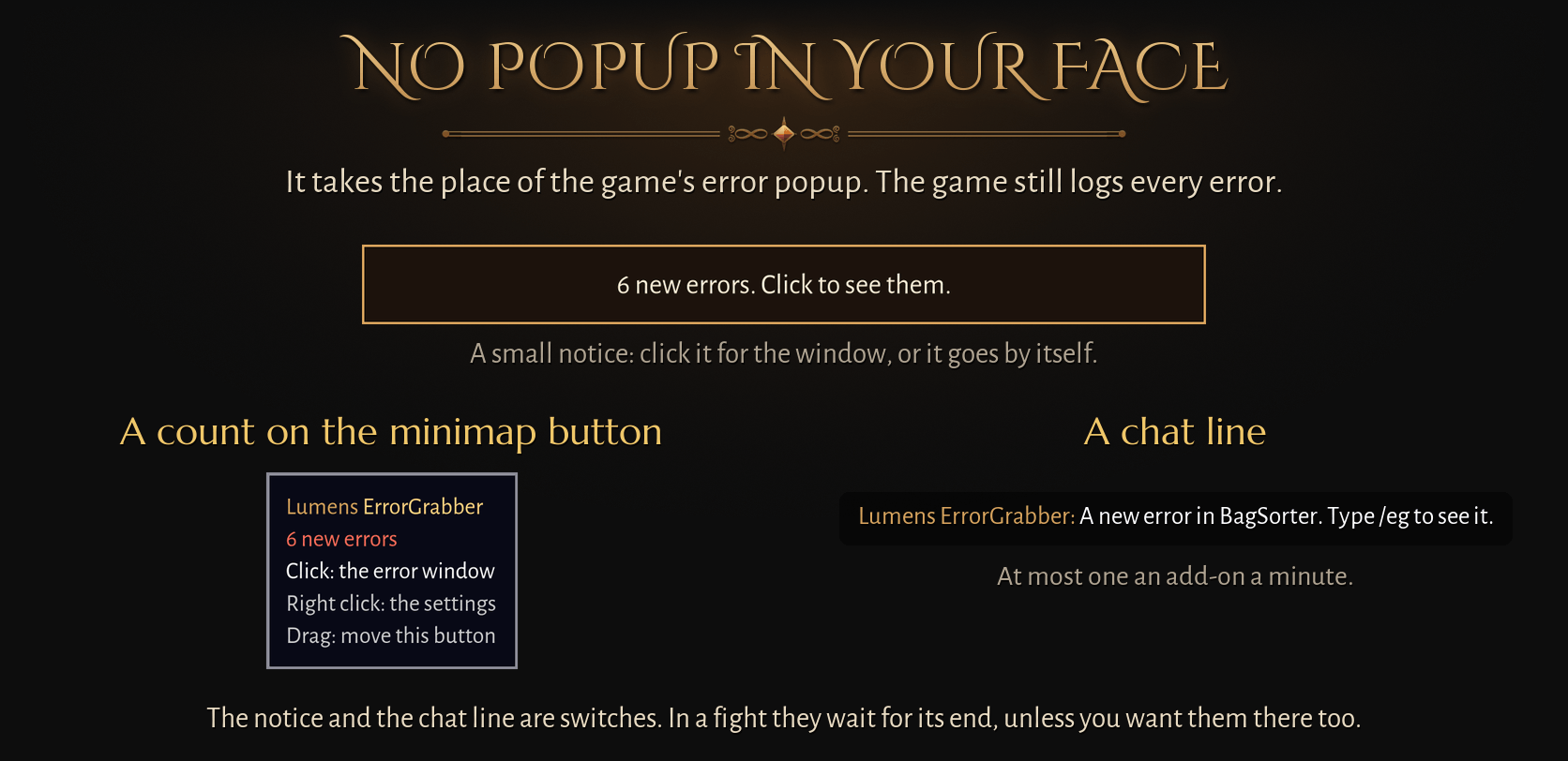
Lumens ErrorGrabber catches every Lua error and keeps it with everything needed to fix it, ready to copy into Discord, a forum or an add-on's bug tracker. No popup in your face. It works on its own: no other add-on needed.
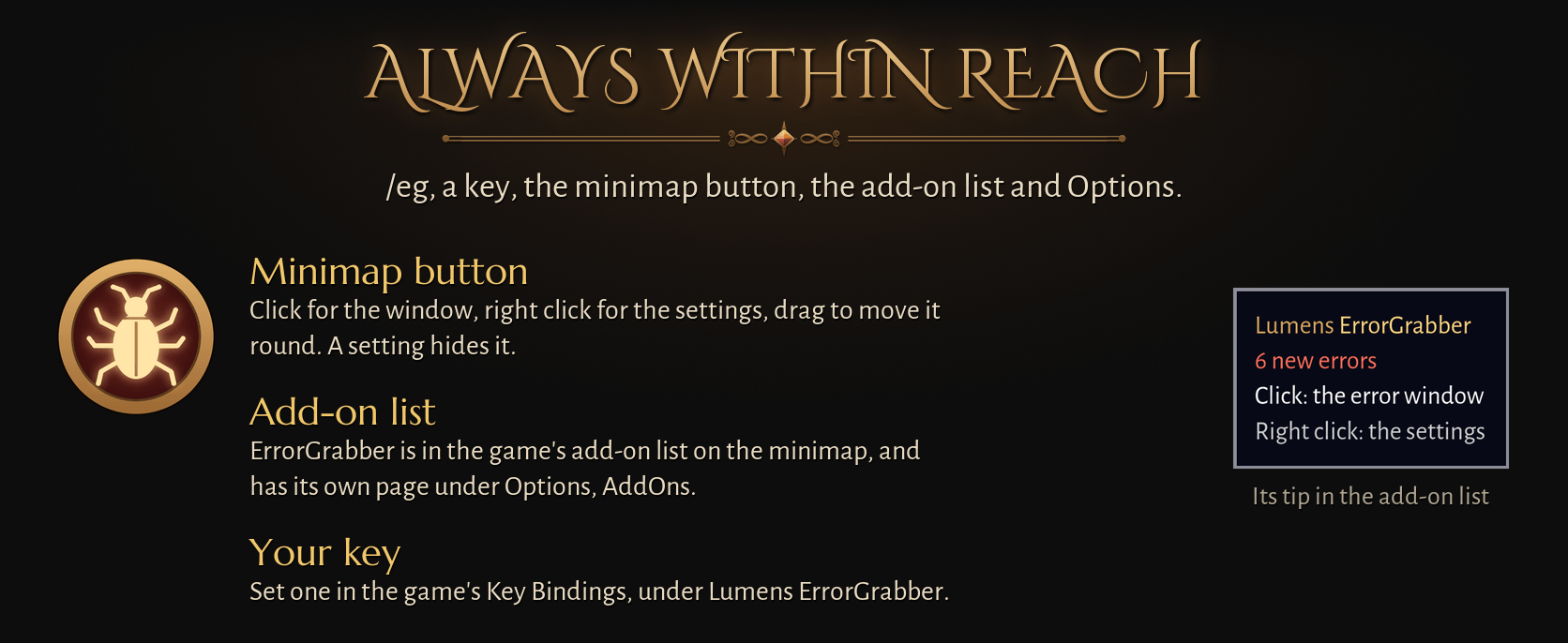
Lua errors, blocked and forbidden actions, and Lua warnings, even the ones from before it loaded. Type /eg to see them. A storm of errors never slows the game: past 10 a second, they are only counted.
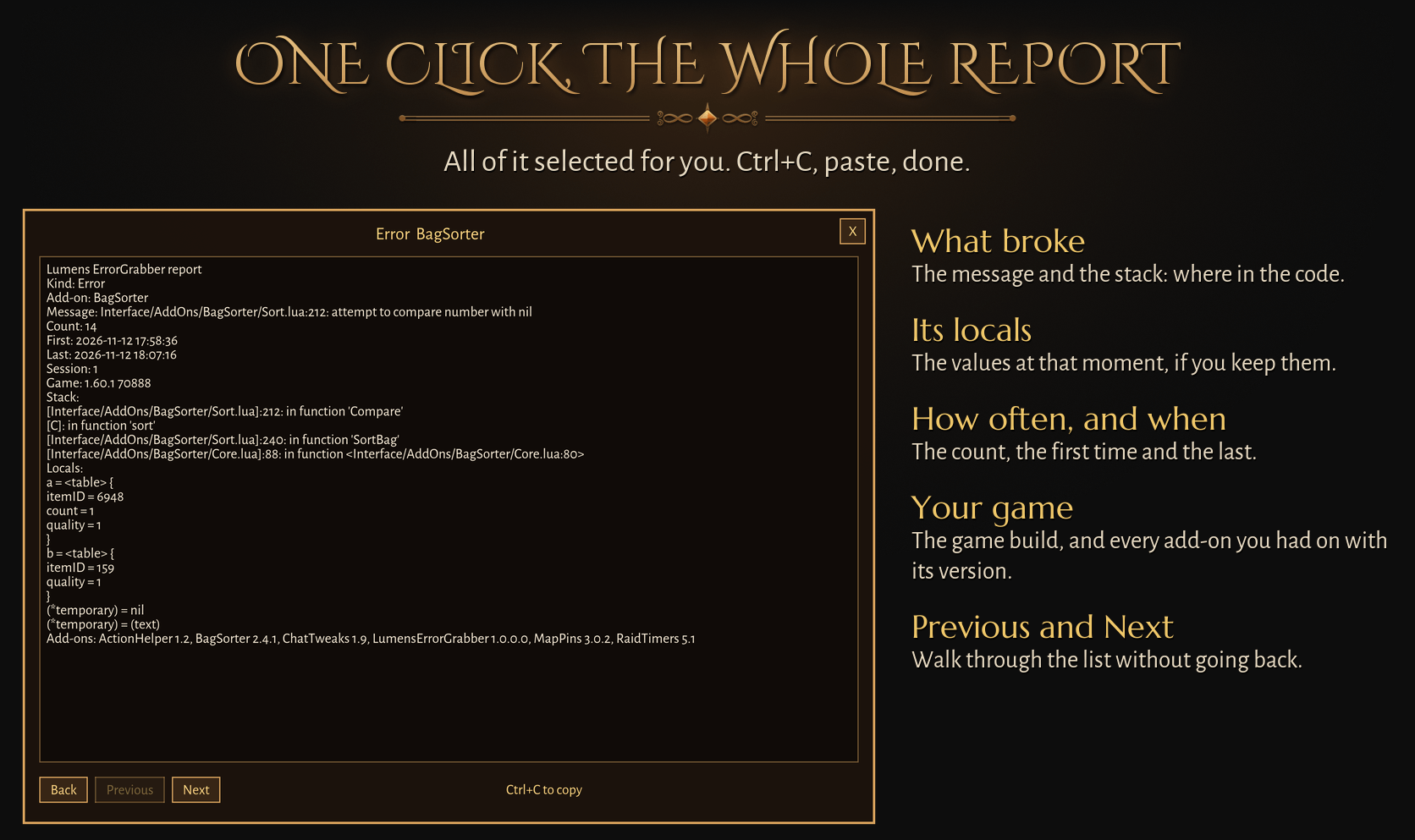
Click an error and its whole report opens, all of it selected. Paste it where the add-on's author will see it. Or one button copies a short report of all your errors, ready to paste in Discord.
The game's own error popup stays closed, and its error logging works as before. Turn the quiet off and the game's popup is back.
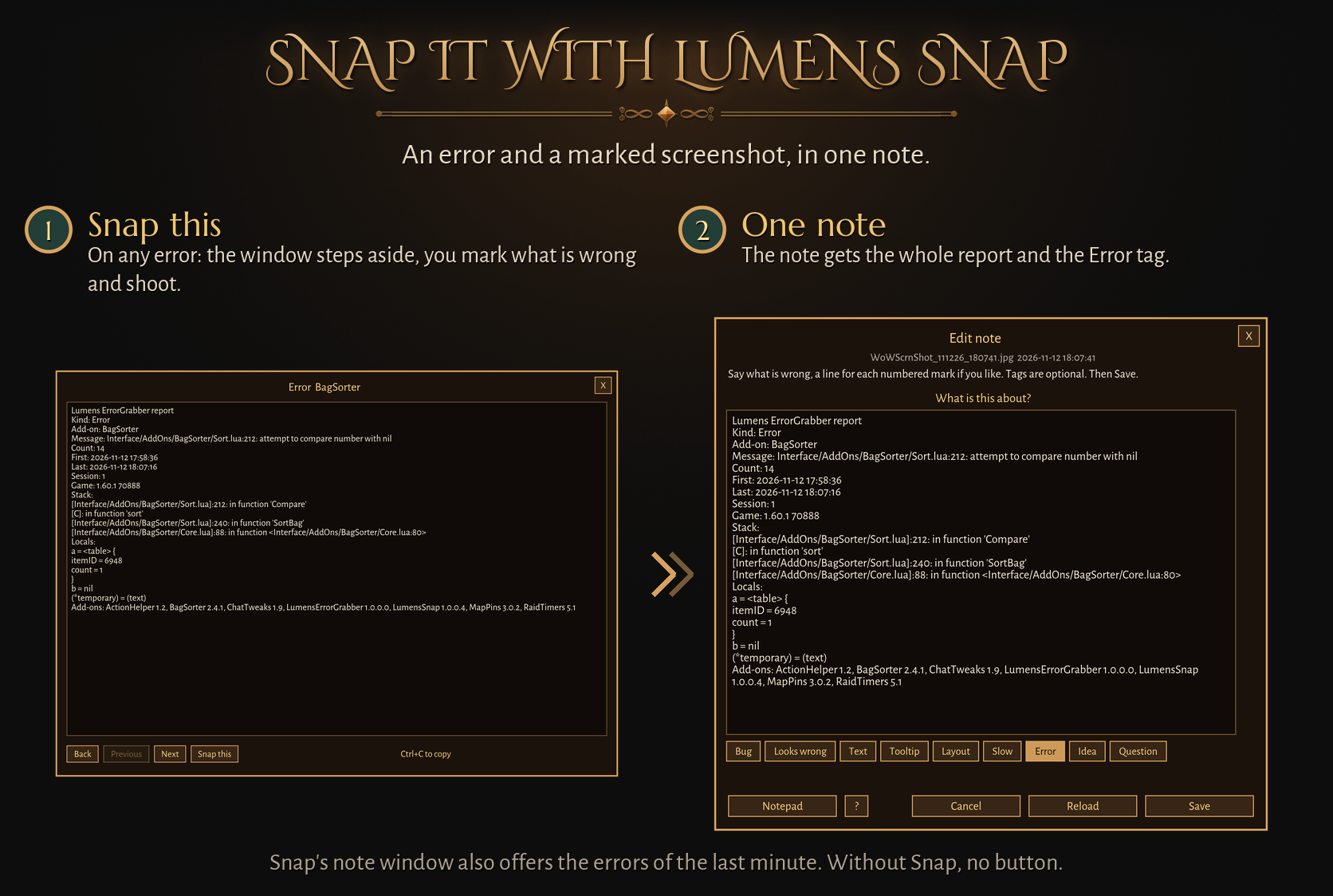
With Lumens Snap there, every error gets a Snap this button. The screenshot and the error travel together.
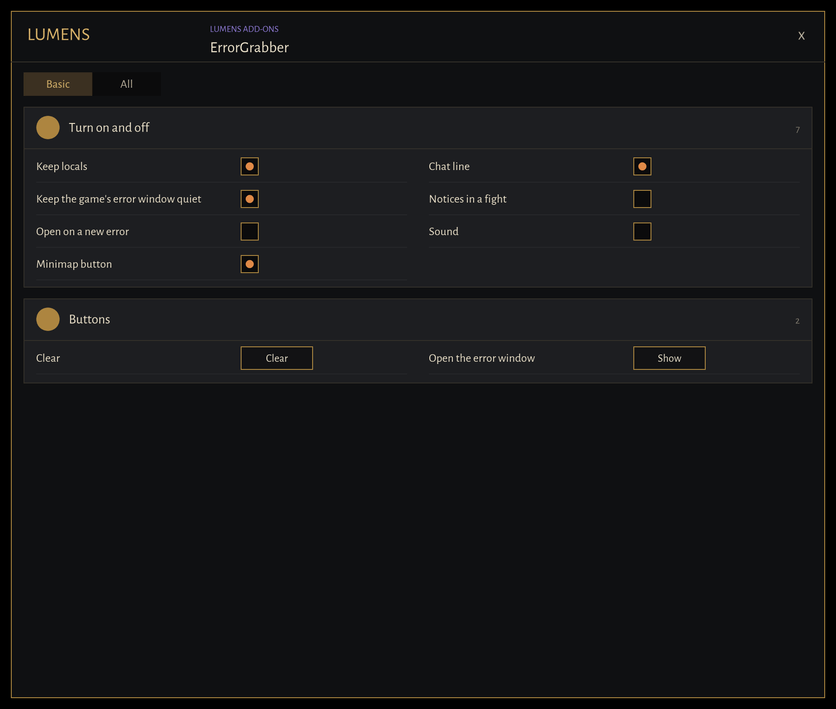
Clear asks for a second click, so nothing is thrown away by mistake.
The window opens in a fight too: nothing in it is protected.
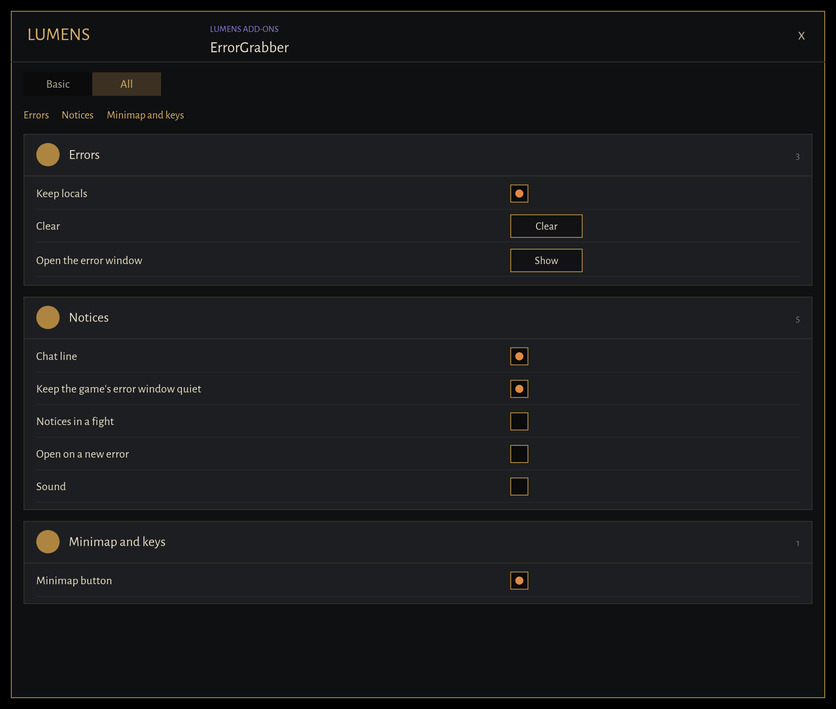
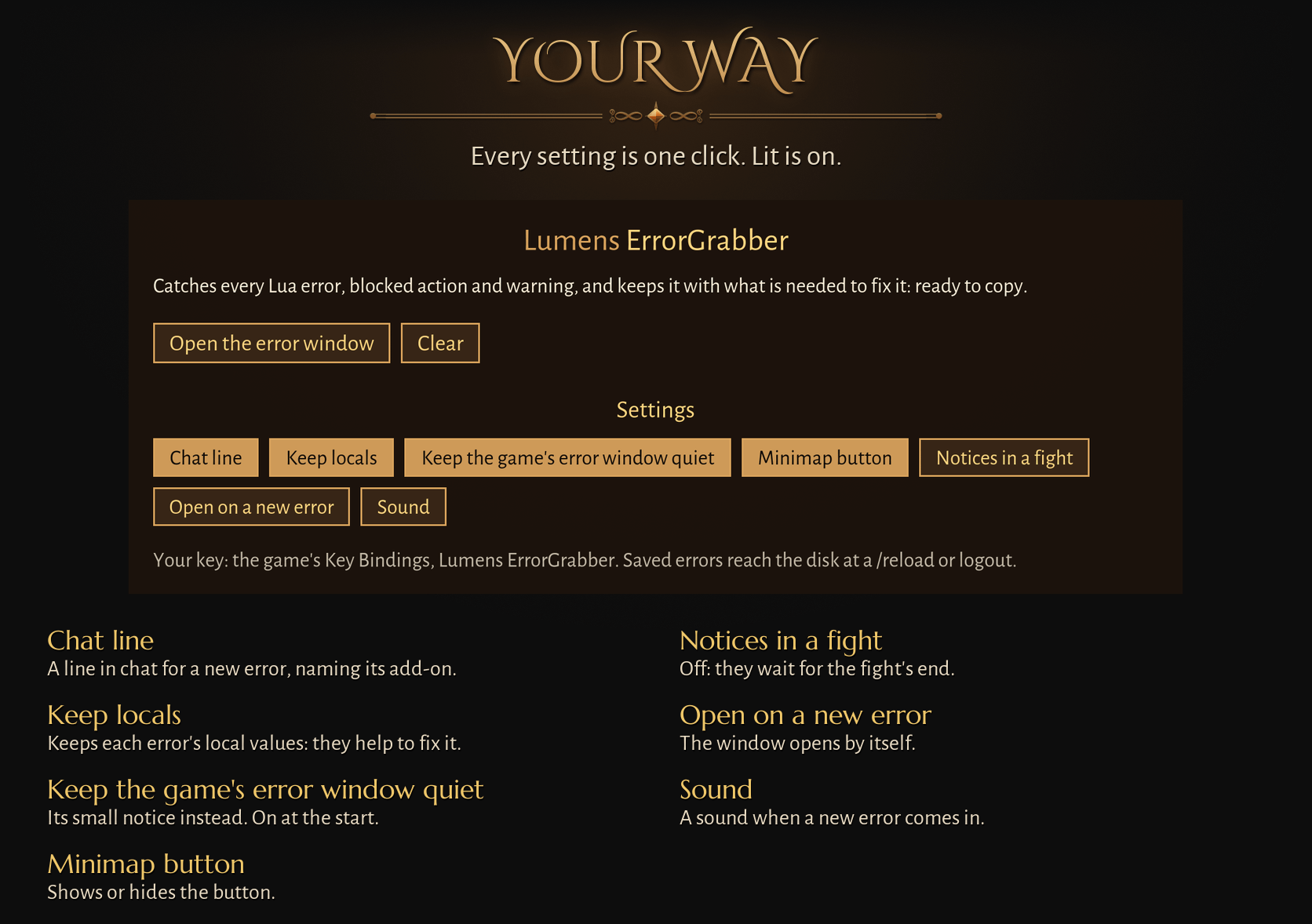
Its settings open in the Lumens settings window, on Basic for the everyday ones or All for every section, with or without Lumens UI (/eg options). ErrorGrabber needs no other add-on, and Lumens UI does not need ErrorGrabber: remove either one and the other carries on.
Good to know
- Before it loaded: errors the game caught earlier are taken from its own list
- Blocked gamepad actions: the report names the add-on that tainted the gamepad's state, and when and how it happened
- Kept: up to 1000 errors, the oldest go first
- Languages: English and nine more of the game's languages
- Names: no one's name is kept: yours, your realm's, guild's and group's become (a player)
- Other error add-ons: one that loads after it still gets every error
- Saving: errors are saved at your next /reload or logout
- Sessions: see this session's errors, the last one's, or all
Handy commands
- /eg: open or close the window
- /eg clear: throw away every error kept
- /eg options: the settings page
- /eg help: this list in chat
Pictures are drawn from the add-on's code, with made-up add-ons and errors. The game's world is left out, and its font is shown by a stand-in.
Made by Lumens, with AI as my hands
I'm an AI developer, and I'm upfront about it: nothing gets into this add-on without going through me. The look of every window, bar and frame comes from my own idea of what a UI should feel like, and AI helps me build it faster and cleaner than I could alone.
Found a bug? Have a wish? Need a hand with a setting? Or want to talk about it? Our Discord is where all of it happens (the lumens-errorgrabber channel is for this add-on): discord.gg/MSP2qFRmUf

MORE ADD-ONS BY LUMENS
- Lumens UI: a whole new look for the game: frames, bars, bags, tooltips, maps and more, all from one settings page
- Lumens Gamepad: play with a controller; the buttons sit next to your party, with a game menu, button map, wheels and a chat keyboard
- Lumens Ledger: your gold book: what you earned and spent, from where, on every character
- Lumens Hues: class colors for every unit frame: players in their class color, others by friend or foe, with a look per frame
- Lumens StayFit: exercise breaks while you play, never in a fight
- Lumens Snap: mark a bug on your screen, take the shot, write a line for each mark, ready to copy
Made by Lumens
Lumens ErrorGrabber Team