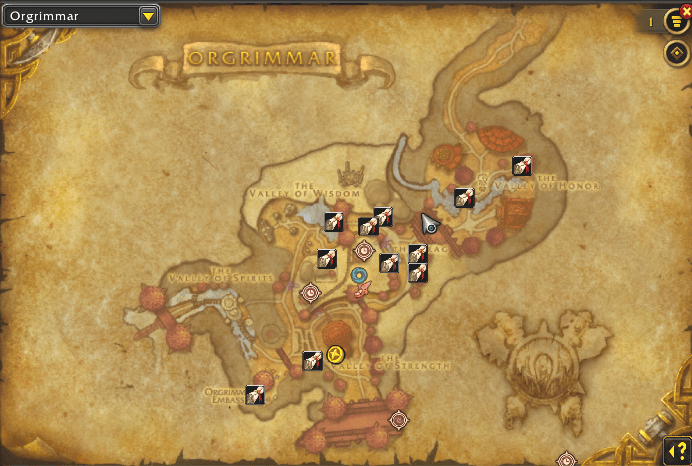
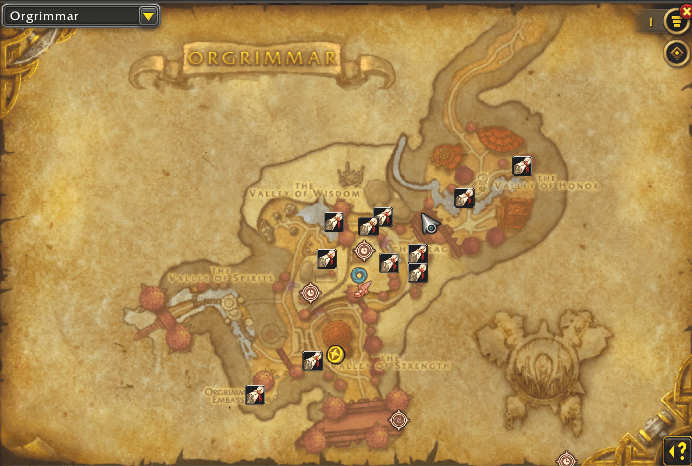
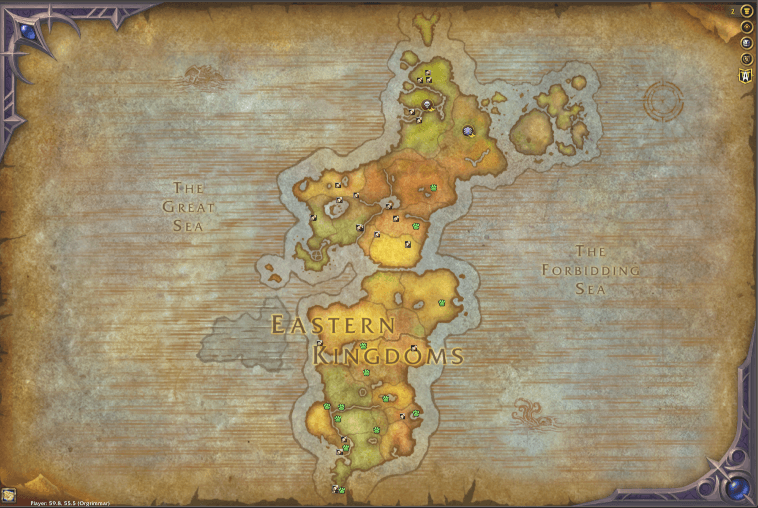
World Map icons of each vendor location.
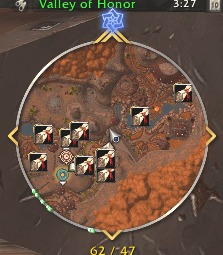
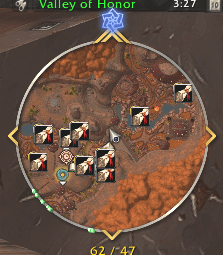
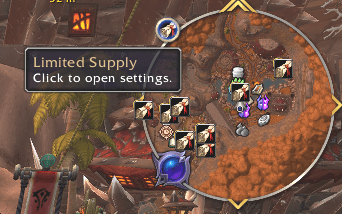
Minimap icons for each vendor location.
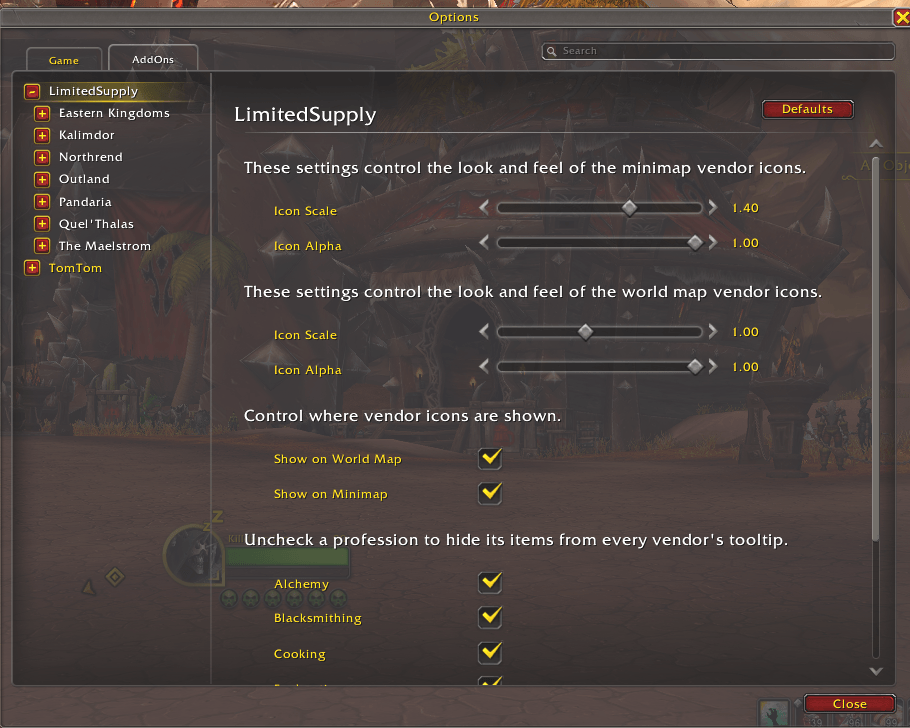
Addon Options
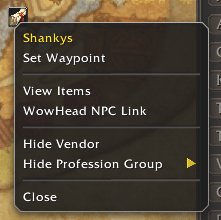
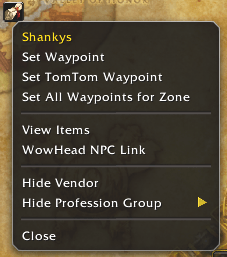
Vendor context menu options.
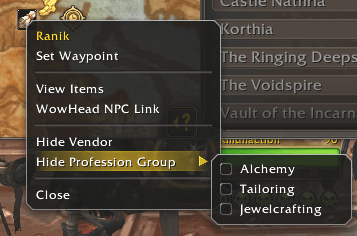
Hide specific profession groups.
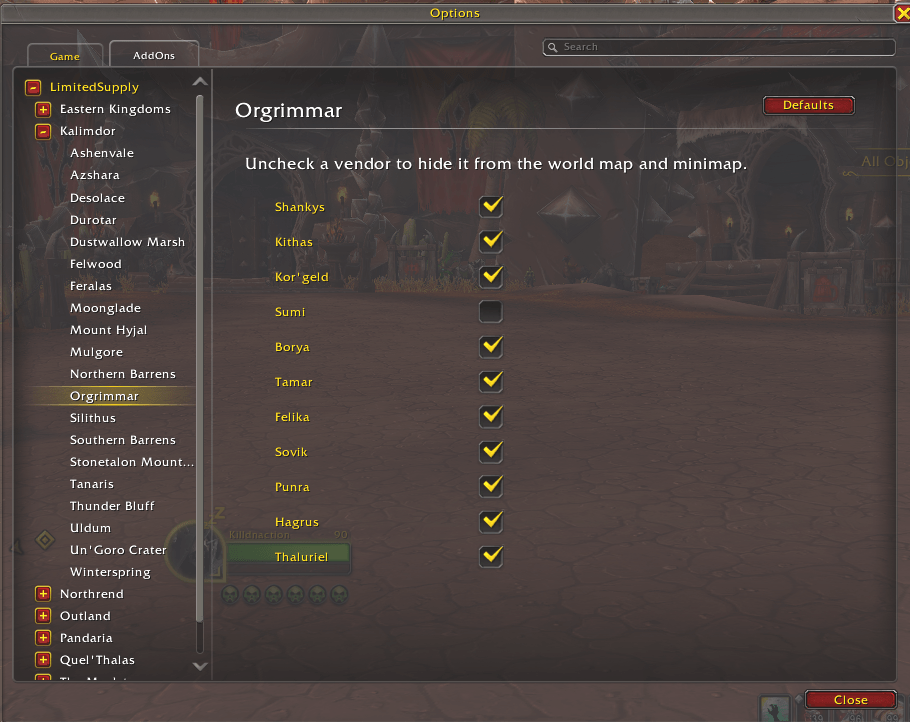
Hide or Show specific vendors on each zone.
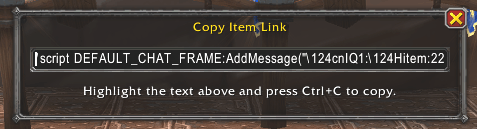
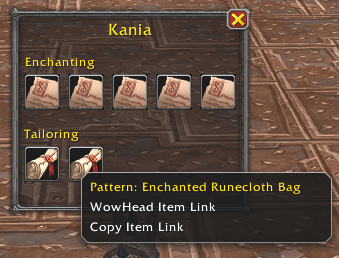
Copy an In-game Item link to post into chat.
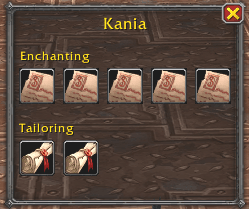
View a specific Vendors Limited Supply Items.
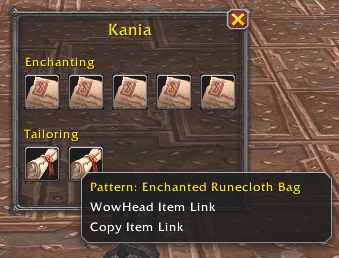
Item View Context Menu
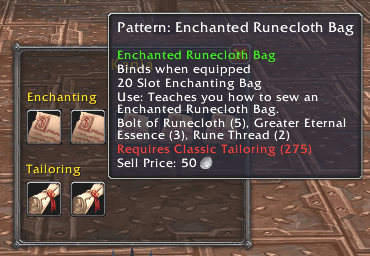
View Items Tooltip from the Item View Menu.
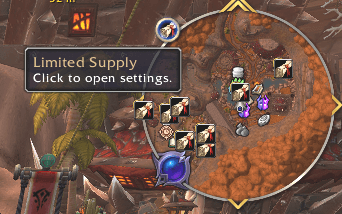
Adds a Minimap Button to open the Options Menu.
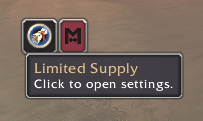
Integrated into Minimap Button Button addon so you can collect all your buttons neatly.
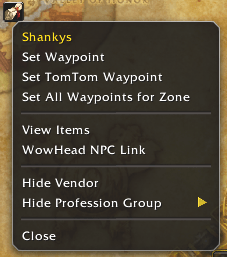
TomTom options for the Vendor context menu.
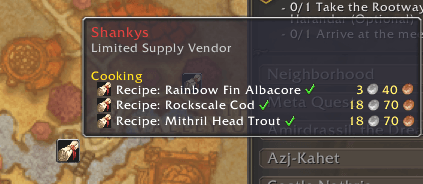
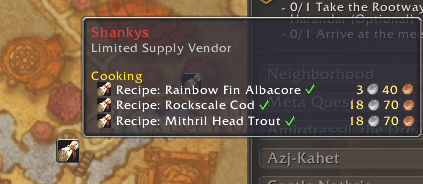
Icon tooltips to view which recipes a vendor sells , how much it will cost and weather you have collected it or not.
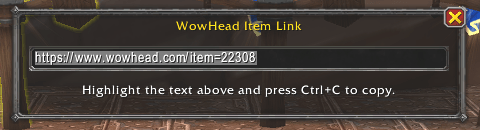
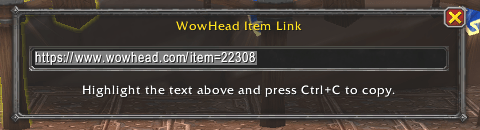
wowhead_item_link.png
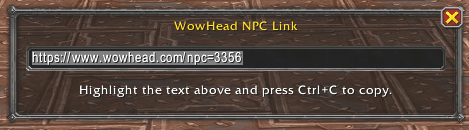
wowhead_npc_link.png
Description
Limited Supply
Never miss another limited-time recipe vendor again.
World of Warcraft: Midnight is full of fleeting recipe vendors — time-walking trainers, wandering peddlers, questline-gated merchants — the kind you stumble across once, forget to buy from, and then spend the next three expansions wondering where they went. Limited Supply solves that problem by putting every known recipe vendor from your faction right on your map, minimap, and in a single click of TomTom-powered navigation.
Features:
Map & Minimap Icons:
Every vendor Limited Supply knows about appears as a clean, scalable icon on both the World Map and Minimap — instantly, with no manual scanning or guesswork. Icons are pooled and rendered efficiently, so there’s zero impact on performance even in busy zones.
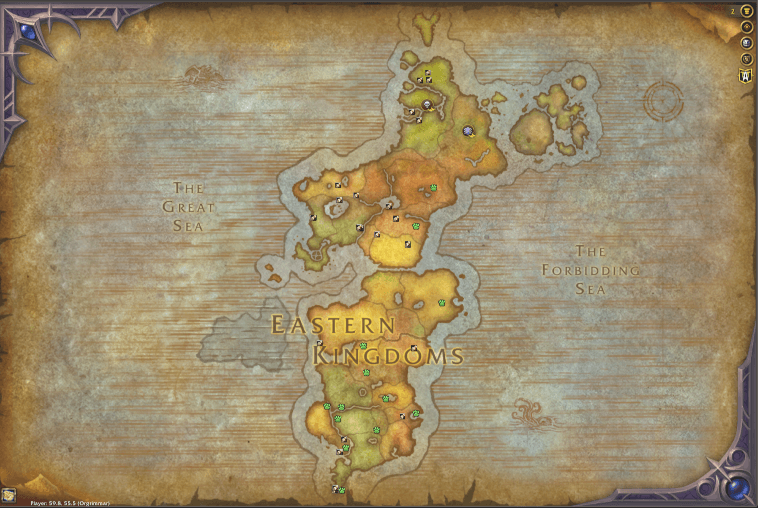
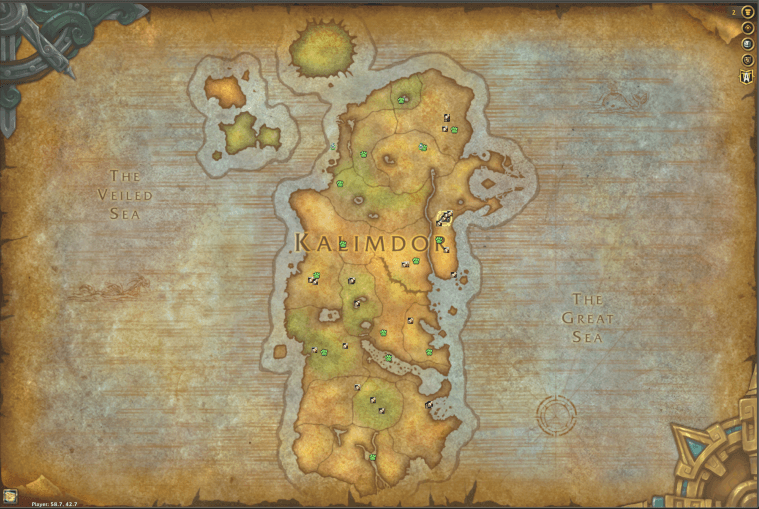
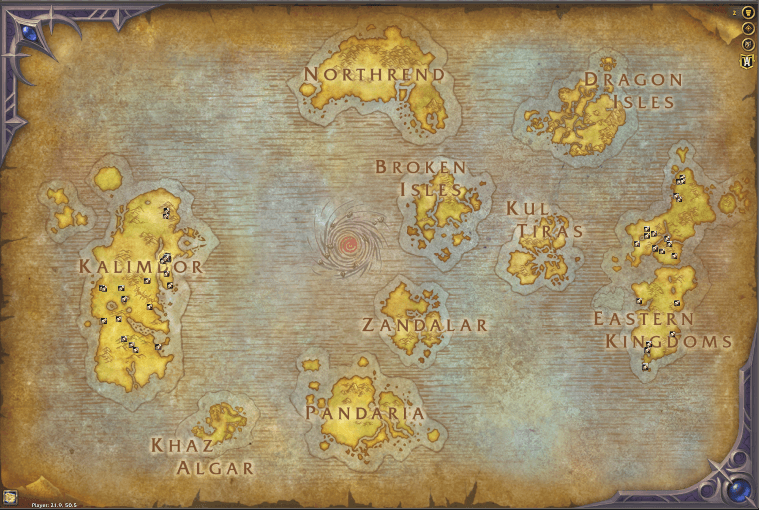
NEW — Continent & World Map Views:
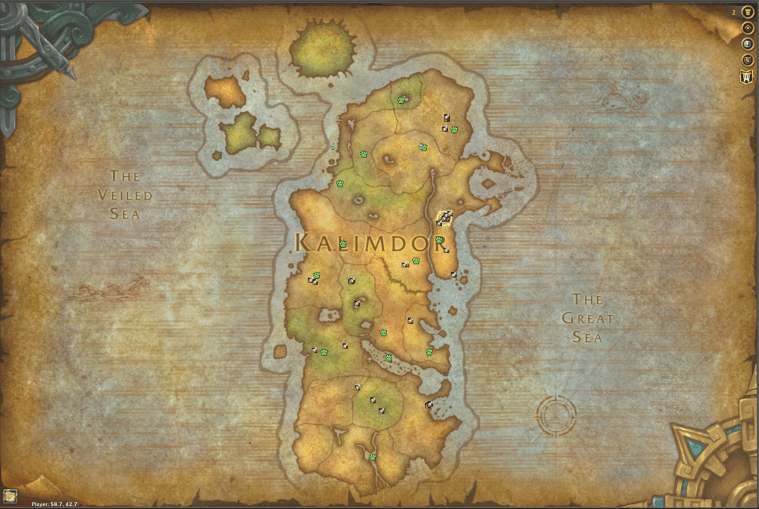
Plan your supply run from the big picture. Turn on vendor icons for continent maps (Eastern Kingdoms, Kalimdor, Northrend and more) and the top-level world maps (Azeroth, Outland, Draenor), each with its own toggle. Zoomed-out icons have their own size slider so the map stays readable, and every pin still works exactly like it does at zone level — click for a waypoint, hover for the tooltip, right-click for the full menu. Vendors that appear in more than one version of a zone are shown only once.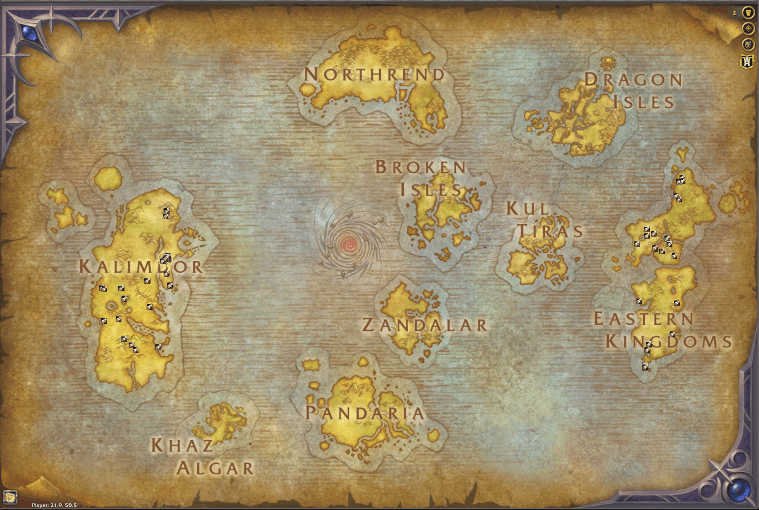
Rich Vendor Tooltips:
Hover any icon to see exactly what a vendor sells before you ever ride out there: profession, item icon, item name, and price — all color-coded and grouped by profession. Recipes you’ve already learned are marked with a checkmark, tracked separately for each of your characters, so you know at a glance whether the trip is worth it on the character you’re playing. Vendors tied to questlines, time-walking events, or wandering spawn points are flagged right in the tooltip so there are no surprises.
*Note: If you are having issues tracking known recipes, open that specific professions recipe book and allow for it to be cached.
NEW — Smart Recipe Filters:
Show only what your current character actually needs. These optional filters are off by default — turn on just the ones you want in the options panel:
- Detect My Professions — Automatically shows only recipes for your character’s professions, including Cooking. It works on top of the manual profession toggles, so anything you’ve hidden stays hidden.
- Hide Learned Recipes — Hides recipes your character already knows, tracked separately for each character.
- Hide Owned Recipes — Hides recipes you’re already holding in your bags, bank, or Warband Bank, so you don’t buy a second copy.
- Restore Missing Recipes — If you sell, trade, or delete an unlearned recipe and no copies remain, it comes back on the map.
- Filter Vendor Markers — Hides a vendor’s map icon once they have nothing left that you need, and keeps it visible as long as they still do.
Filters update automatically as you learn recipes, change professions, or move items around, so your map always reflects what’s still worth buying.
One-Click Waypoints:
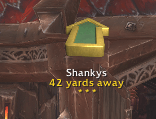
Left-click a vendor icon (or use the right-click context menu) to drop a native Blizzard waypoint straight to their location. If you run TomTom, Limited Supply integrates directly with it — set a single waypoint with the Crazy Arrow automatically pointed at your target, or use the “Set All Waypoints for Zone” option to drop a TomTom waypoint on every visible vendor in a zone at once, with the arrow automatically aimed at whichever one is closest. Perfect for planning an efficient supply run through a whole zone in one pass.
Item Browser:
Right-click any vendor and choose View Items to open a full icon-grid window of everything they sell — no more squinting at a tooltip to remember an item name. The item browser respects your filters too. Need to share a link? One click generates a copy-paste-ready item link or a direct WowHead lookup for the vendor itself.
Full Visibility Control:
Don't care about a particular vendor, or an entire profession's offerings? Hide individual vendors from the right-click menu, or hide entire profession groups (Alchemy, Blacksmithing, Cooking, Jewelcrafting, and more) from the options panel. Everything you hide stays hidden until you choose to bring it back with a simple slash command.
Deep Customization:
A full in-game Settings panel gives you independent control over:
- Icon scale and transparency for the World Map and Minimap separately
- Toggle visibility on the World Map and/or Minimap entirely
- Optional icons on continent and world maps, each toggled separately, with their own icon scale
- Smart Recipe Filters for professions, learned recipes, and owned recipes
- Per-profession filtering
- A dedicated, searchable Hidden Vendors browser organized by continent → zone, so you can review and restore hidden vendors without hunting through the game world
Faction-Aware:
Limited Supply automatically loads the correct vendor dataset for your character’s faction — Alliance or Horde — including neutral vendors that serve both. Coordinates are stored precisely and decoded on the fly, so every pin lands exactly where it should, from zone level all the way out to the world map.
Slash Commands:
/ls unhideall— Restore all hidden vendors/ls unhideallgroups— Restore all hidden profession groups/ls professions— Show which professions were detected for this character/ls resetlearned— Rebuild this character’s learned-recipe list/ls resetowned— Clear this character’s remembered owned recipes
Why Limited Supply??
Limited-availability recipe vendors are one of the easiest things to miss in Warcraft — they don’t show up on the default map, they’re easy to walk right past, and by the time you remember them you’re three zones away. Limited Supply turns “I think there was a guy somewhere in this zone” into a precise, one-click waypoint — or a whole zone’s worth of them at once.
Whether you’re a completionist hunting down every recipe in the game, a crafter trying to unlock a specific pattern before a limited window closes, or juggling a stable of alts who each need different recipes, Limited Supply keeps the information where you need it: right on your map.
Localization:
LimitedSupply is currently available in English (enUS). The addon is built with full localization support in mind — all user-facing text runs through a central locale table, so adding new languages is straightforward. If you'd like to help translate LimitedSupply into your language, please reach out! Community-submitted translations are welcome and will be credited.
Requirements:
- TomTom (optional, but recommended) — unlocks Crazy Arrow navigation and the zone-wide "Set All Waypoints" feature
- MinimapButtonButton (optional) — allows collection of the minimap icon so its nice and neat.
Found a missing vendor or a bad coordinate? Let me know — this addon is actively maintained alongside new Midnight content.
No longer Requires Handynotes - Addon is now standalone.
Limited Supply Team

Owner