Capture d'écran 2026-08-22 171733.png
Capture d'écran 2026-08-15 135357.png
Capture d'écran 2026-08-22 171721.png
Capture d'écran 2026-08-15 135235.png
Capture d'écran 2026-08-22 171703.png
Description
Lafee Decurse
GitHub — github.com/lafeeleonie · Twitch — twitch.tv/lafeeleonie · Buy Me a Coffee / Donation
Lafee Decurse is a compact, secure party and raid utility frame for World of Warcraft Retail 12.1+.
It is designed around one simple idea: make dispelling and friendly utility actions fast and readable without turning the group frame into a second full unit-frame system.
The addon uses fixed secure unit buttons, configurable mouse-click actions, Blizzard-managed dispel detection, class colors, role icons, optional cooldown displays, specialization profiles, and an automatic raid layout.
Features
- Secure click-casting on fixed party and raid units.
- Automatic detection of the current specialization's friendly dispel.
- Left, right, and middle mouse buttons can each be assigned independently.
- Compatible friendly utility and resurrection spells can also be assigned.
- Blizzard-managed dispellable-aura detection.
- Optional aura icons.
- Configurable dispel glow with multiple styles.
- Optional cooldown/recharge displays for assigned click spells.
- Class-colored player frames.
- Role icons.
- Automatic party sorting by role.
- Automatic raid mode with Blizzard subgroup rows.
- Optional raid group numbers on the left, right, or hidden.
- Visual party and raid test modes.
- Death indicator on party frames.
- Full character/specialization profiles.
- Native WoW Settings panel.
- LibDataBroker / LibDBIcon minimap launcher.
- Multiple localizations.
Default setup
New character/specialization profiles start with a deliberately compact configuration:
- the primary detected dispel is assigned to left click;
- right and middle click are unassigned;
- player names are hidden;
- aura icons are hidden;
- the dispel glow is enabled;
- player frames use class colors;
- role icons are displayed;
- the background is shown only behind the player frames;
- cooldown bars are disabled by default.
All of these settings can be changed later.
Existing profiles keep their previous explicit choices when the addon is updated.
Party mode
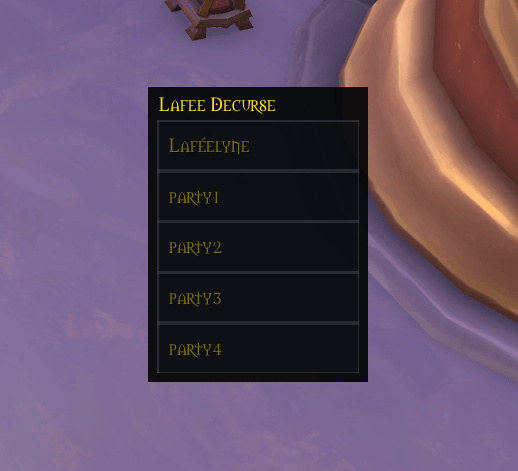
Outside a raid, Lafee Decurse uses five permanent secure buttons assigned to:
playerparty1party2party3party4
The secure unit assigned to each button never changes. Only the visual position of the buttons may be reordered.
Role sorting
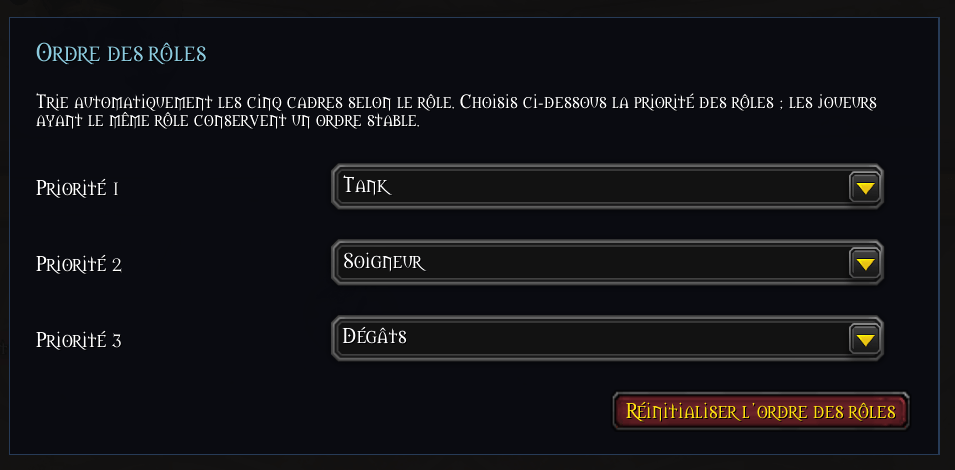
Party frames can automatically be sorted by role.
The default priority is:
Tank → Healer → Damage
The priority can be changed in the addon settings. Players sharing the same role retain a stable order.
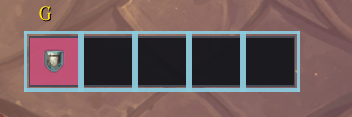
Compact role-only display
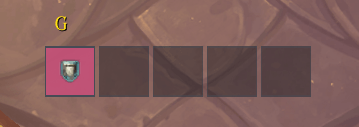
Player names can be hidden completely. In that mode, each player becomes a compact square showing the role icon and, when enabled, the class color.
Death indicator
When a party member is dead or a ghost, a skull is displayed over that player's frame and disappears again after resurrection.
Raid mode
Lafee Decurse automatically switches to raid mode whenever the player joins a raid group.
Raid mode creates permanent secure buttons for the fixed units:
raid1 through raid40
These secure unit assignments are never dynamically changed.
Raid subgroup layout
Players are displayed according to their Blizzard raid subgroup.
Each populated subgroup becomes one horizontal row of up to five players, and the rows are stacked vertically:
1  [Tank] [Heal] [DPS] [DPS] [DPS]
2  [Tank] [Heal] [DPS]
3  [Heal] [DPS] [DPS] [DPS]
4  [DPS]
Empty player slots are not displayed.
A subgroup containing three players therefore shows exactly three frames rather than reserving five empty positions.
Completely empty subgroups do not create empty rows.
The raid frame width automatically follows the widest populated subgroup.
Raid group numbers
The Blizzard subgroup number can be displayed:
- on the left of each row;
- on the right of each row;
- or completely hidden.
When numbers are displayed on the right, the number follows the last real player in that subgroup rather than a fixed five-player width.
The default position is on the left.
Raid presentation
Raid mode intentionally stays compact:
- player names are hidden;
- aura icons are hidden;
- class colors are used;
- role icons are centered;
- the dispel glow remains active;
- cooldown bars are not displayed in the raid layout.
The configured click actions are still available on raid members.
Click actions
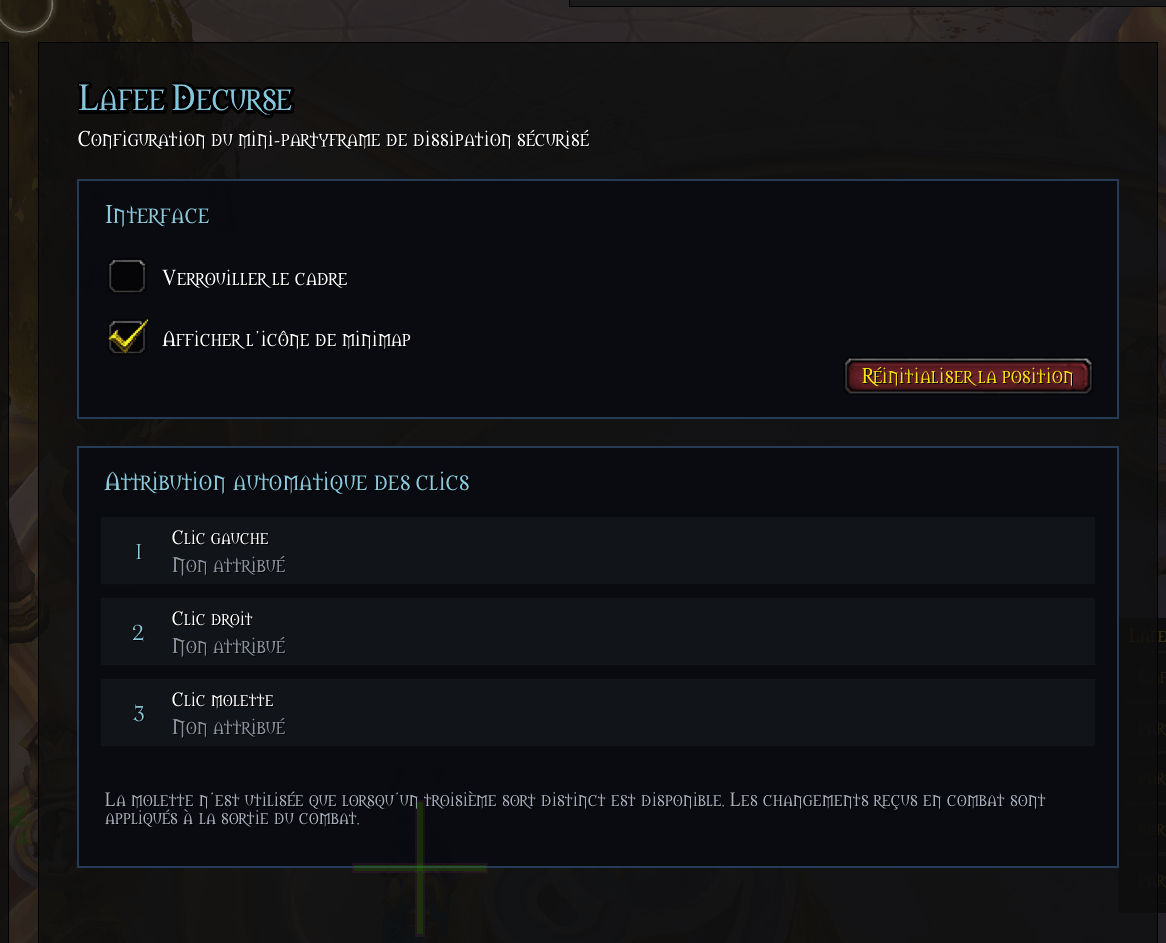
Each of the three mouse buttons can be assigned independently:
- Left click
- Right click
- Middle click
The default left-click action is the primary friendly dispel detected for the current specialization.
The spell selector can also offer compatible friendly-target abilities from the player's spellbook, including appropriate utility and resurrection spells.
The addon excludes actions that do not fit this interaction model, such as:
- offensive abilities;
- auto attack;
- passive abilities;
- self-only abilities;
- ground-target abilities.
Click-action changes are applied only outside combat.
Dispels, auras, and glow
Lafee Decurse separates the action assigned to a click from the visual indication that a dispel is needed.
The dispel indication is built around Blizzard's CustomAuraContainerTemplate system.
The addon can display dispellable harmful auras as icons, but aura icons are optional. They can be disabled entirely while keeping the dispel glow active.
This makes a very compact setup possible:
The frame glows = this player needs a dispel.
Aura icons
Aura display options include:
- one to five aura slots;
- aura icons matching the unit-frame size;
- left/right growth in vertical party layouts;
- up/down growth in horizontal party layouts.
Dispel glow
The glow can be configured independently from the aura icons.
Available styles include:
- Pulse
- Marching ants
- Solid
The following properties are configurable:
- color;
- animation speed;
- border thickness.
The glow color picker updates the managed glow presentation without requiring a UI reload.
Cooldown and recharge displays
Each configured click action can optionally display its cooldown or recharge state.
Up to three displays can be active, one for each mouse button.
Their placement follows the party-frame orientation:
- vertical party layouts use vertical cooldown bars;
- horizontal party layouts use horizontal cooldown bars.
Cooldown displays are positioned opposite the aura-growth side and the layout reserves enough space to prevent them from overlapping the addon title.
Cooldown animation uses Blizzard duration objects rather than manual Lua calculations based on cooldown timestamps.
Test modes
Party visual test
Use:
/ldec testto toggle the normal visual test mode outside combat.
It can preview the configured aura presentation and dispel glow without requiring a real dispellable debuff.
Raid test mode
The Raid section of the addon settings contains a separate visual raid test mode.
It simulates all eight Blizzard raid subgroups with deliberately different sizes:
- Group 1: 5 players
- Group 2: 3 players
- Group 3: 4 players
- Group 4: 1 player
- Group 5: 2 players
- Group 6: 1 player
- Group 7: 1 player
- Group 8: 5 players
This makes it possible to check:
- full groups;
- partially filled groups;
- single-player groups;
- vertical subgroup stacking;
- dynamic frame width;
- class colors;
- role icons;
- group-number positioning.
Raid test frames are visual only and do not invent or reassign secure unit targets.
Raid test mode is unavailable in combat and automatically gives way to the real raid layout when the player joins a raid.
Profiles
Lafee Decurse stores a complete profile for each character and specialization.
Changing specialization can therefore switch the entire addon configuration, including:
- frame position;
- minimap-button visibility and position;
- party layout;
- role sorting;
- background settings;
- aura settings;
- glow settings;
- click assignments;
- cooldown displays;
- raid group-number preference.
Older alpha SavedVariables layouts are migrated into the current unified profile system when possible.
Minimap launcher
The minimap launcher uses bundled:
LibStubLibDataBroker-1.1LibDBIcon-1.0
This allows compatible minimap-button managers to identify Lafee Decurse through the standard DataBroker ecosystem while keeping the addon self-contained.
Minimap controls
- Left click: show or hide the Lafee Decurse frame.
- Right click: open the addon settings.
- Drag: move the minimap icon when it is not managed by another button manager.
The minimap button can also be shown or hidden from the configuration panel or with /ldec minimap.
Commands
| Command | Action |
|---|---|
/ldec |
Show command help |
/ldec lock |
Lock or unlock frame movement |
/ldec test |
Toggle the party visual test mode |
/ldec config |
Open the addon settings |
/ldec minimap |
Show or hide the minimap launcher |
Protected display or click-assignment changes are deferred or rejected while in combat as appropriate.
Secure design and WoW 12.1
Lafee Decurse is designed specifically around the restrictions introduced by modern WoW's secure and secret-value systems.
Important design principles include:
- party buttons always remain assigned to their fixed
player/partyNunits; - raid buttons always remain assigned to their fixed
raidNunits; - visual sorting never changes the secure unit attached to a button;
- the addon never automatically chooses a target from active aura state;
- the addon never automatically chooses which spell to cast based on a debuff;
- active dispellable aura presentation is delegated to Blizzard-managed aura containers;
- protected changes are performed outside combat or deferred until combat ends;
- raid test mode uses non-secure visual frames and never fabricates secure targets.
The player always decides whom to click and which configured mouse action to use.
Settings
The addon uses the native World of Warcraft Settings interface.
The configuration includes controls for:
- locking and positioning;
- minimap launcher visibility;
- visual test mode;
- addon title;
- player names;
- horizontal or vertical party layout;
- class colors;
- frame/background mode and color;
- aura count and growth direction;
- aura icon visibility;
- dispel glow enable/disable;
- glow style, color, speed, and thickness;
- role priority;
- left/right/middle click spell assignments;
- cooldown display per click action;
- raid group-number position;
- raid visual test mode.
Localization
Lafee Decurse currently includes localization files for:
- English —
enUS/enGB - French —
frFR - German —
deDE - Spanish —
esES/esMX - Italian —
itIT - Portuguese —
ptBR - Russian —
ruRU - Korean —
koKR - Simplified Chinese —
zhCN - Traditional Chinese —
zhTW
Missing localization keys fall back to English.
Current limitations
- Warlock pet dispels are not currently supported.
- Private Auras are not inspected or displayed.
- Ground-target abilities are intentionally excluded from click assignments.
Main files
For contributors or anyone interested in the implementation:
Profiles.lua— character/specialization profiles and SavedVariables migration.DispelSpells.lua— friendly dispel detection.ClickActions.lua— compatible friendly spell selection and click assignments.GroupOrder.lua— party role sorting.SecureFrames.lua— permanent secure party buttons and party layout.AuraDisplay.lua— Blizzard-managed aura presentation.GlowRuntimeFix.lua— safe managed-glow lifecycle and visual rebuilds.CooldownBars.lua— optional cooldown/recharge displays.CompactDefaults.lua— compact new-profile defaults, death indicator, and cooldown/title spacing.RaidMode.lua— automatic secure raid layout.RaidTestMode.lua— non-secure visual raid simulation.Config.lua,GlowConfig.lua,GroupOrderConfig.lua,RaidModeConfig.lua— native Settings UI.Minimap.lua— LibDataBroker / LibDBIcon launcher.Locales/— localization tables and loader.
License
This project is released under a restrictive proprietary license.
Reproduction, redistribution, modification, and reuse are prohibited without prior written permission from the copyright holder.
The Lafee decurse Team