KeyPilot | Mythic + Timer
- By
All-in-one Mythic+ timer and coach: track your key, race your best runs, review each run, and climb your score smarter.
Skærmbillede 2026-08-05 220723.png
Skærmbillede 2026-07-24 020537.png
Skærmbillede 2026-07-24 020542.png
Skærmbillede 2026-07-24 020554.png
Skærmbillede 2026-07-24 020600.png
Skærmbillede 2026-07-24 020611.png
Skærmbillede 2026-07-24 020731.png
Skærmbillede 2026-07-24 020707.png
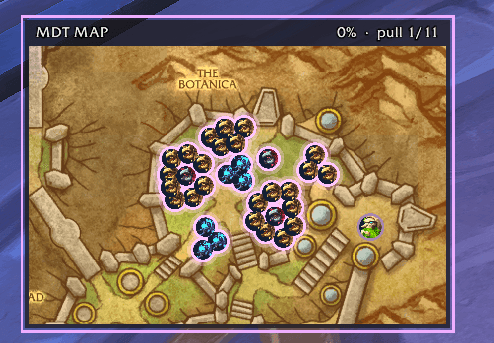
MDT Map
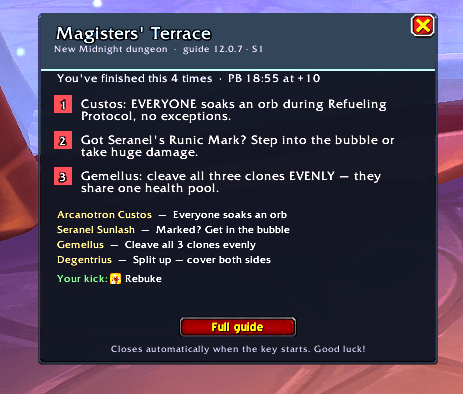
Guide system for new players
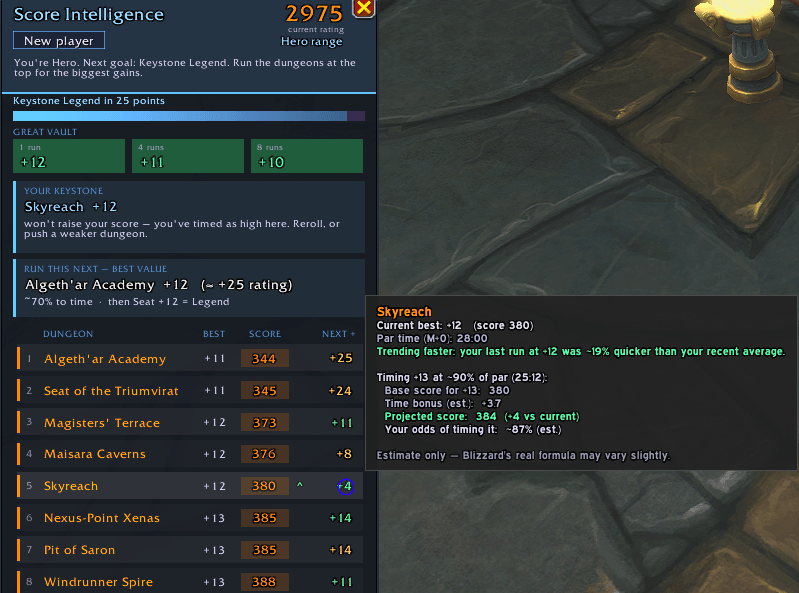
A score system that knows how you run your keys and tells you want you should do next
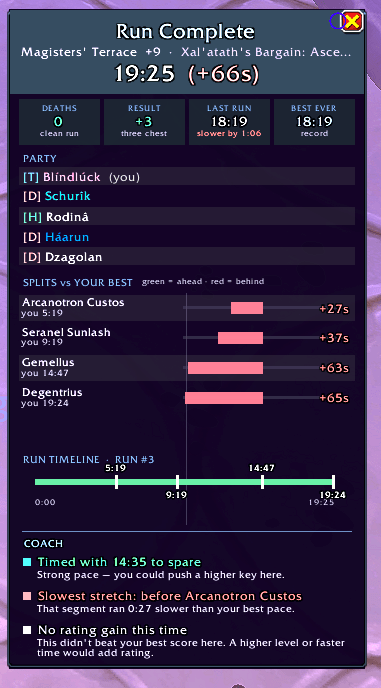
{C5E1BE5E-6410-441A-9CE0-D0CF4CDF10C0}.png
{9F5FC512-0975-4F45-8C65-119D5F43043D}.png
{5B334F8F-E972-4080-BB05-7971EC3B7F09}.png
{E9659BFB-DDCF-48C0-9F20-266664340824}.png
{51A2C590-CA37-4EA4-BA29-3DF8E2258D3F}.png
Description
I got tired of juggling a timer addon, score websites, and spreadsheets every time I ran Mythic+. KeyPilot combines everything into one clean, customizable window: a keystone timer, live pace tracker, personalized coach, score planner, and full career journal.
Whether you're timing your first key or pushing for title range, KeyPilot shows exactly where you stand and what you should run next.
⚡ Ready for Patch 12.1 & Season 2. ⚡
- Questions or bugs? Join the Discord Community
Key Features
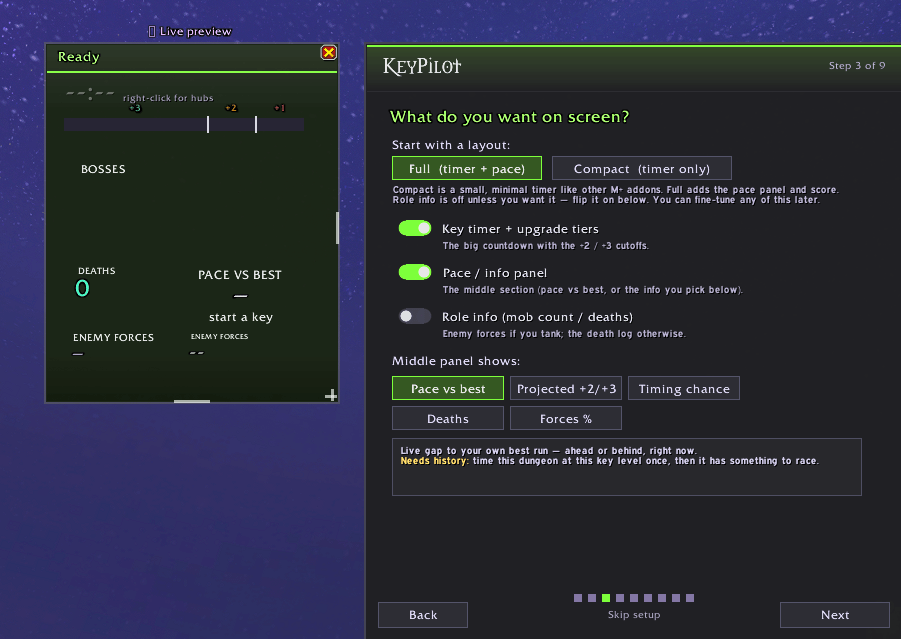
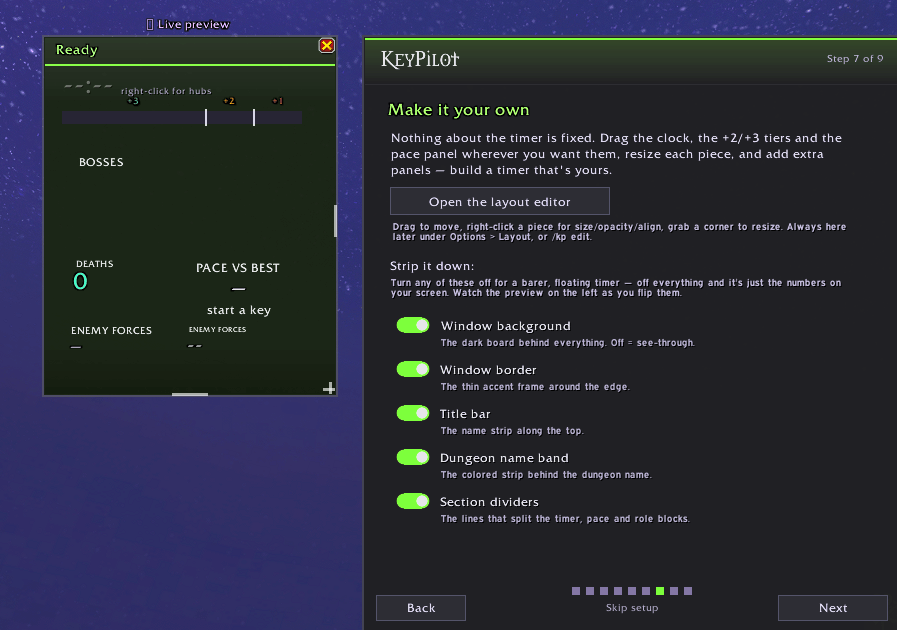
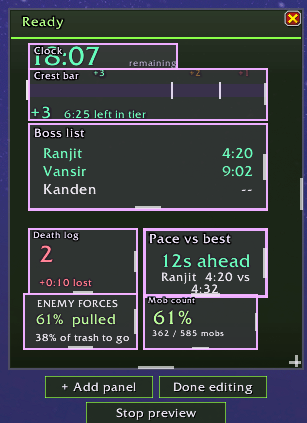
The Timer & Custom Layouts (/kp edit)
- A clean countdown displaying +1, +2, and +3 cutoffs on a single bar, with customizable audio and visual warnings.
- Fully modular edit mode: drag, scale, fade, or strip away elements to leave just the floating numbers.
- Built-in presets (Classic, Standard, Minimal, Balanced, Info-heavy, Streamer), with role sections that automatically adapt to your current spec.
The Momentum Gauge
- A clock can only tell you you're 30 seconds down. The gauge tells you if the pulls you're making right now are actually working.
- The center marks your personal best. The fill grows left as you fall behind and right as you pull ahead, showing a live trend: pulling away, gaining, holding, losing, or bleeding.
- It reads the last minute of the run to show you exactly which direction your pace is heading.
Live Run Tracking
- Swappable Panel: Cycle between pace vs. your best, projected finish, death count, forces %, or historical timing odds (e.g., "82% to time").
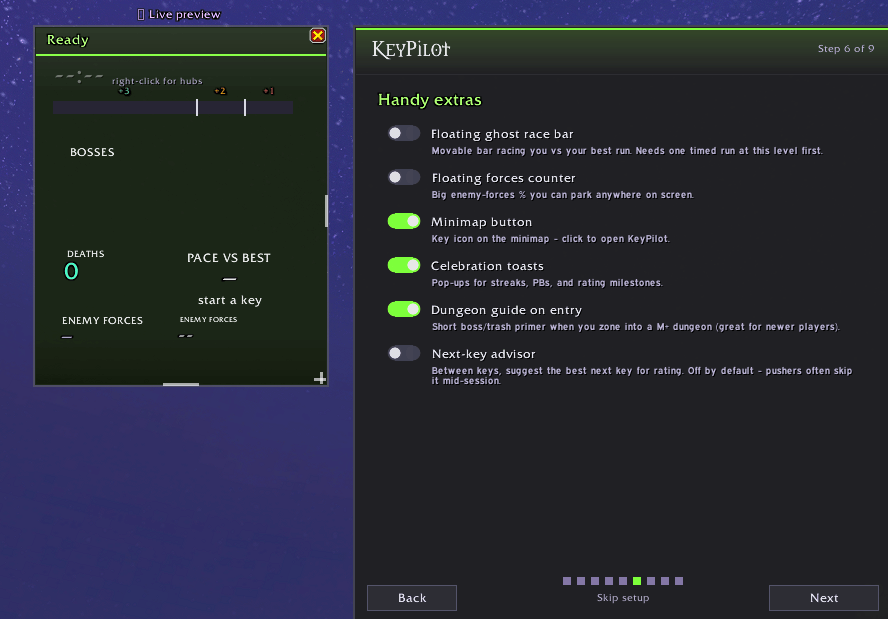
- Enemy Forces, Your Way: Display forces as a line under the timer, a floating counter, a slim progress bar, or a live percentage on enemy nameplates.
- Ghost Racing: Race your own best time boss-by-boss. Share or import run strings with friends to race theirs.
- MDT Route Integration (
/kp map//kp route): Reads your loaded MDT route to track current pulls, upcoming packs, and map progress live.
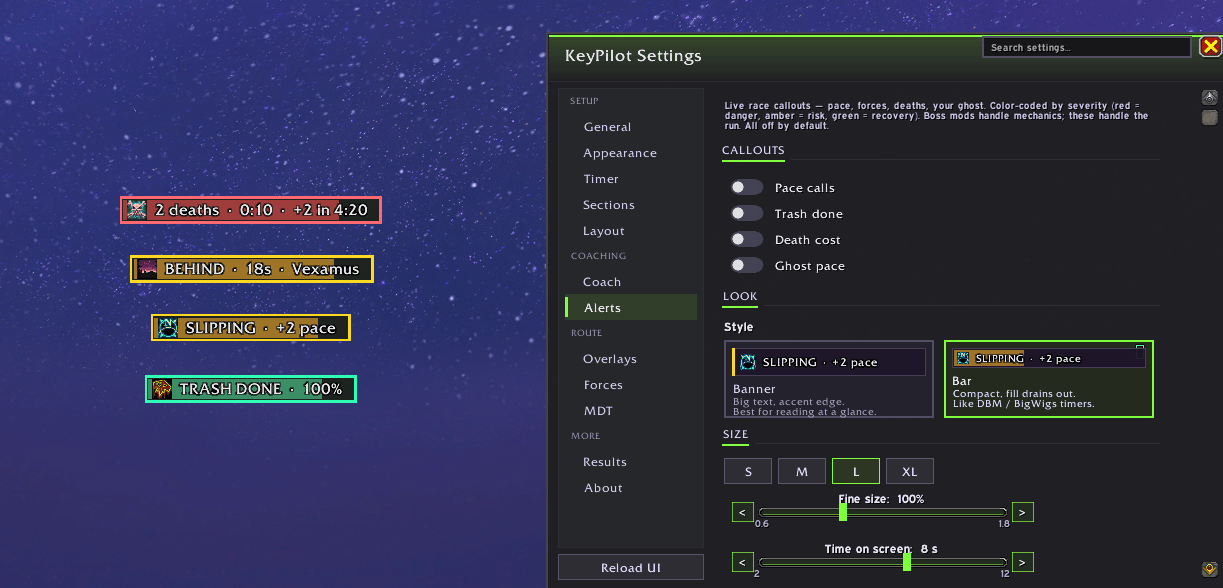
Alerts & Voice
- Boss-mod style callouts for the things a boss mod won't tell you: pace slipping past a cutoff, trash hitting 100%, and what a death just cost.
- Wipe Cost: When you wipe, it calculates the actual time lost and which upgrade is still in reach—right before the group tries to do the math and tilts.
- Last Boss: Tells you exactly how much time is banked for an upgrade when you pull the final boss.
- Keep Going: If the timer dies but finishing still pays rating, it tells you. A dead timer doesn't mean a dead run.
- Spoken Callouts (TTS): Have any alert read aloud using your system's voice settings so you can keep your eyes on the fight. (All callouts are off by default—turn on only what you want).
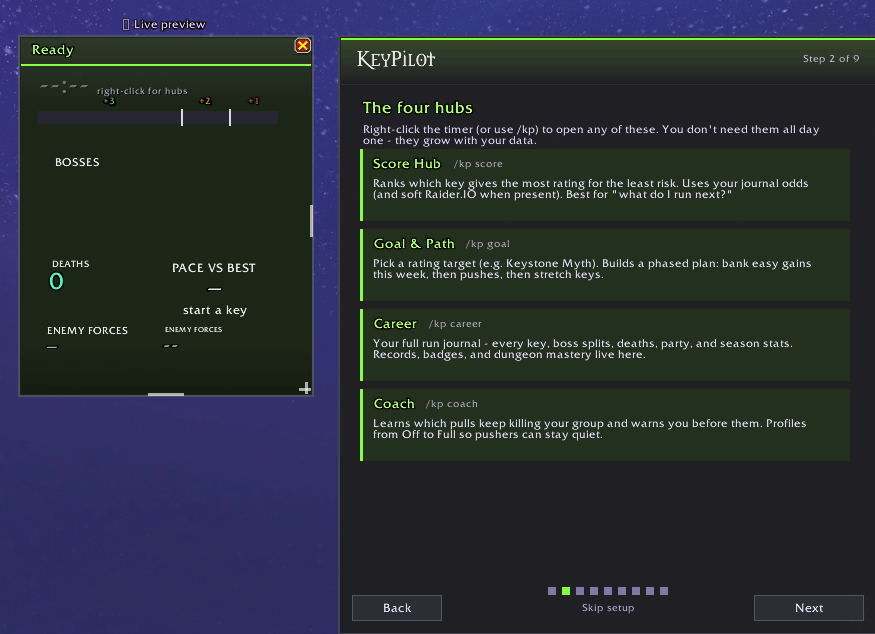
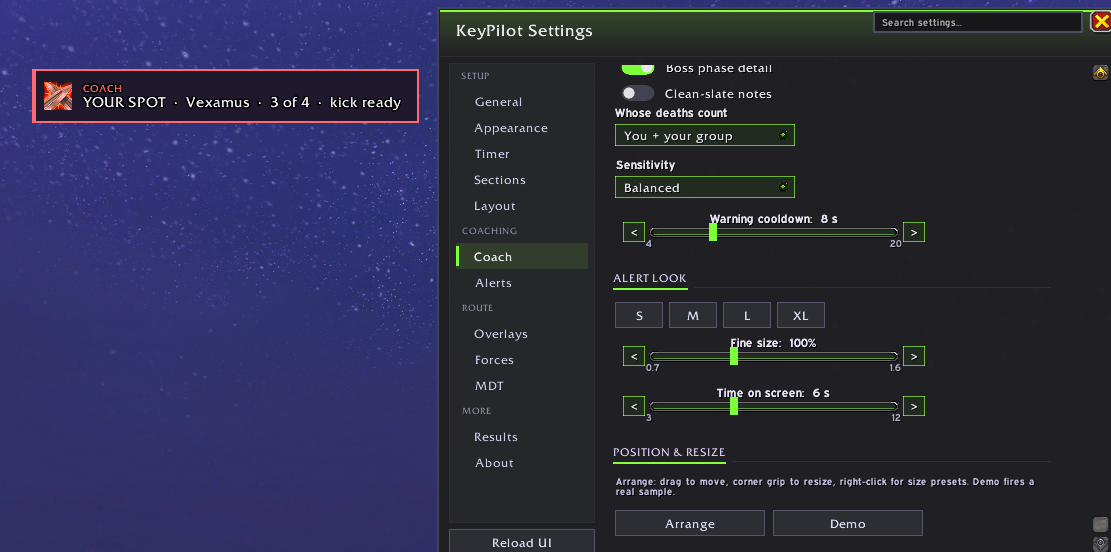
The Coach (/kp coach)
- Learns where your group actually wipes across runs and shows a pre-pull warning before your usual trouble spots.
- Tracks your own preventable deaths (e.g., Was your interrupt ready? Did you use a defensive?).
Score Hub & Goal Planner (/kp goal)
- Score Hub: Highlights your highest-value keys based on real rating gains, this week's affixes, and your actual odds of timing them.
- Goal Planner: Set a target rating and get a step-by-step roadmap of the exact keys you need to run.
- Keystone Tooltips: Hover over any keystone (yours or linked in chat) to see your best time there and its potential rating payout.
Post-Run Breakdown & Career Journal (/kp career)
- End-of-Run Summary: Instant popup with boss splits, party stats, Coach feedback, and Great Vault progress.
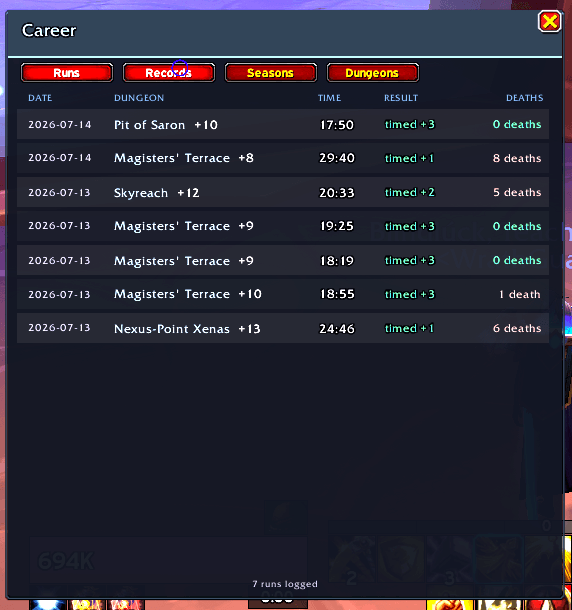
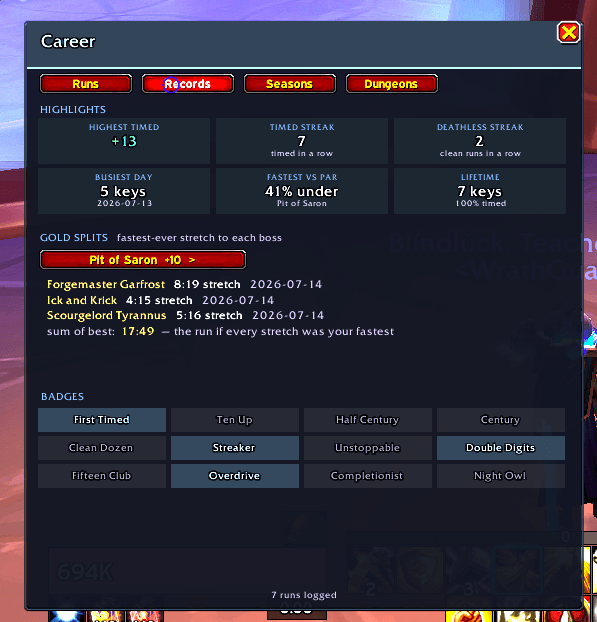
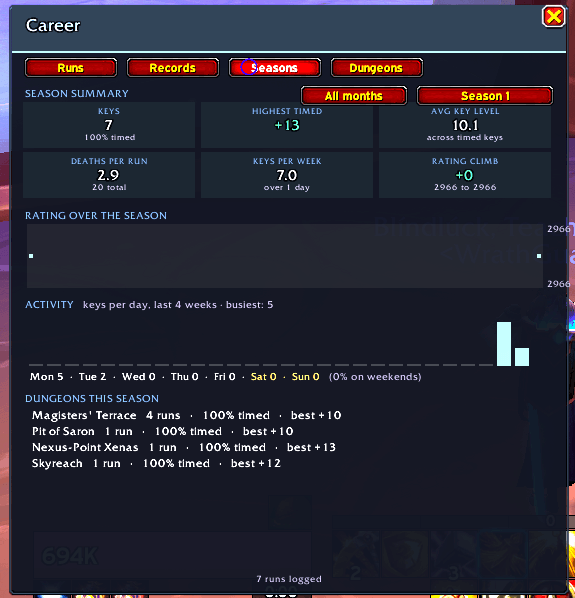
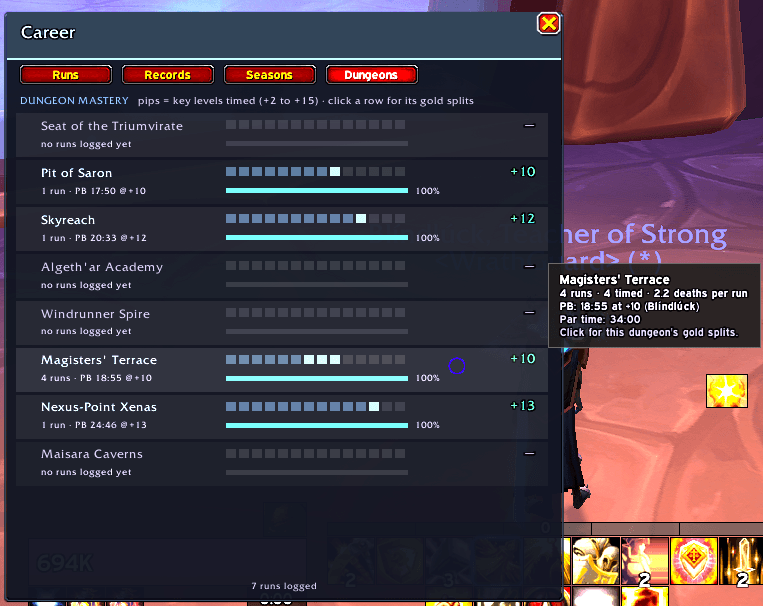
- Career Archive: Four tabs (Runs, Records, Seasons, Dungeons) tracking every finished key, per character or account-wide.
Quality of Life
- Auto-Slot: Your keystone slots itself the moment you open the pedestal.
- Durability Warning: Alerts you if your gear is about to break at the pedestal, while there's still time to fix it.
- Chest Announcements: Your rerolled keystone is announced in chat at the end-of-run chest—no bag rummaging required.
- Minimap Tooltip: Hover to see your current key, rating, and Great Vault progress at a glance.
Dungeon Guides & Customization
- In-Game Guides: Boss and trash notes with live utility tracking for your spec's interrupts and defensives (Season 2 fully supported).
- Visual Styling: 14 color themes, five font styles, compact mode, and full UI scaling.
- Global Languages: Renders perfectly on English, Russian, Korean, and Chinese clients using native fonts.
Getting Started
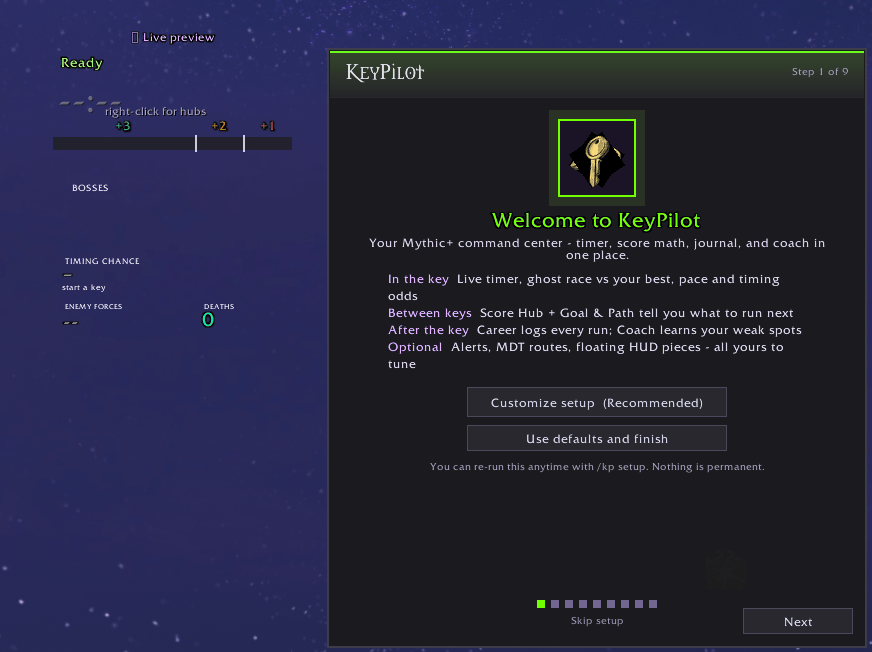
Install the addon and follow the quick setup wizard on your first login. Access settings anytime via /kp, the minimap icon, or by right-clicking the main window.
KeyPilot | Mythic + Timer Team