Kedge's Bag Slots
- By
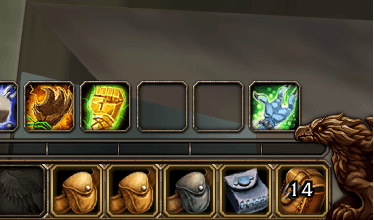
Shows your free bag slots on the backpack button at all times, ignoring quivers and ammo pouches.
BagSlots.png
Description
Kedge's Bag Slots
Shows how many free bag slots you have, right on top of the backpack button. No hovering needed.
What it does
- Puts the number of free slots in the middle of the backpack button on your action bar.
- Updates as soon as you loot, sell, buy or move items.
- Counts general-purpose bags only. Quivers, ammo pouches, soul shard bags, herb bags and other special bags are ignored, so the number reflects space you can actually loot into.
- Leaves the normal backpack tooltip in place.
Colours
By default:
- White: plenty of room
- Orange: 5 or fewer slots left
- Red: bags full
All three colours and the "running low" point can be changed in the options.
Options
Open Options > AddOns > Kedge's Bag Slots, or type /kbs.
- Font: Friz Quadrata, Arial Narrow, Morpheus or Skurri
- Outline: none, thin or thick
- Size: 8 to 40
- Position: move the number left, right, up or down on the button
- Colours: plenty of room, running low and bags full
- Running low at or below: when the colour switches
Changes apply straight away and are shared across characters. Reset to defaults puts everything back.
Installation
- Unzip into
Interface/AddOns/so the folder isInterface/AddOns/KedgesBagSlots/. - Restart the client.
Notes
The number will often be lower than the "Empty Slots (Total)" line in the backpack tooltip. The tooltip includes quivers and ammo pouches. This addon doesn't.
Support
If you find this useful, you can buy me a coffee at buymeacoffee.com/kedge.
Also by Kedge: Kedge's Totem Ring, a hold-and-release radial menu for shaman totems.
Kedge's Bag Slots Team