Kaydee's Pockets
- By
Marks mobs you can pickpocket, learns what's in their pockets, maps the best spots and shares it all with your party and guild.
2026-10-04 13_20_53-World of Warcraft.png
2026-10-04 13_20_01-World of Warcraft.png
2026-10-04 13_19_37-World of Warcraft.png
Description
Kaydee's Pockets
Never miss a pocket again. Kaydee's Pockets marks every monster you can pickpocket, remembers what you've stolen from each one, shows the best spots on your world map and quietly shares it all with your party and guild.
Made for rogues in WoW Forever.
✨ Features
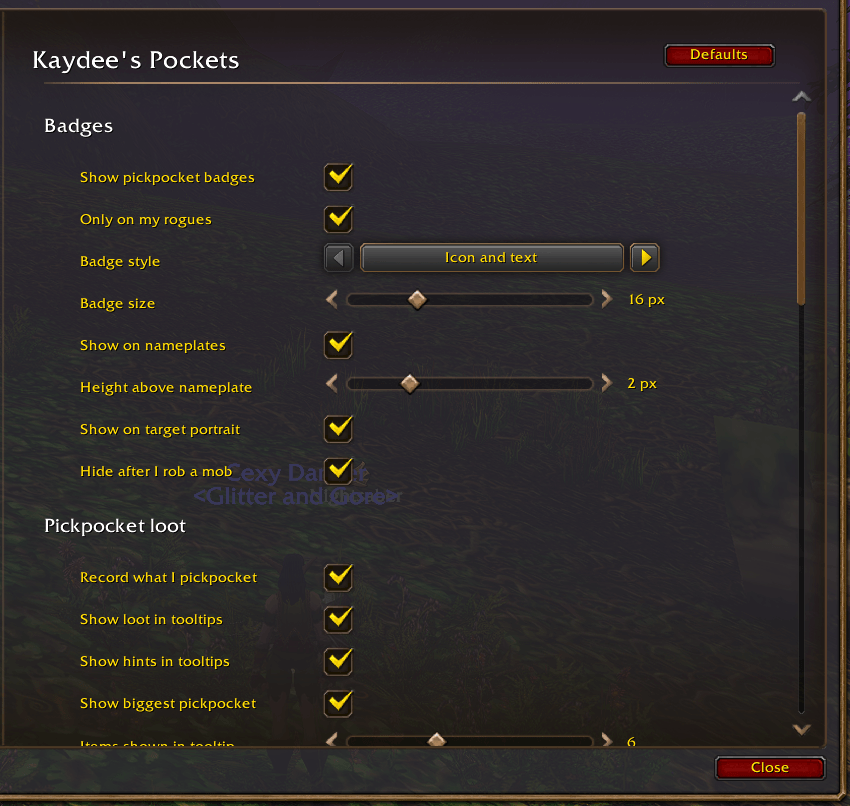
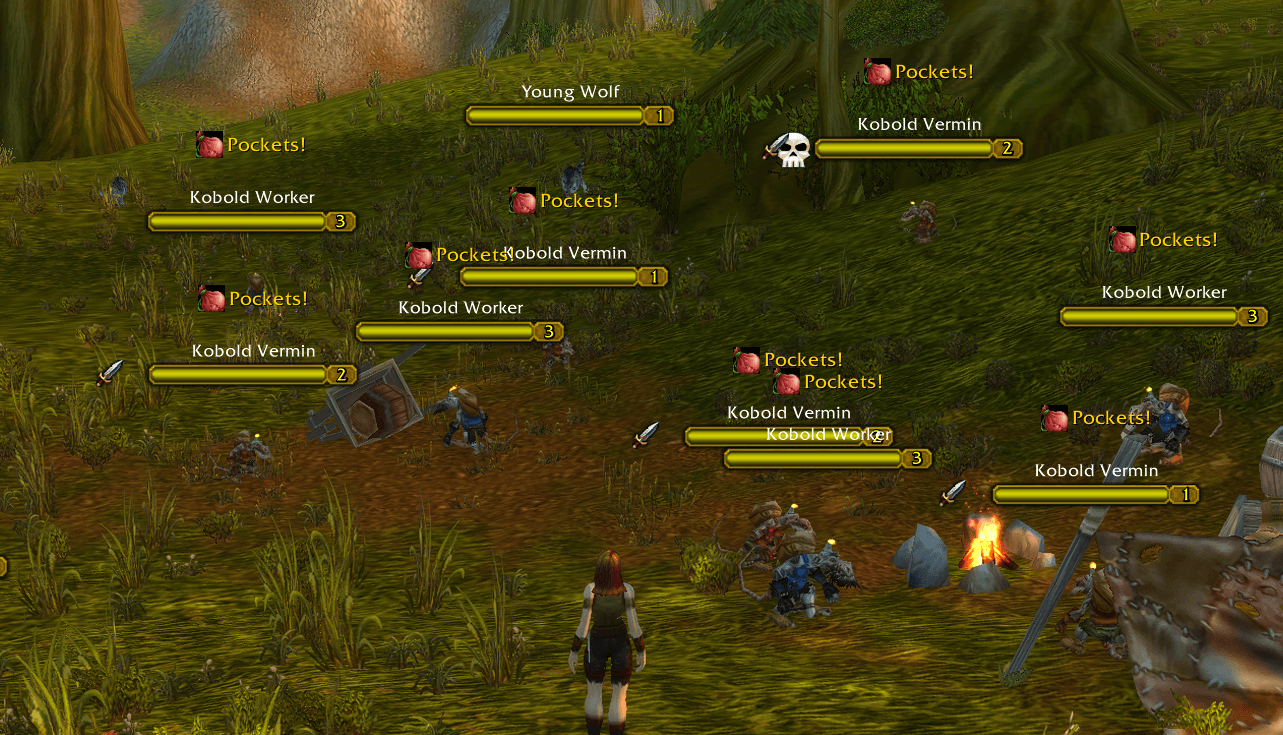
👛 Pickpocket badges
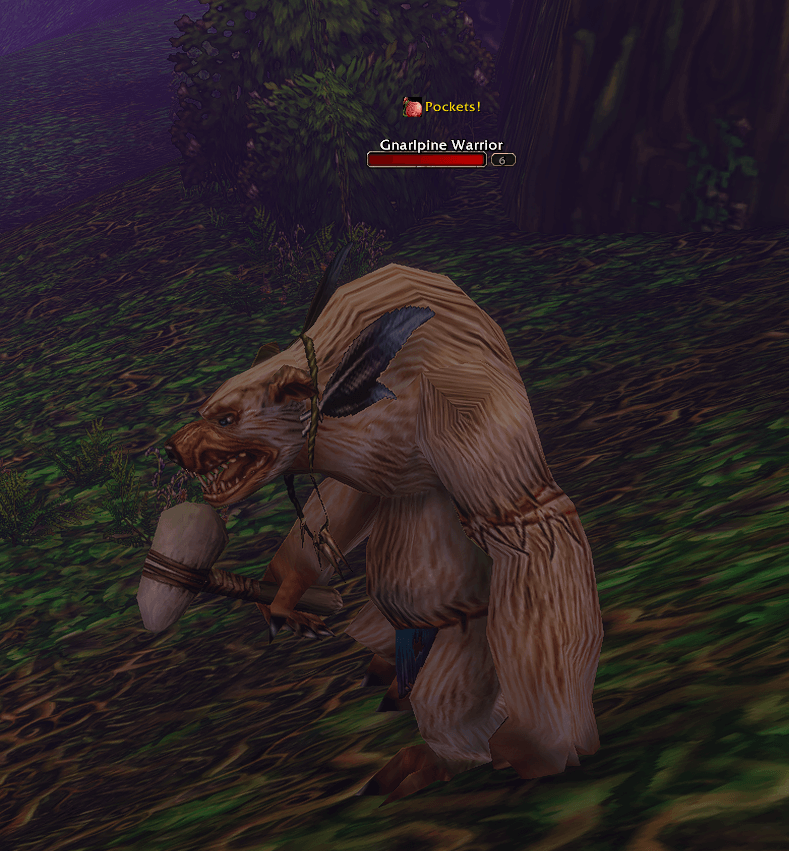
- A small coin-pouch badge appears above monsters you can pickpocket right now
- Shows on nameplates and above your target's portrait
- Only marks valid targets: humanoid NPCs you can attack that are alive and not in combat
- Disappears once you've robbed a mob (it comes back when the mob respawns)
- Learns as you go: mobs that say "No pockets to pick" are remembered and never marked again
📜 Loot tooltips
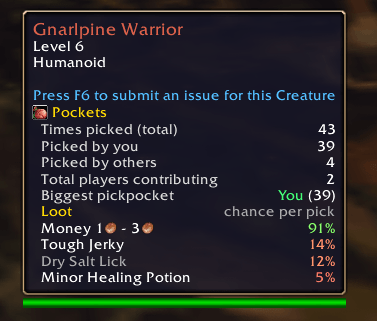
Hover over any monster to see what's in its pockets:
- How many times it's been picked, by you and by others
- Money range and the chance of each item, coloured from green (likely) to red (rare)
- The biggest pickpocket for that mob
/kp lootlists everything for your target in chat
🗺️ World map spots
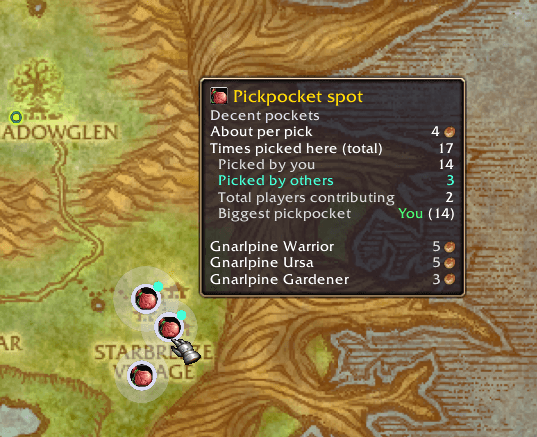
- Bubbles on the world map where pockets have been picked
- Colour shows how well each spot pays compared to the rest of the zone: gold (best), silver and copper
- Hover a bubble for the average value per pick, the mobs there and who farms it the most
- Works in all of Forever's new zones: spots come from your own play, not a fixed list
🤝 Party & guild sharing
- Players with the addon swap pickpocket records automatically through party and guild, so everyone builds the list together
- Data passes along: if Alice shares with Bob, Bob can later pass it on to Carol
- "Already robbed" sync: when a party member robs a mob, the badge disappears for everyone
- Only sends what's changed, at a gentle pace, and pauses during combat
- Choose how often to sync (party every 1–60 minutes, guild every 1–120 minutes)
- Optional: share your character name, or stay anonymous
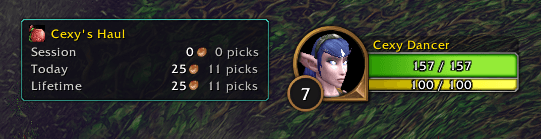
💰 Haul tracker (optional, off by default)
- A small window with your Session, Today and Lifetime pickpocket earnings
- Counts coins plus the vendor value of items
- Hover it for details and gold per hour
⚙️ Fully configurable
Everything can be turned on or off under Options → AddOns → Kaydee's Pockets, or by typing /kp.
🚀 Getting started
- Install the addon and log in on your rogue
- Press V to turn on enemy nameplates (recommended)
- Find a humanoid mob and look for the 👛 badge
- Pick their pockets: the addon records everything automatically
- Group up or join a guild with other users to start sharing
⌨️ Commands
All commands start with /kp (or /pockets).
| Command | What it does |
|---|---|
/kp |
Open the options window |
/kp help |
List all commands |
/kp on / /kp off |
Turn badges on or off |
/kp icon / text / both |
Change the badge style |
/kp rogue |
Toggle "only on my rogues" |
/kp target |
Toggle the badge on the target portrait |
/kp check |
Explain why your target is or isn't marked |
/kp loot |
List everything recorded for your target |
/kp haul |
Show or hide the haul window |
/kp haul reset |
Start a new haul session |
/kp sync |
Show what's been shared with you |
/kp sync now |
Sync with your party and guild straight away |
/kp forget |
Clear the learned "no pockets" list |
/kp log |
Open the debug log (for bug reports) |
/kp log on / off / clear |
Start, stop or empty the debug log |
/kp blocked |
List any actions the game blocked because of the addon |
🔧 Default settings
| Setting | Default |
|---|---|
| Only on my rogues | ✅ On |
| Badges on nameplates and target | ✅ On |
| Loot in tooltips | ✅ On |
| Show biggest pickpocket | ✅ On |
| World map spots | ✅ On |
| Share with party & guild | ✅ On |
| Share my character name | ✅ On |
| Party sync / Guild sync | Every 2 min / every 10 min |
| Haul tracker | ❌ Off |
| Sync chat messages | ❌ Off |
| Version message on login | ✅ On |
🔒 Privacy
- Sharing only happens in-game, through addon messages to your party, raid and guild. Nothing is sent to any website or server.
- You can turn off sharing, your character name, or other players' data separately in the options.
- Your records are saved on your computer and shared by all characters on your account.
🐞 Found a bug?
- Type
/kp log on - Make the bug happen again
- Type
/kp log, click Select all, press Ctrl+C - Paste it in a comment on this page with a short description of what happened
Suggestions and feedback are very welcome. Happy pickpocketing! 🗝️
Kaydee's Pockets Team